User Roles
In the User Roles section, you can manage user roles and their capabilities, allowing you to set granular access permissions based on each user’s role. You can create custom roles, assign capabilities to them, and assign users to those roles. This determines which options, sections, and configurations users can access when they log into the dashboard.
How do I add a new custom role?
- To manage the User Roles, go to Users and select the User Roles option from the side menu.
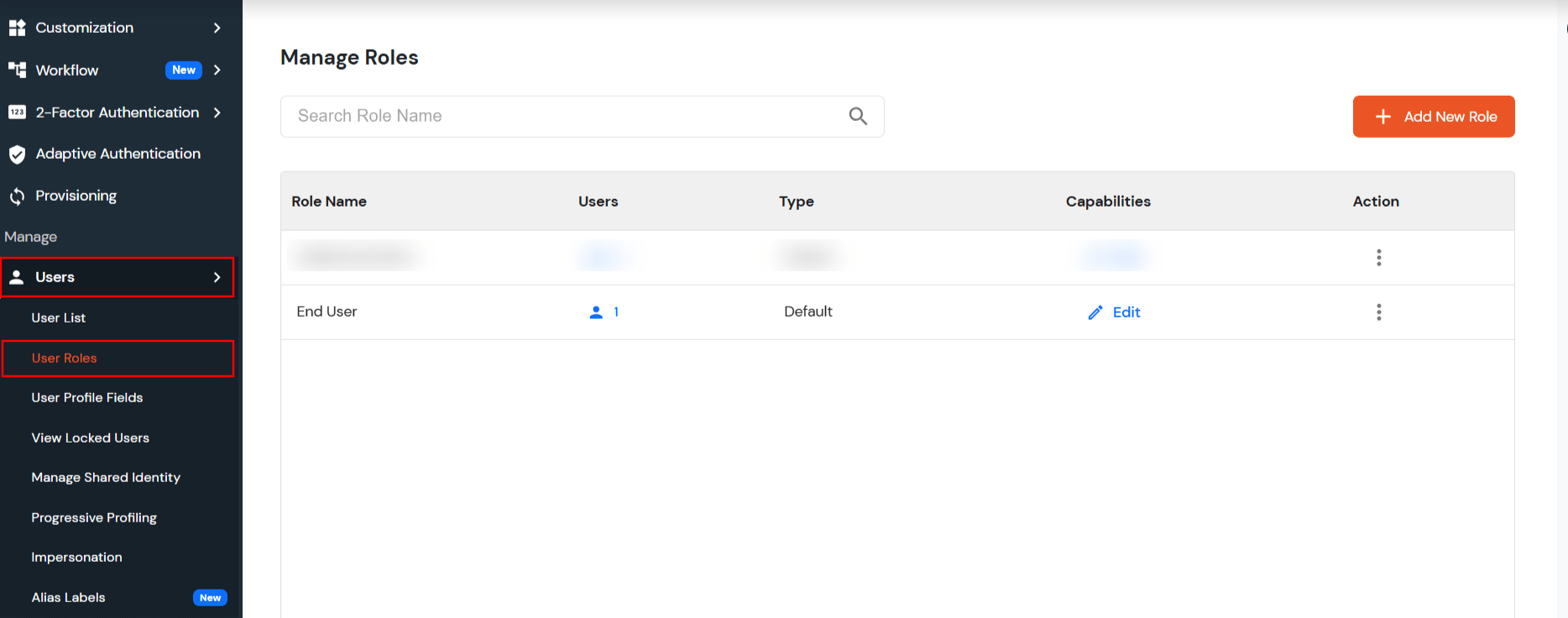
- Navigate to the Users >> User Roles >> Click on Add New Role.
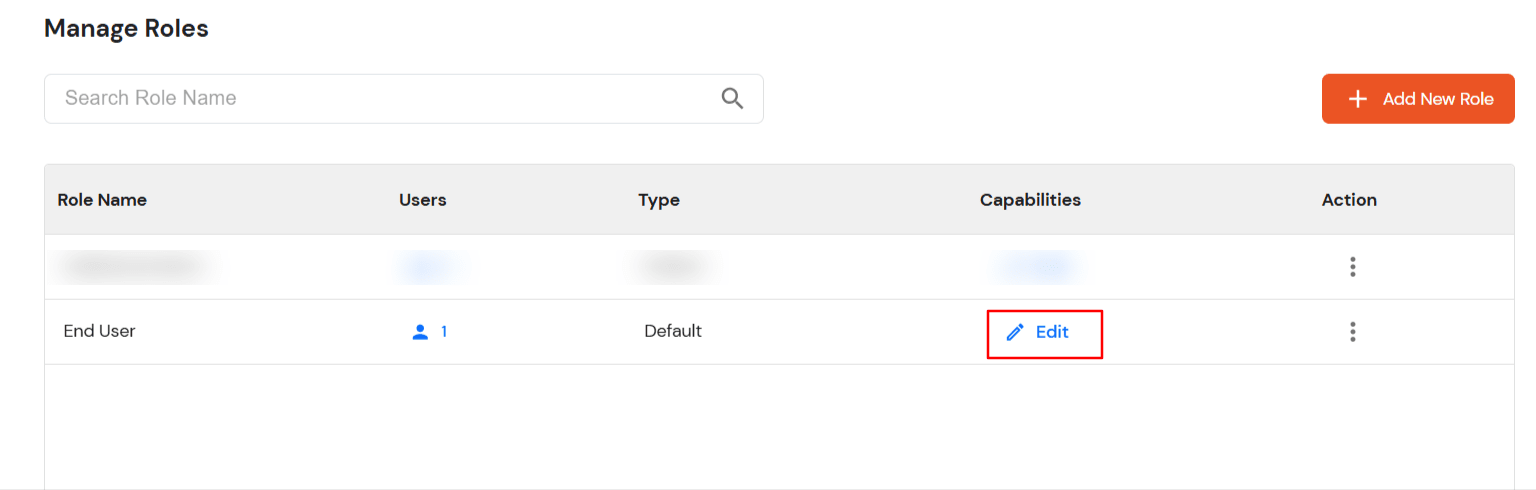
- Enter custom role name.
- You can inherit the capabilities from the existing role.
- Click on Next >> will go to the second step, Add Capabilities.
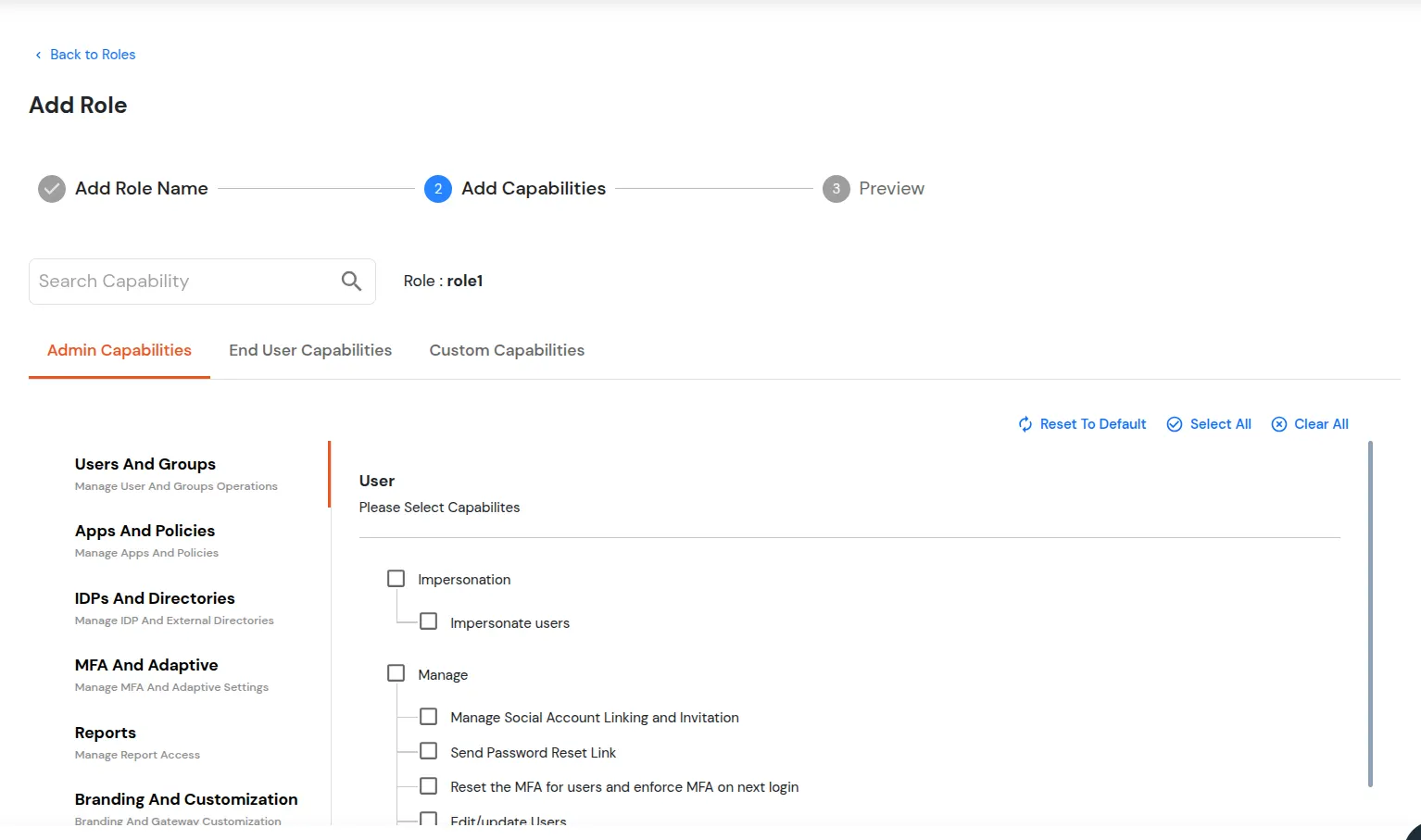
- Select the capabilities you want to assign the Role.
- If you select any admin capability, then users assigned to the role can have admin dashboard access.
- Select EndUser Capabilities.
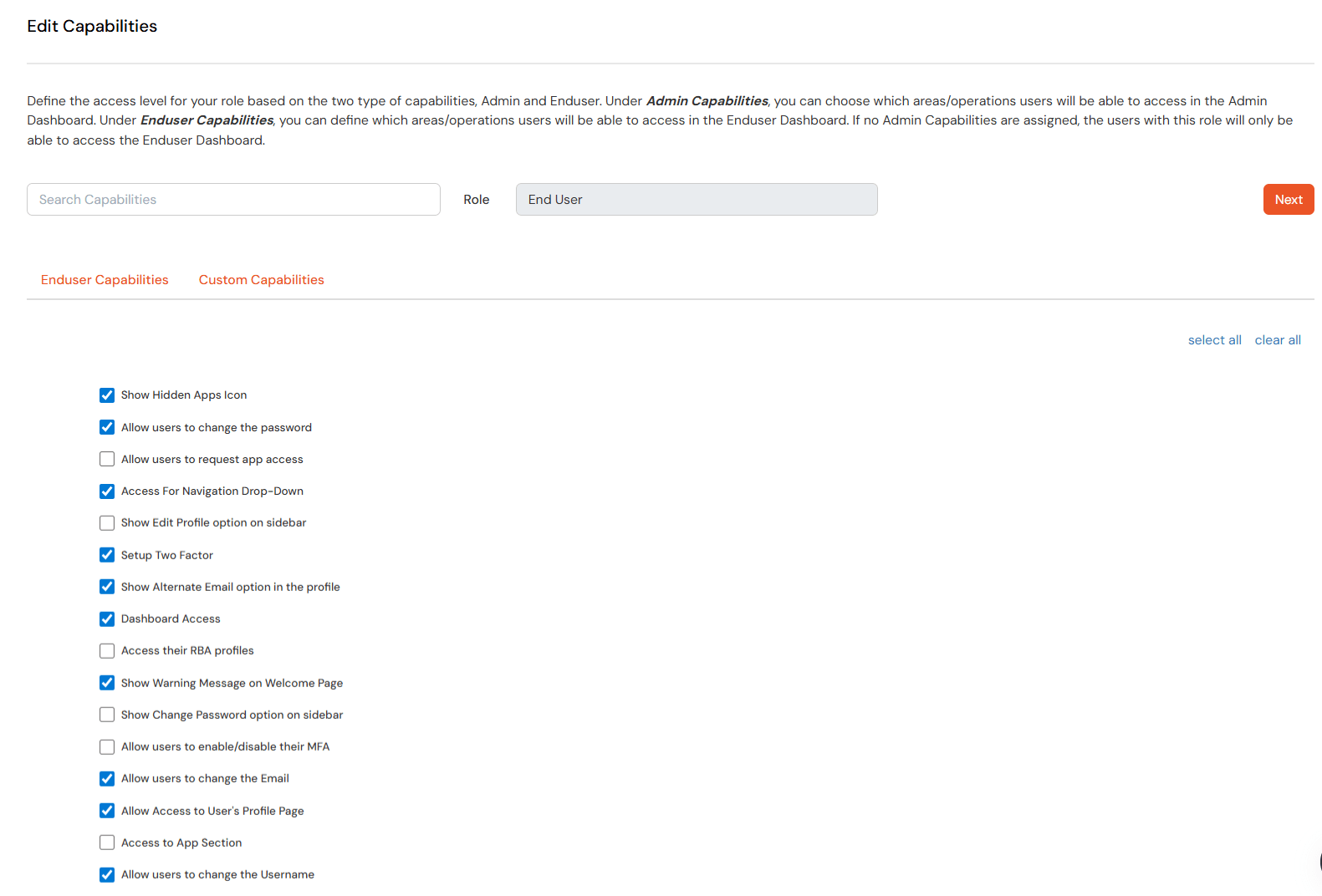
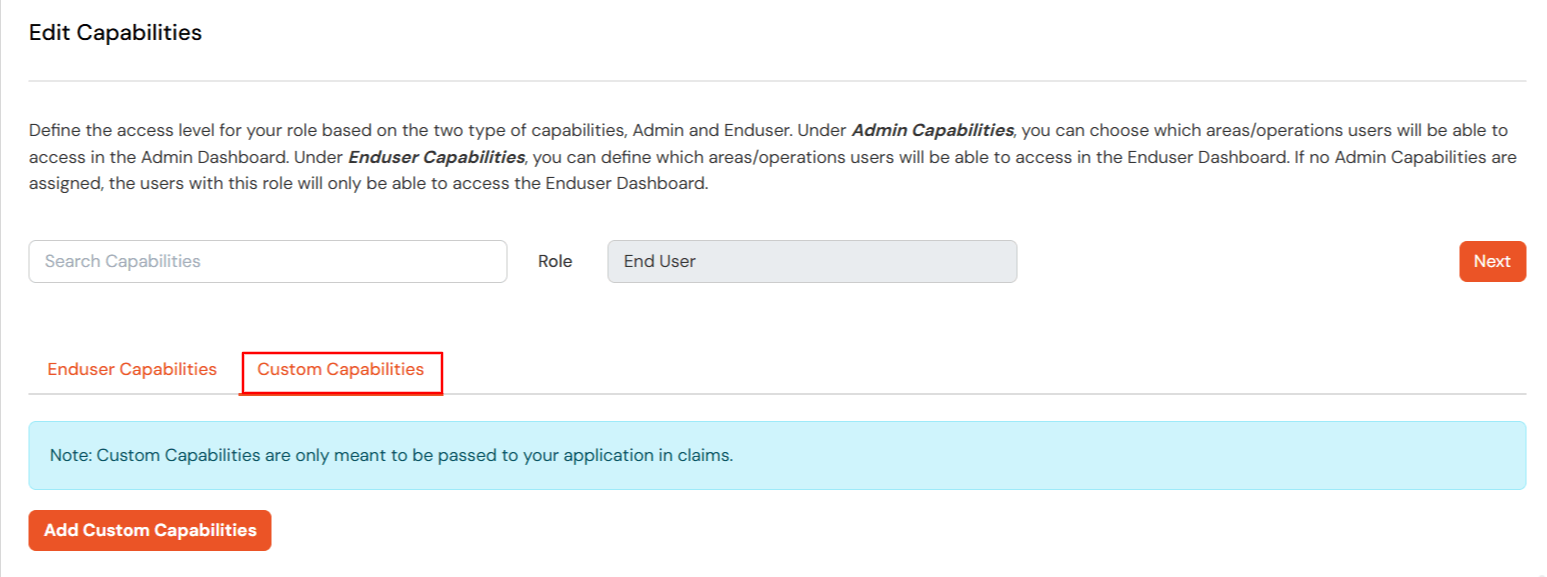
- You can add your custom capabilities.
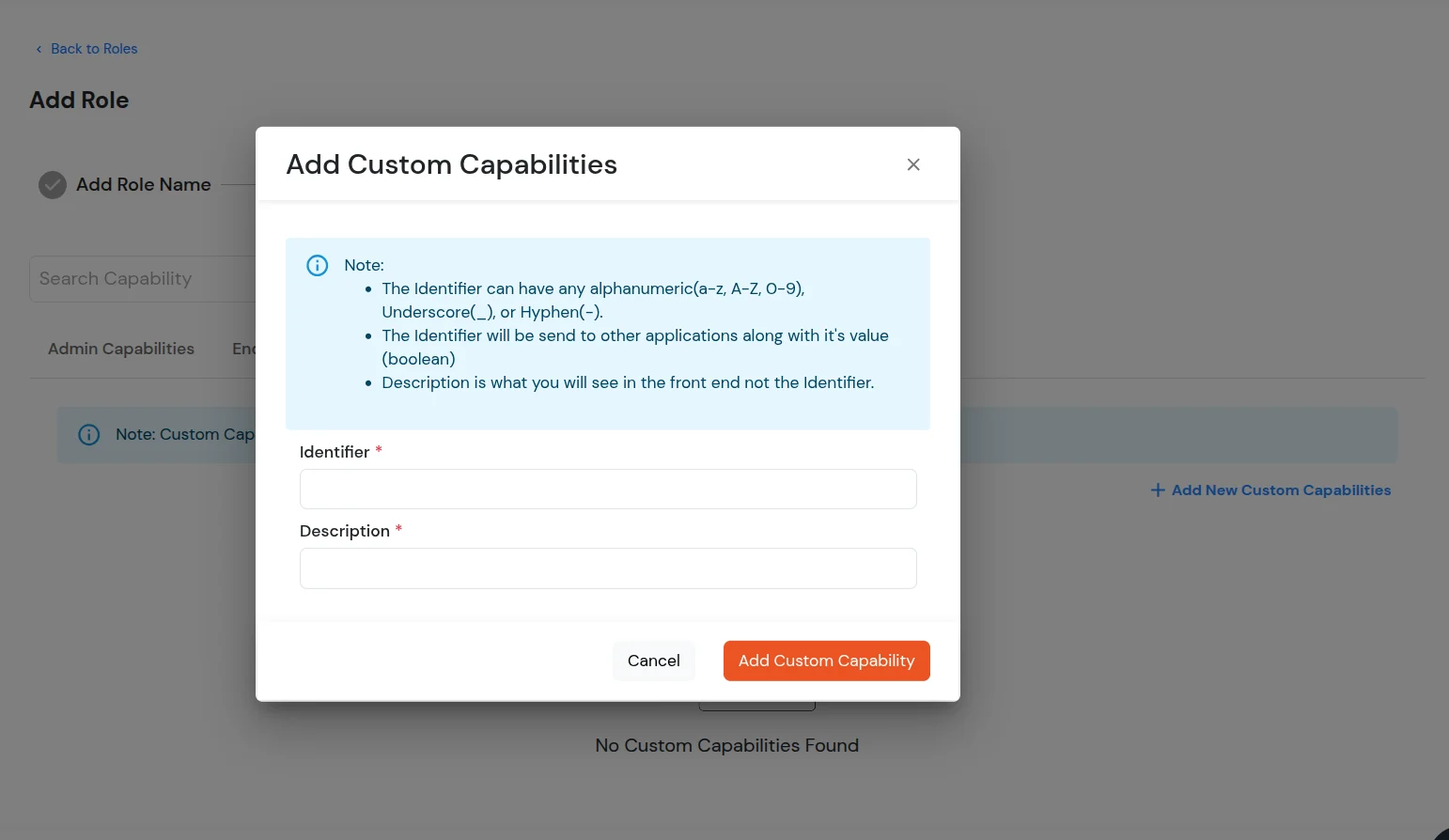
- After selecting the desired capabilities, click on Next. You can then preview all the selected capabilities.
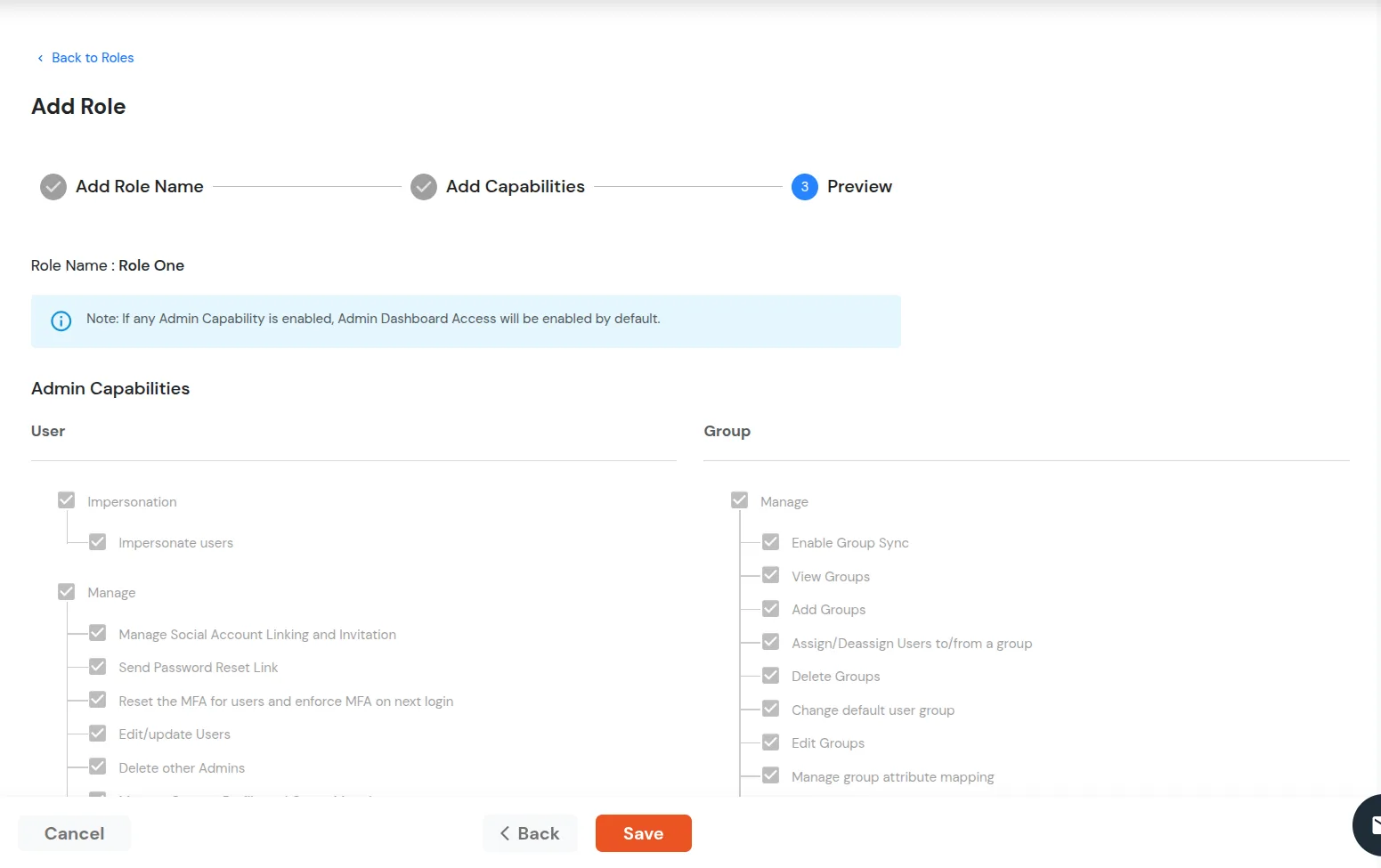
- Click on Save after verifying selected capabilities. A new custom role will be added.
- Click on Edit for the role you want to update the capabilities for.
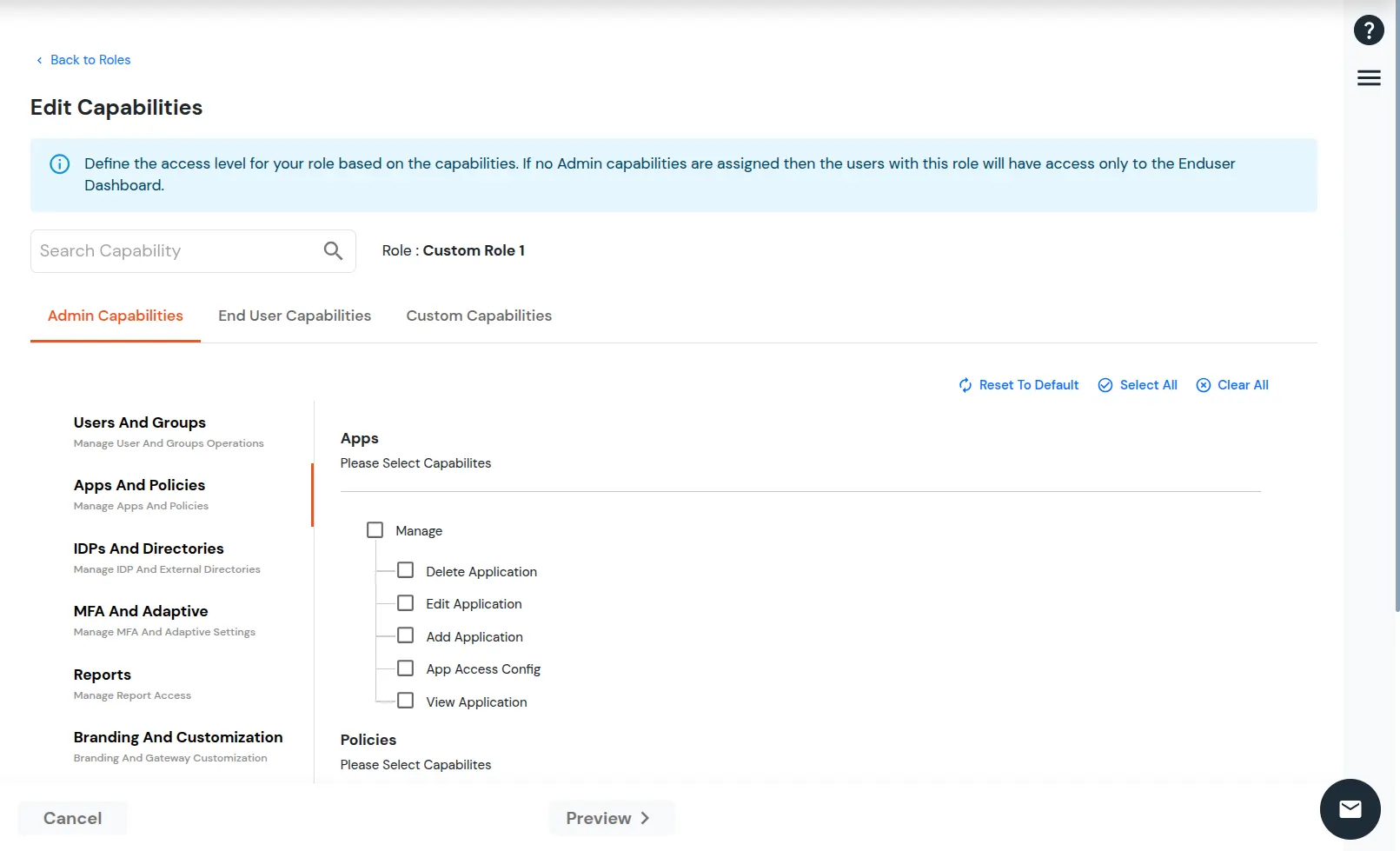
- Update the capabilities and click on the Preview Button.
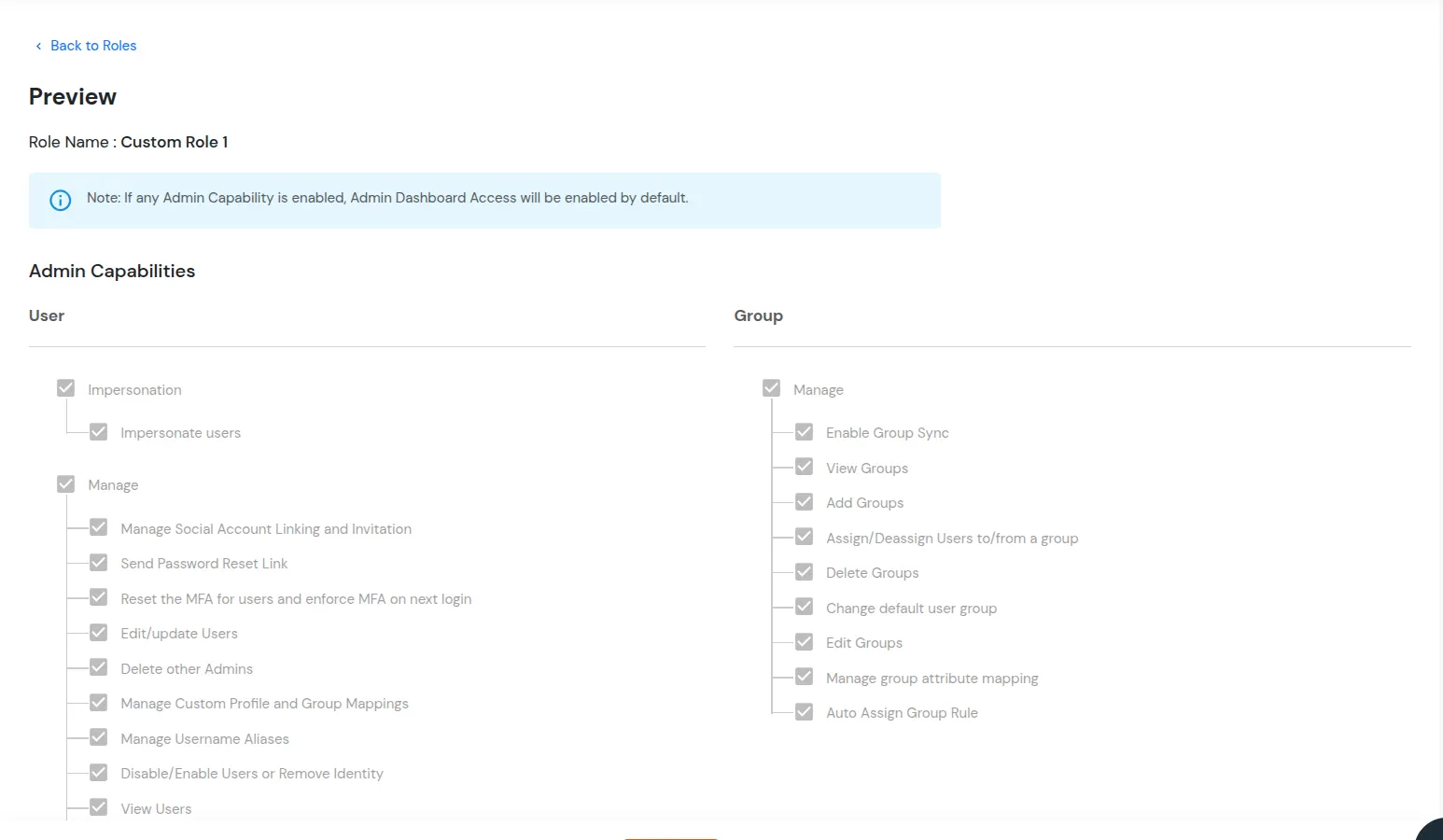
- Click on Save >> Capabilities for the role will update successfully.
Role-Based Access Configuration
The Right to Erasure functionality is capability-based and must be enabled for specific user roles.
Enable End User Deletion Capability
To allow users of a specific role to raise account deletion requests:
- Navigate to Users >> User Roles Select the required role.
- Click Edit under the Capability column.
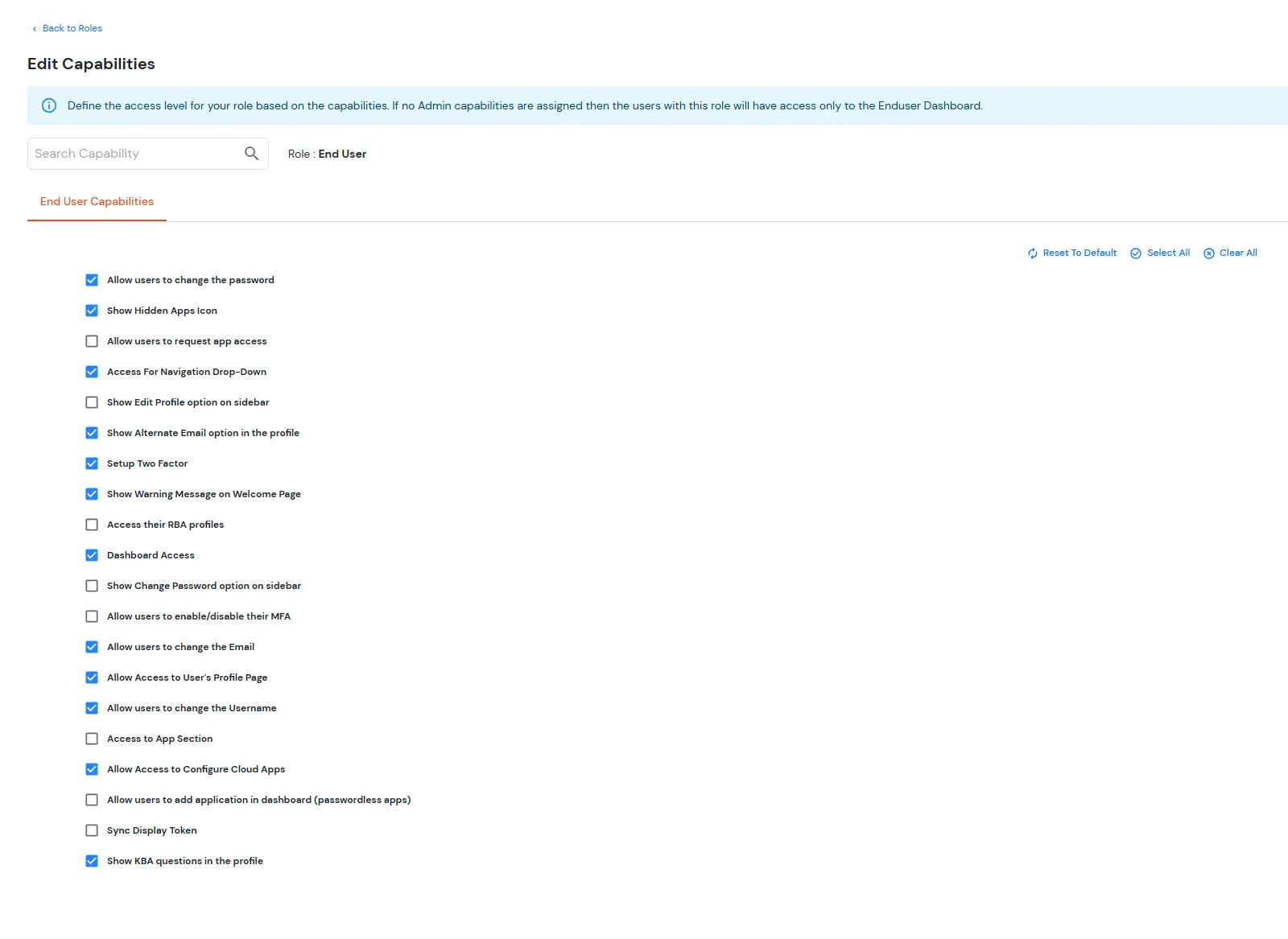
- Navigate to: End User Capabilities
- Enable the capability: Allow users to schedule deletion of their account
- Click on Save the changes.
Users assigned to this role will be able to submit self-account deletion requests from their profile section.
Administrative Capability Configuration
To allow additional administrators or roles to manage self-account deletion requests:
- Navigate to Users >> User Roles Select the required role.
- Click Edit under the Capability column.
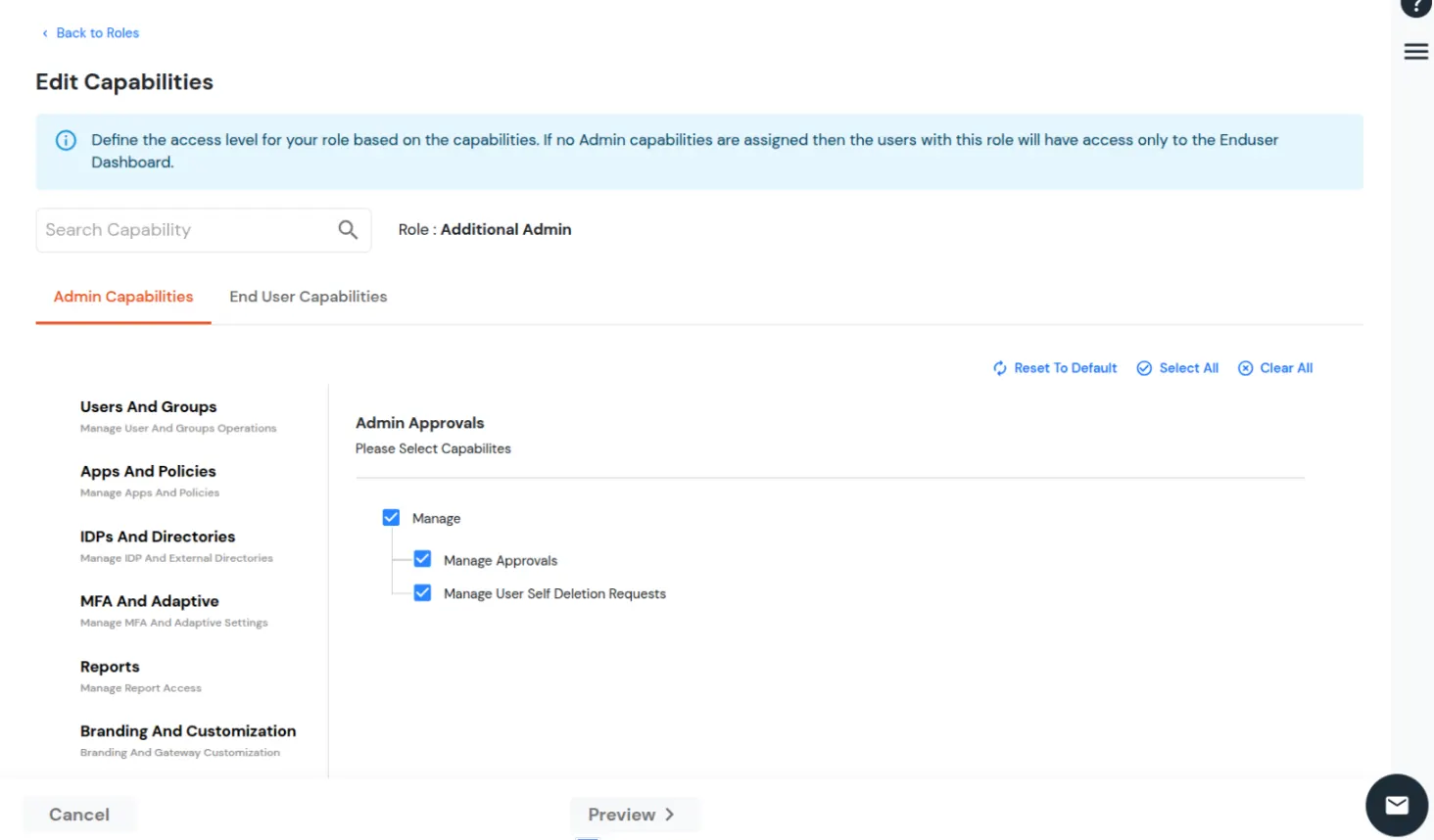
- Navigate to: Admin Approvals >> Admin Capabilities
- Enable the capability: Manage User Self Deletion Requests
- Click on Save the changes.
Users assigned to this role will gain access to manage account deletion requests.