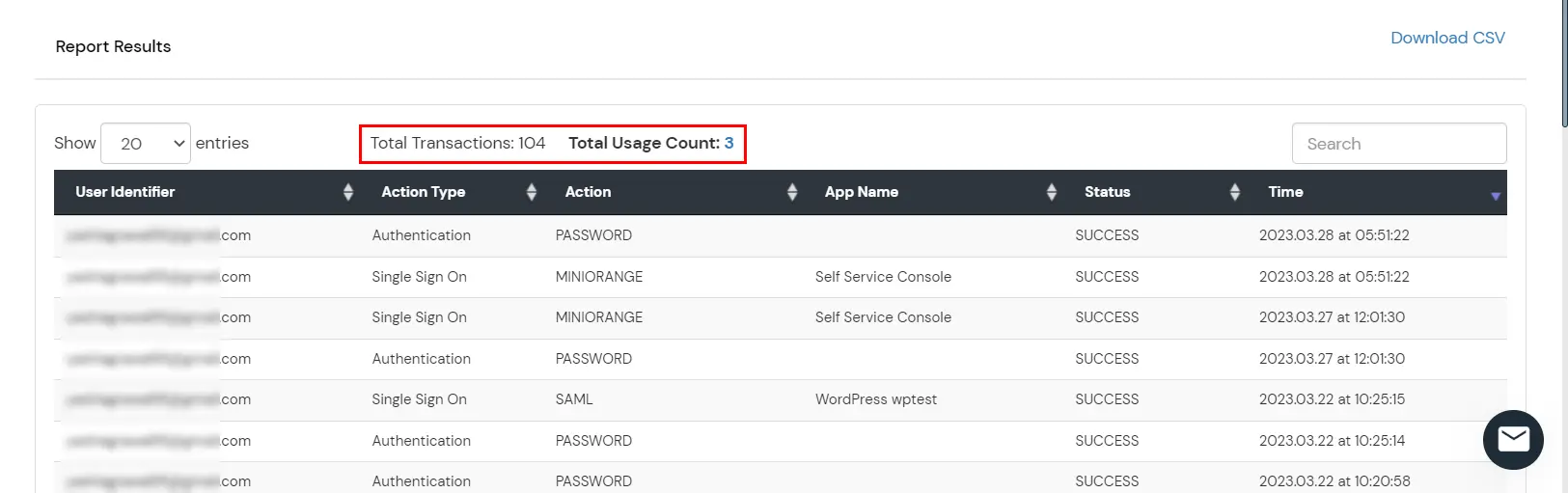
This report shows details of user login activity and active usage. Admins can view user login details, transaction time, authentication type, and total active users.
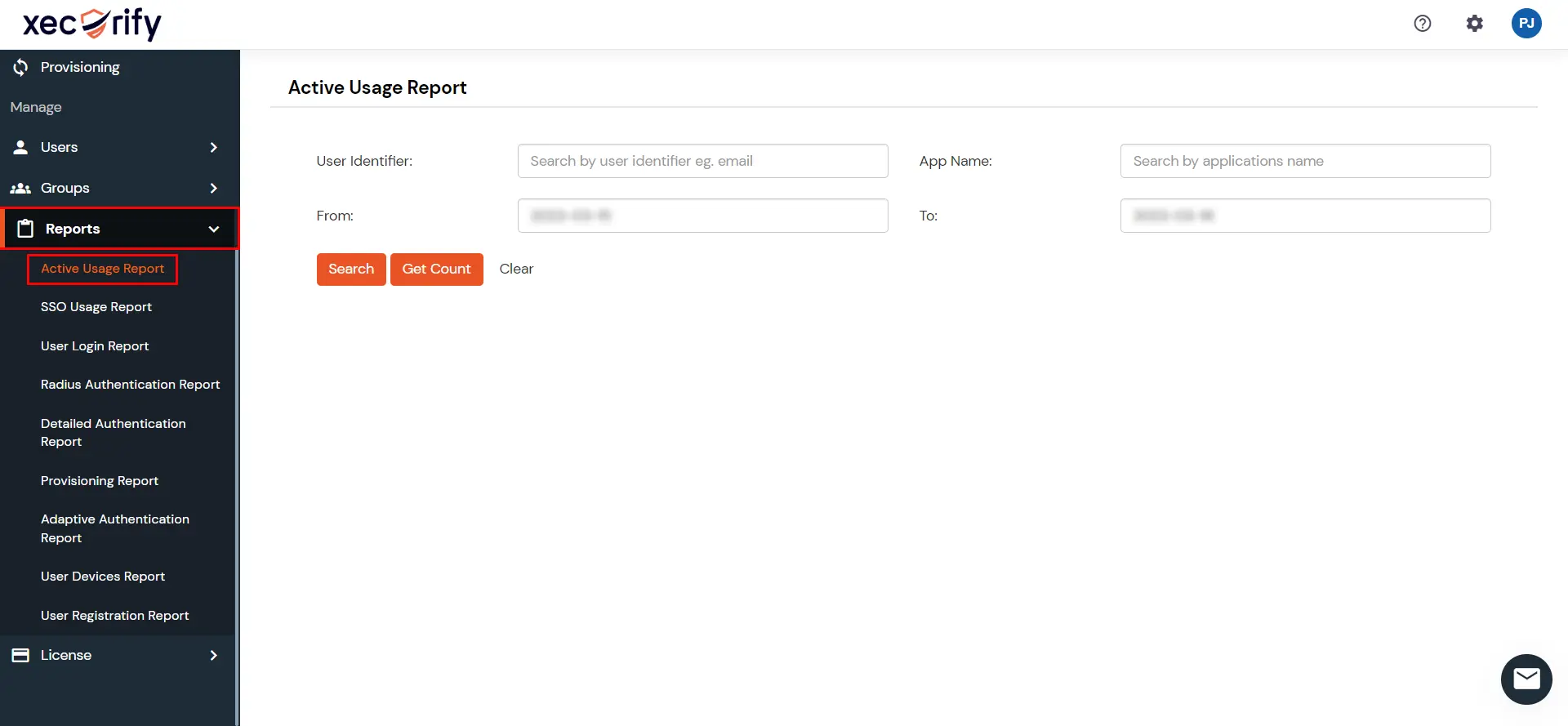
Go to Reports >> Active Usage Report.
You will have to provide any of the following details to filter your report and get the desired result.
You can filter by Email, From Date, or To Date.
Filter
Description
Email
Email address associated with the login activity.
From and To Date
Start and end dates for the report.
You can click on Get Count to view the total number of active users.
In the report result, you will be able to see the active usage details based on the filters selected.
You can also export the report in CSV or PDF format by clicking on the Download CSV or Download PDF option at the top-right of the reports section.
After viewing the report, you can click on Clear Filter to remove all the filters applied.