Manage License in miniOrange Identity Platform
How to check your License Details:
- Go to Licensing > Manage Licenses from the Side Menu.
- On the License Details page, following details will be displayed.
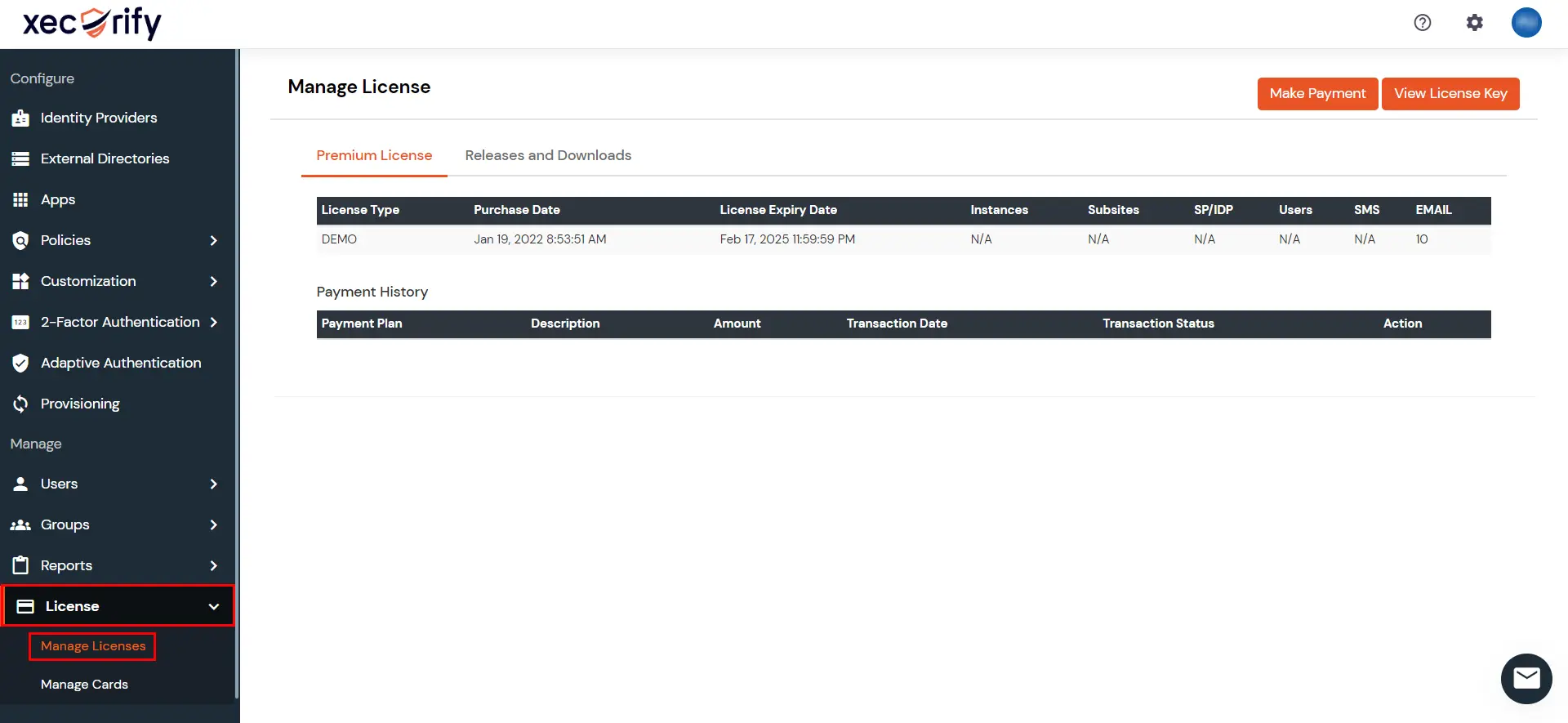
| License Type |
Can be either |
| Users |
The no. of Users allocated to your license. This is the total no. of unique users who can use our services to login to applications. |
| Purchase Date |
This shows the start date of the license. |
| License Expiry Date |
This shows the end date of the license. |
When can a License Stop Working:
- If your total unique active users exceed the no of allocated users in your license.
- If you do not update the license before the expiration date.
What happens when a License stops working:
- If any or both of the above mentioned conditions are true for your license then all authentications for your users will stop and
they will be unable to access any of the integrated applications.
How to request for a new license:
- Click on Settings icon on the top right corner from the header.
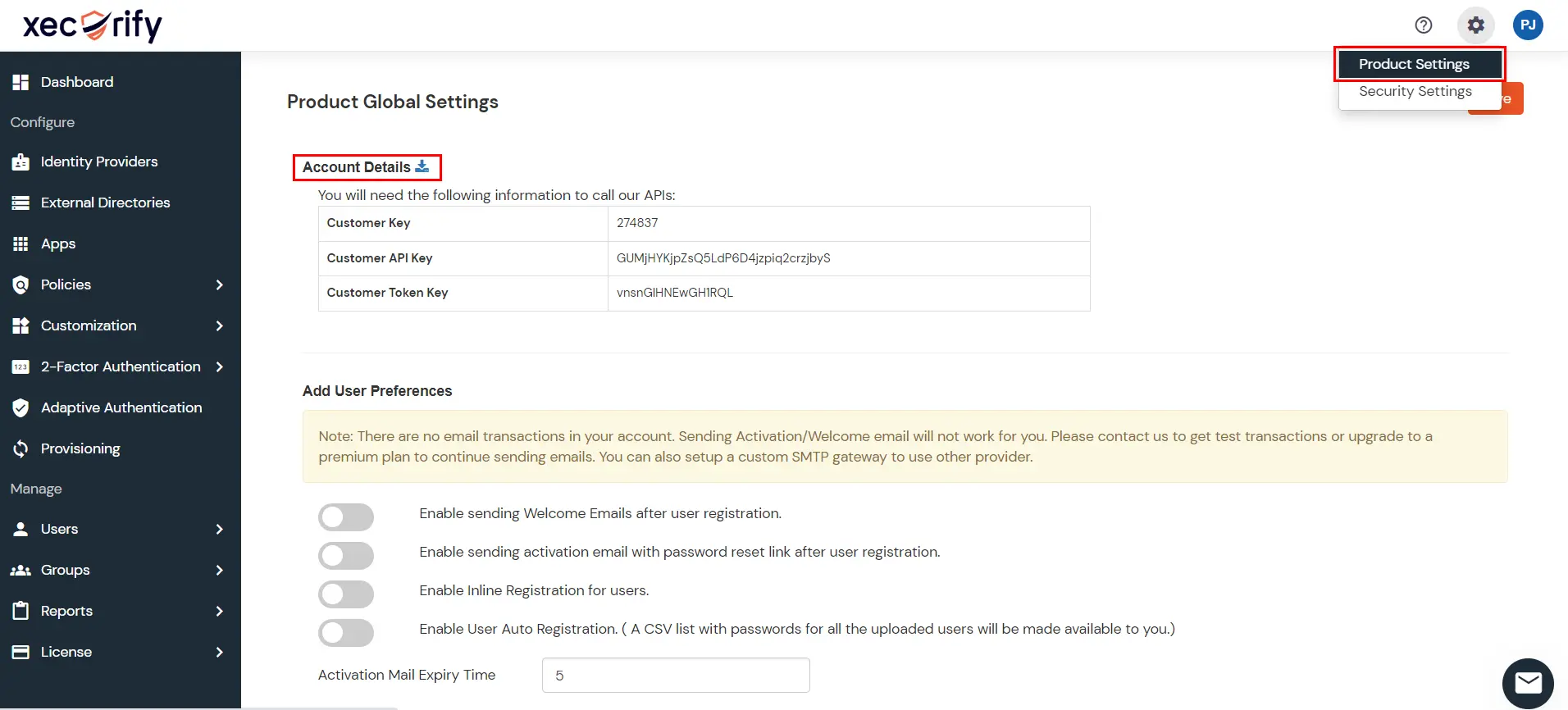
- From the Account > Details section, click on the Download link to download your account details file.
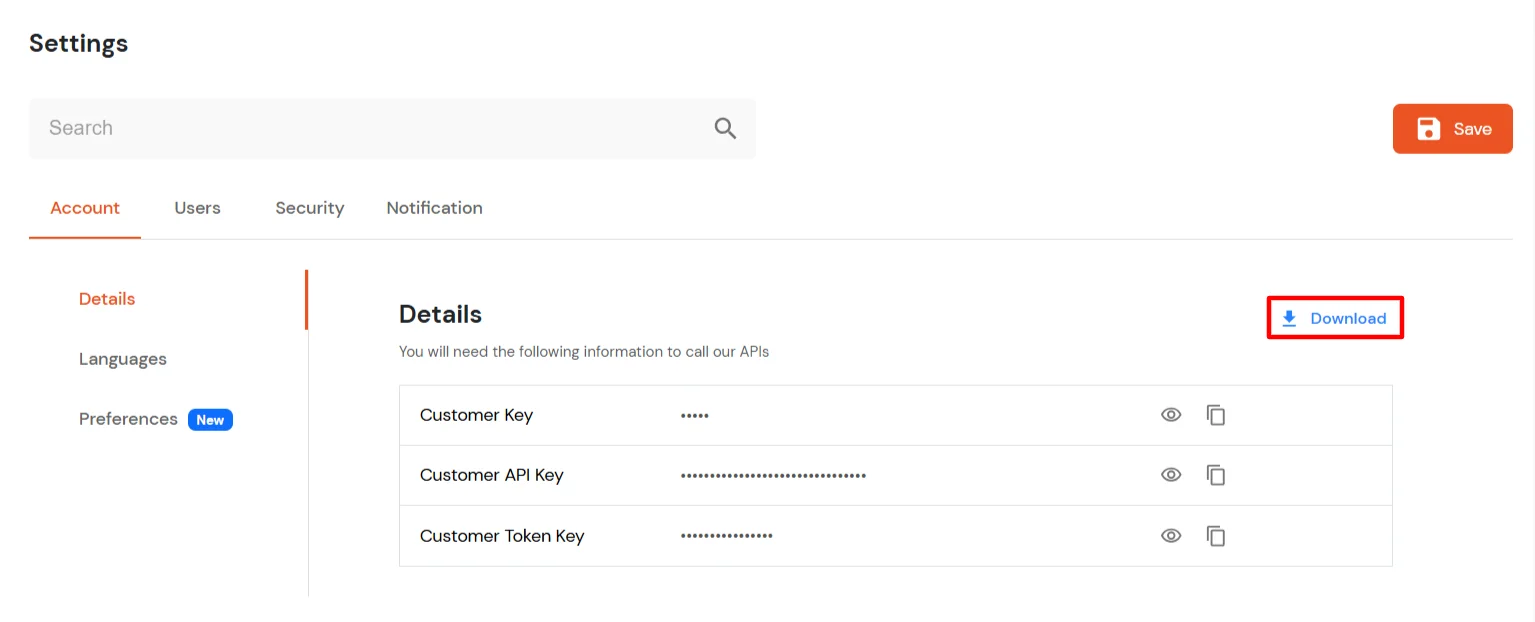
This will download your account details file. Share the same with us and we will provide you with a new license file.
How to Update License for your OnPremise IDP :
- Stop your IDP Server.
- Visit to your server directory. [Where the IDP is deployed]
- Go to moas\WEB-INF\classes.
- Replace the license file with the updated license file. [the file has no extensions, only the name license]
- Start the Server.
- Go to <Server_Base_URL>/ initialize in a browser to load the latest license changes.
- Login to your admin account and go to the licensing section to verify the license update.

