BigCommerce Social Login allows customers to create an account or log in to your BigCommerce store using their existing social media credentials, such as Apple, Facebook, Google, or Twitter. This makes the registration & login process quicker & more convenient for customers, as they do not need to create a new account & remember additional login information.
With BigCommerce Social Login SSO features, you can:
Enable your users to automatically log into BigCommerce using any existing social media credentials.
Provide extra layer of security on your BigCommerce store with 2-Factor Authentication (OTP over SMS/Email).
Speed up customer checkout with pre-filled social media profiles, reducing friction & cart abandonment.
miniOrange offers free help through a consultation call with our System Engineers to Install or Setup BigCommerce SSO solution in your environment with 30-day free trial.
For this, you need to just send us an email at idpsupport@xecurify.com to book a slot and we'll help you in no time.
miniOrange provides user authentication from various external sources, which can be Directories (like ADFS, Microsoft Active Directory, OpenLDAP, AWS etc), Identity Providers (like Microsoft Entra ID, Okta, AWS), and many more. You can configure your existing directory/user store or add users in miniOrange.
Prerequisites
Please make sure your organisation branding is already set under Customization >> Login and Registration Branding in the left menu of the dashboard.
Follow the Step-by-Step Guide given below for BigCommerce Single Sign-On (SSO)
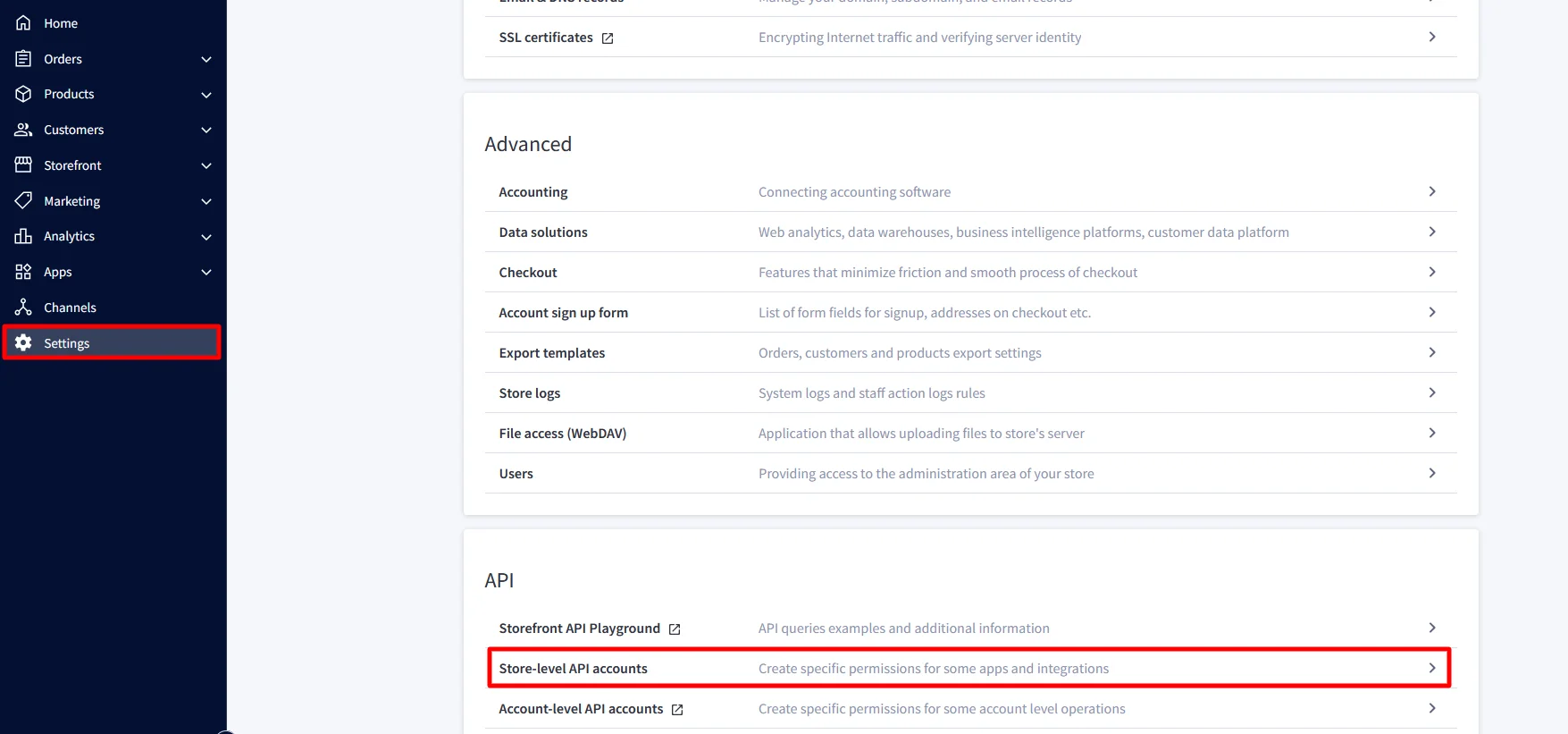
Go to the Settings from the sidebar, scroll down to API and then click on Store-level API accounts.
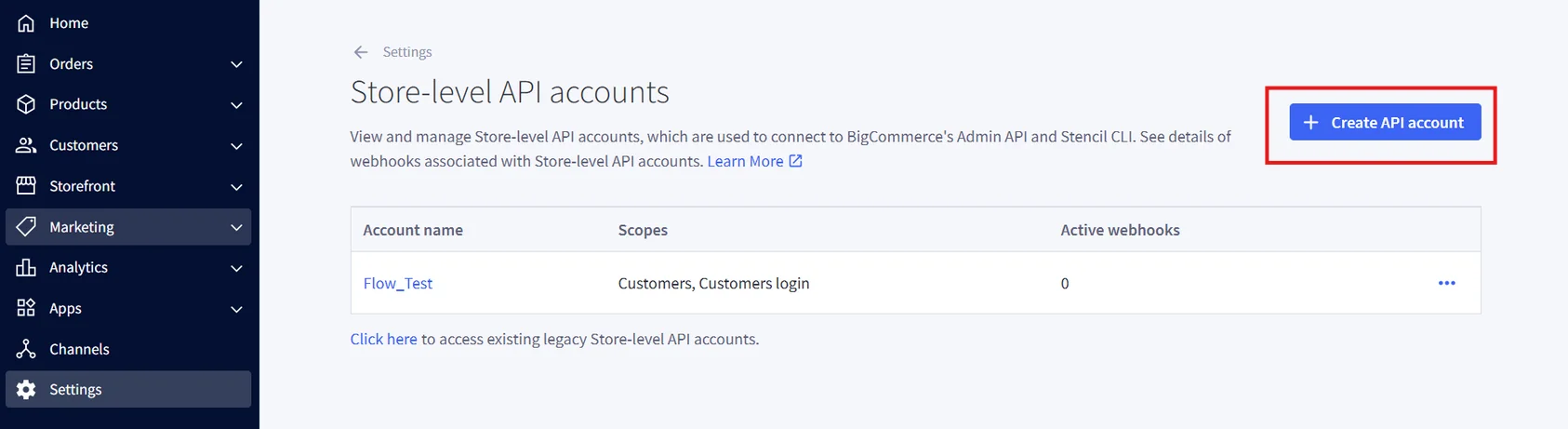
Click on Create API Account and choose the token type as V2/V3 API Token option from the menu shown.
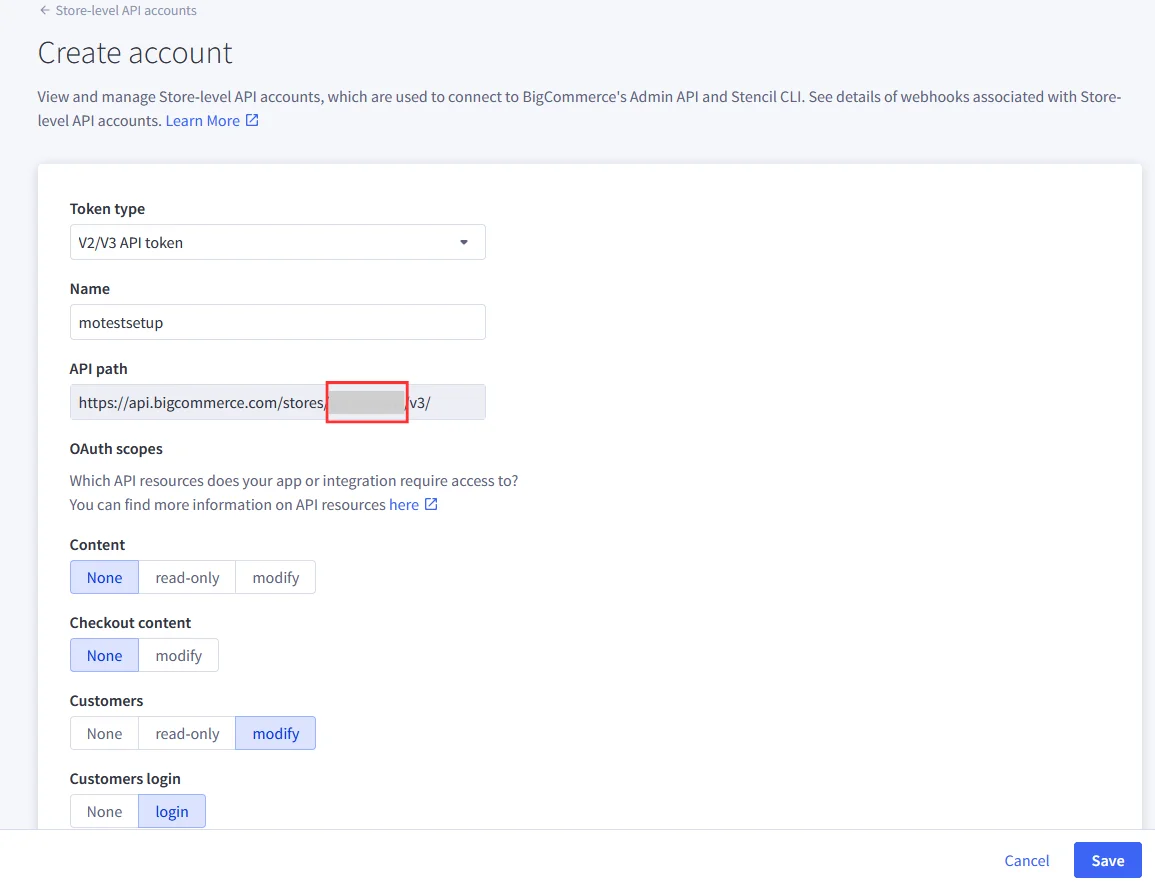
Add a suitable name for your API account.
Note: In BigCommerce, the API Path is the base URL that your application or integration uses to connect to your store’s data through BigCommerce APIs. The Store Hash is a unique identifier automatically generated by BigCommerce for each store. It appears in the API Path.
Copy the highlighted Store Hash from the API Path.
Note: This Store Hash will be required while configuring BigCommerce in miniOrange.
Enable the Customers option as Modify and Customers Login option as login. Keep rest of the settings as it is.
Click on Save.
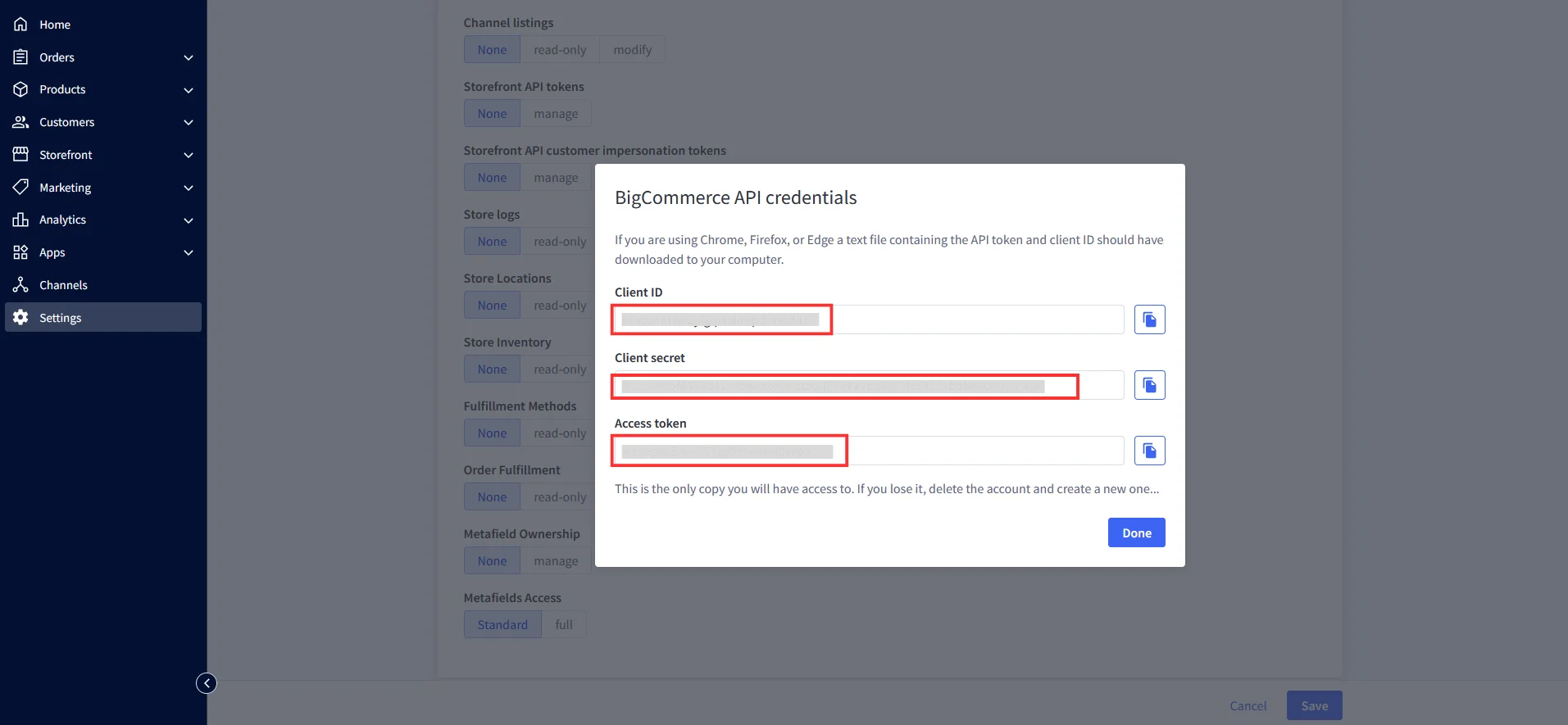
Download the API credentials file. It contains the API token, Client ID and Client Secret.
Note: Your Redirect URL should be: <Storefront URL>/login/token/
For Example: https://xyz.bigcommerce.com/login/token/
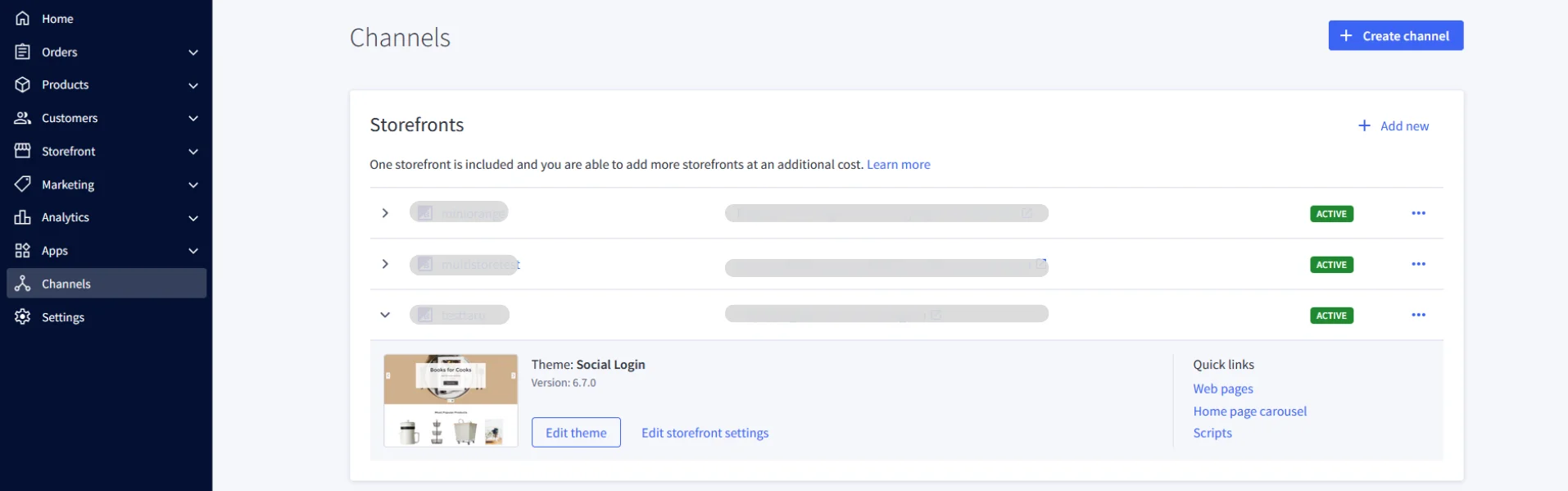
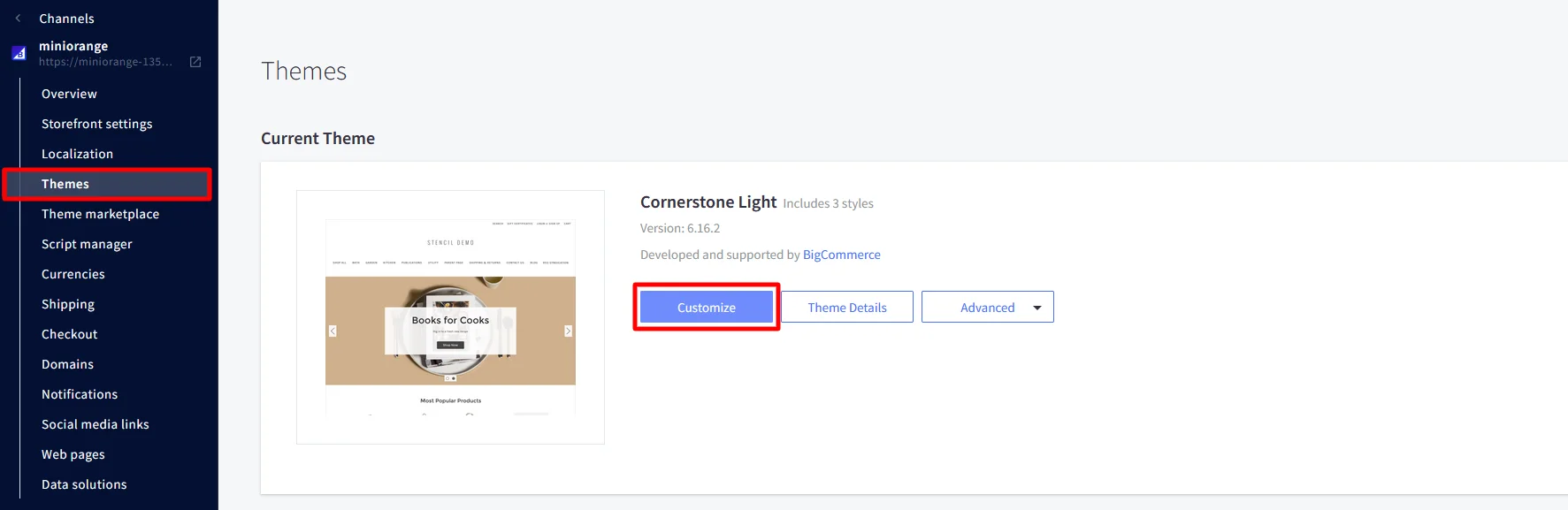
To find your Storefront URL: Go to Channels >> Storefronts. Copy the URL listed for your store.
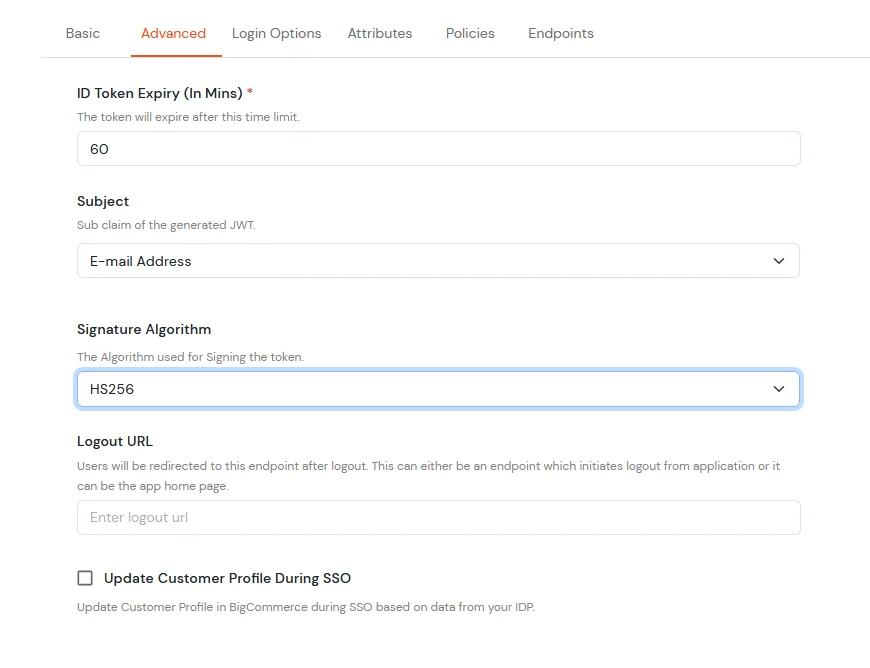
Now click on Next and go to Advanced tab.
Subject
E-Mail Address.
Signature Algorithm
HS256
Logout URL
Copy the storefront URL as mentioned above and append /login.php?action=logout
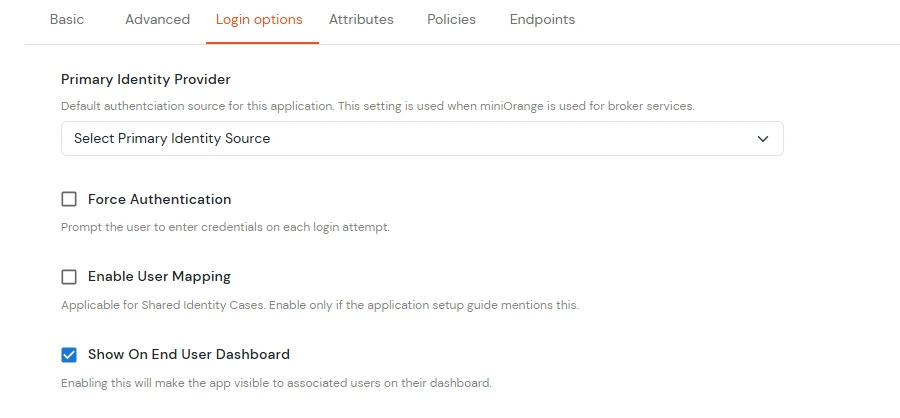
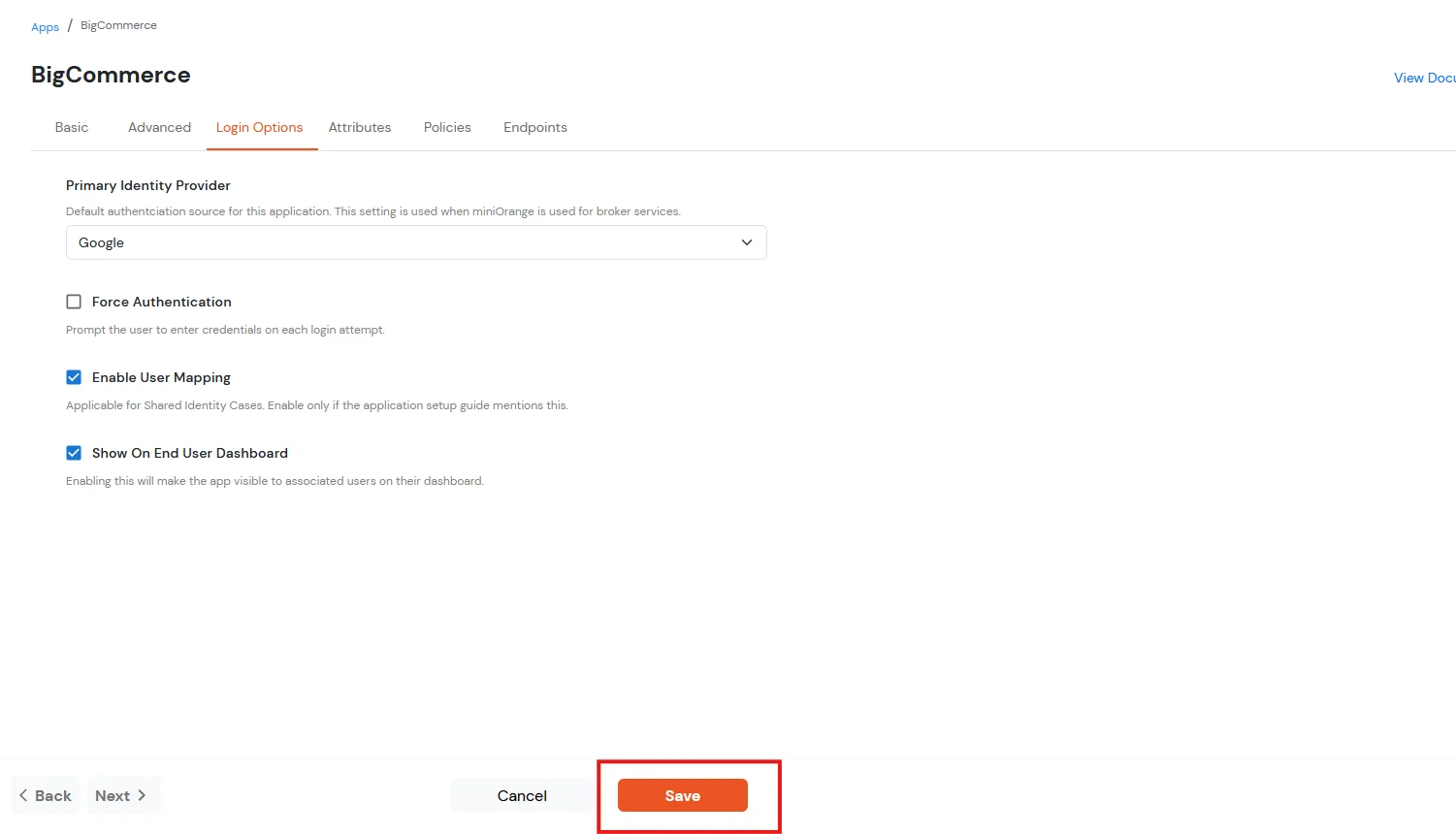
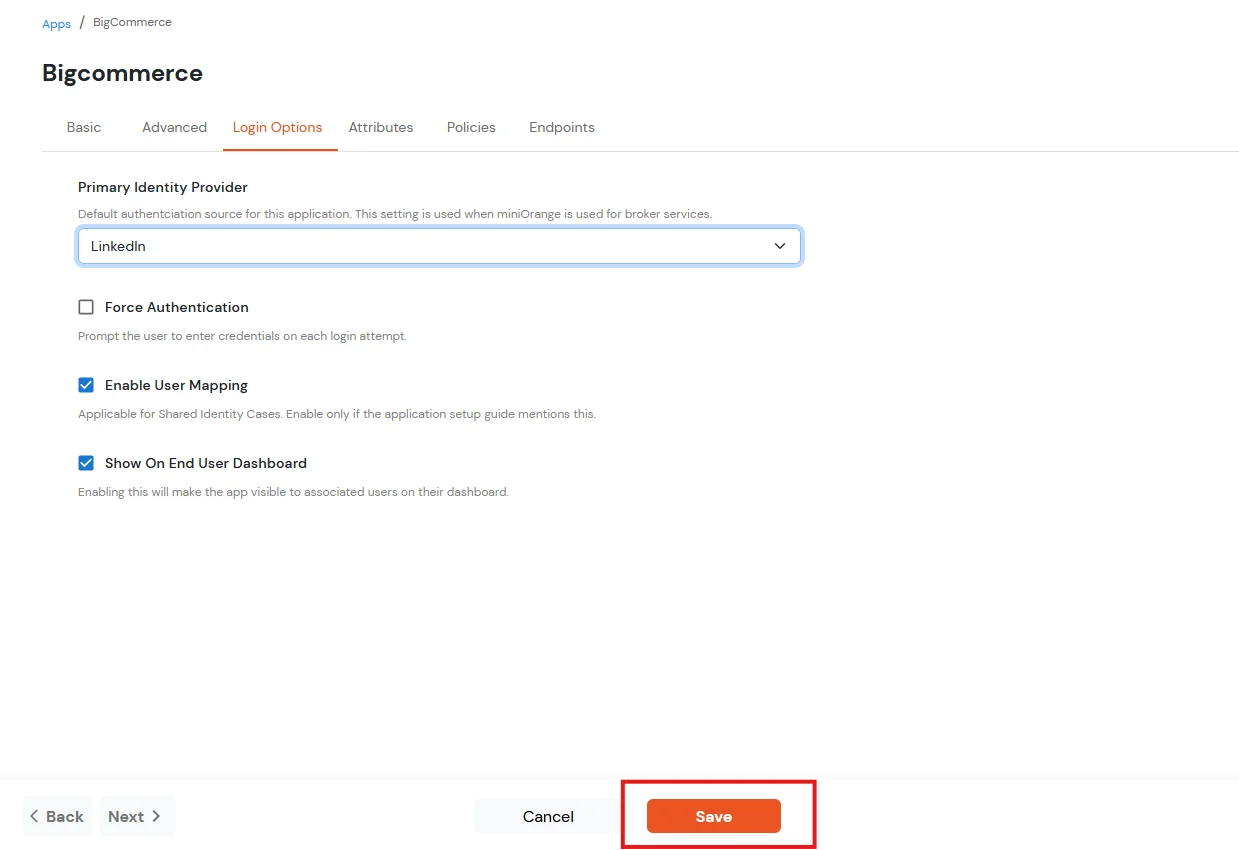
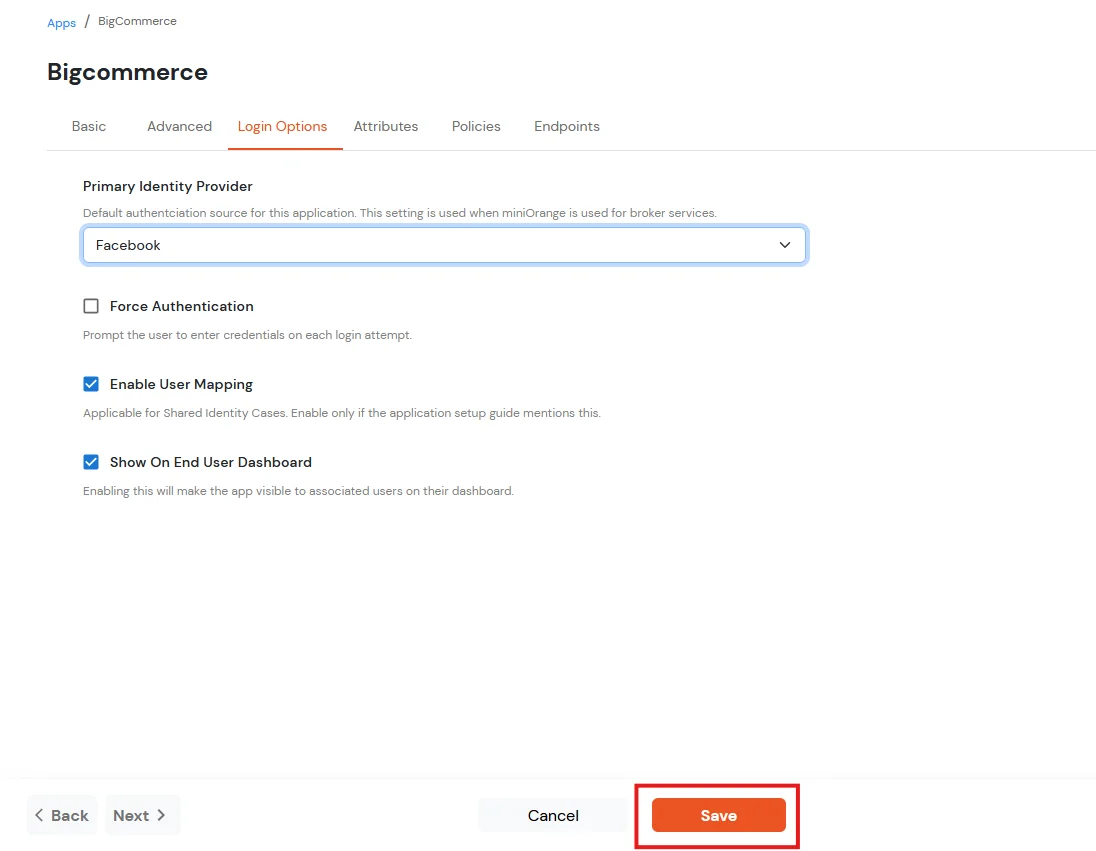
Click Next to go to the Login Options tab.
Primary Identity Provider
The identity source against which user will be authenticated
Force Authentication
Enable if you want user to authenticate even if the user has a session
Enable User Mapping
Enable if you are sending the logged-in user from this app in the response
Click on the Save button.
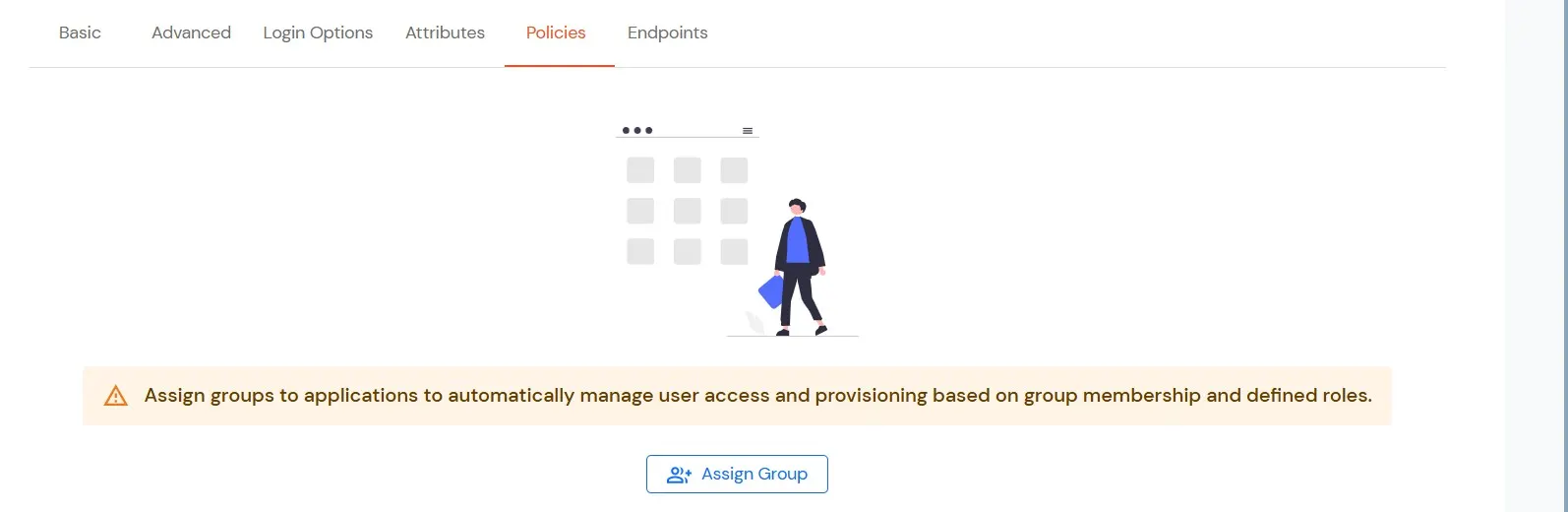
Navigate to Policies tab.
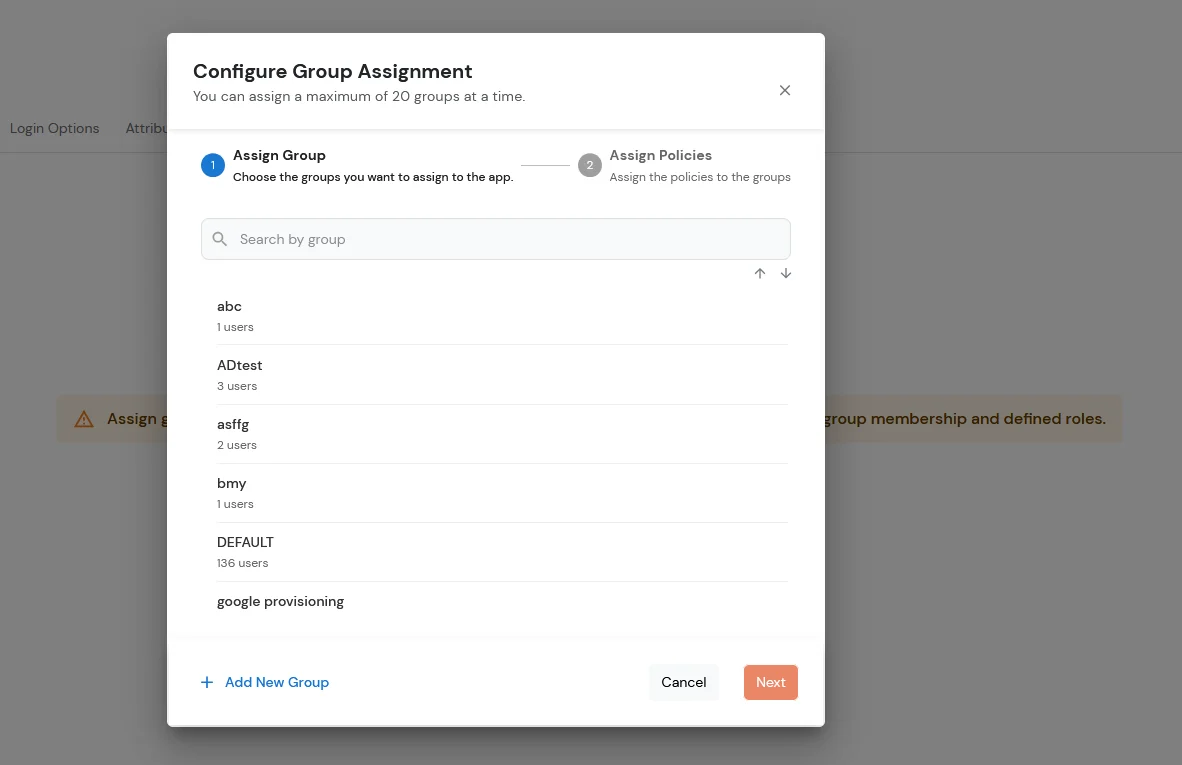
Click on Assign Group button.
Choose the DEFAULT group.
Click on the Next button.
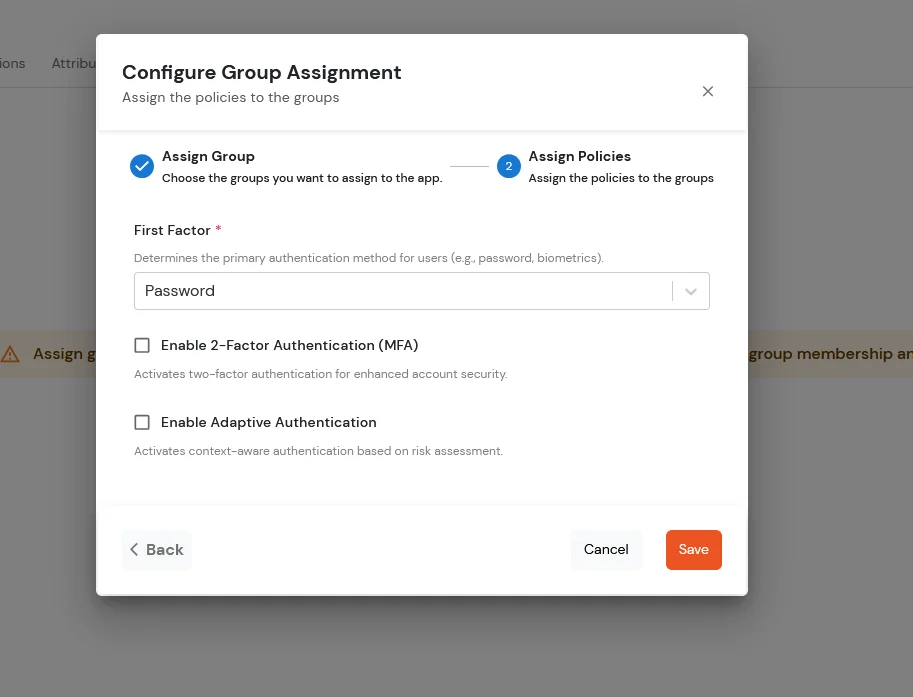
Assign the policies to the group. Here, you can choose the primary authentication method for users. From the dropdown under First Factor, select Password.
Click on the Save button.
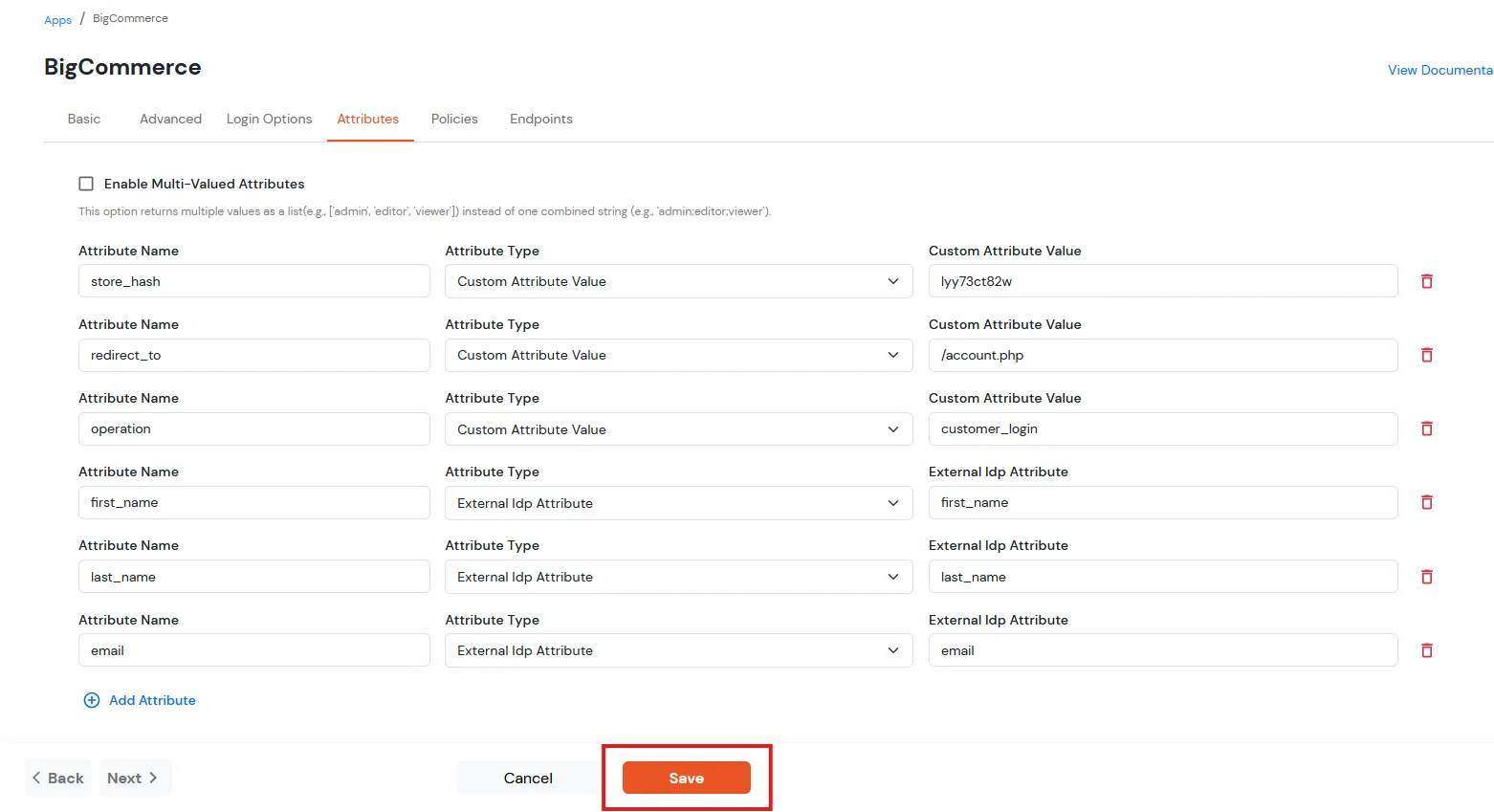
For Attribute Mapping and add new attributes, navigate to the Attributes tab and click on the Add Attribute.
To map the attributes between the IDP and BigCommerce application, click on Attributes + button.
The first three attributes will be hard-coded values
In the below diagram, we are using miniOrange as the IDP.
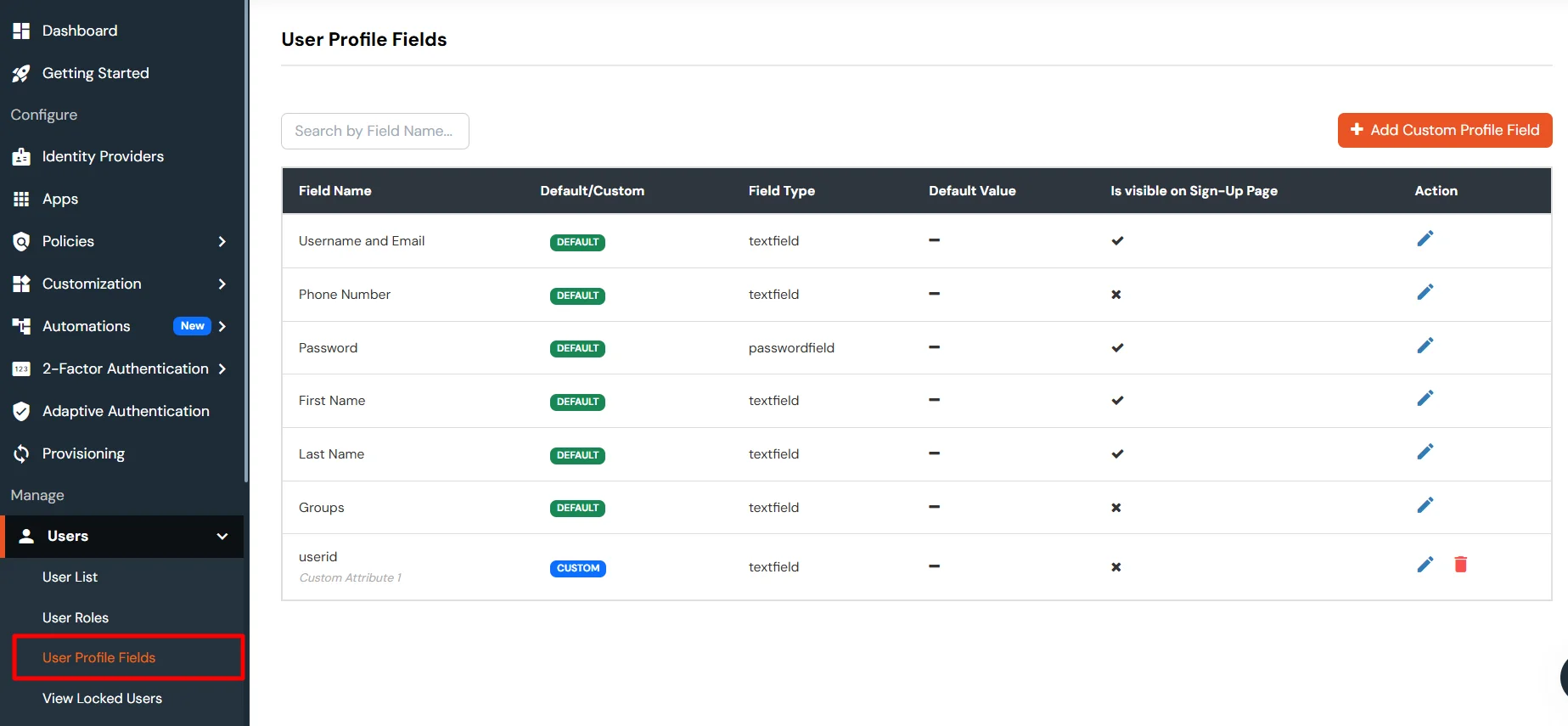
Before syncing these fields to BigCommerce, you must first create the corresponding attributes in the miniOrange user profile. These attributes will then be mapped and synced to BigCommerce.
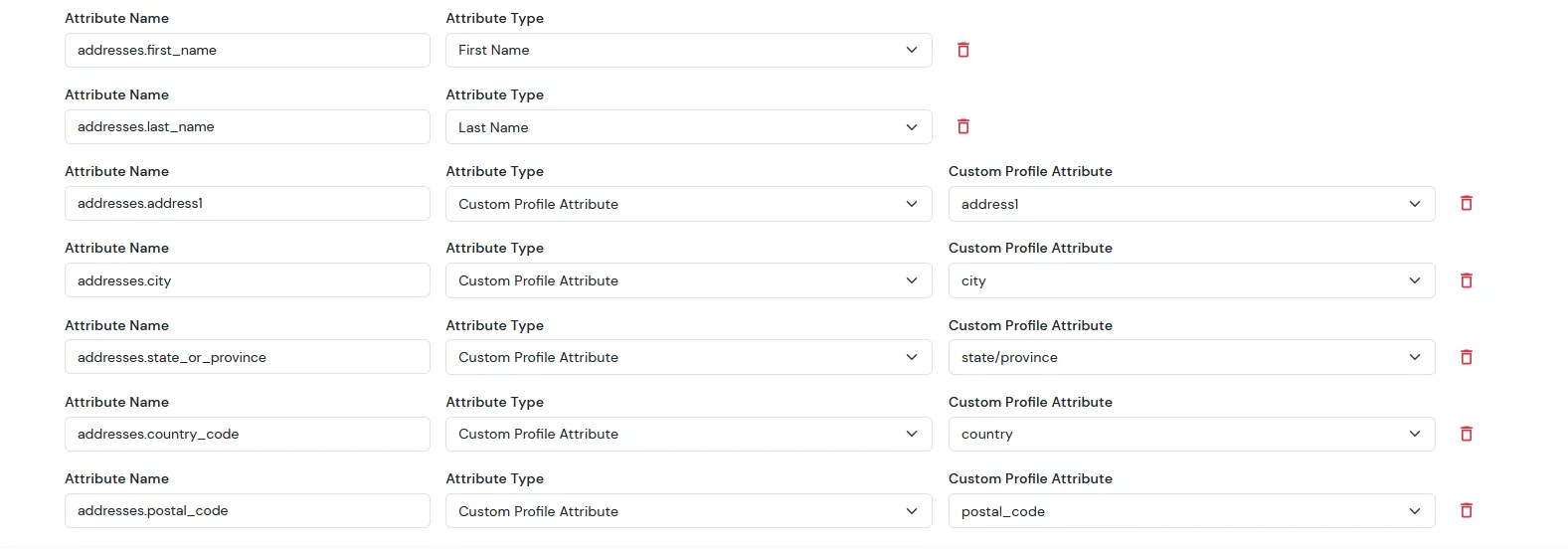
Then we need to configure the attribute mapping in the application.
Attribute Name
Attribute Type
Value
addresses.first_name
First Name
-
addresses.last_name
Last Name
-
addresses.address1
Custom Profile Attribute
address1
addresses.city
Custom Profile Attribute
city
addresses.state_or_province
Custom Profile Attribute
state/province
addresses.country_code
Custom Profile Attribute
country
addresses.postal_code
Custom Profile Attribute
postal_code
Note: When sending the country value, always use the country code (e.g., US, IN). If you pass the full country name such as “United States”, the value will not be updated — only country codes are supported for correct mapping.
While syncing address fields, ensure that the city, state, and country values you provide are valid options supported by BigCommerce and exist in their respective dropdown lists.
Now, after completing SSO, go to your BigCommerce dashboard. From the sidebar, click on Customers.
You will see the list of all customers. Search for the specific user and click on their name.
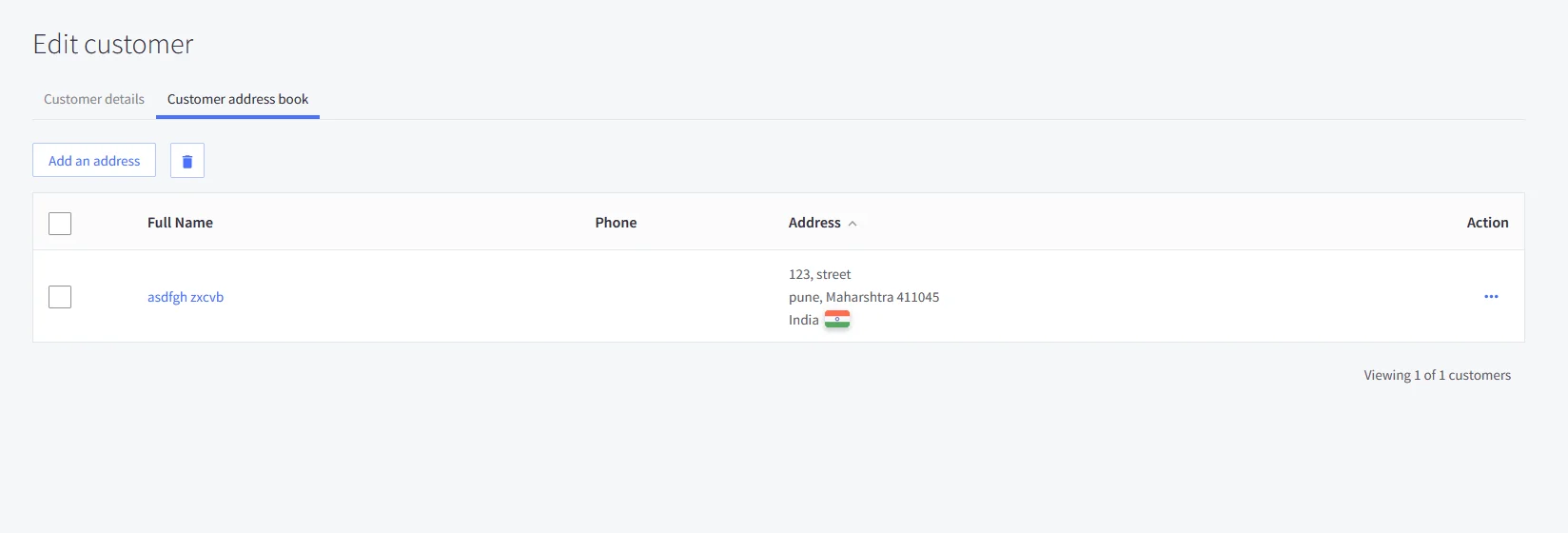
Next, open the Customer Address Book section — this is where you will be able to view the customer’s address details.
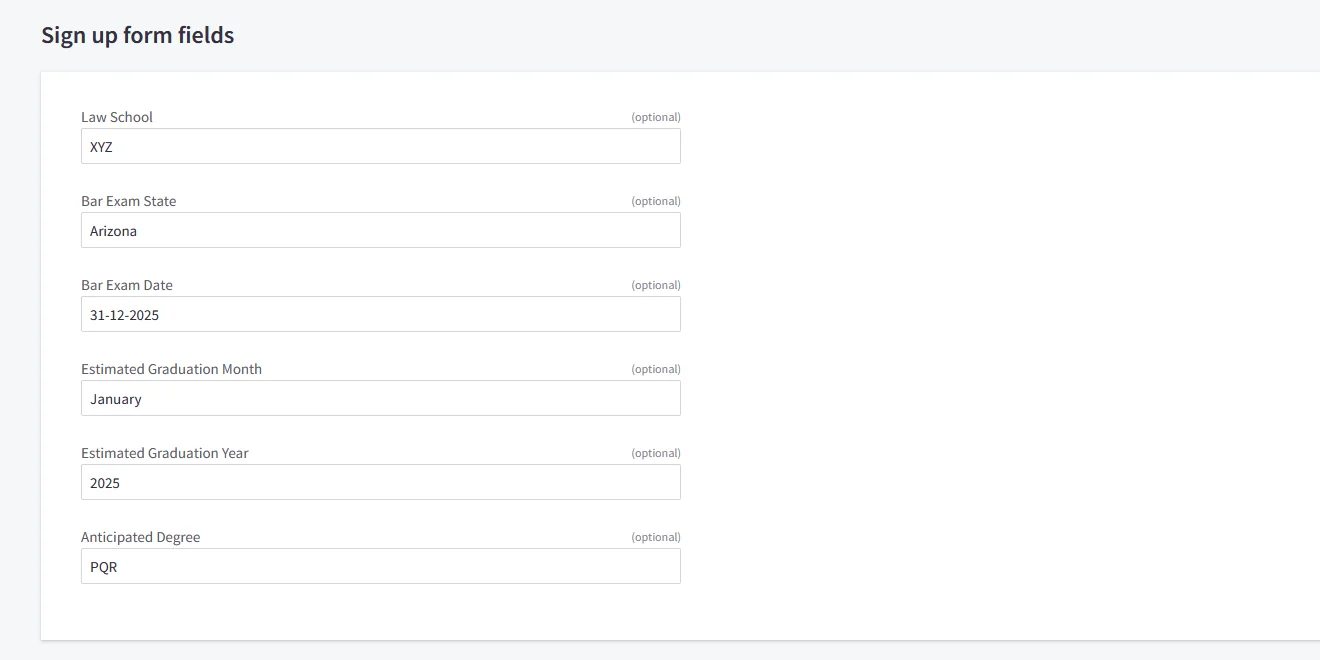
For the Sign up form fields:
In BigCommerce, the following form fields are available. We need to configure the corresponding attribute mappings in the application to ensure these fields are correctly synced to BigCommerce.
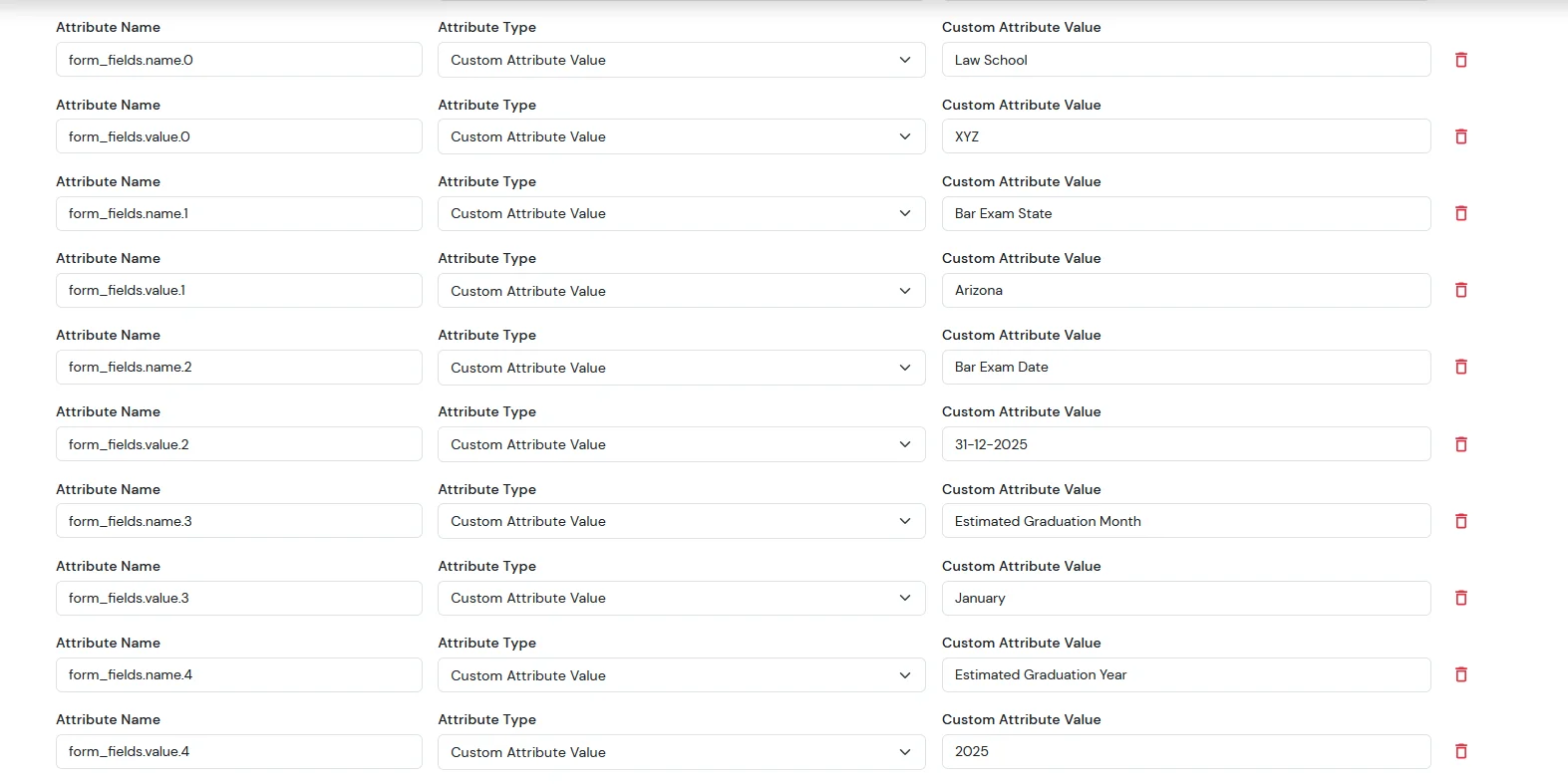
Then we need to configure the attribute mapping in the application.
Attribute Name
Attribute Type
Value
addresses.first_name
First Name
-
addresses.last_name
Last Name
-
addresses.address1
Custom Profile Attribute
address1
addresses.city
Custom Profile Attribute
city
addresses.state_or_province
Custom Profile Attribute
state/province
addresses.country_code
Custom Profile Attribute
country
addresses.postal_code
Custom Profile Attribute
postal_code
form_fields.name.0
Custom Attribute Value
Law School
form_fields.value.0
Custom Attribute Value
XYZ
form_fields.name.1
Custom Attribute Value
Bar Exam State
form_fields.value.1
Custom Attribute Value
Arizona
form_fields.name.2
Custom Attribute Value
Bar Exam Date
form_fields.value.2
Custom Attribute Value
31-12-2025
form_fields.name.3
Custom Attribute Value
Estimated Graduation Month
form_fields.value.3
Custom Attribute Value
January
form_fields.name.4
Custom Attribute Value
Estimated Graduation Year
form_fields.value.4
Custom Attribute Value
2025
After completing SSO, go to your BigCommerce dashboard.
From the left sidebar, click on Customers.
You will now see the list of all customers.
Search for the specific user and click on their name.
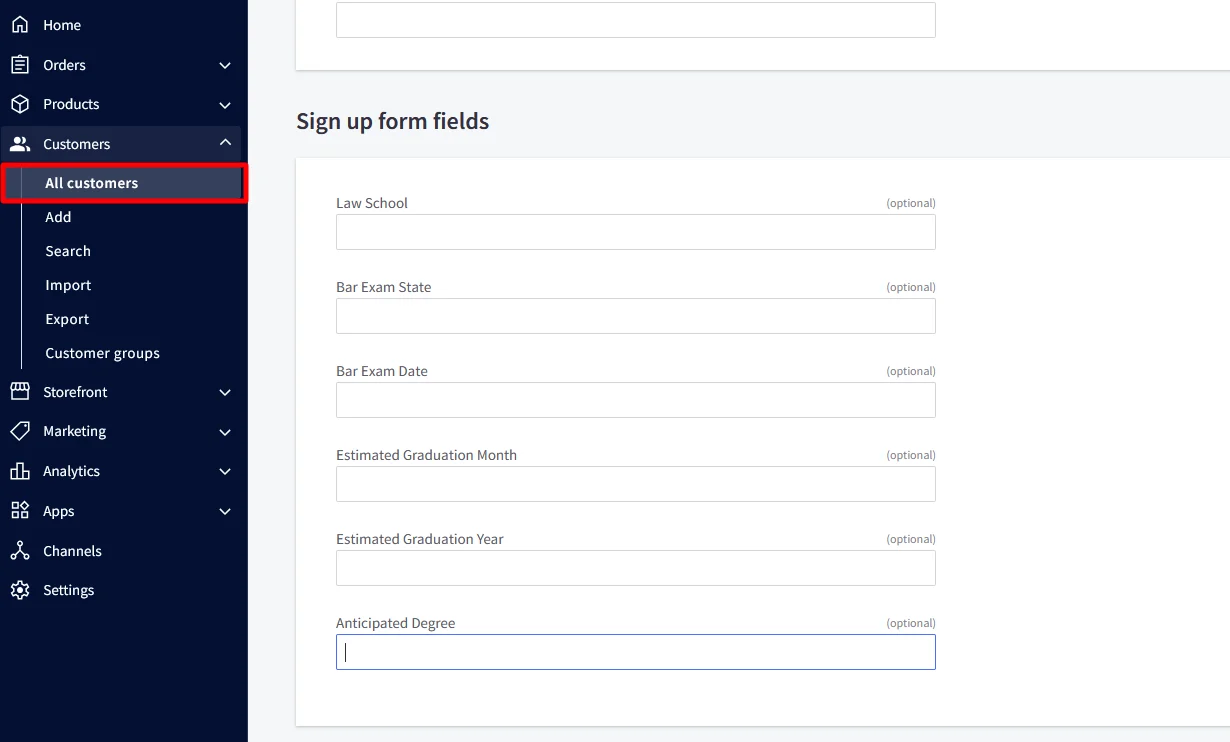
The customer profile will open — scroll down to the Customer Details section.
Here, you will see the signup form fields, where you can view all the customer-submitted form-field details.
For the Attribute Fields
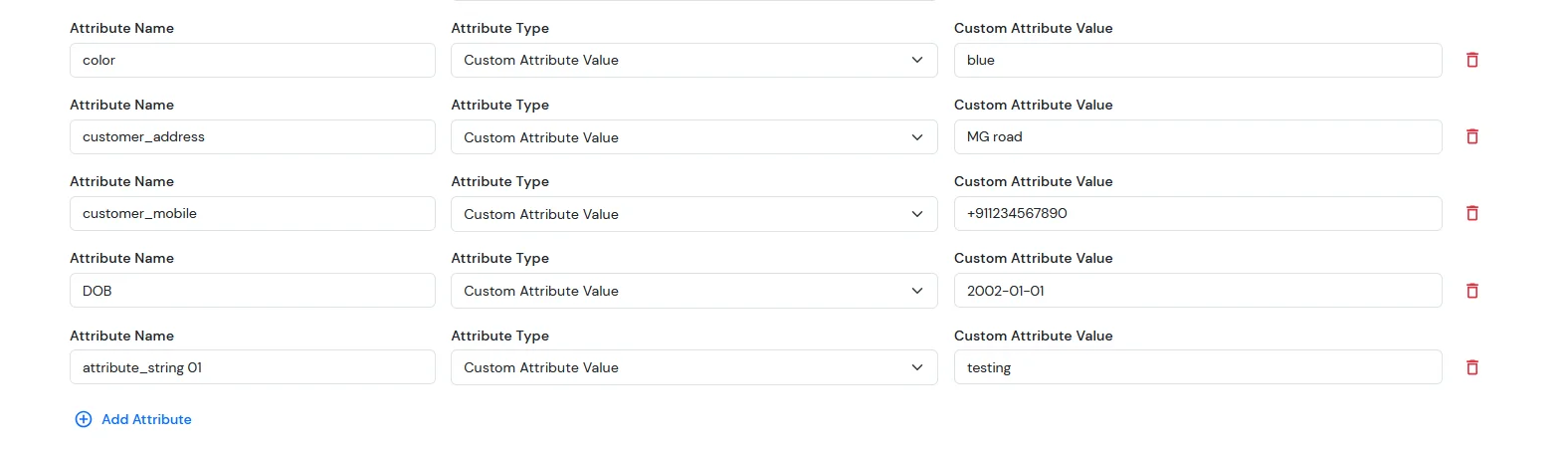
In BigCommerce, the following attribute fields are available. We need to configure the corresponding attribute mappings in the application to ensure these fields are correctly synced to BigCommerce.
Then we need to configure the attribute mapping in the application.
Attribute Name
Attribute Type
Value
color
Custom Profile Attribute
blue
customer_address
Custom Profile Attribute
MG road
customer_mobile
Custom Profile Attribute
+911234567890
DOB
Custom Profile Attribute
2002-01-01
attribute_string 01
Custom Profile Attribute
testing
After completing SSO, go to your BigCommerce dashboard.
From the left sidebar, click on Customers.
You will now see the list of all customers.
Search for the specific user and click on their name.
The customer profile will open — scroll down to the Customer Details section.
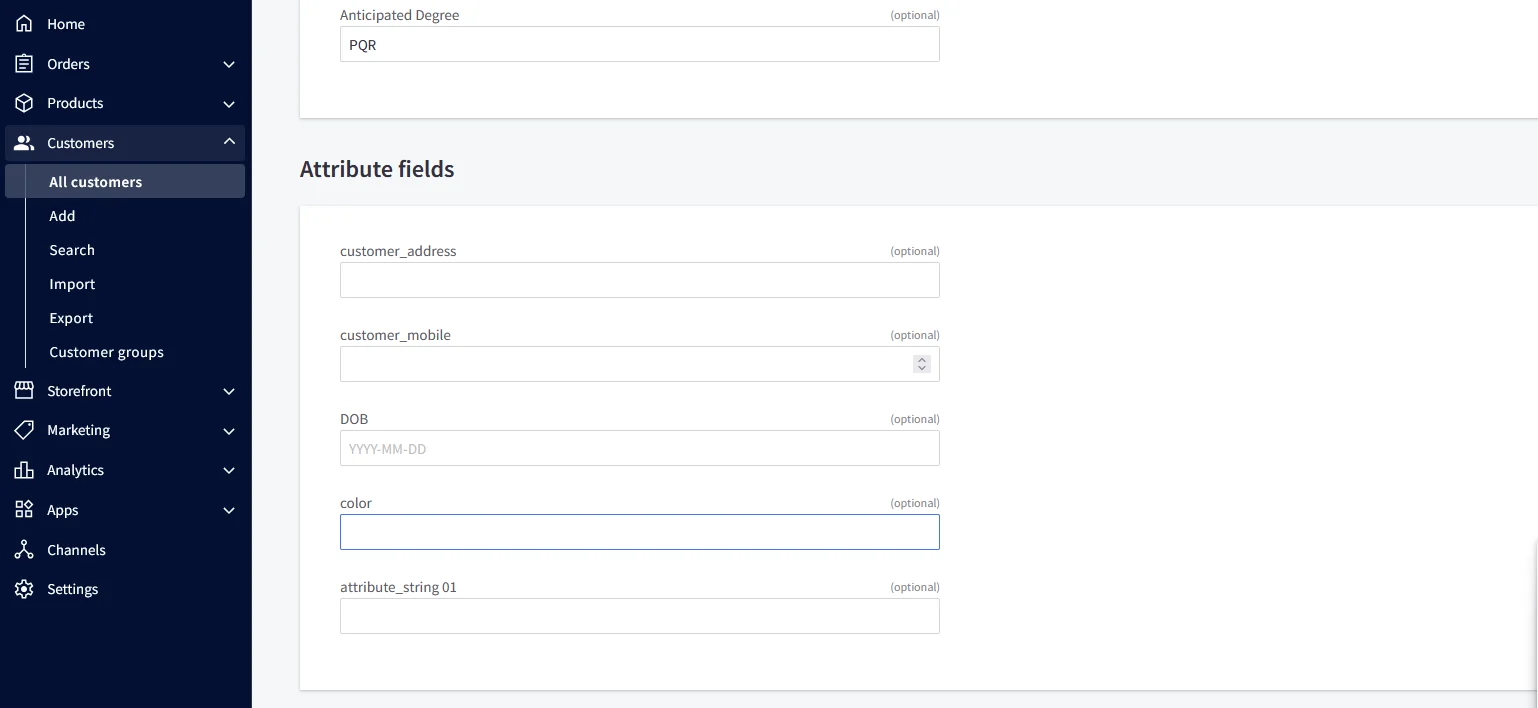
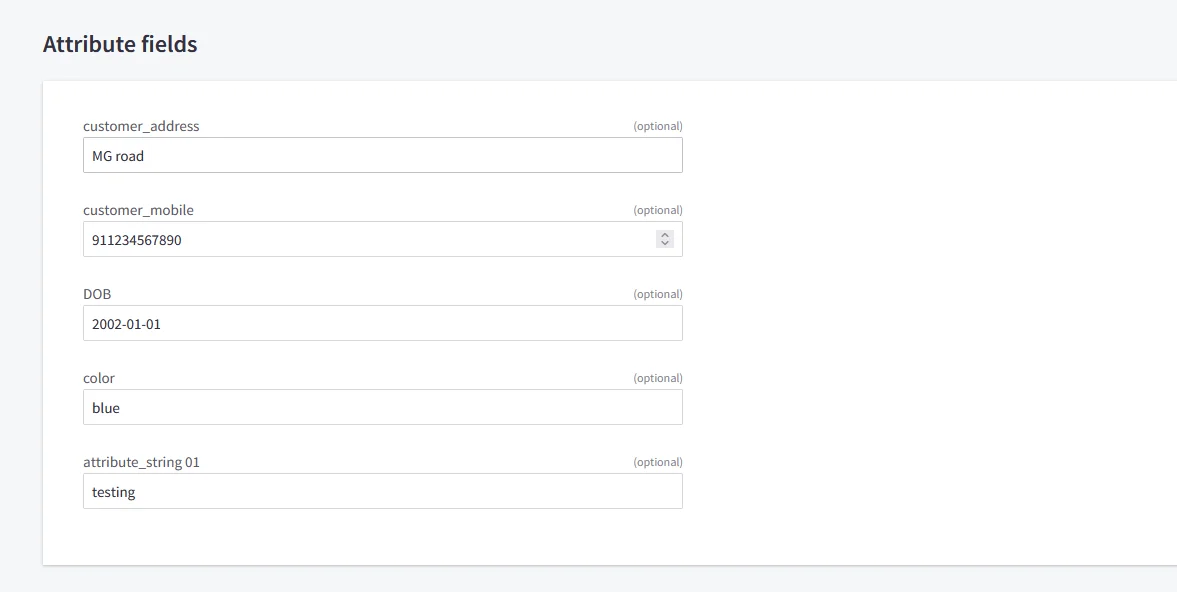
Here, you will see the attribute fields, where you can view all the customer-submitted form-field details.
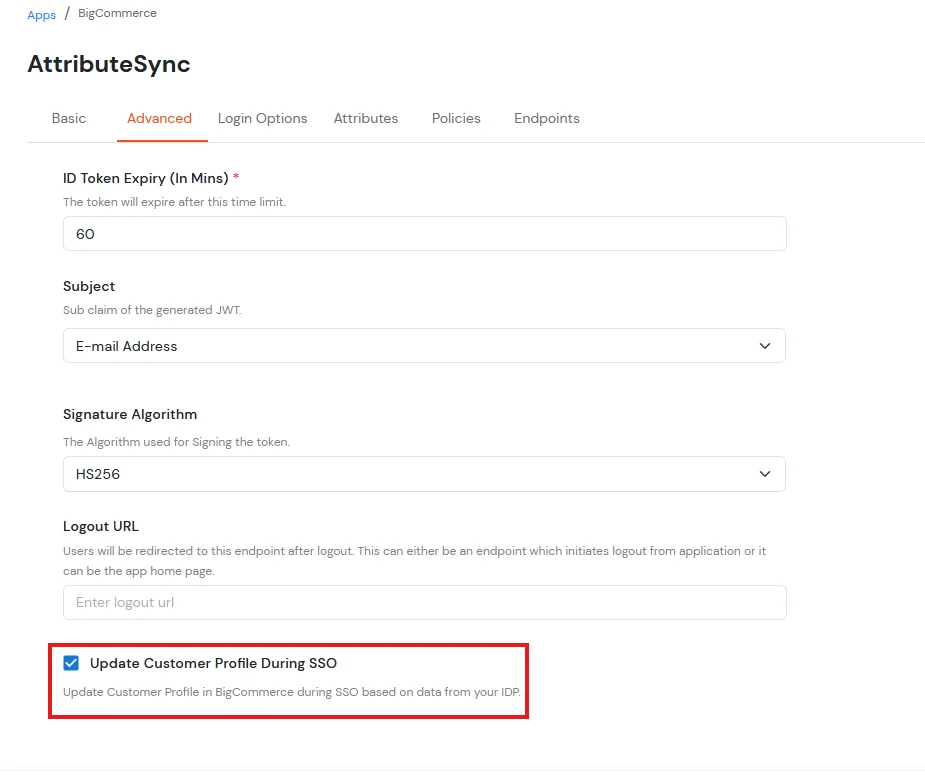
NOTE: Update customer profile during sso
Go to the BigCommerce application you have configured in miniOrange.
Open the Advanced tab.
Scroll to the bottom of the page.
Enable the checkbox Update Customer Profile During SSO.
For ExternaI Identity Provider
Before syncing these fields to BigCommerce, you must first create the corresponding attributes in your external IDP. These attributes will then be mapped and synced to BigCommerce.
Then we need to configure the attribute mapping in the application.
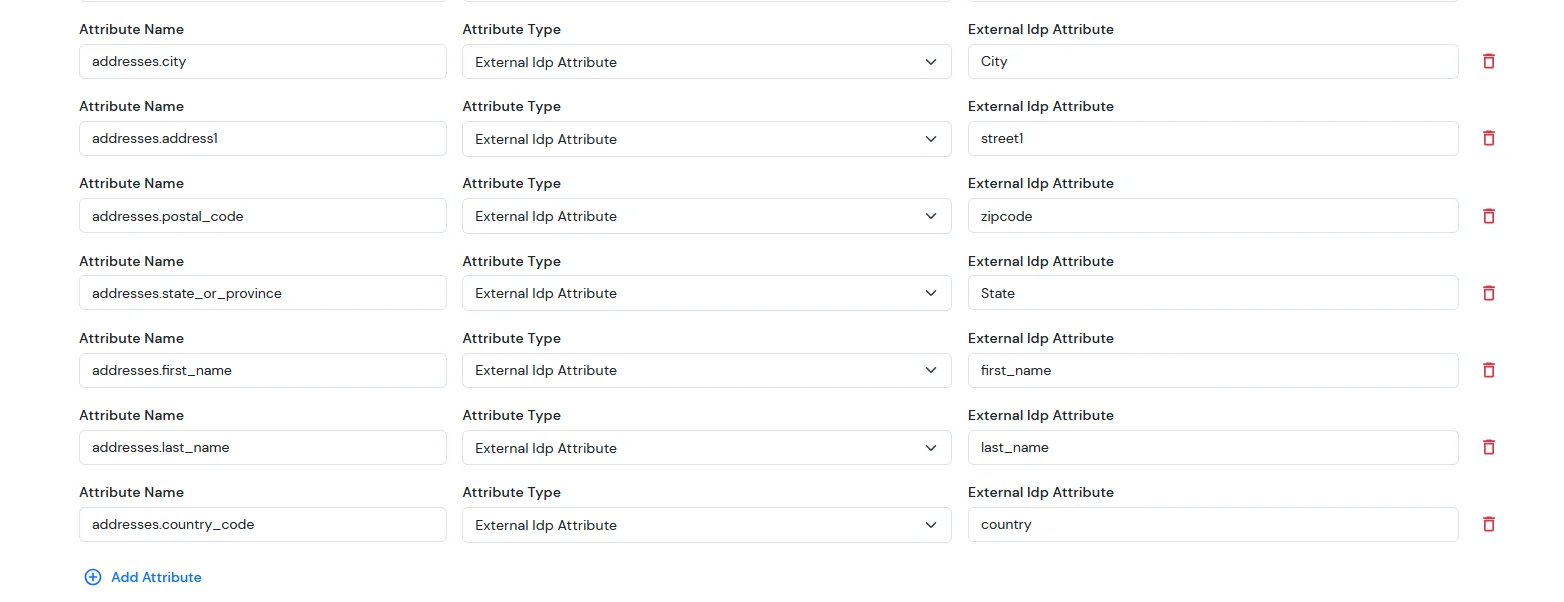
For Address field:
Attribute Name
Attribute Type
Value
addresses.first_name
External Idp Attribute
first_name
addresses.last_name
External Idp Attribute
last_name
addresses.address1
External Idp Attribute
address1
addresses.city
External Idp Attribute
city
addresses.state_or_province
External Idp Attribute
state/province
addresses.country_code
External Idp Attribute
country
addresses.postal_code
External Idp Attribute
postal_code
Note: When sending the country value, always use the country code (e.g., US, IN). If you pass the full country name such as “United States”, the value will not be updated — only country codes are supported for correct mapping.
While syncing address fields, ensure that the city, state, and country values you provide are valid options supported by BigCommerce and exist in their respective dropdown lists.
Now, after completing SSO, go to your BigCommerce dashboard. From the sidebar, click on Customers.
You will see the list of all customers. Search for the specific user and click on their name.
Next, open the Customer Address Book section — this is where you will be able to view the customer’s address details.
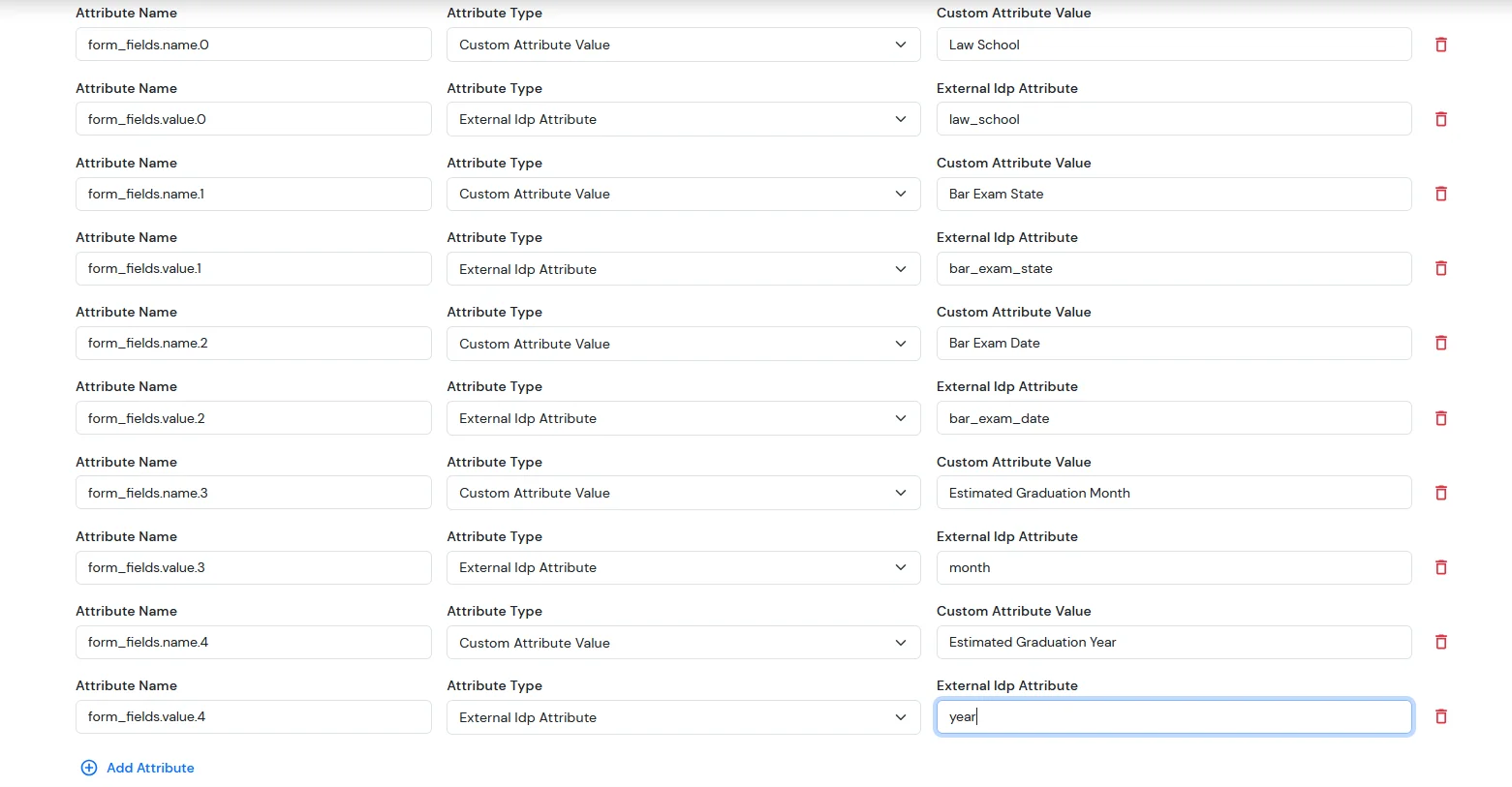
For the Sign up form fields:
In BigCommerce, the following form fields are available. We need to configure the corresponding attribute mappings in the application to ensure these fields are correctly synced to BigCommerce.
Attribute Name
Attribute Type
Value
form_fields.name.0
Custom Attribute Value
Law School
form_fields.value.0
External Idp Attribute
XYZ
form_fields.name.1
Custom Attribute Value
Bar Exam State
form_fields.value.1
External Idp Attribute
Arizona
form_fields.name.2
Custom Attribute Value
Bar Exam Date
form_fields.value.2
External Idp Attribute
31-12-2025
form_fields.name.3
Custom Attribute Value
Estimated Graduation Month
form_fields.value.3
External Idp Attribute
January
form_fields.name.4
Custom Attribute Value
Estimated Graduation Year
form_fields.value.4
External Idp Attribute
2025
After completing SSO, go to your BigCommerce dashboard.
From the left sidebar, click on Customers.
You will now see the list of all customers.
Search for the specific user and click on their name.
The customer profile will open — scroll down to the Customer Details section.
Here, you will see the signup form fields, where you can view all the customer-submitted form-field details.
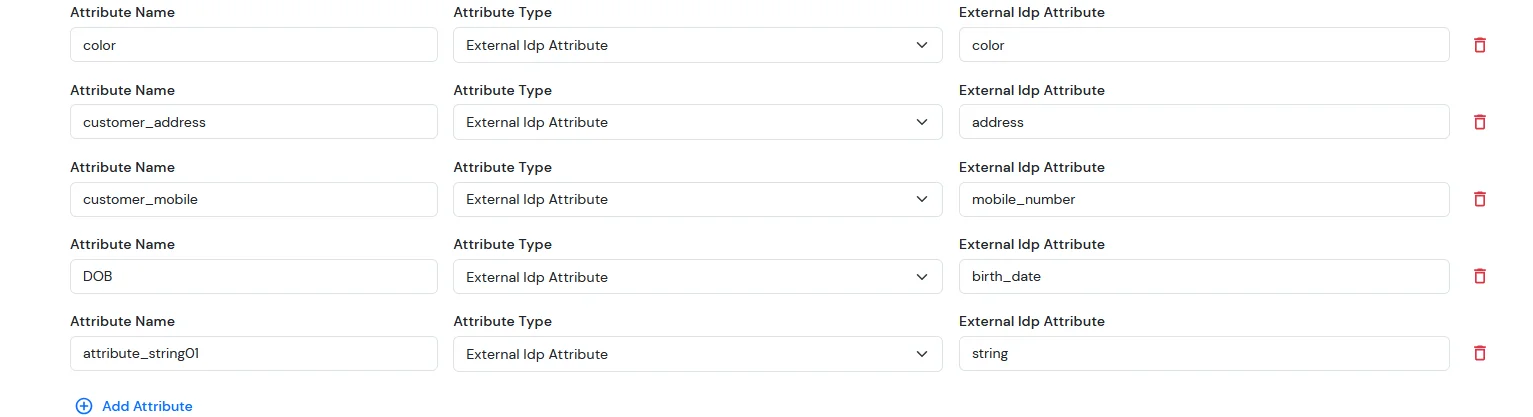
For Custom Attribute Fields
In BigCommerce, the following attribute fields are available. We need to configure the corresponding attribute mappings in the application to ensure these fields are correctly synced to BigCommerce.
Then we need to configure the attribute mapping in the application.
Attribute Name
Attribute Type
Value
color
External Idp Attribute
blue
customer_address
External Idp Attribute
MG road
customer_mobile
External Idp Attribute
+911234567890
DOB
External Idp Attribute
2002-01-01
attribute_string 01
External Idp Attribute
testing
After completing SSO, go to your BigCommerce dashboard.
From the left sidebar, click on Customers.
You will now see the list of all customers.
Search for the specific user and click on their name.
The customer profile will open — scroll down to the Customer Details section.
Here, you will see the attribute fields, where you can view all the customer-submitted form-field details.
NOTE: Update customer profile during sso
Go to the BigCommerce application you have configured in miniOrange.
Open the Advanced tab.
Scroll to the bottom of the page.
Enable the checkbox Update Customer Profile During SSO.
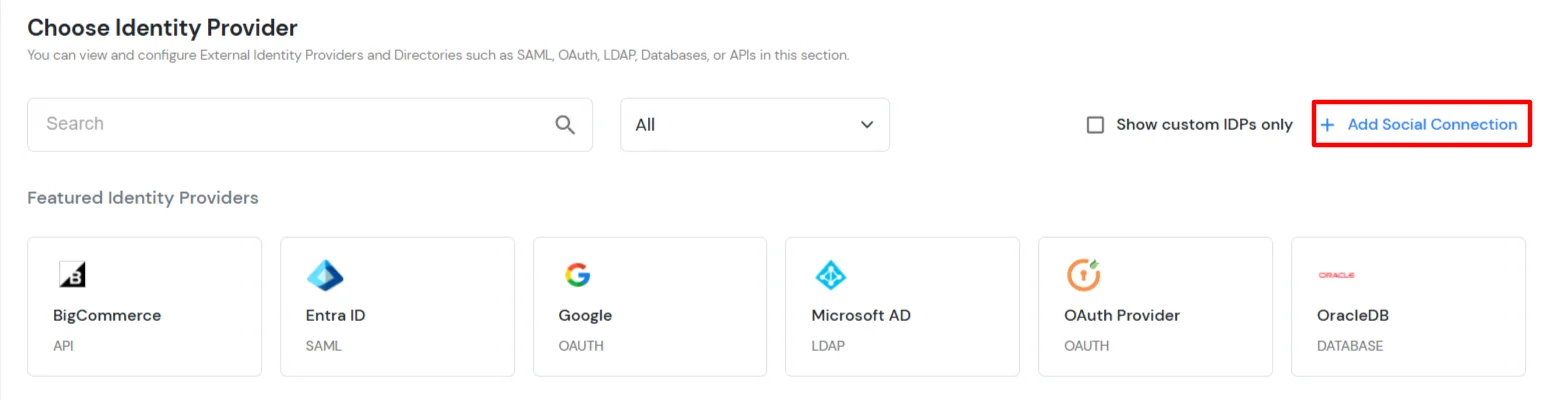
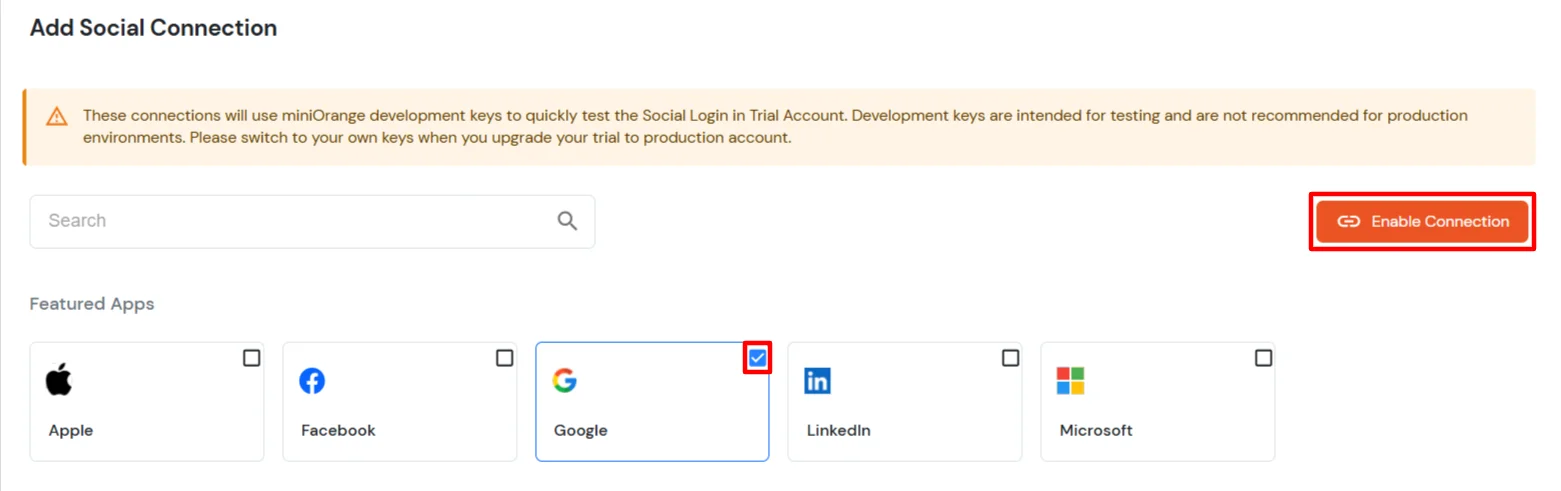
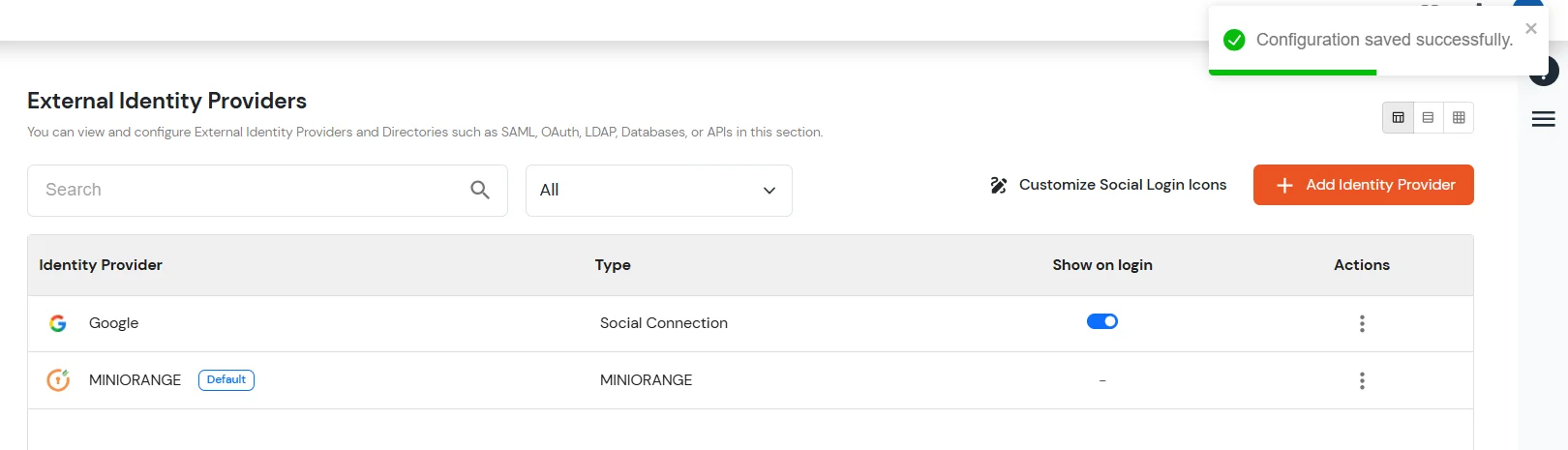
4. Configure Social Login Providers
miniOrange provides user authentication from various external sources, which can be Directories (like ADFS, Microsoft Entra ID, OpenLDAP, Google, AWS Cognito etc), Identity Providers (like Okta, Shibboleth, Ping, OneLogin, KeyCloak), Databases (like MySQL, Maria DB, PostgreSQL) and many more. You can configure your existing directory/user store or add users in miniOrange.
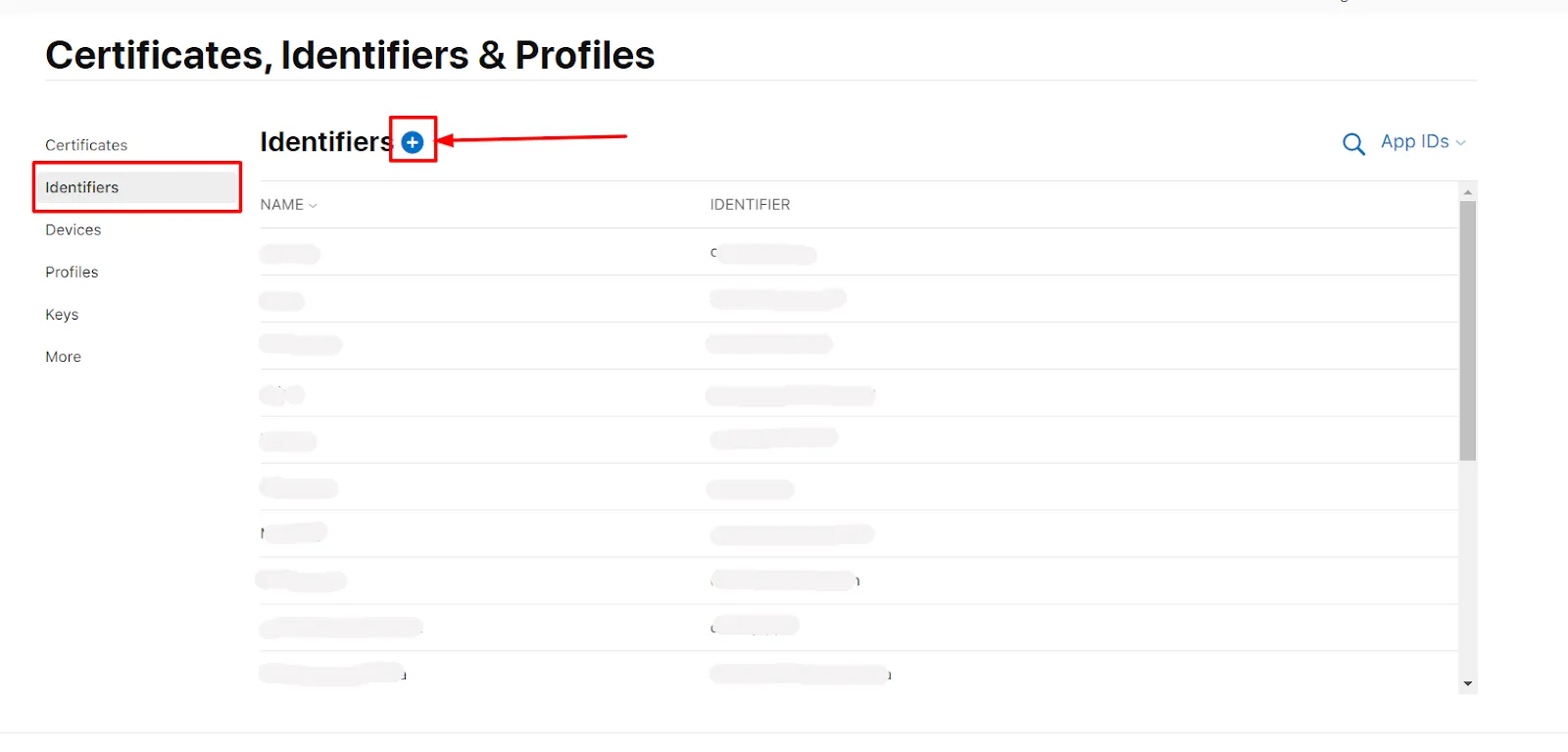
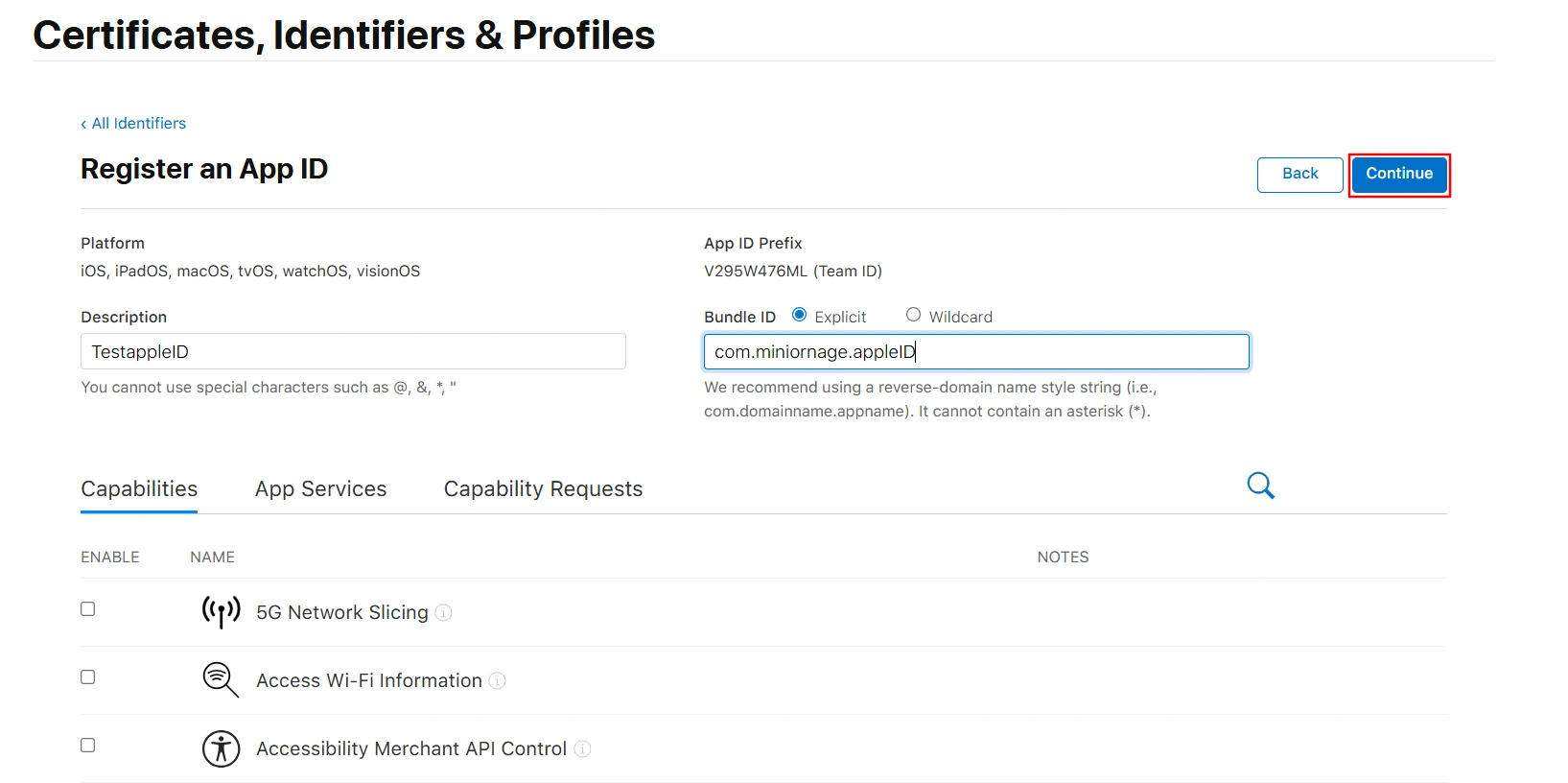
Click Identifiers in the left menu, then click the blue plus (+) icon to add a new identifier.
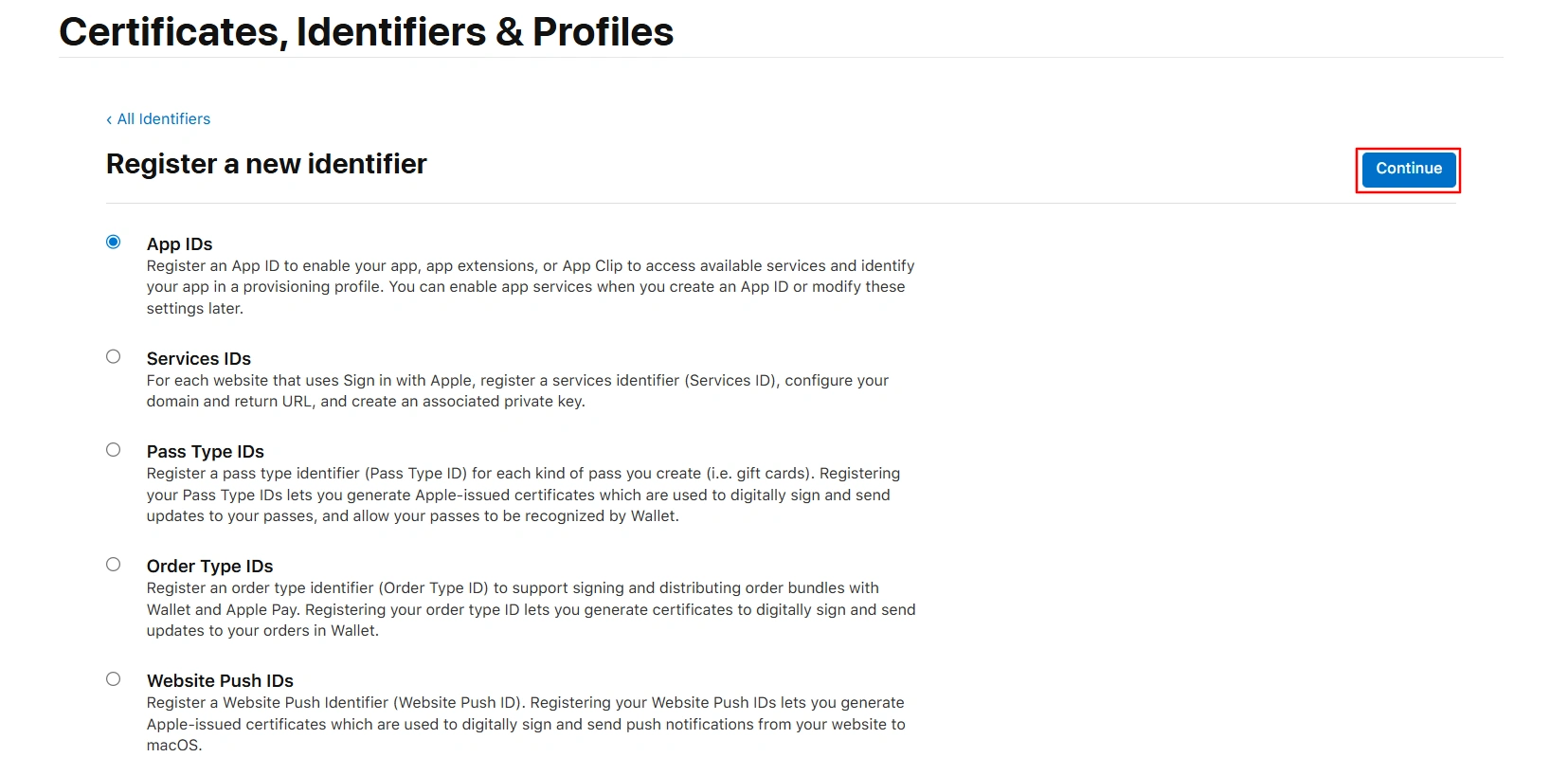
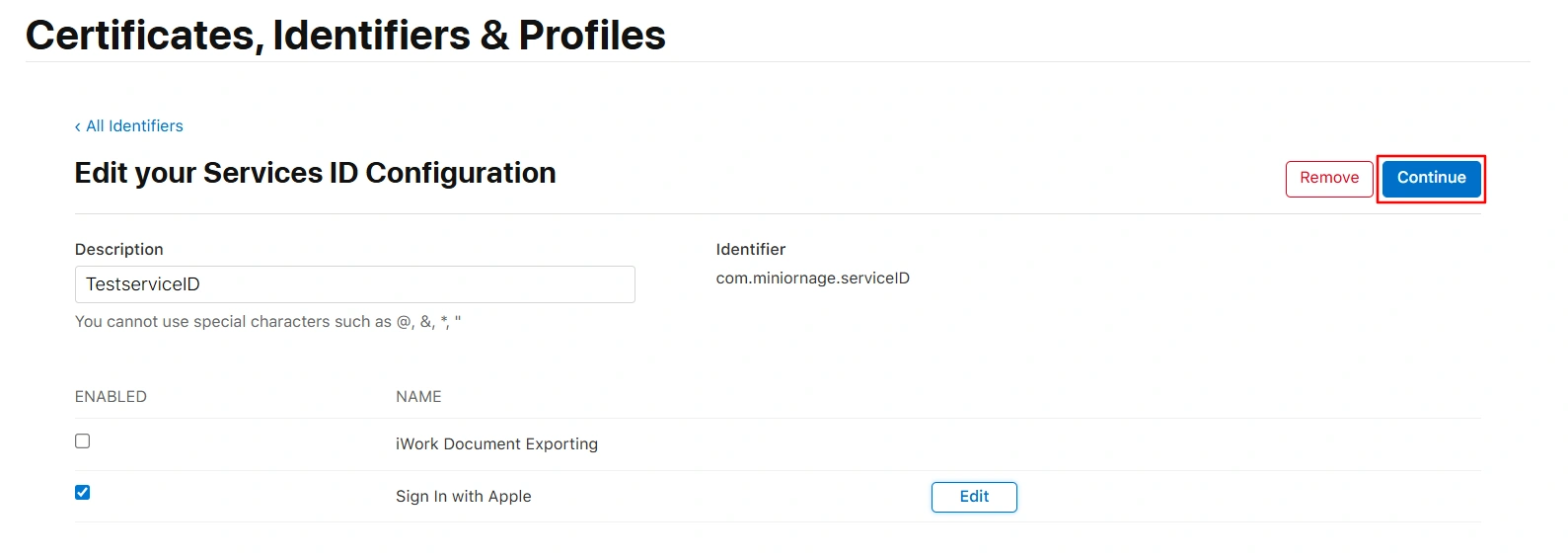
On the Certificates, Identifiers & Profiles page, click Continue.
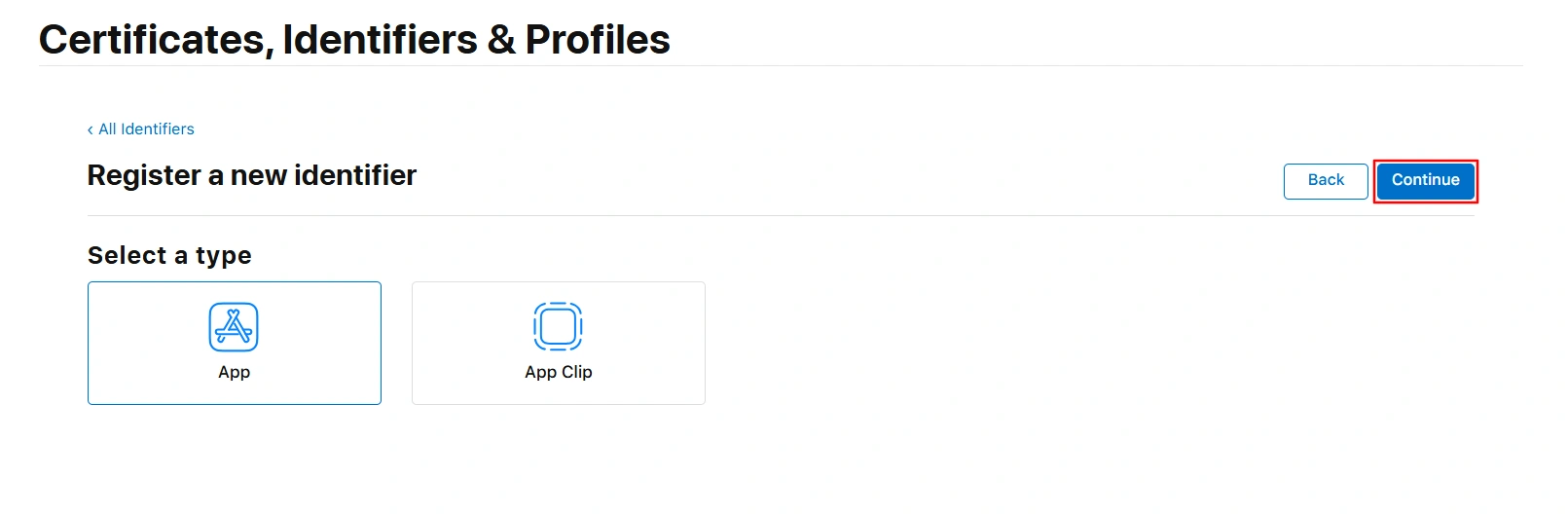
On the next screen (Register a new identifier >> Select a type), ensure that App is selected. Click the Continue button again to proceed to the next step.
Enter a Description and Bundle ID for the App ID.
For example:Description: MiniorangeSPApp, Bundle ID: com.miniorange.spapp
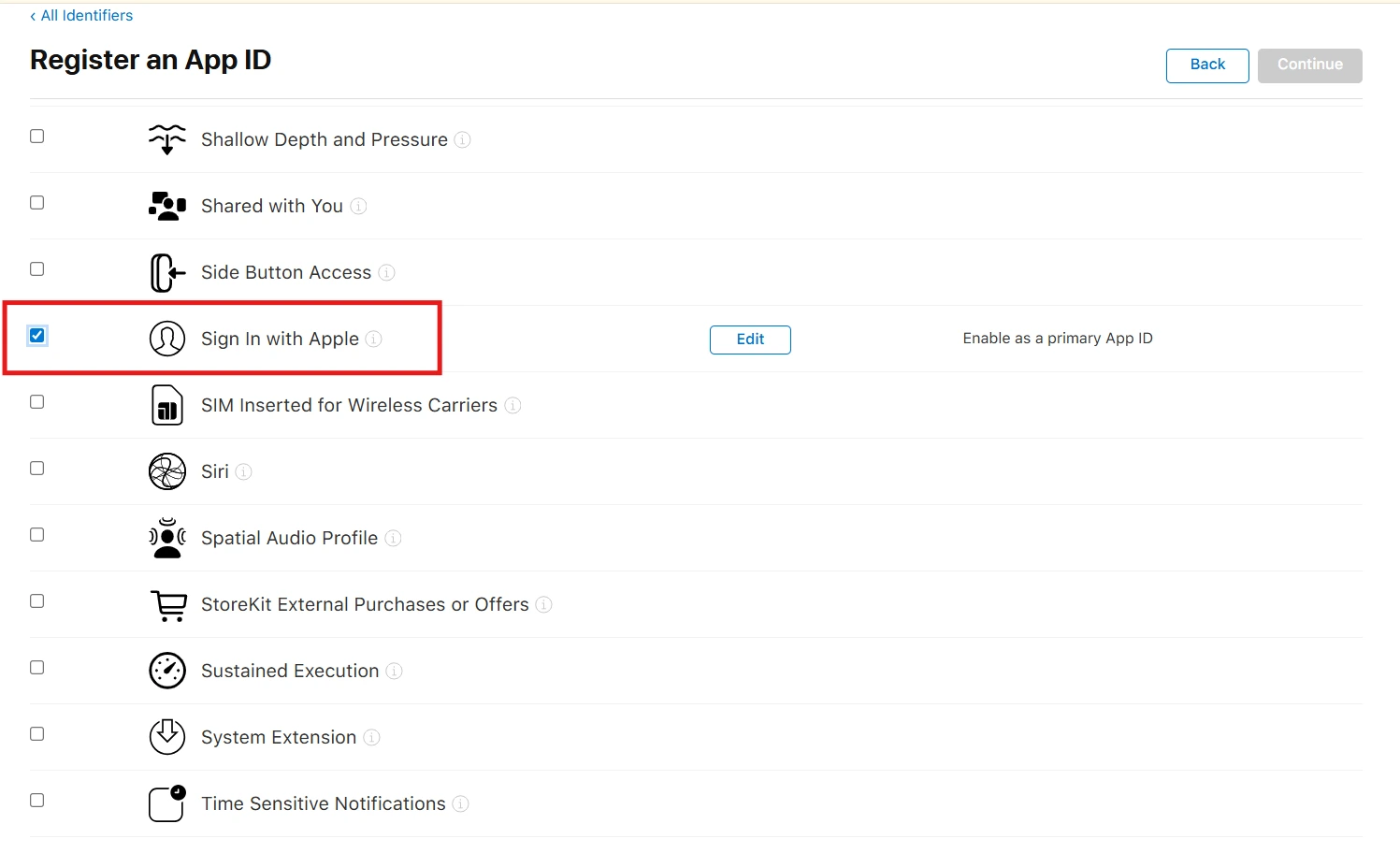
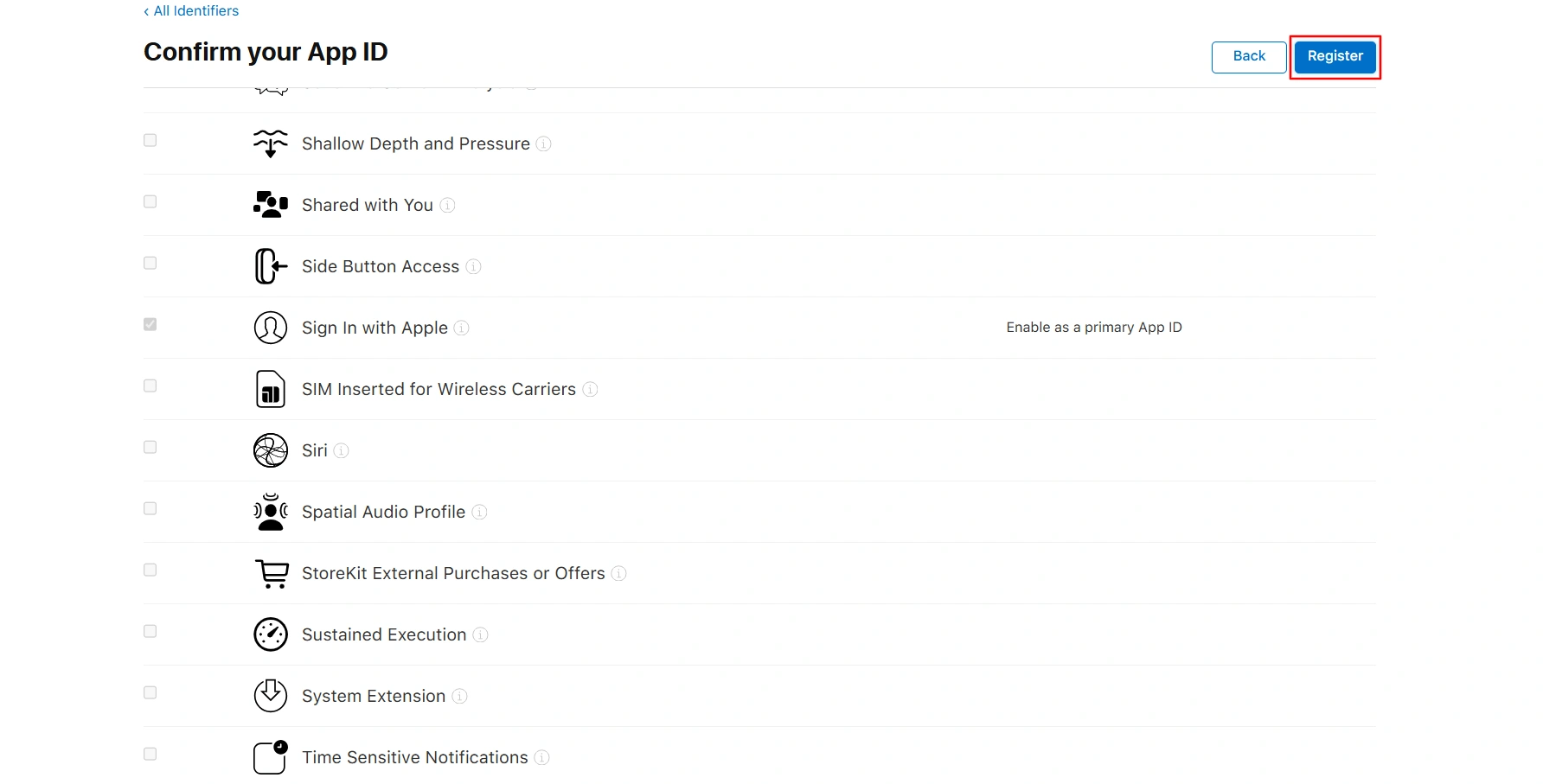
In the Capabilities section, scroll down and select Sign in with Apple.
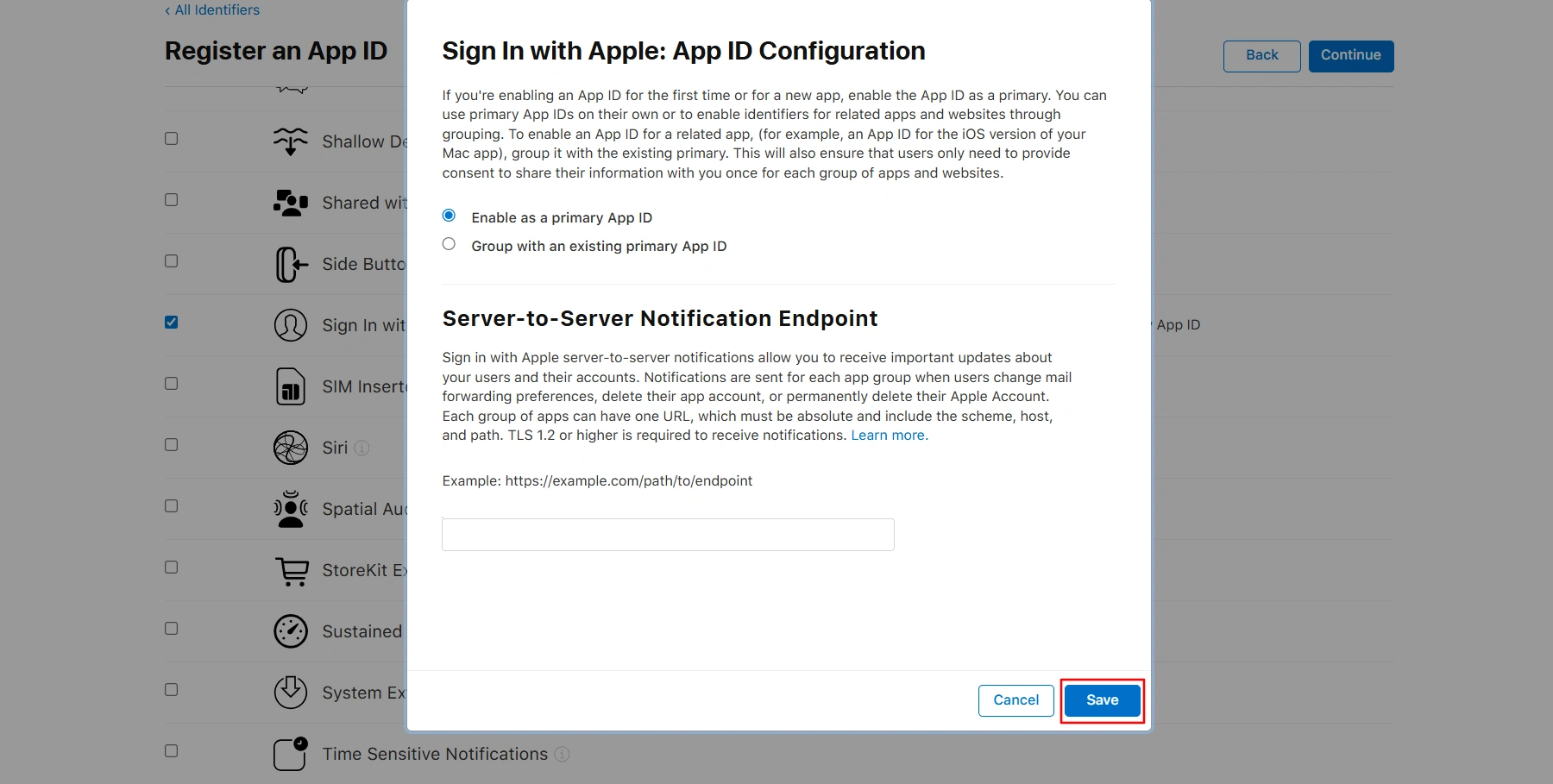
Click Edit, choose Enable as a primary App ID, then click Save.
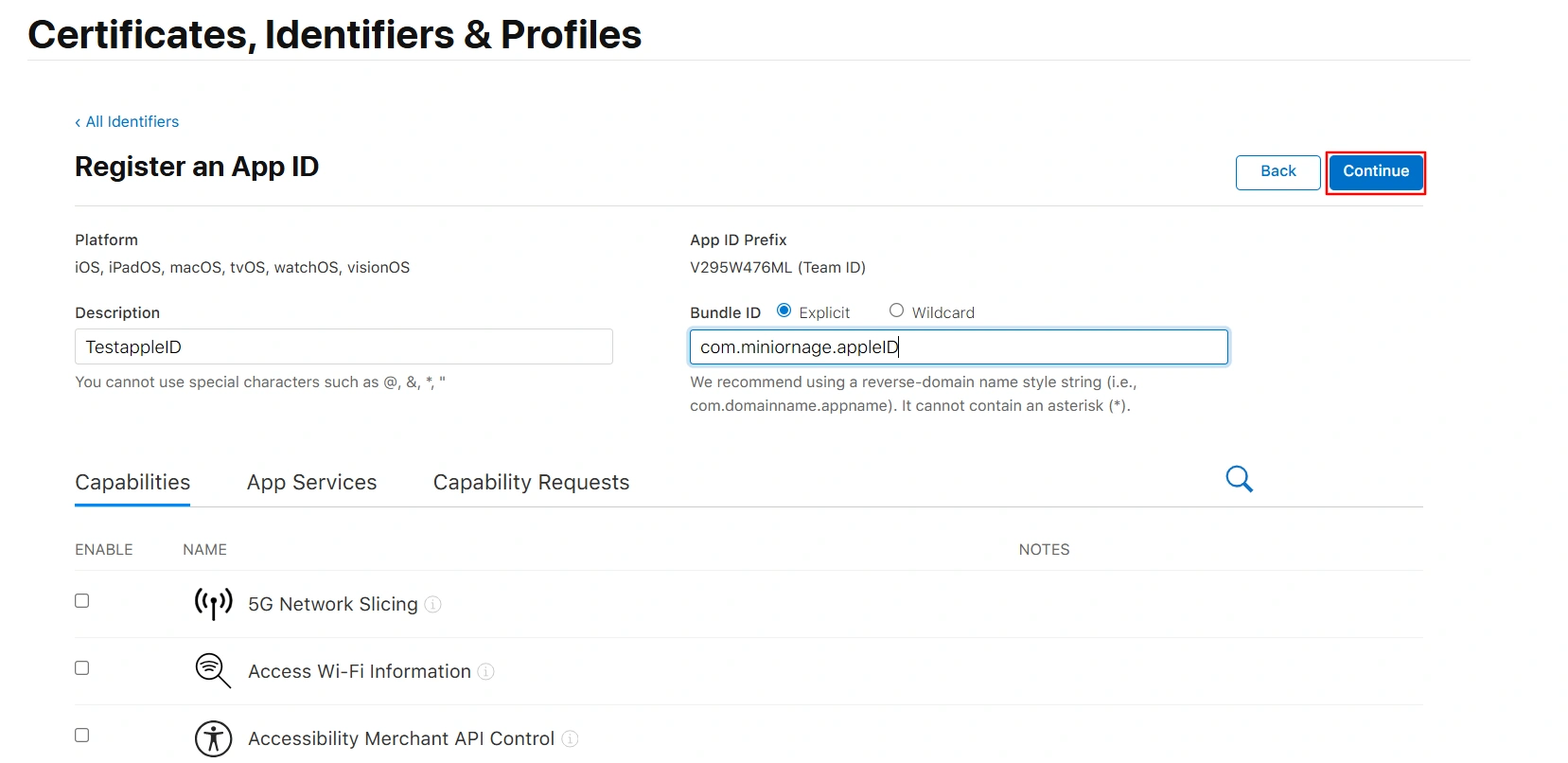
Click Continue in the top-right corner.
Click on the Register.
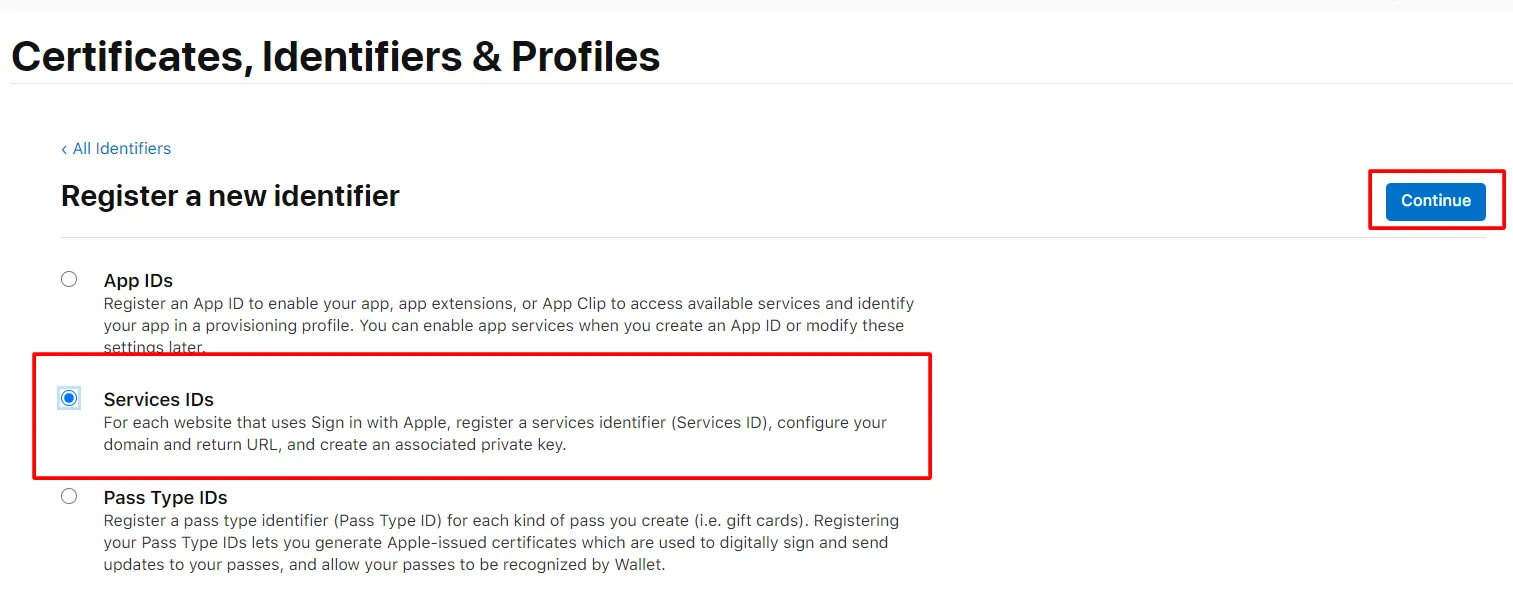
Click Identifiers in the left menu, then click the blue plus (+) icon.
Select Services IDs, then click Continue.
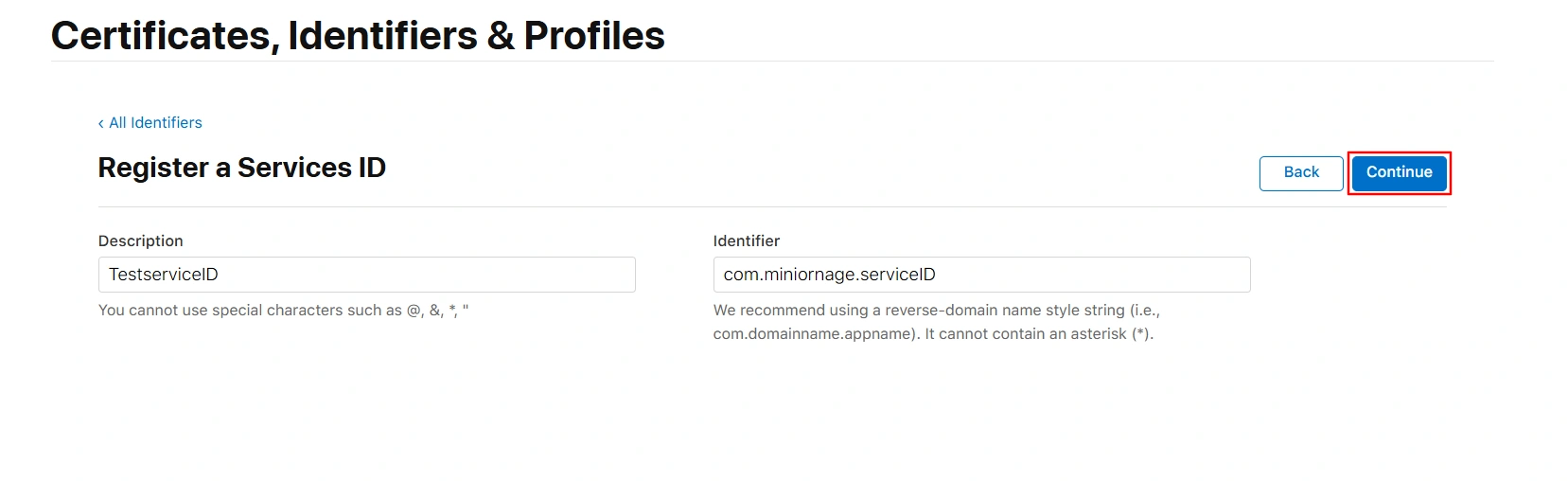
Enter the Description and Identifier (the Identifier will serve as your Client ID - copy this value, as it will be required in later steps).
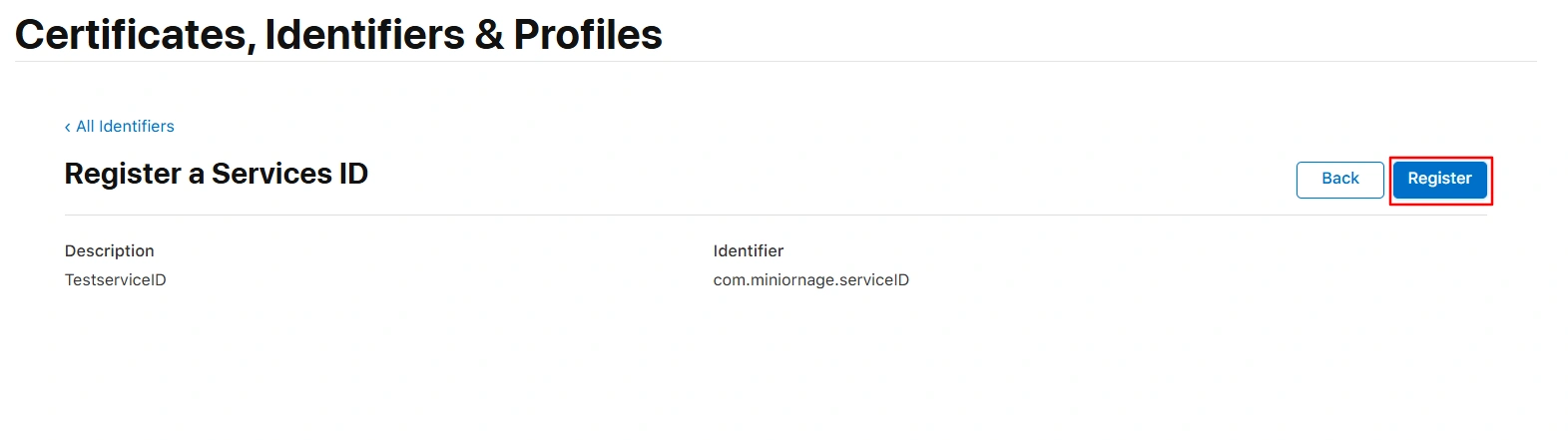
Click Continue, then Register.
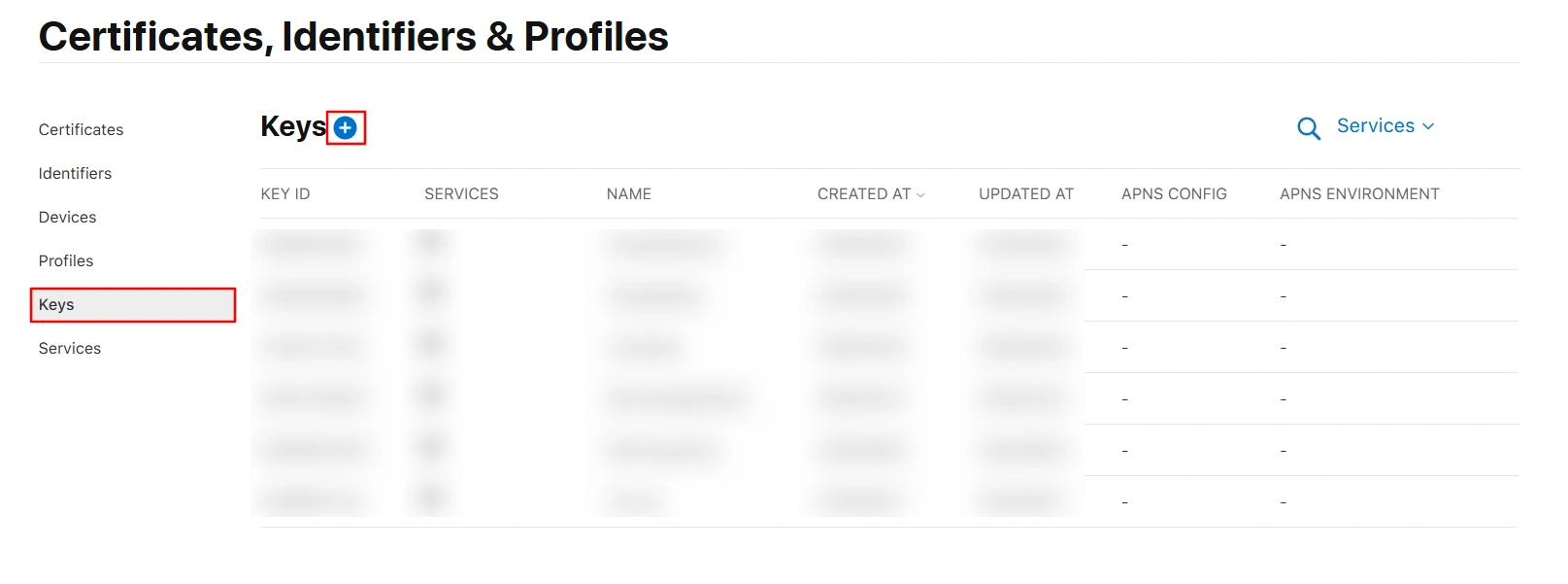
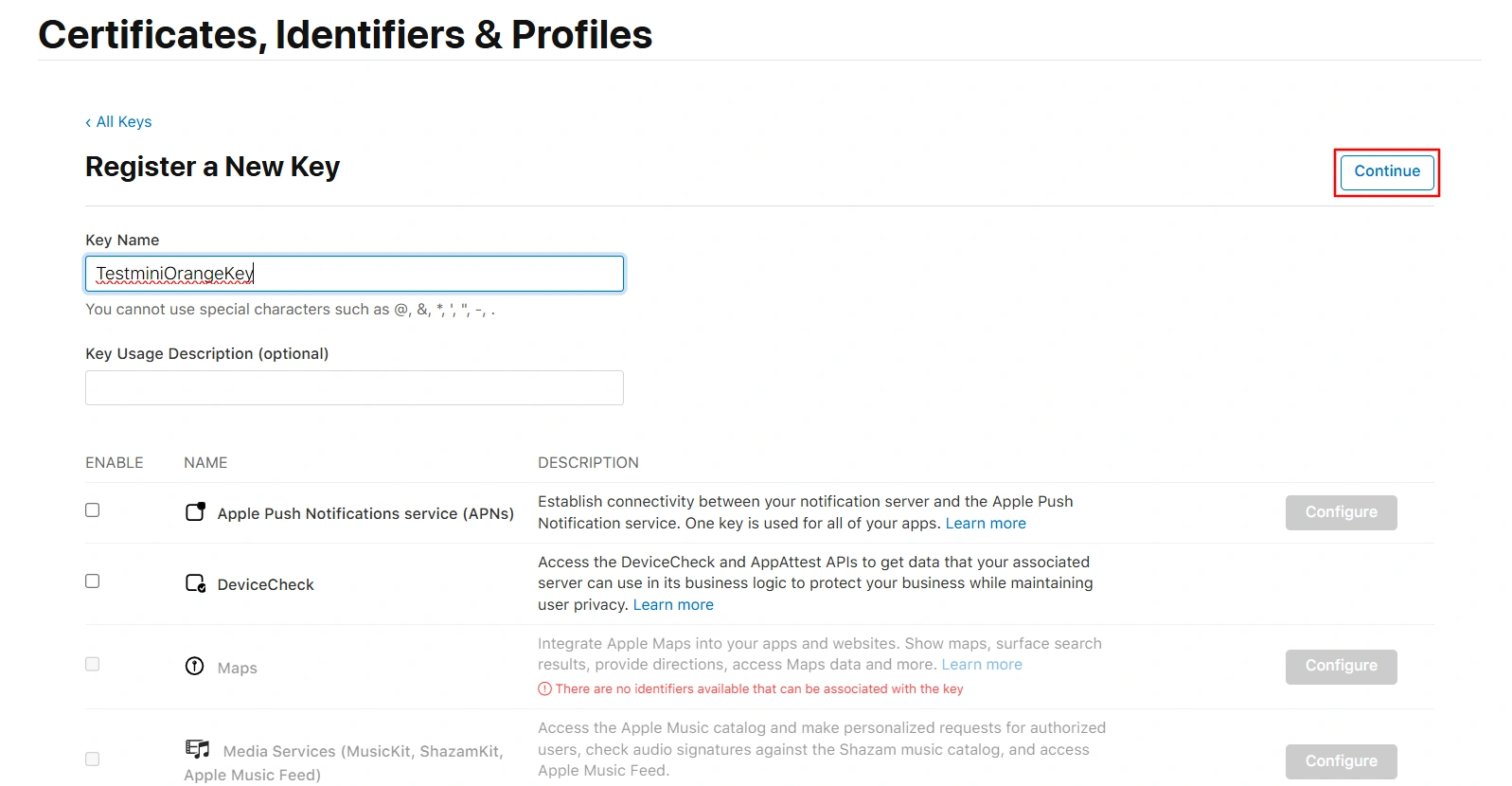
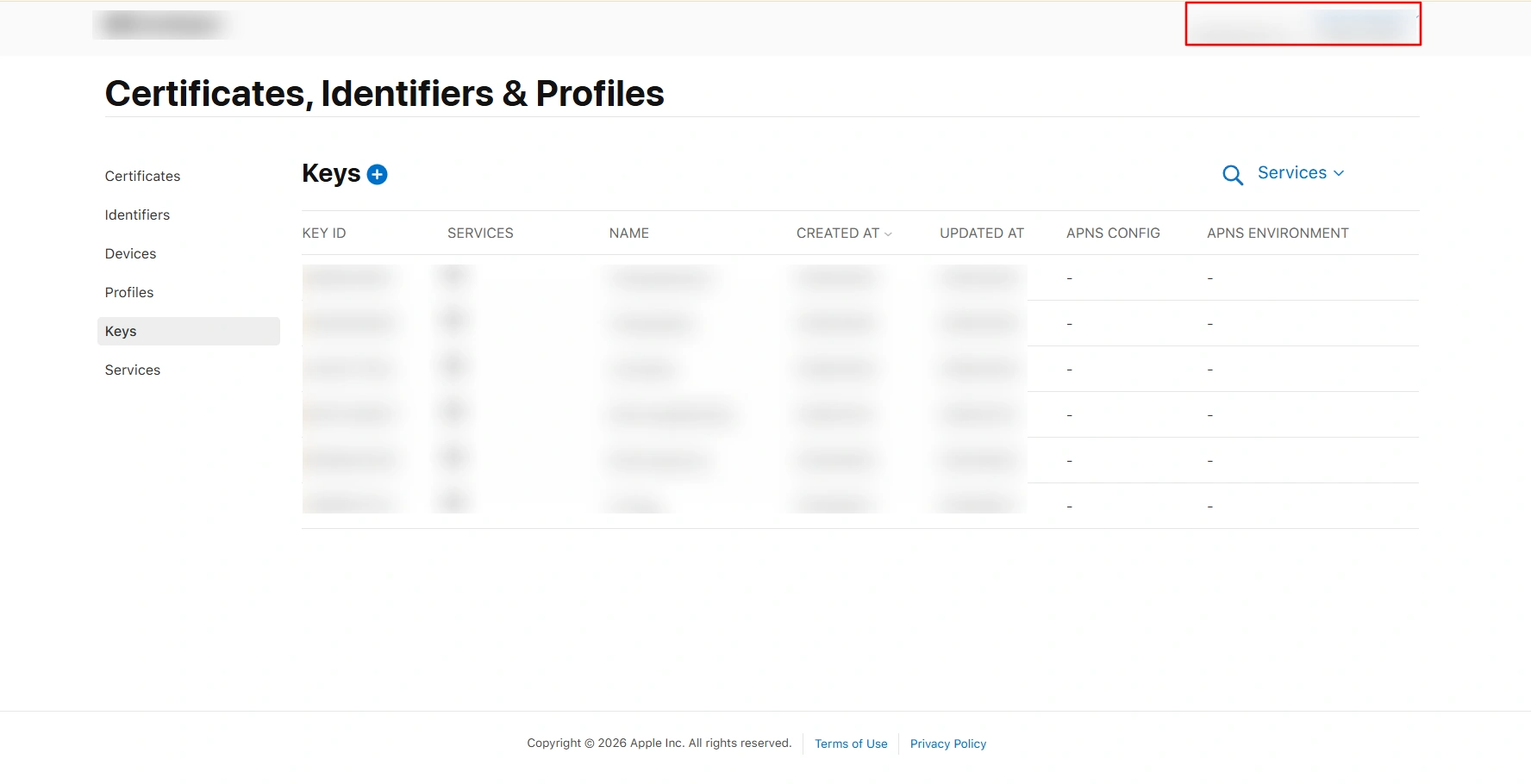
In the left sidebar, click Keys, then click the plus (+) icon to create a new key.
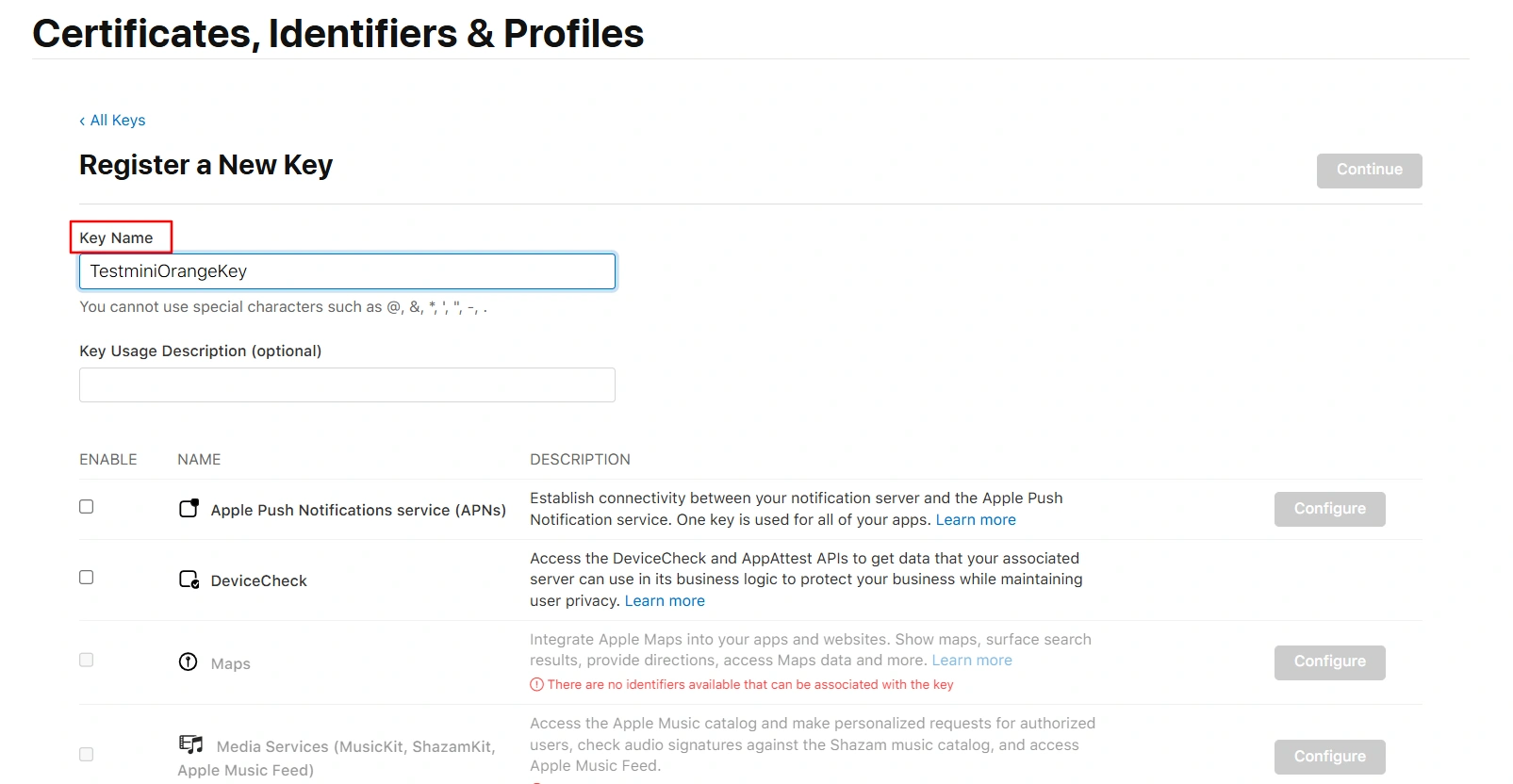
Enter a Key Name.
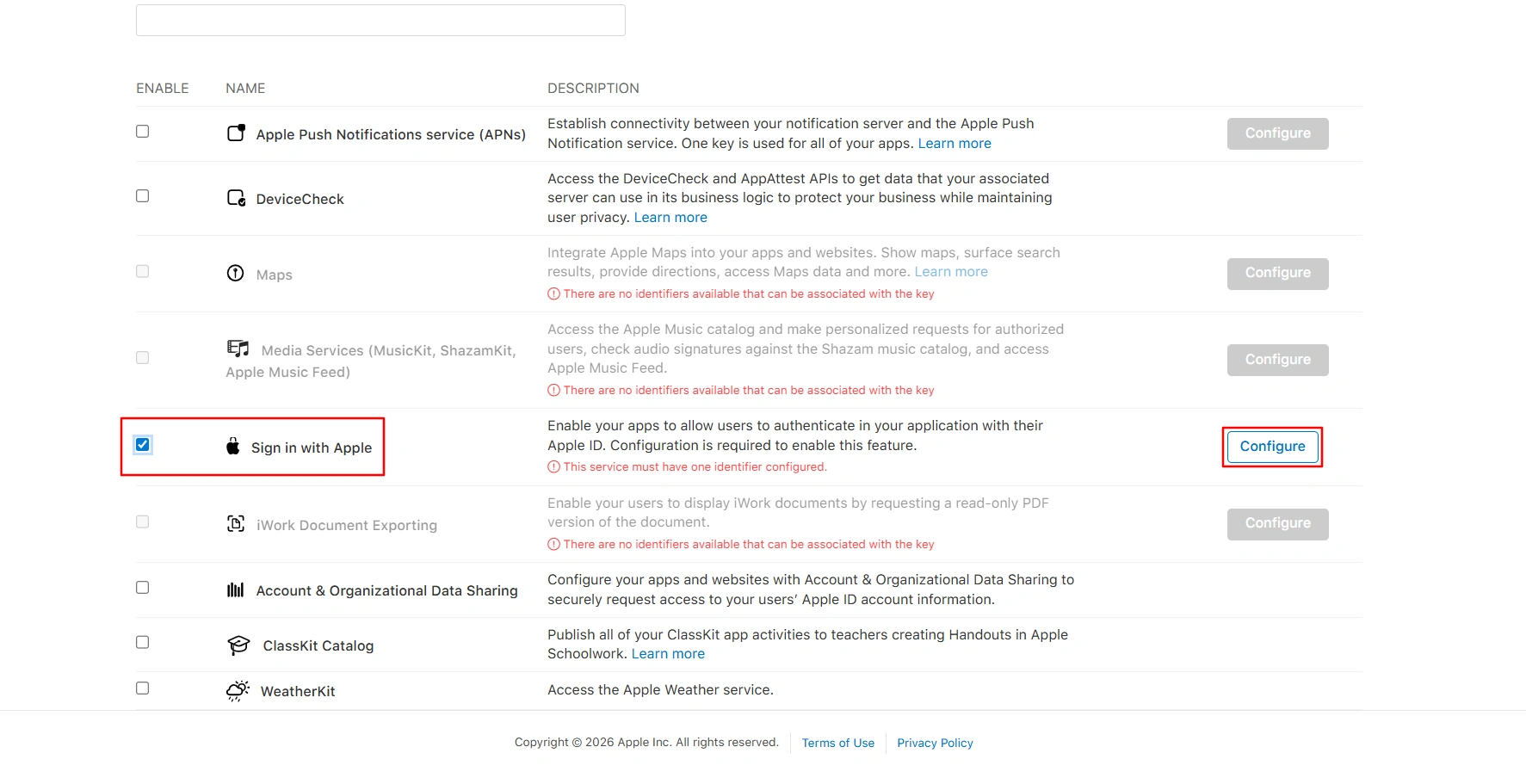
Enable Sign In with Apple, then click Configure.
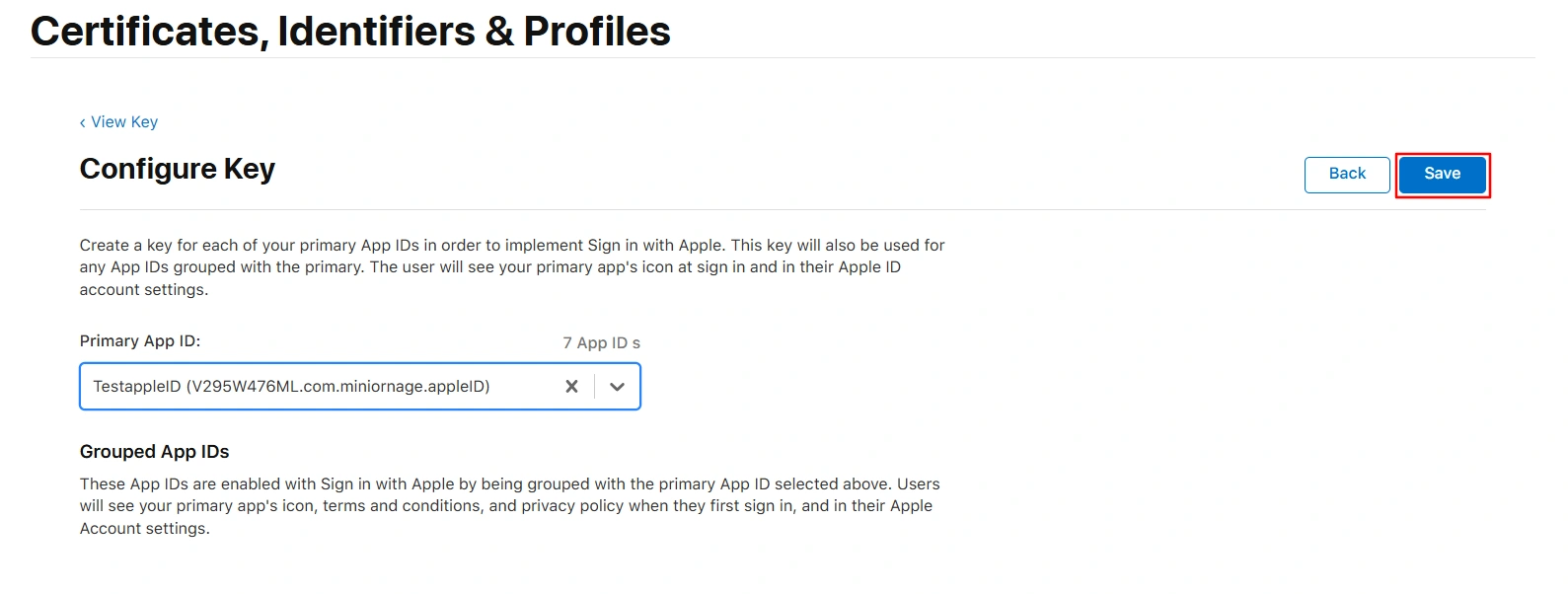
Select the Primary App ID that you configured previously, then click Save.
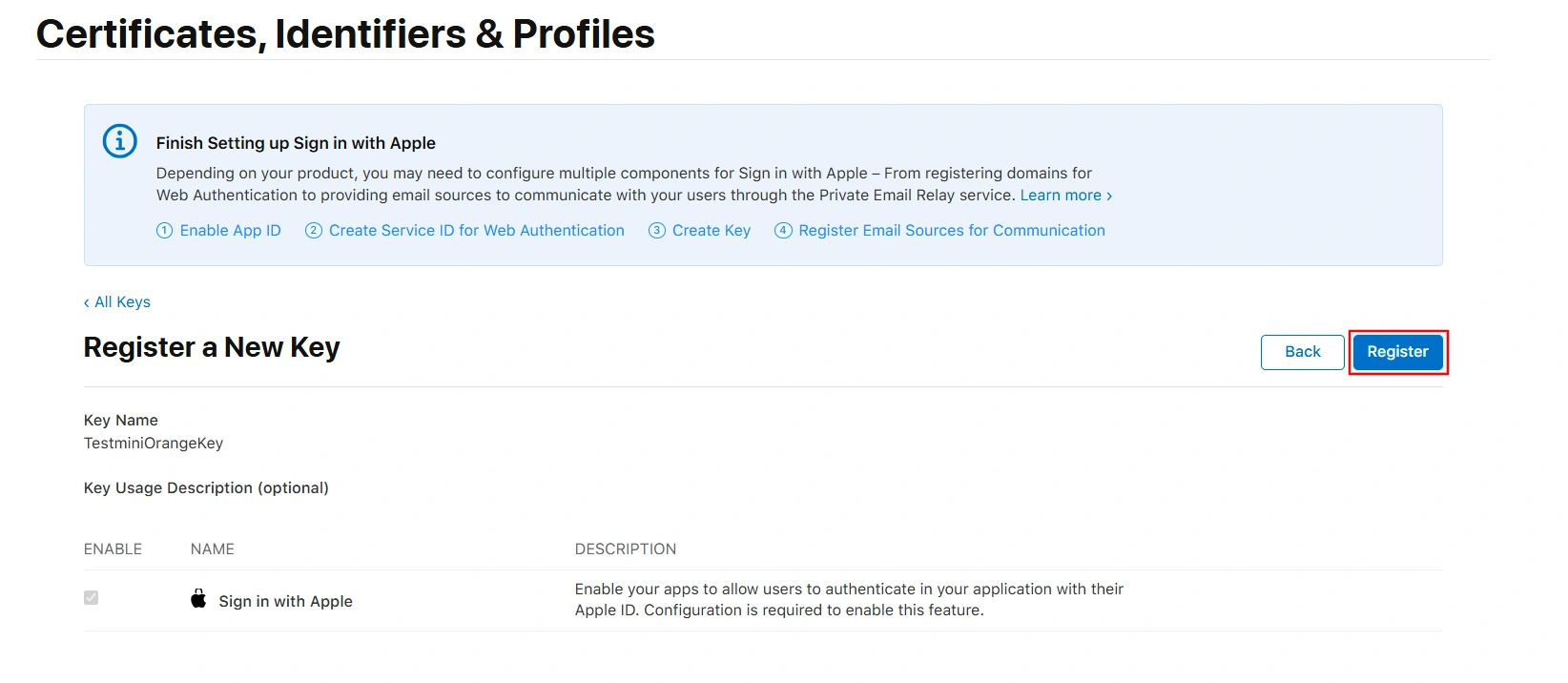
In the top-right corner, click Continue.
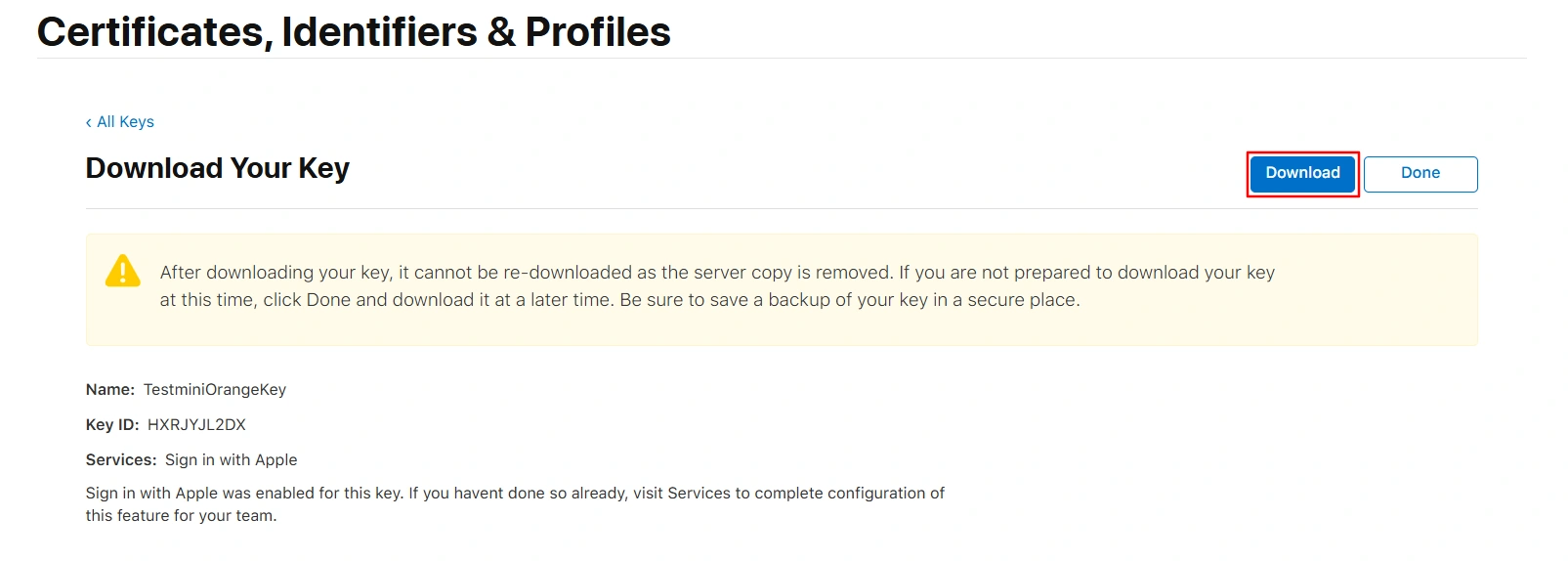
Click on the Register button.
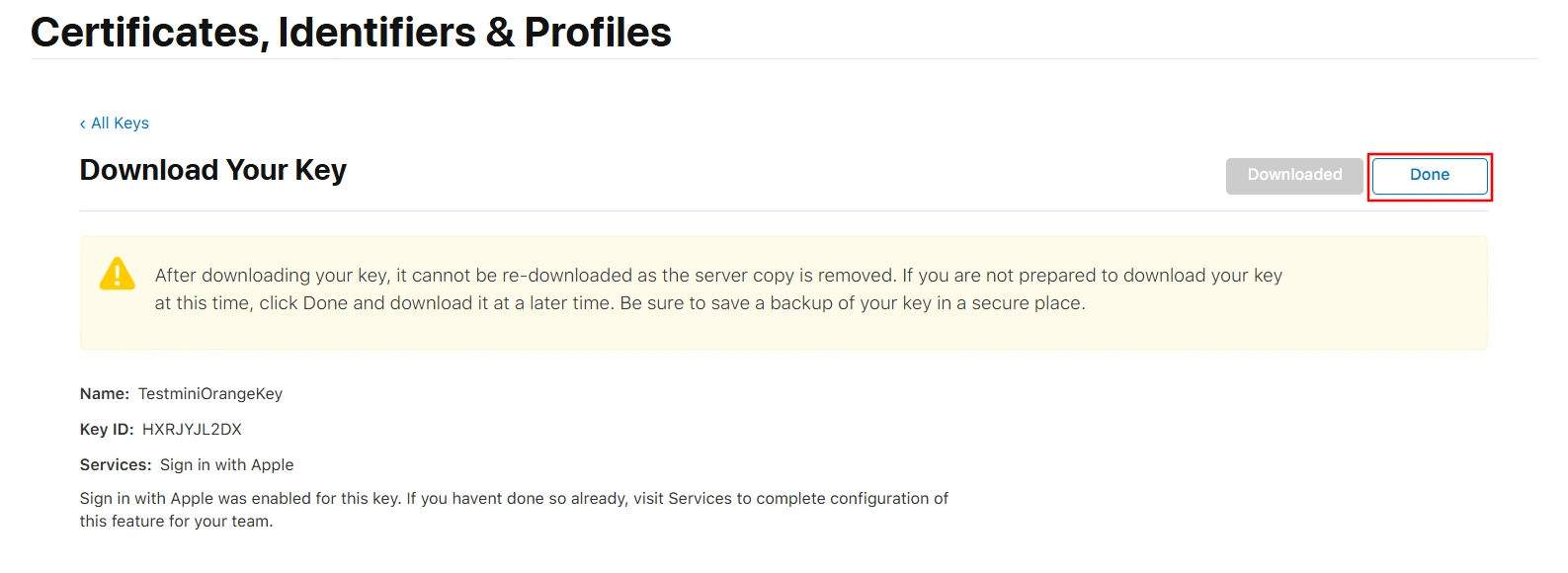
Click the Download button to download the key (the file will have a .p8 extension).
After the key has downloaded, click Done.
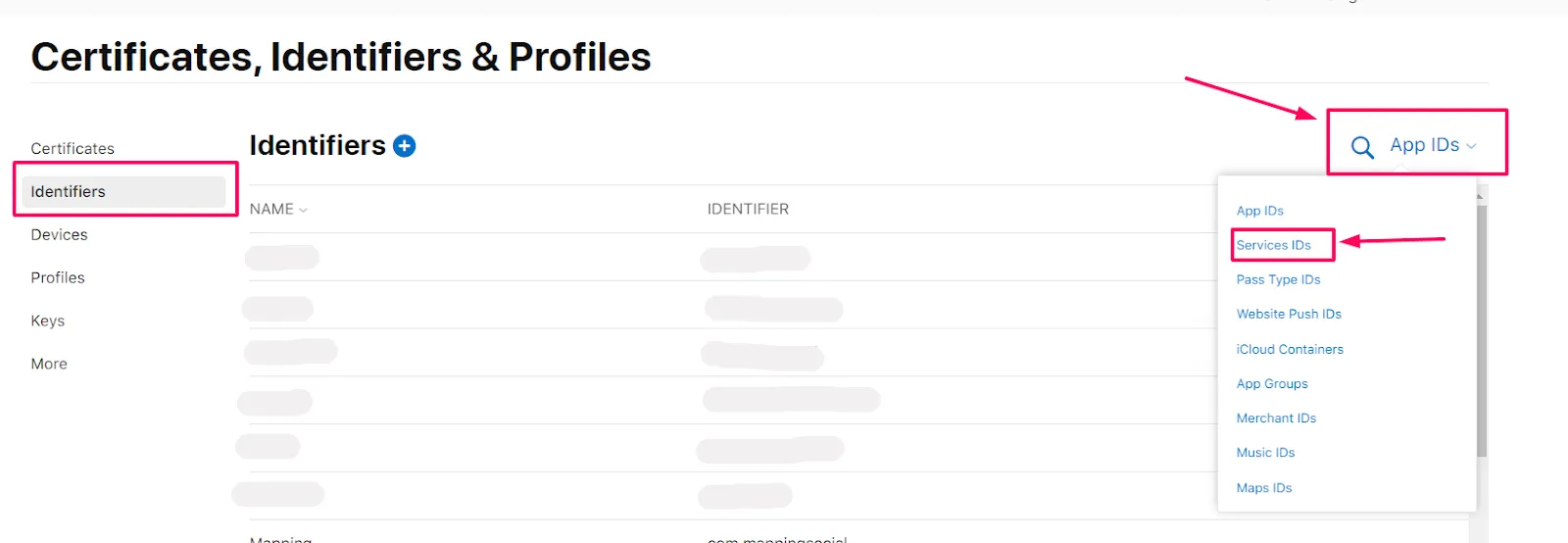
Click Identifiers from the left menu, then click App IDs at the top right and select Service IDs from the drop-down menu.
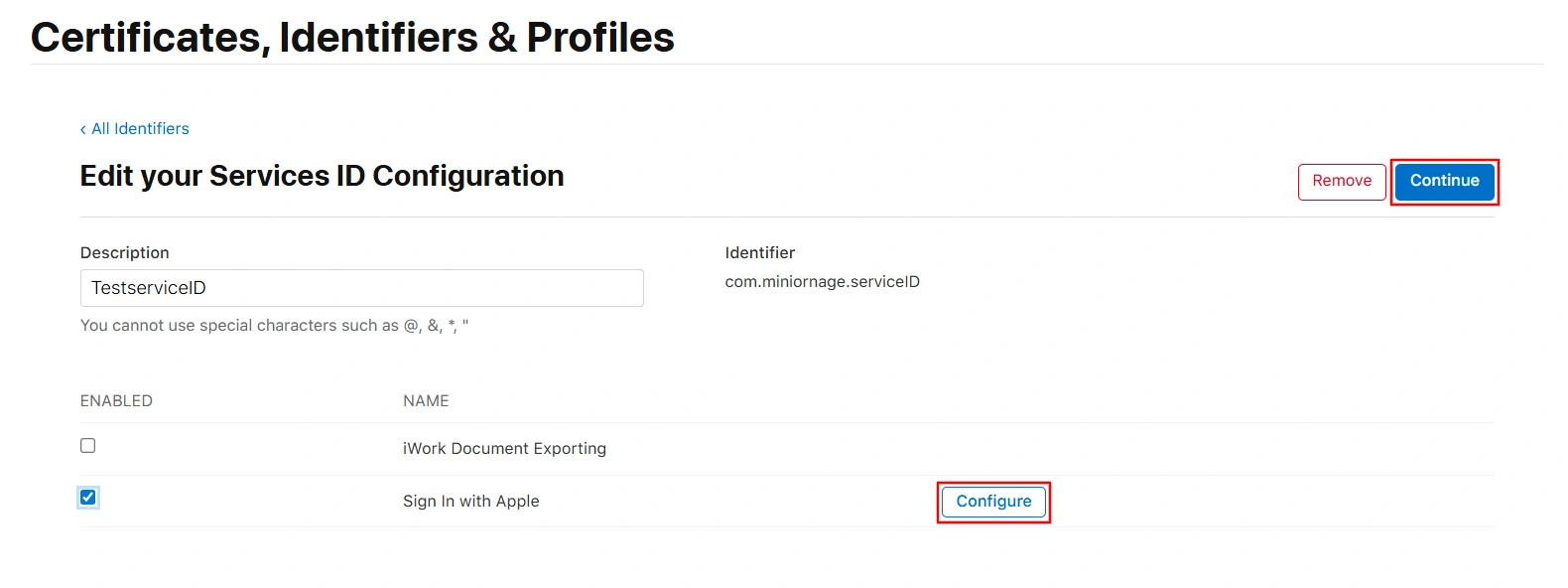
Select the previously configured Identifier, then select Sign In with Apple and click the Configure button.
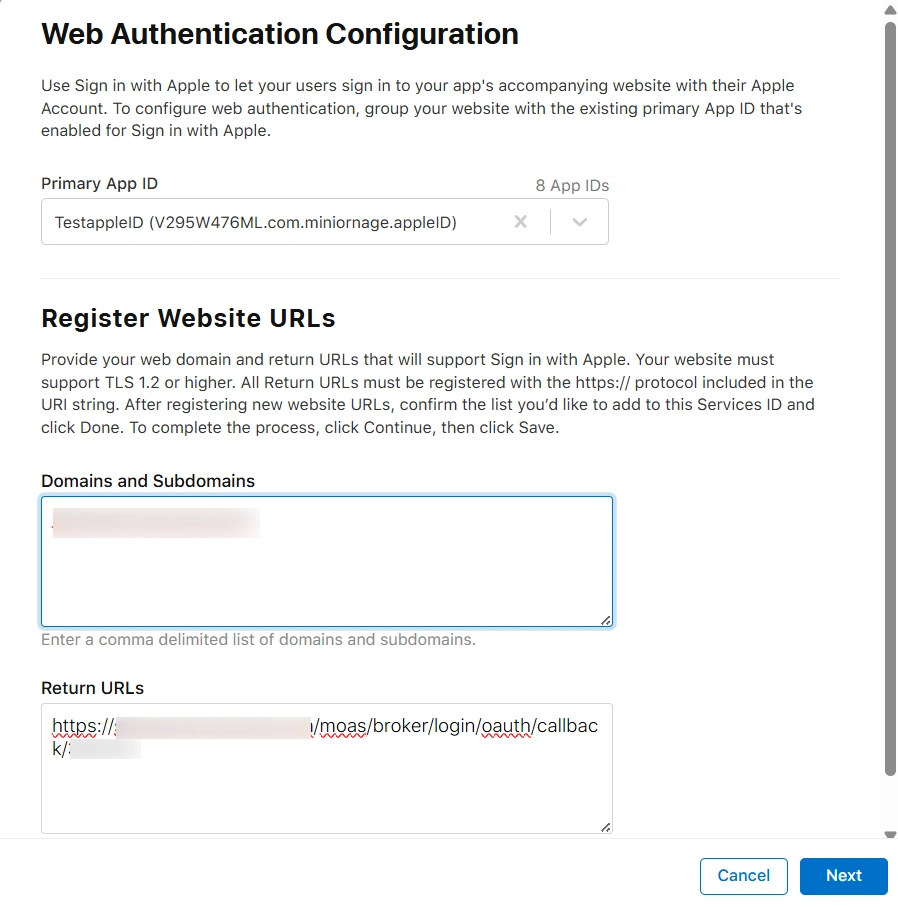
Select your Primary App ID from the drop-down.
Enter the Domain in the Domains and Subdomains section.
Enter the OAuth Callback URL from step 4.2 in the Return URLs section.
Click on the Next button.
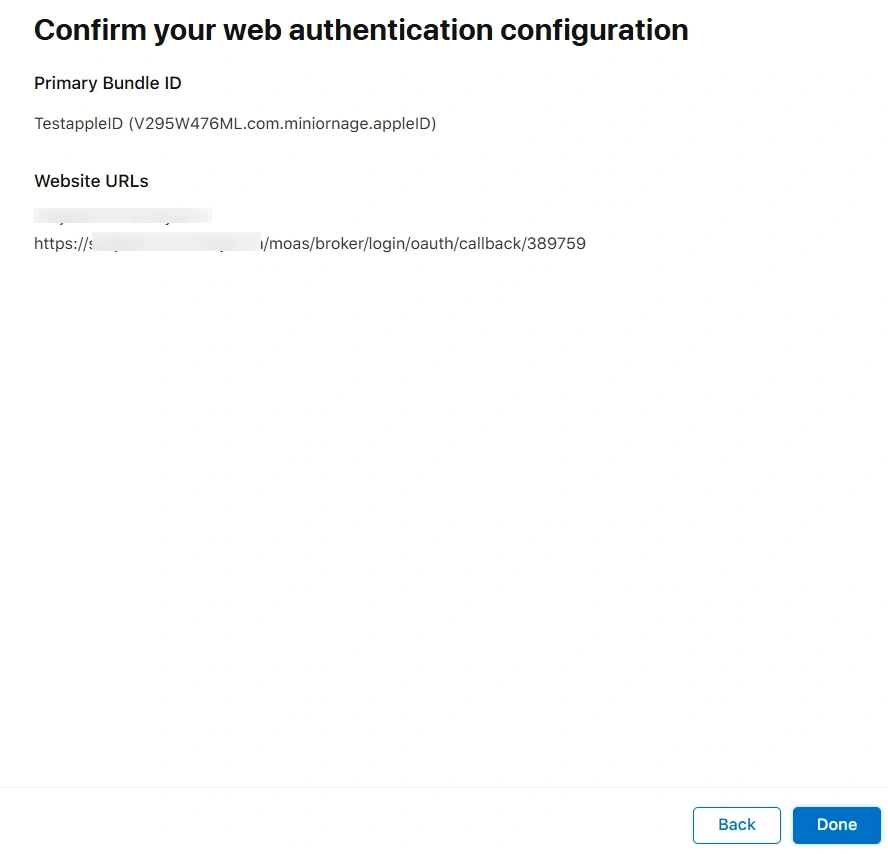
Verify the details and click on the Done button.
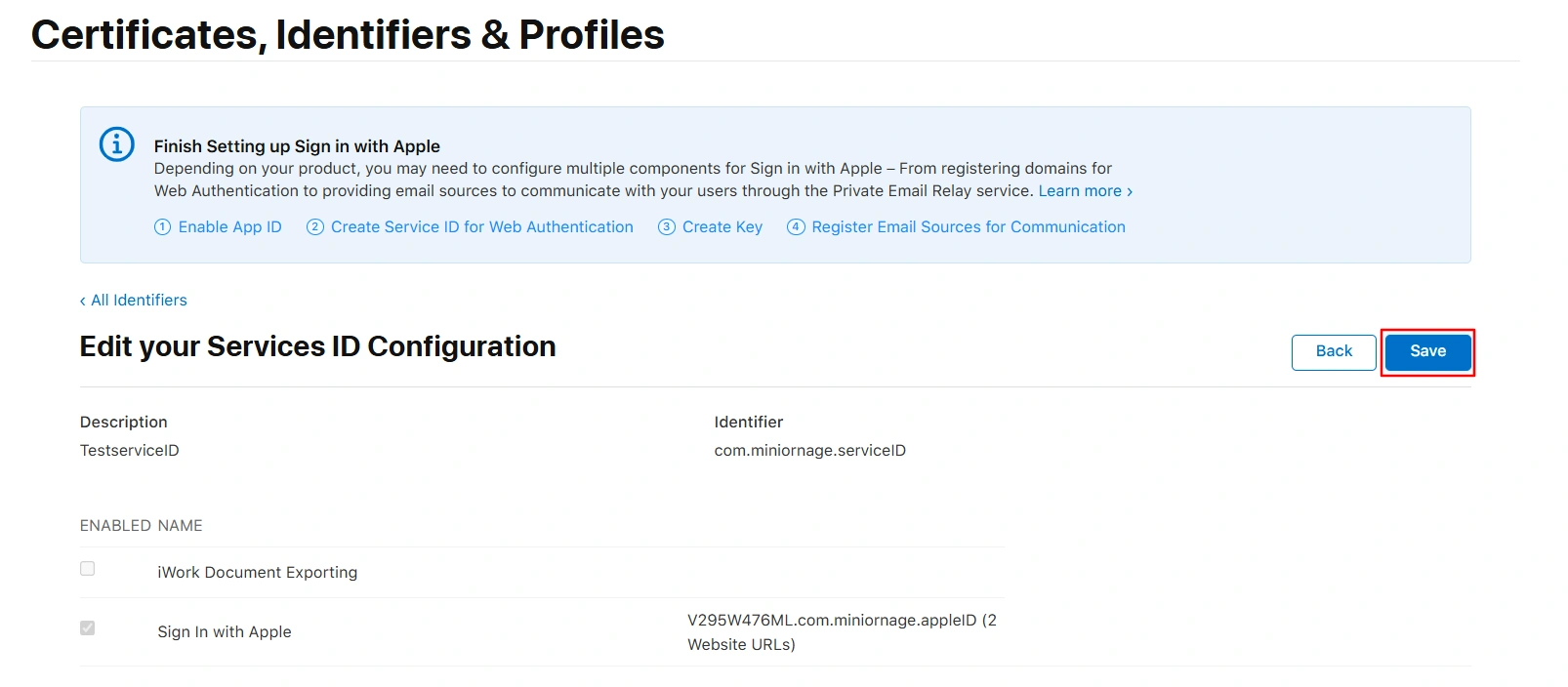
At the right corner, click on the Continue button.
Click on the Save button at the top right corner.
Now follow below steps to generate the client secret key:
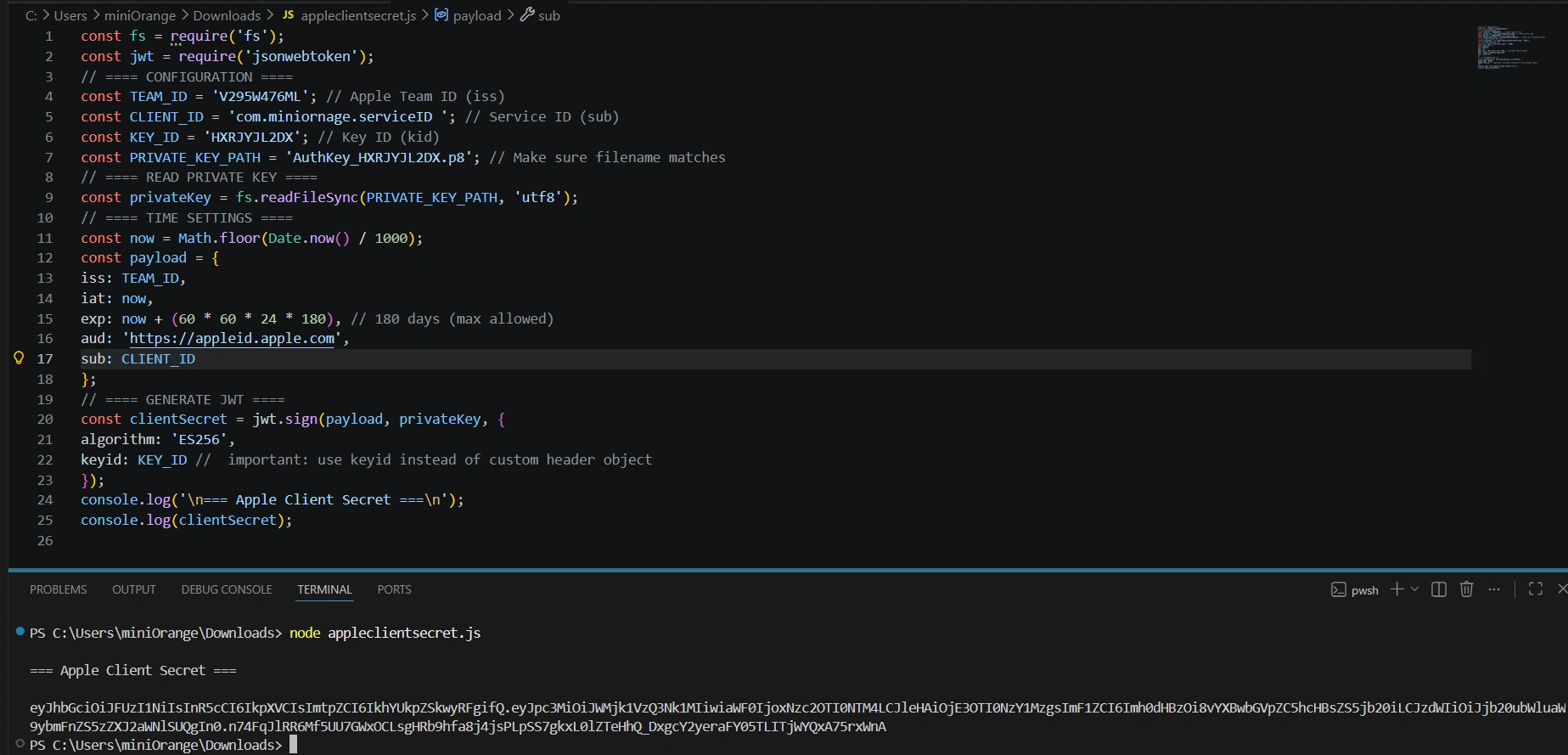
Generate the client secret (JWT) using Node.js:
Download and install Node.js from the following link.
Copy the code below into a file and save it with a .js extension. Make sure to keep this .js file and the downloaded .p8 key file in the same folder.
Now replace below values in the code as given below:
key_file: AuthKey_S86CR2U9KZ.P8 , give it the name of the downloaded .p8 file.
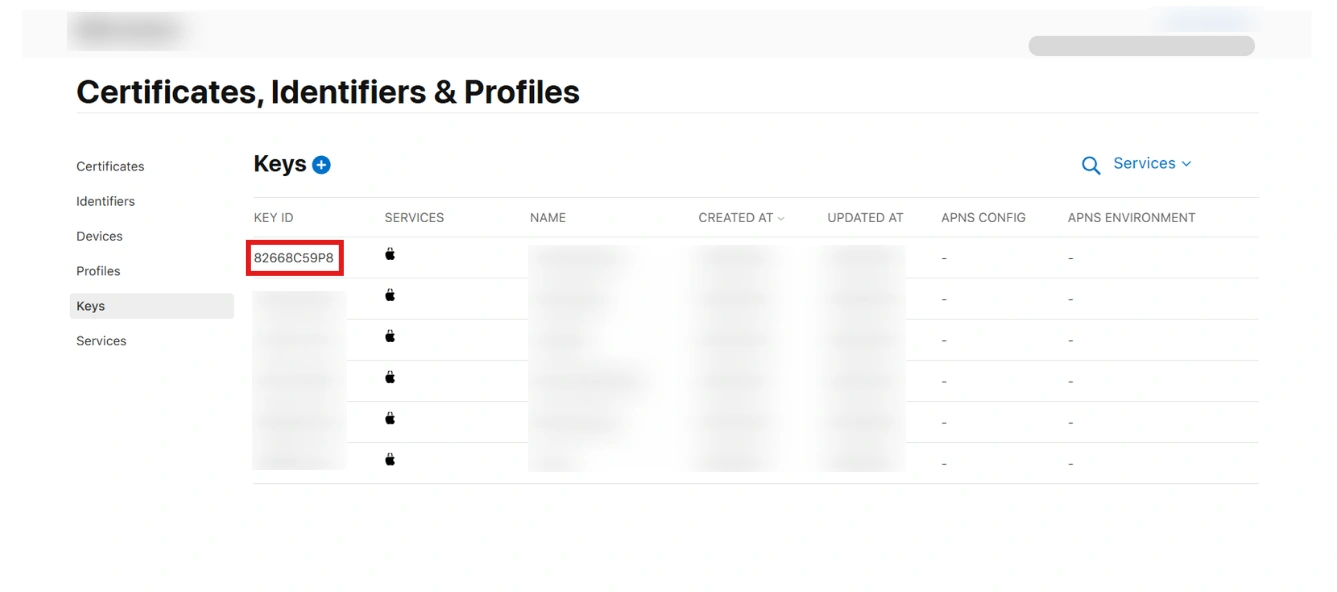
Key_id: It will be the Key ID you will get from your configured Key.
Client_id: It is the identifier.
Team_id: You will get this from top right corner as shown below.
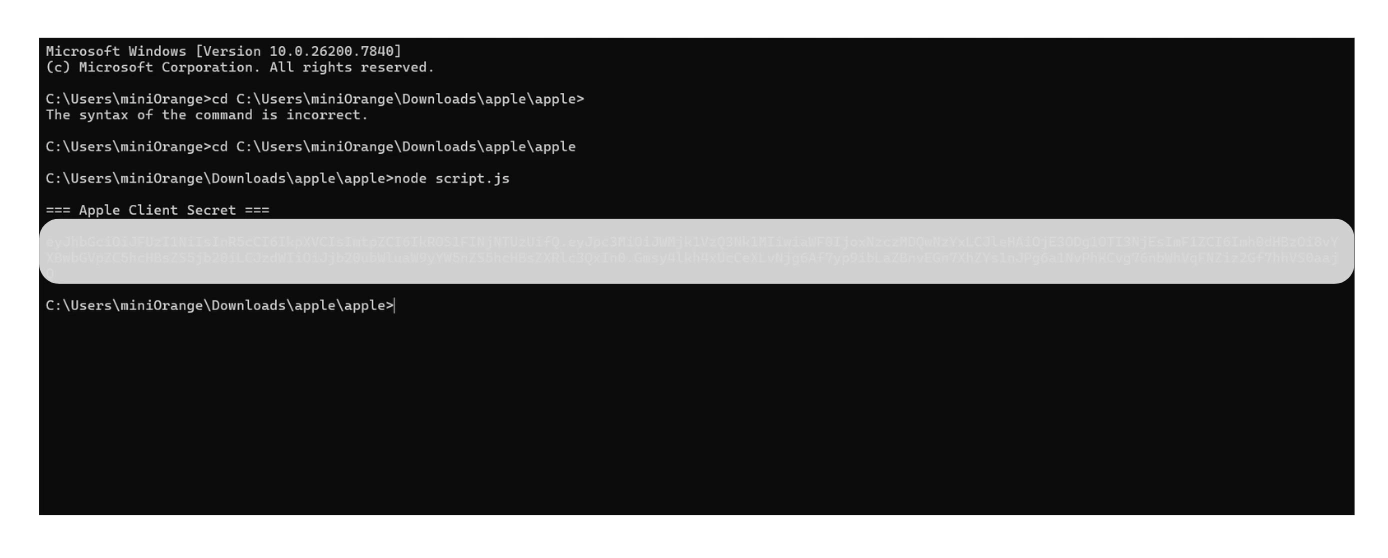
Go to the folder location in the command prompt which consists of the rb and p8 file. Now run the above code using the following command: node yourfilename.js
You will receive a Client Secret Key. copy and securely store this key, as it will be required while configuring Apple ID in the miniOrange Dashboard.
Step 4.2: Configure Apple ID as OAuth 2.0 Provider (IDP) in miniOrange
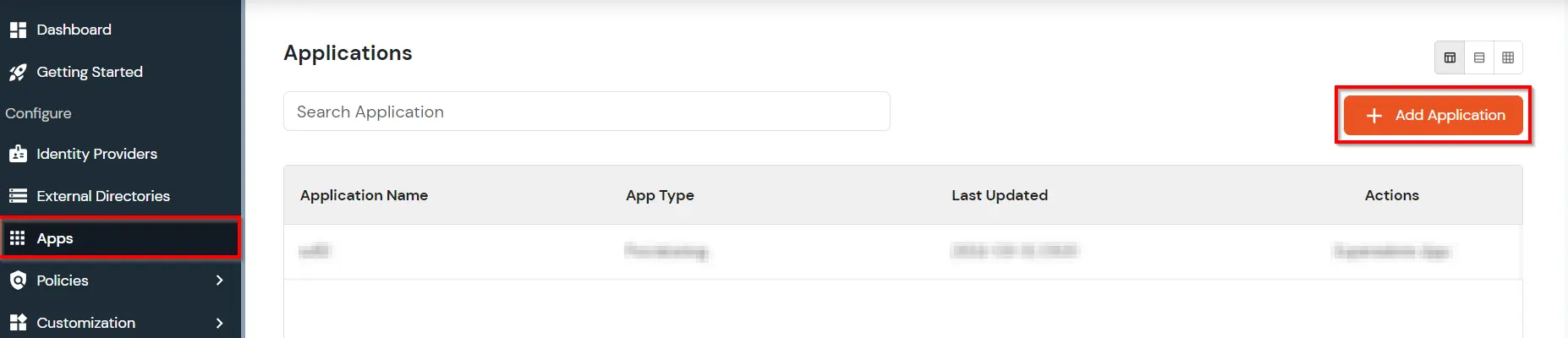
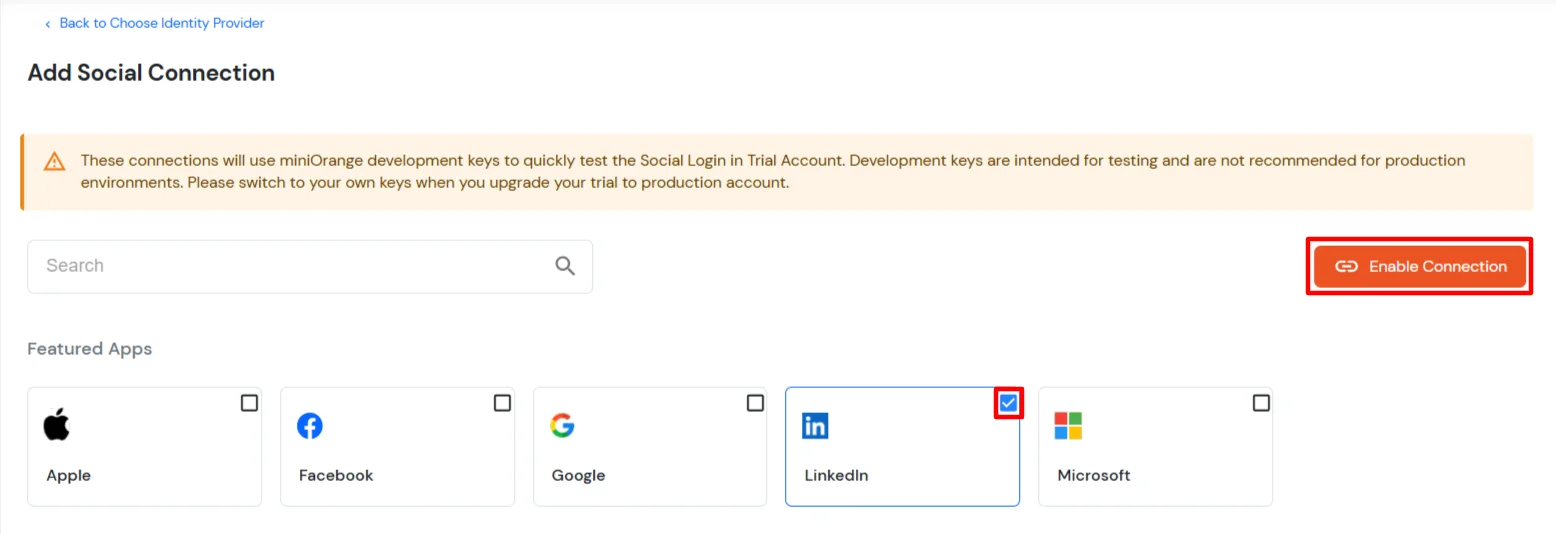
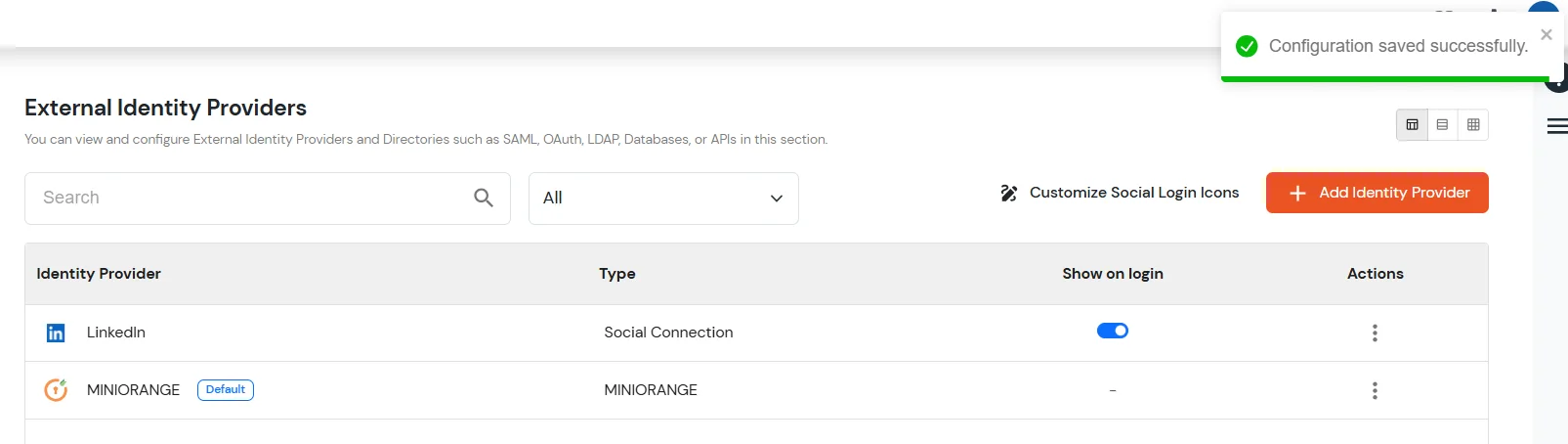
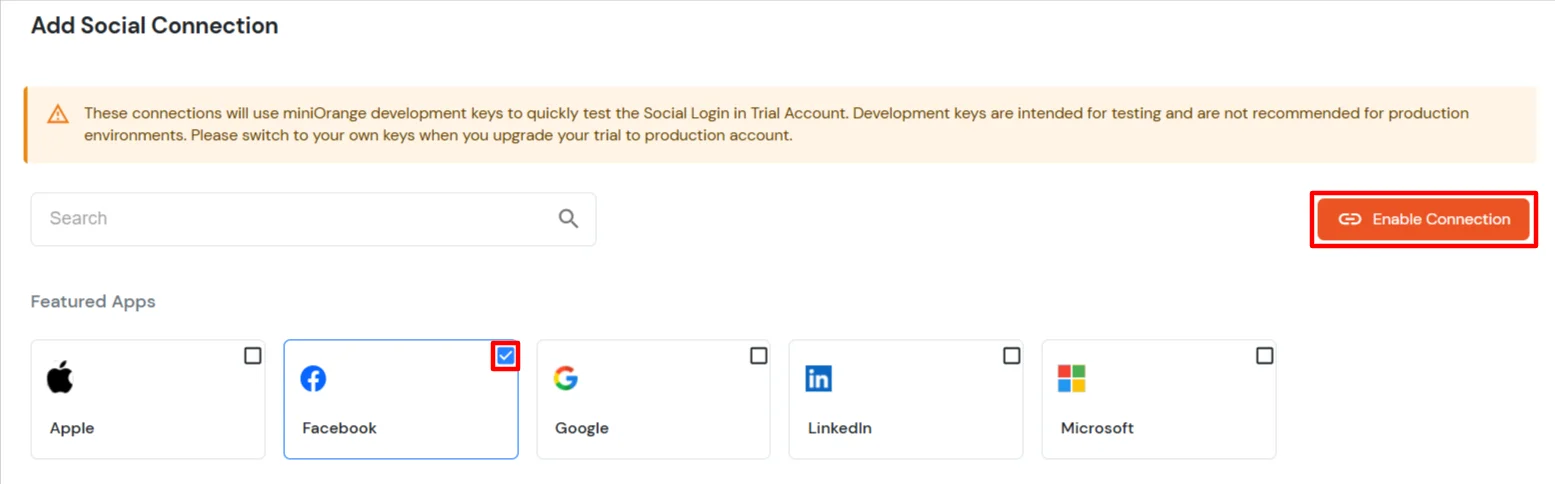
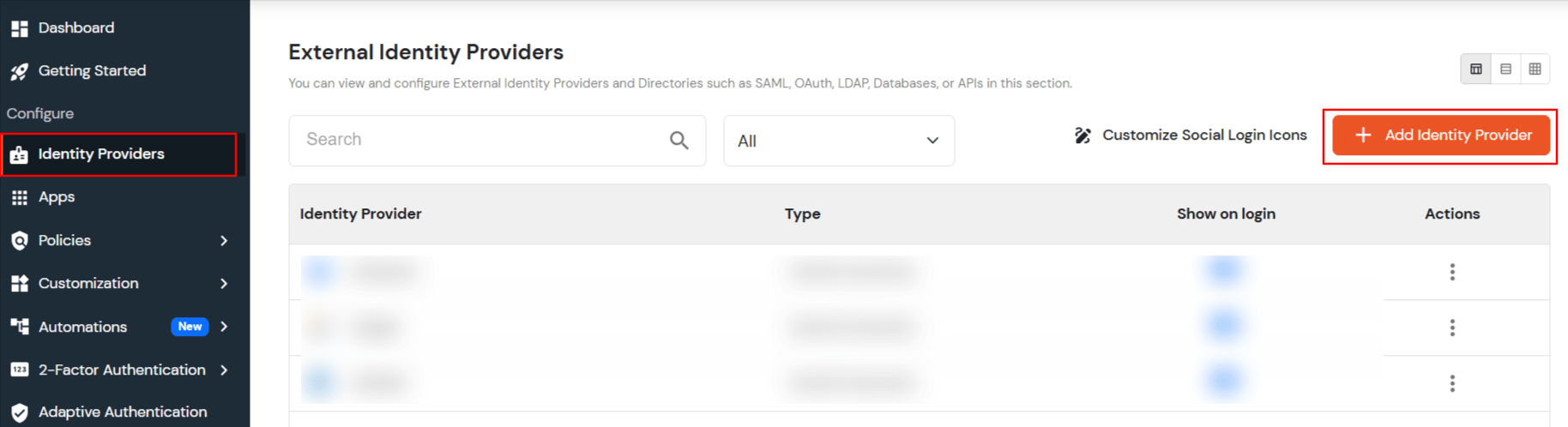
Go to Identity Providers and click Add Identity Provider.
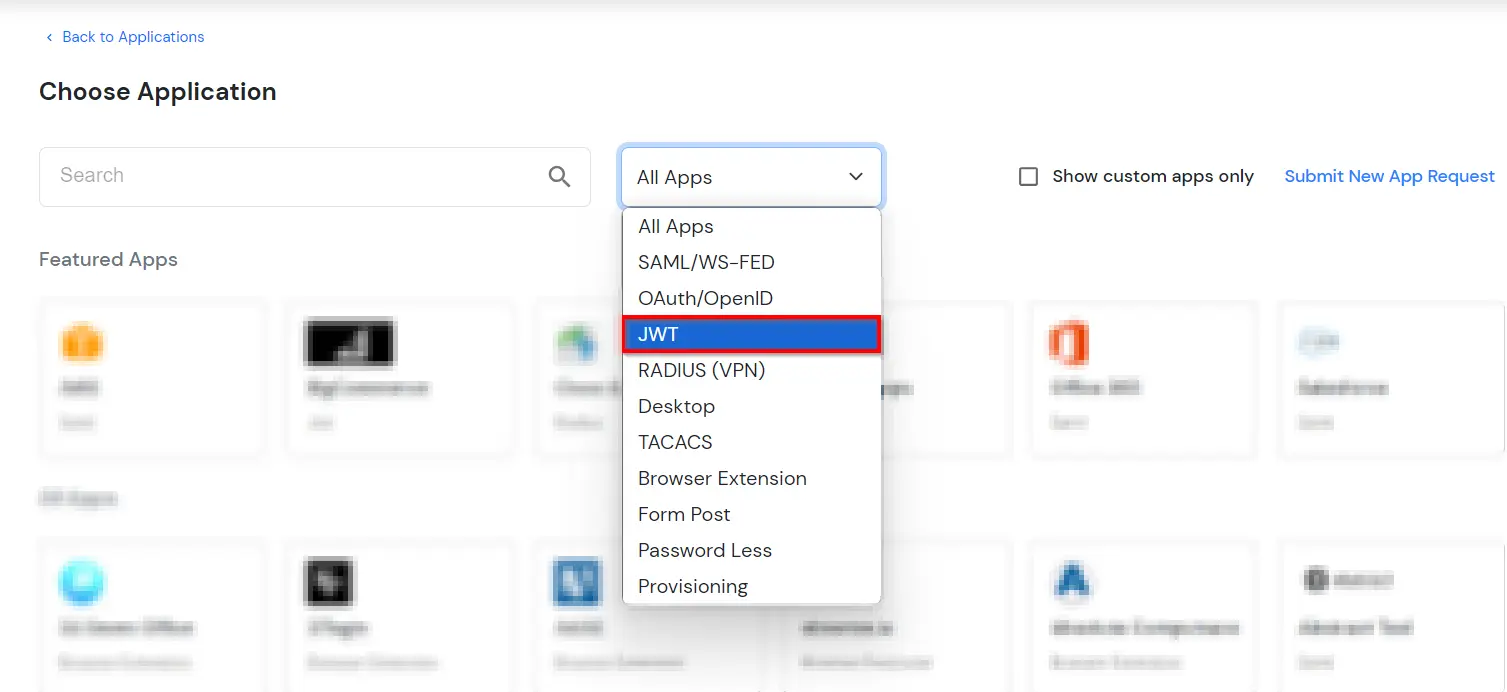
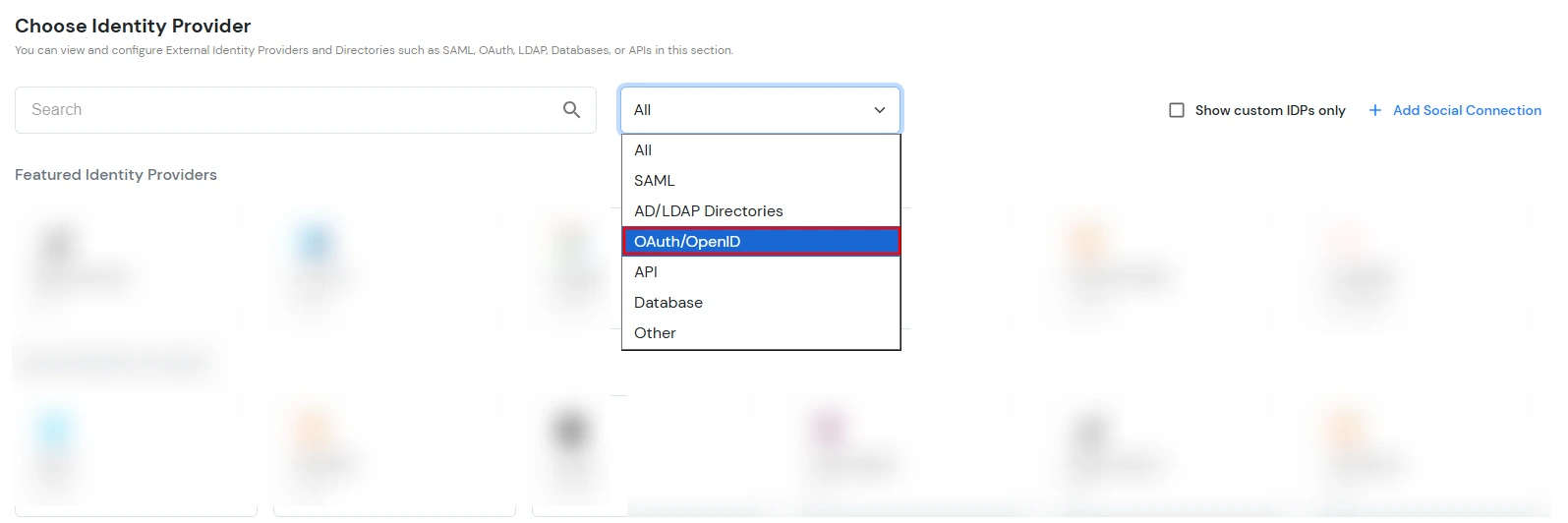
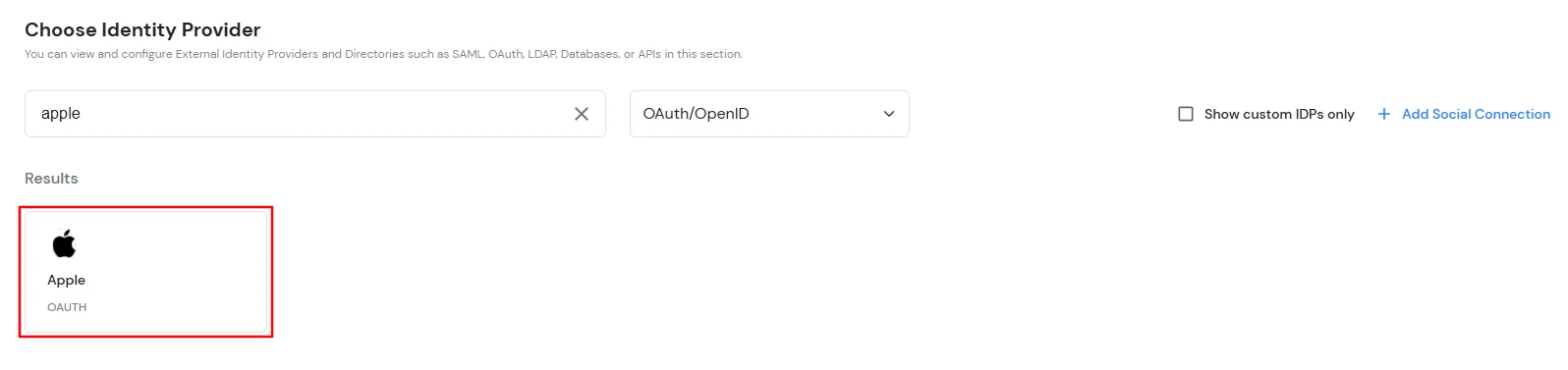
Select OAuth/OpenID as the Identity Provider type.
Click the Apple logo to choose Apple as the Identity Provider.
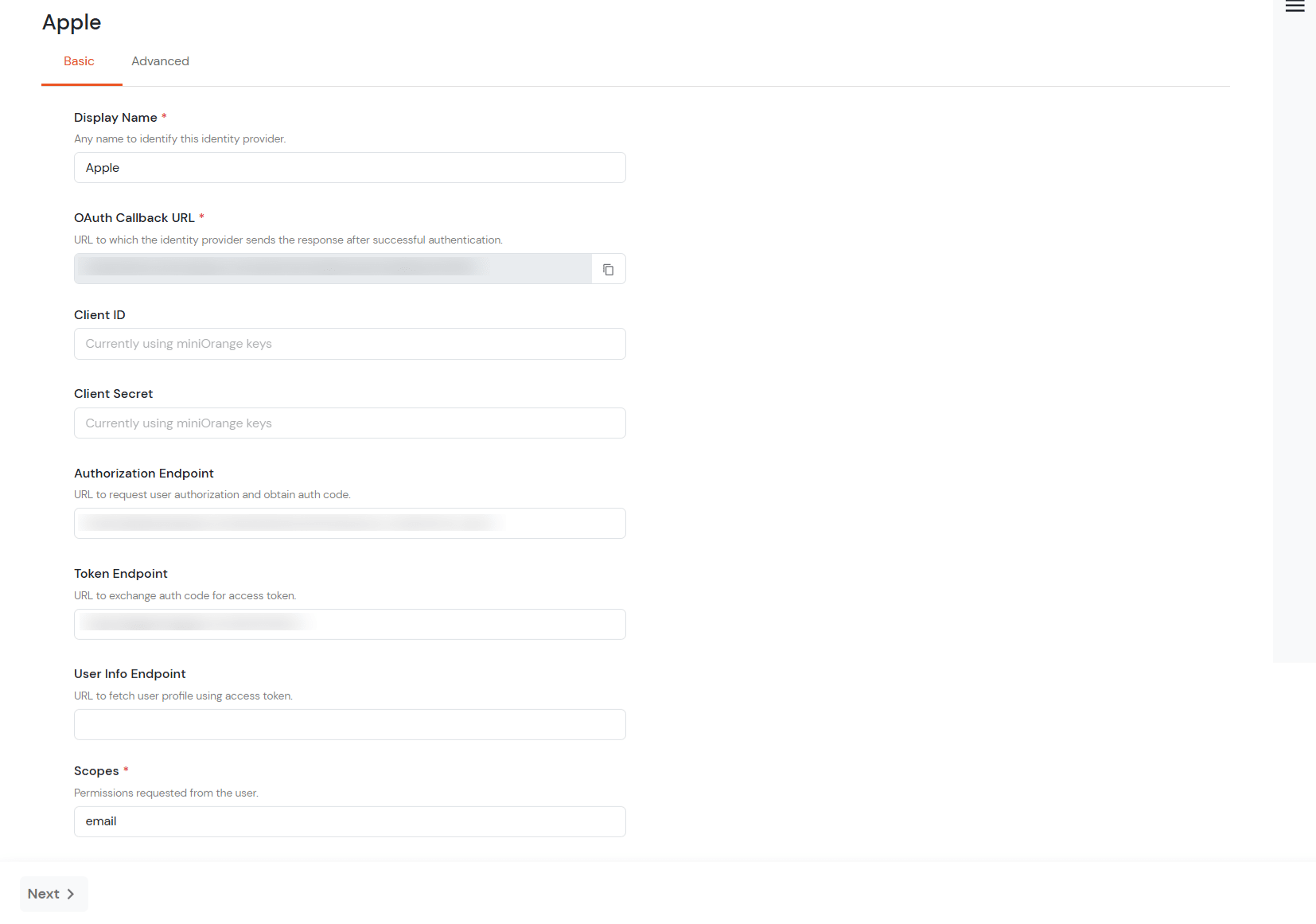
Enter the Client ID and Client Secret that you generated in the above steps, and then click on the Save button.
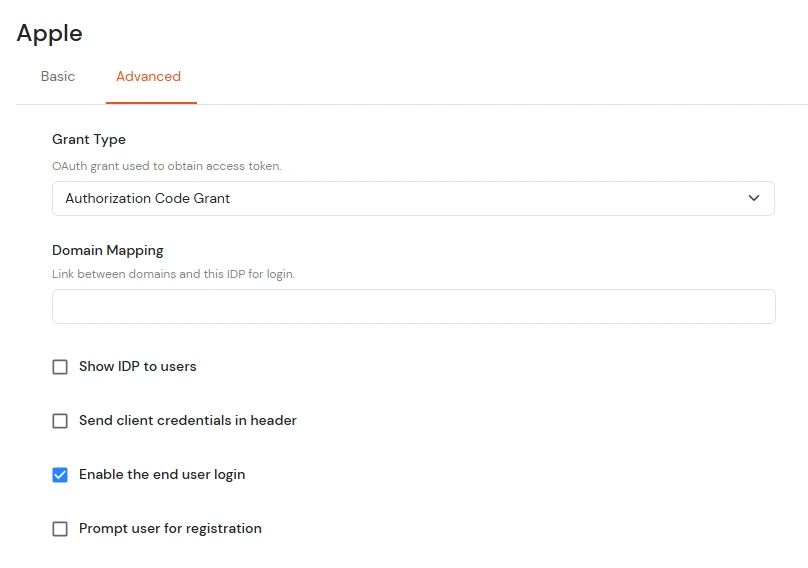
Go to the Advanced tab and enable the checkbox for Enable the End User Login, as this is required for JIT mapping later.
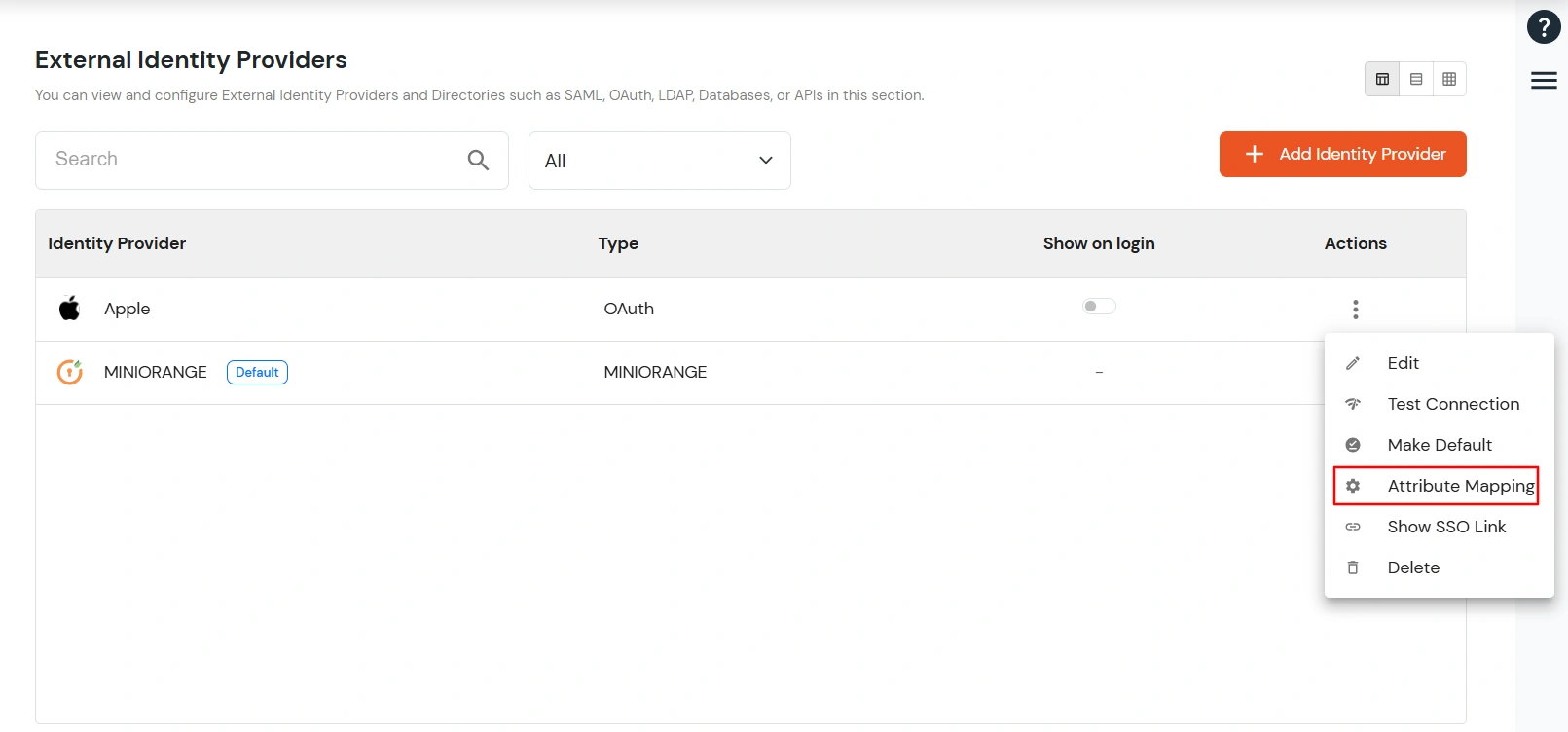
Now select the Identity Provider you configured. In the Action column, click on the three dots, and then select Attribute Mapping.
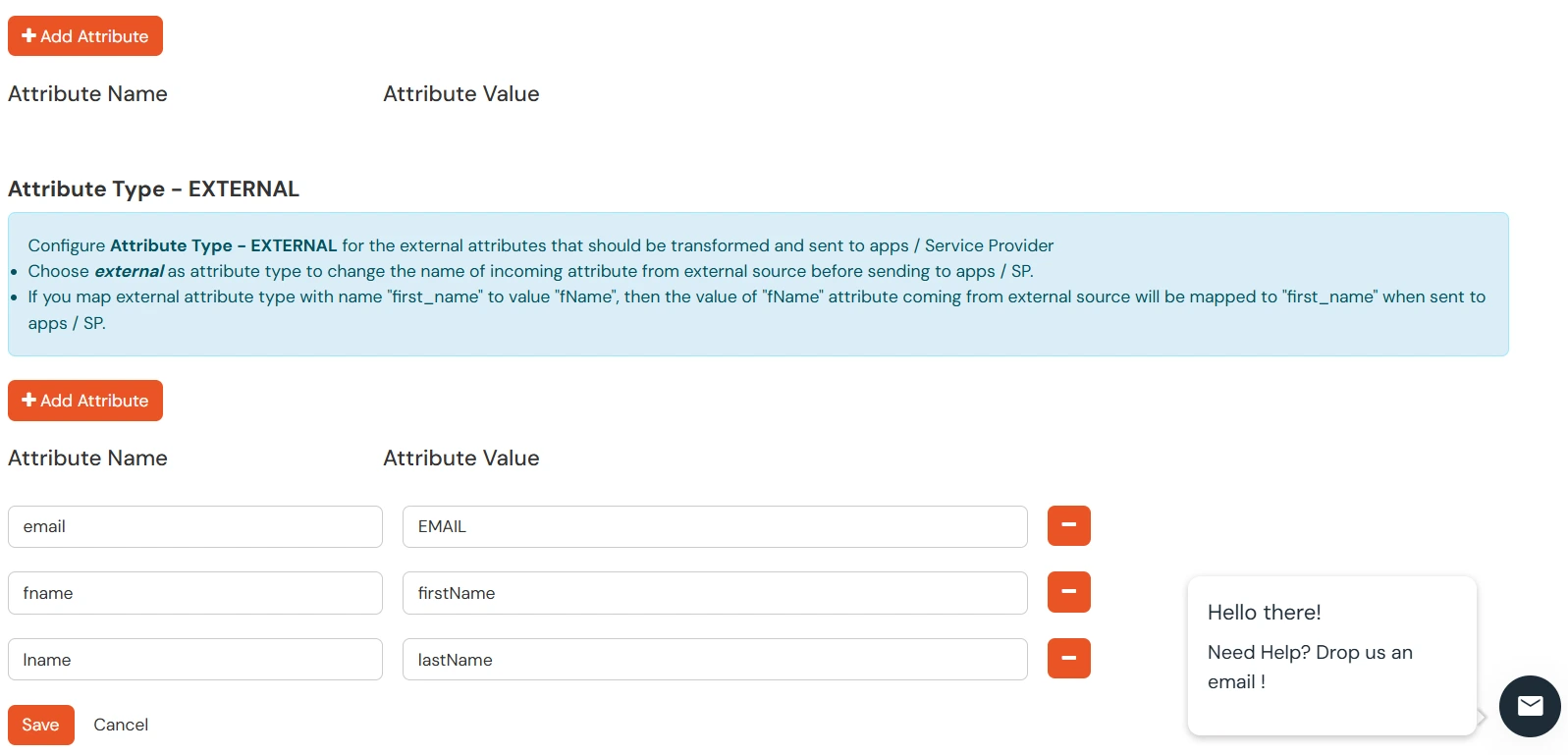
In the Attribute Type section, select External, and configure the attributes such as First Name, Last Name, and Email as shown in the image below and click on the save button.
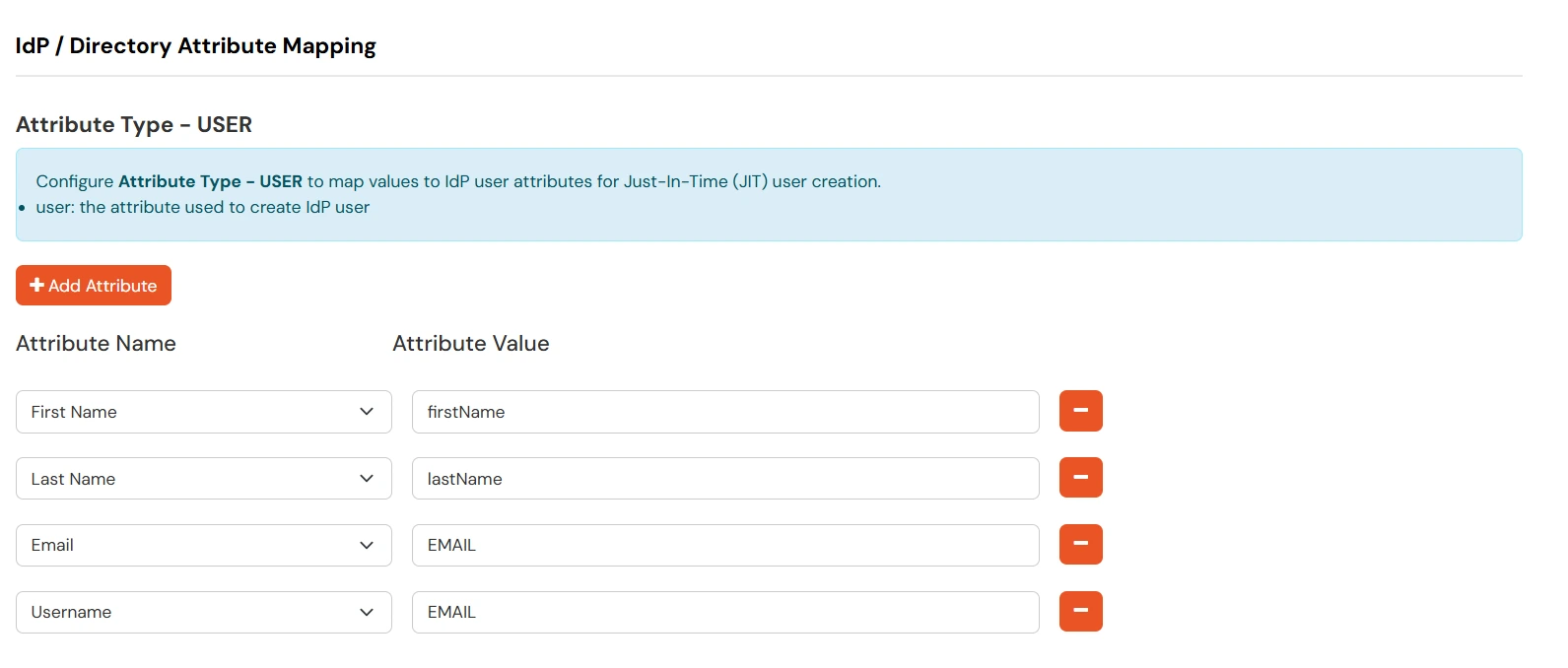
Additionally, you also need to configure the Attribute Type as User. This is required because Apple provides the First Name and Last Name only during the first SSO login. From the second SSO onwards, Apple does not send these attributes again.
However, BigCommerce requires the attributesfirst_name, last_name, and emailduring every login/SSO request, and these attributes are mandatory. To handle this situation, we need to store the user's First Name and Last Name in miniOrange during the first SSO login.
This can be achieved using JIT (Just-In-Time) attribute mapping. During the first login, the attributes received from Apple will be stored in miniOrange. From the second login onwards, miniOrange will retrieve these stored attributes and pass them during SSO, ensuring that the required attributes are always available.
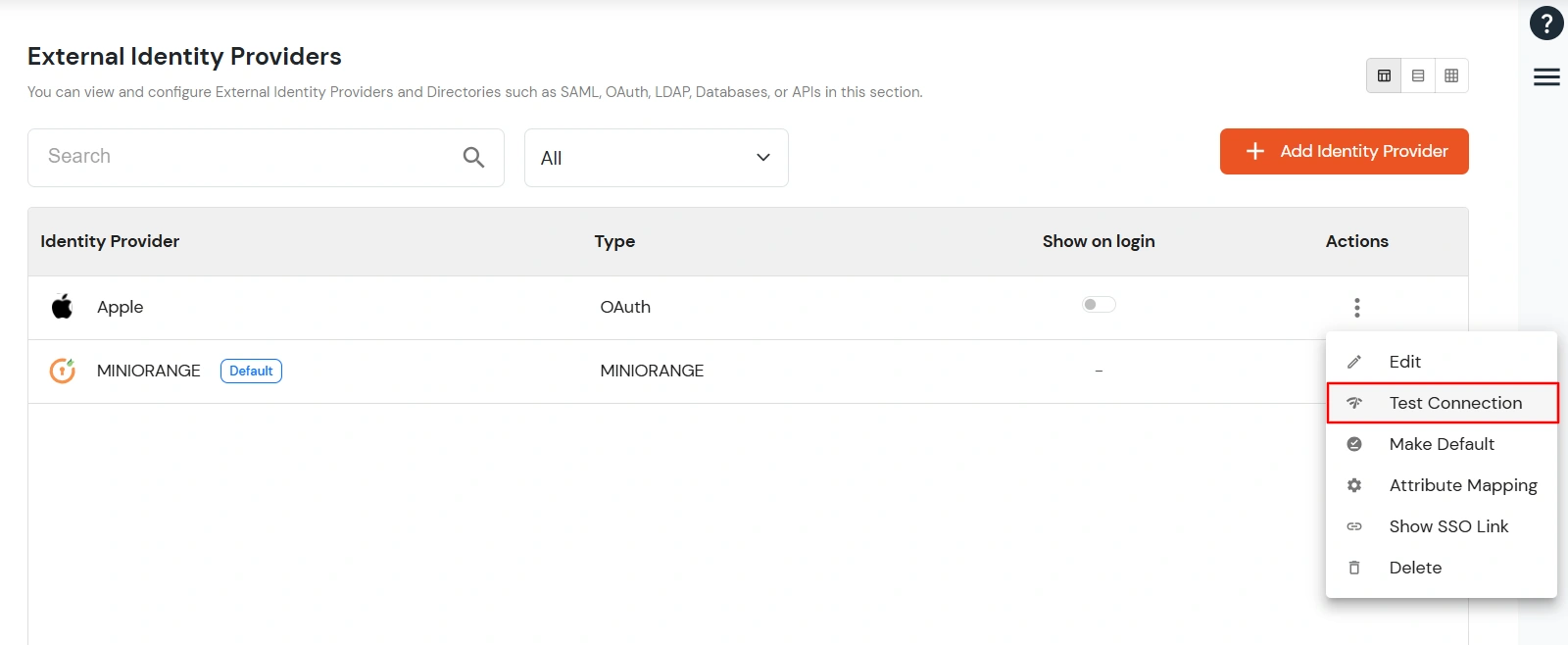
Now select the Identity Provider you configured. In the Action column, click on the three dots, and then select Test Connection.
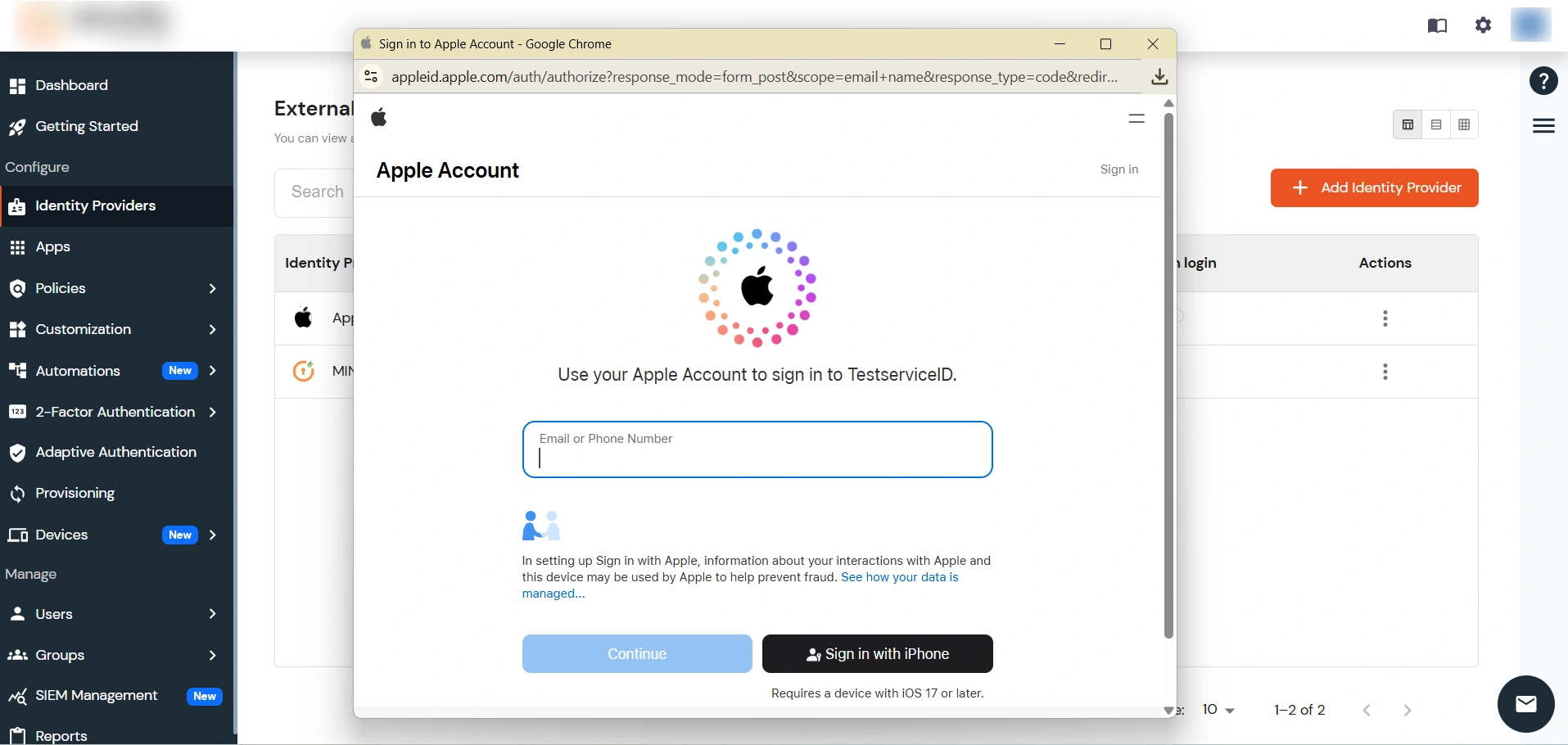
You will be directed to enter your Apple Id.
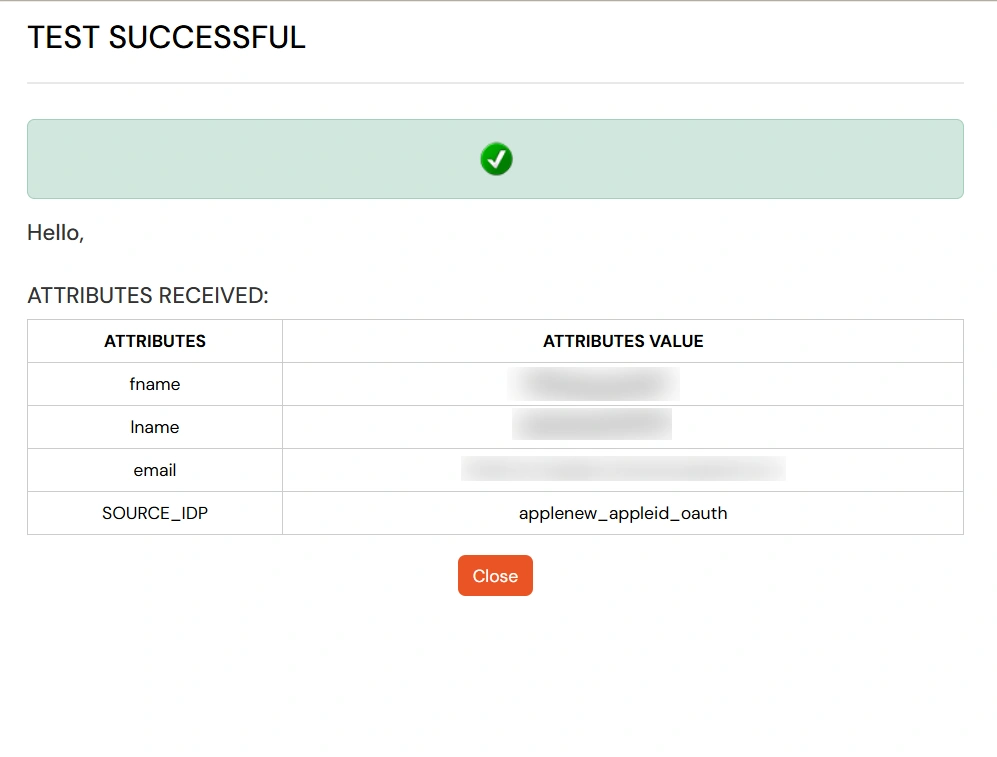
On entering valid Apple credentials you will see a pop-up window which is shown in the below screen.
Hence your configuration of Apple as IDP in miniOrange is successfully completed.
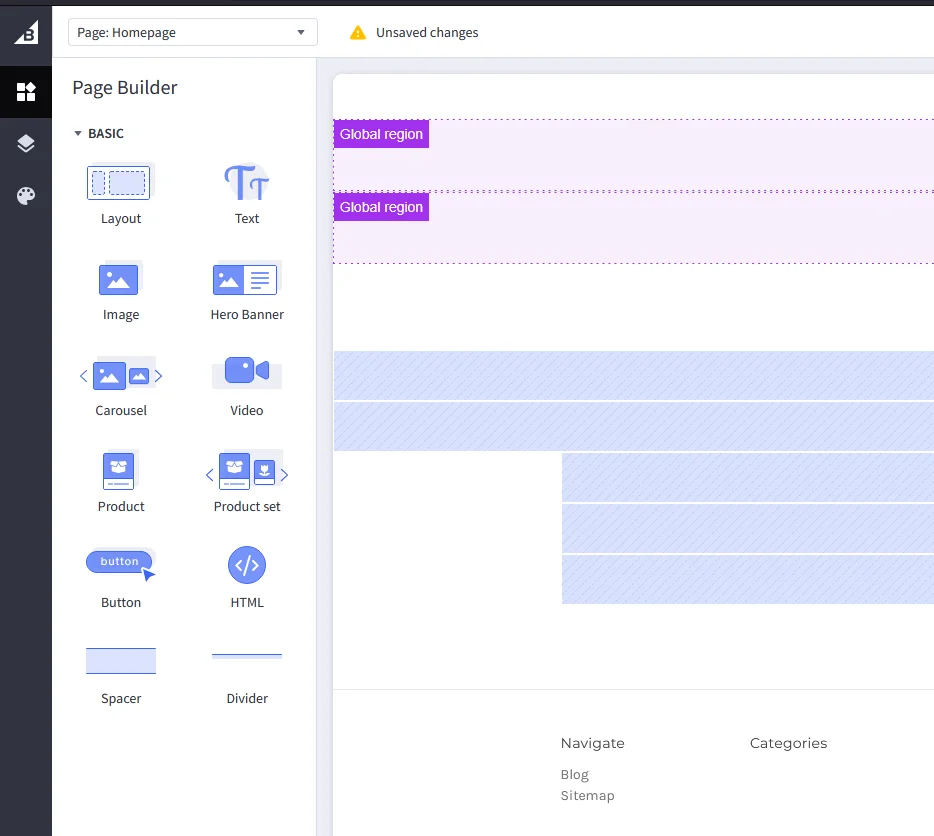
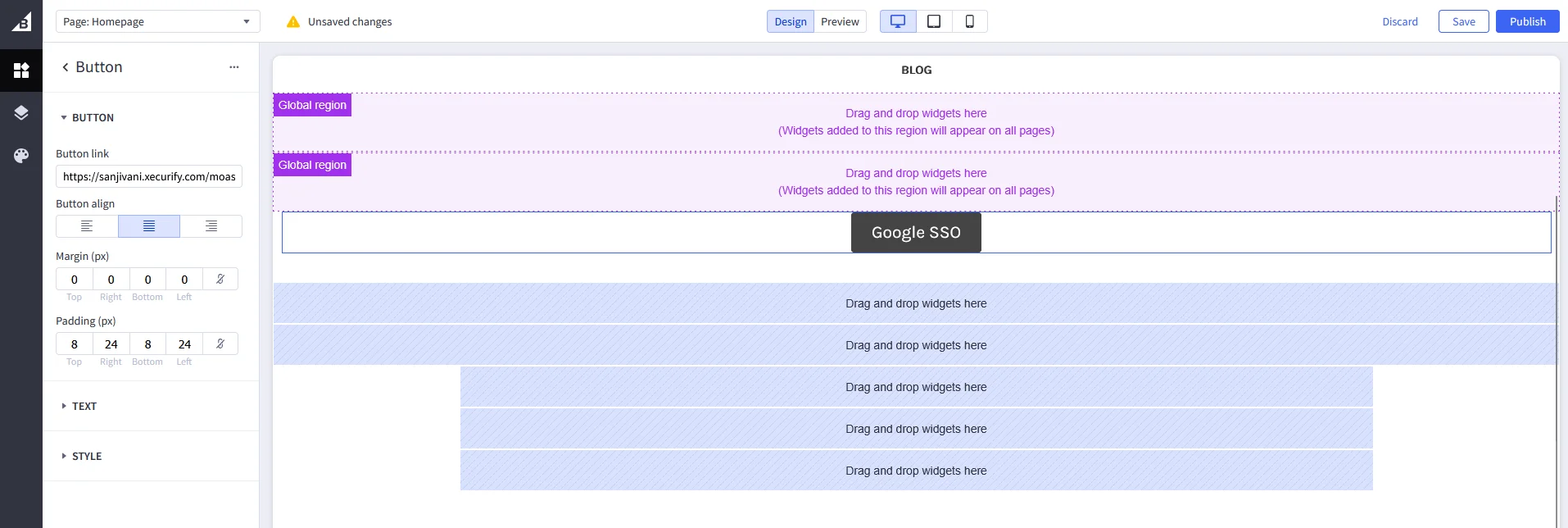
5. Embed your social login urls to perform SP Initiated Social Login
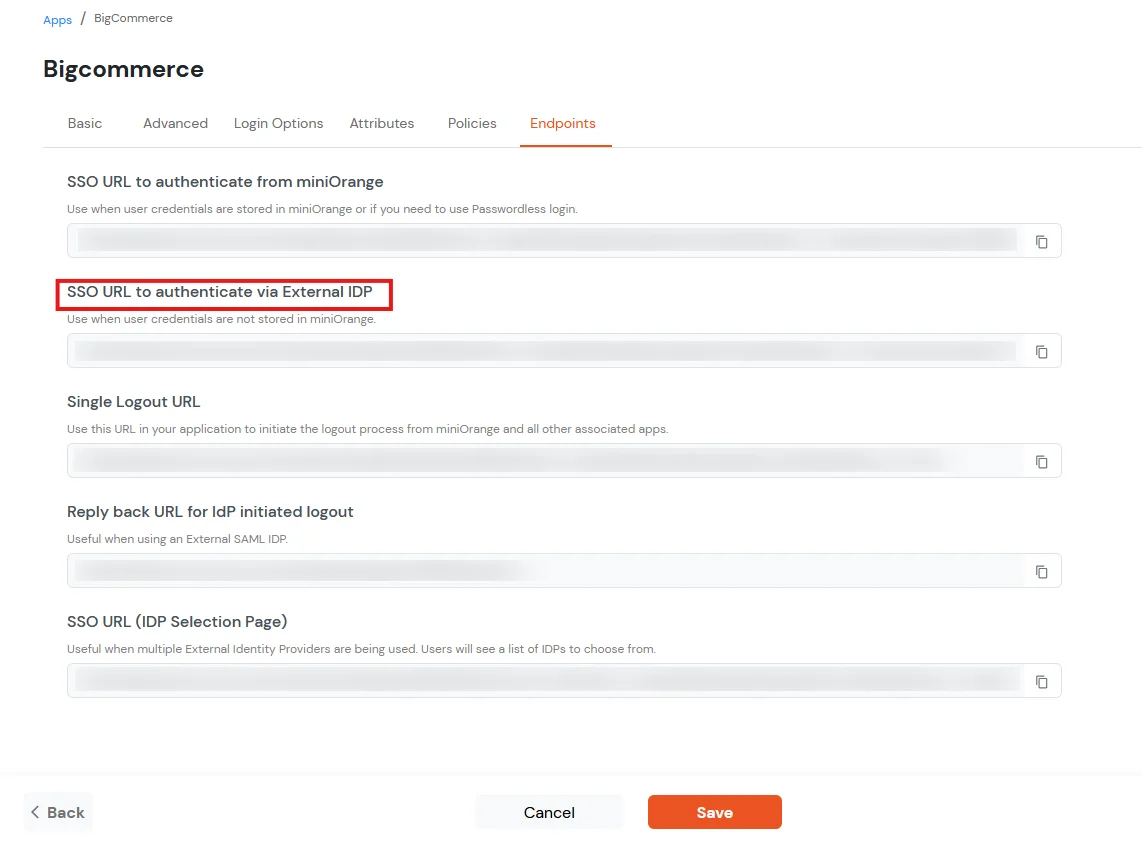
Copy the Single Sign-On (SSO) url from the BigCommerce App that you have configured in miniOrange.
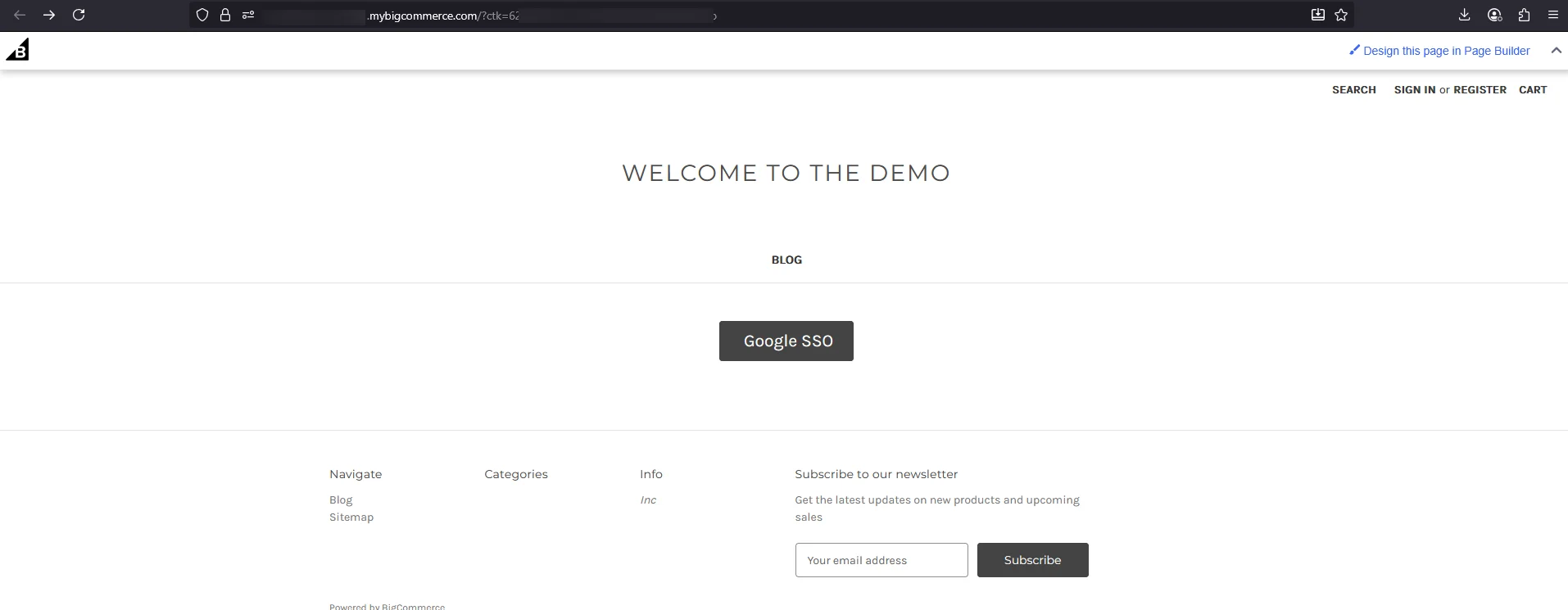
Just add an identifier such as google_oauth, facebook_oauth, linkedin_oauth, appleid_oauth after your customerId in SSO Url for respective Social login url as given below.
Is miniOrange's social login SSO supported on all BigCommerce plans?
miniOrange BigCommerce Social Login SSO solution is available for all BigCommerce plans, including the free ones. We also offer support for a wide range of social login providers, including Google, Facebook, Twitter, and more. With our solution, customers can easily log in to their BigCommerce accounts using their preferred social media credentials, while website owners can benefit from increased engagement & streamlined login processes.