Set Up Single Sign-On on AWS (IAM Identity Centre)
Amazon Web Service (AWS) Single Sign-on (SSO) service is a cloud based Single Sign-On (SSO) solution which provides a simplified and secure access for users/groups to Amazon web services and full access to multiple cloud Applications along with AWS management console with one set of login credentials. Specifically, it helps you manage SSO access and user permissions across all your AWS accounts as well as custom applications that support Security Assertion Markup Language (SAML) 2.0. miniOrange provides secure access to AWS SSO via the miniOrange Identity Provider (IDP) wherein users and groups can be authenticated, thus providing seamless access to your AWS resources.
With miniOrange AWS SSO, you can:
Single Sign-on into all cloud and onpremise applications along with AWS accounts
Have centralized and easy access control of the users
Connect easily with any external identity source like Microsoft Entra ID, ADFS, Cognito, etc
Get Free Installation Help
miniOrange offers free help through a consultation call with our System Engineers to Install or Setup AWS SSO solution in your environment with 30-day free trial.
For this, you need to just send us an email at idpsupport@xecurify.com to book a slot and we'll help you in no time.
miniOrange AWS Single Sign-On (SSO) supports the following flows:
SP (Service Provider) Initiated Single Sign-On (SSO)
In this flow, a person tries to login to the Serivce Provider (AWS account) directly. The request is redirected to the Identity Provider for authentication. On sucessfull authentication from the Identity provider, the person is given access to the application (AWS account).
IdP (Identity Provider) Initiated Single Sign-On (SSO)
In this flow, a person logs in to the Identity Provider using his credentials. Now the person can access any of the configured Service Providers (AWS account, etc.) through the Identity Provider Dashboard without having to enter the credentials agian.
Connect with External Source of Users
miniOrange provides user authentication from various external sources, which can be Directories (like ADFS, Microsoft Active Directory, OpenLDAP, AWS etc), Identity Providers (like Microsoft Entra ID, Okta, AWS), and many more. You can configure your existing directory/user store or add users in miniOrange.
Video Setup Guide
Prerequistes for setting SSO for AWS accounts:
You will need the following pre requisites to setup SSO for AWS organization:
1. AWS organization admin account.
2. Set up AWS organization service.
3. Download the signed certificate from the AWS console or organization.
Follow the step-by-step guide given below for AWS Single Sign-On (SSO)
1. Configure AWS SSO Service
Log in to the AWS Management Console.
From the AWS dashboard, click Services.
Under Security, Identity, & Compliance, select IAM Identity Center.
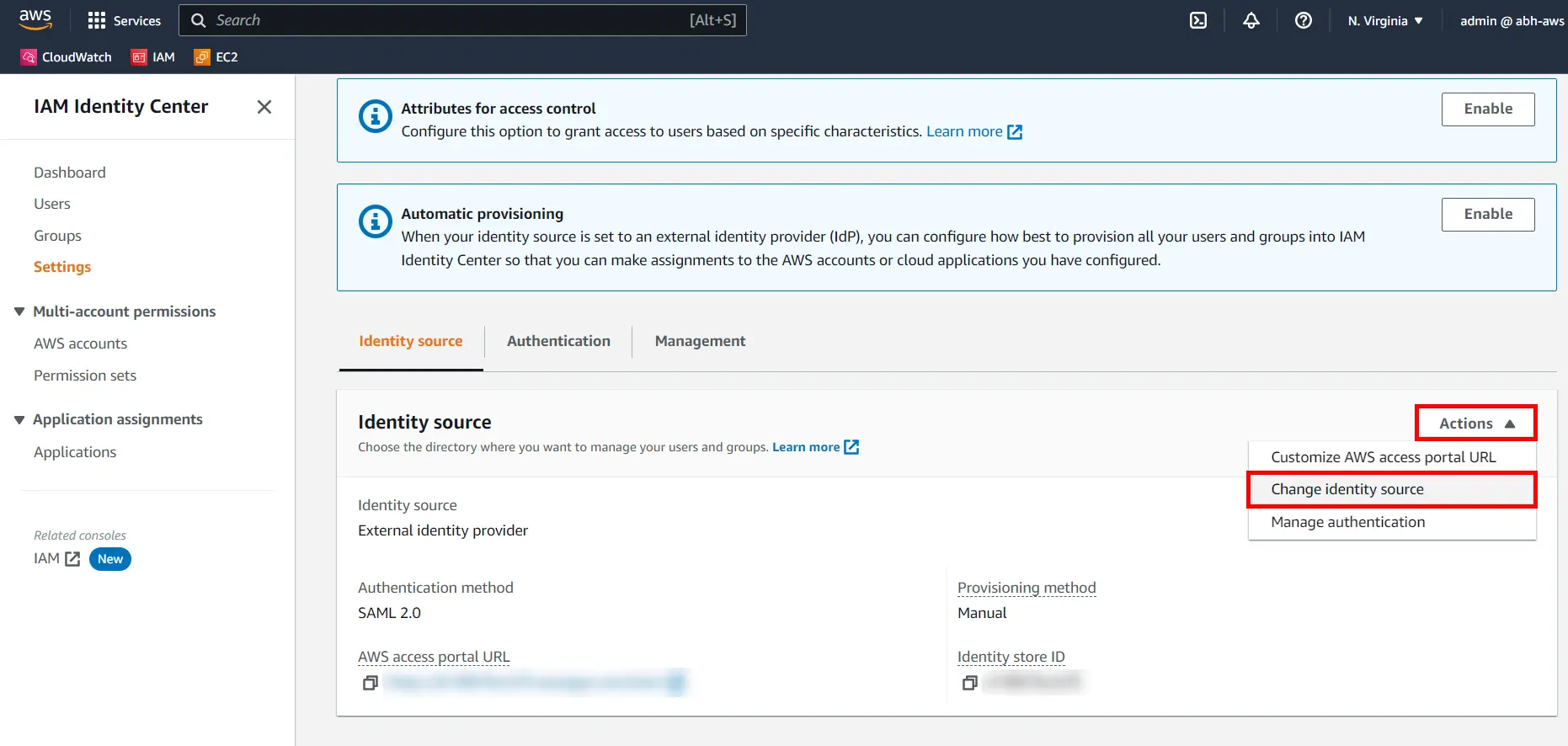
Navigate to the Settings section In the Identity source tab, Click the Actions dropdown and select Change identity source.
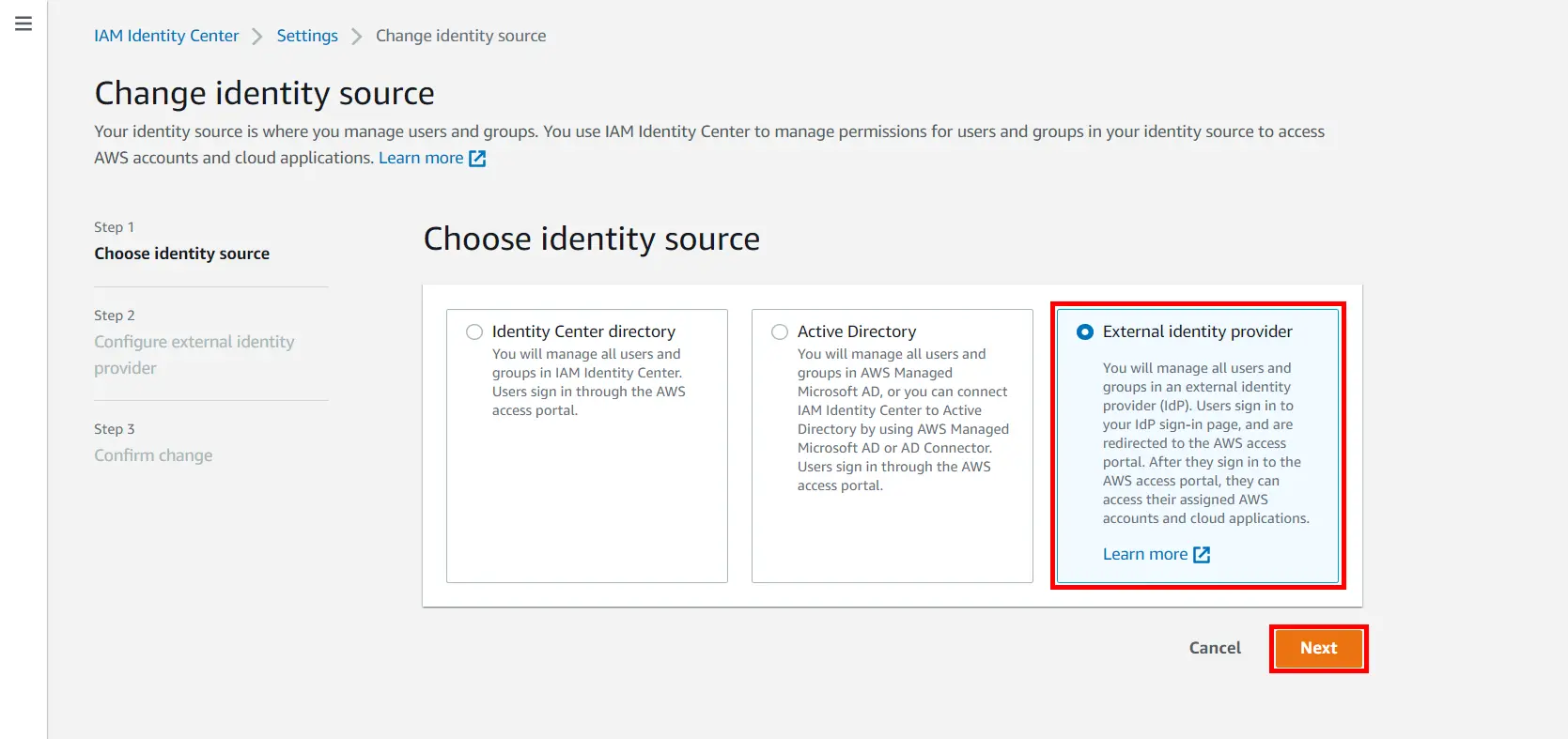
Select External identity provider, and then click Next.
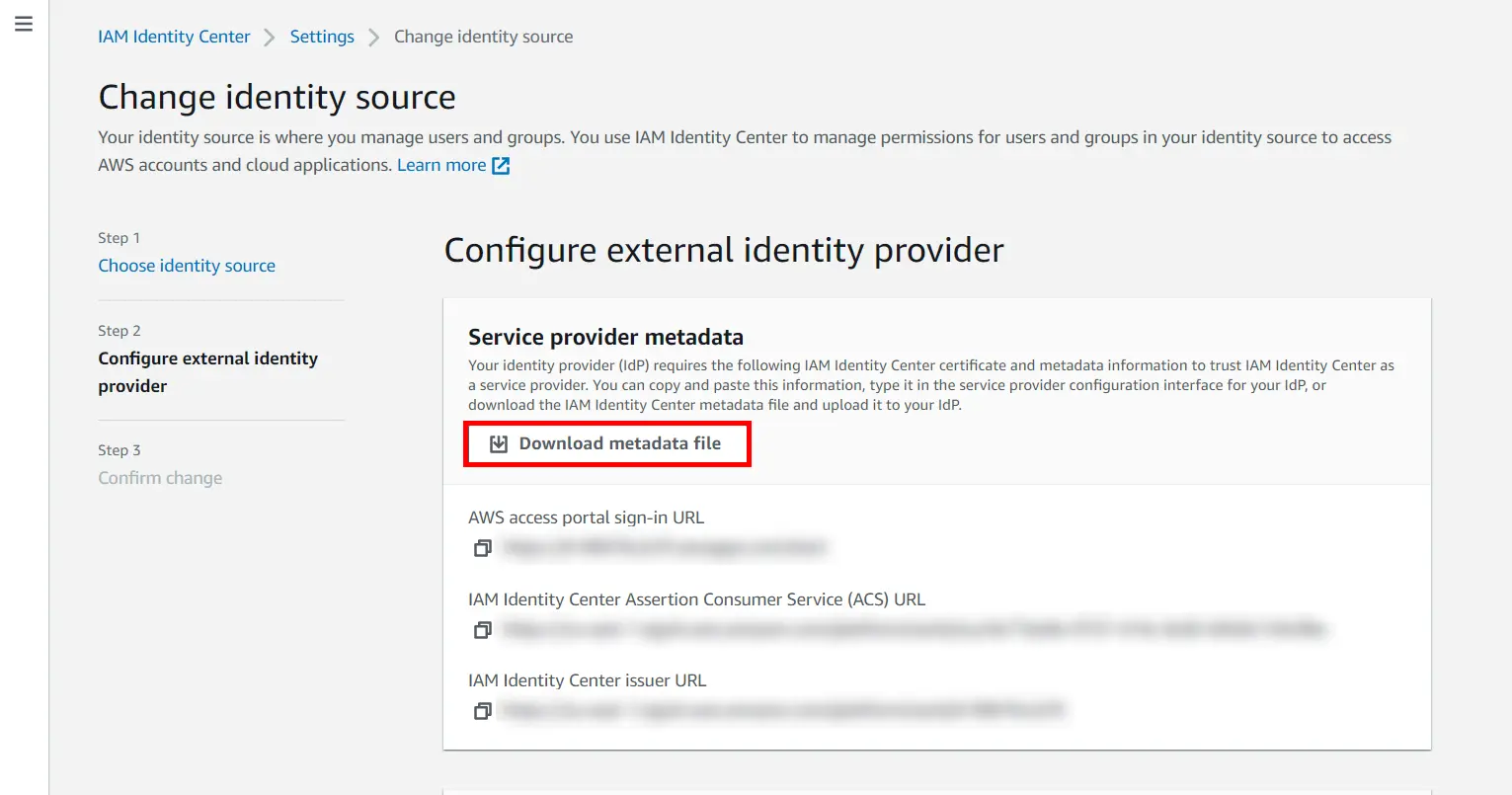
Under the Service provider metadata section, click Download metadata file to download the AWS service provider metadata.
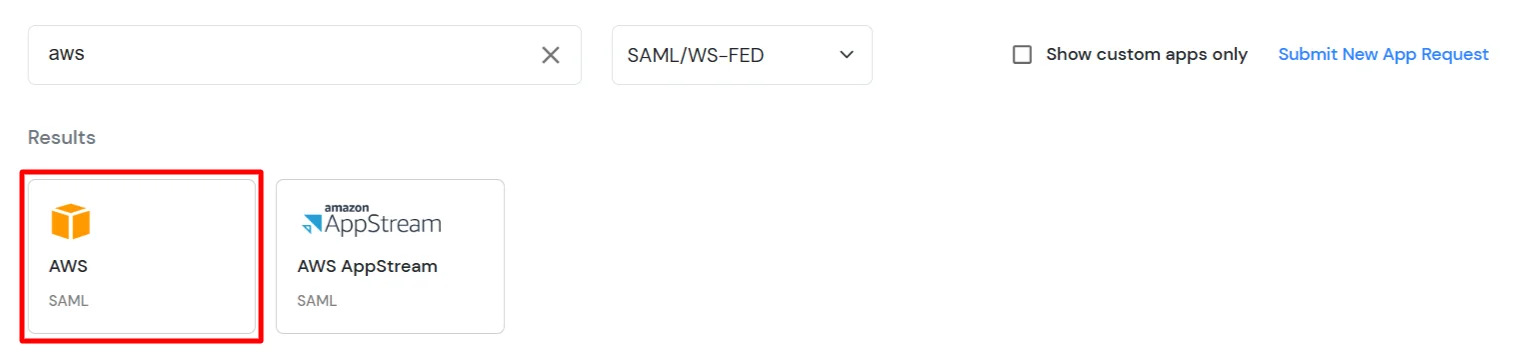
In Choose Application Type, select SAML/WS-FED from the All Apps dropdown.
Search for AWS in the list, if you don't find AWS in the list then, search for custom and you can set up your application in Custom SAML App.
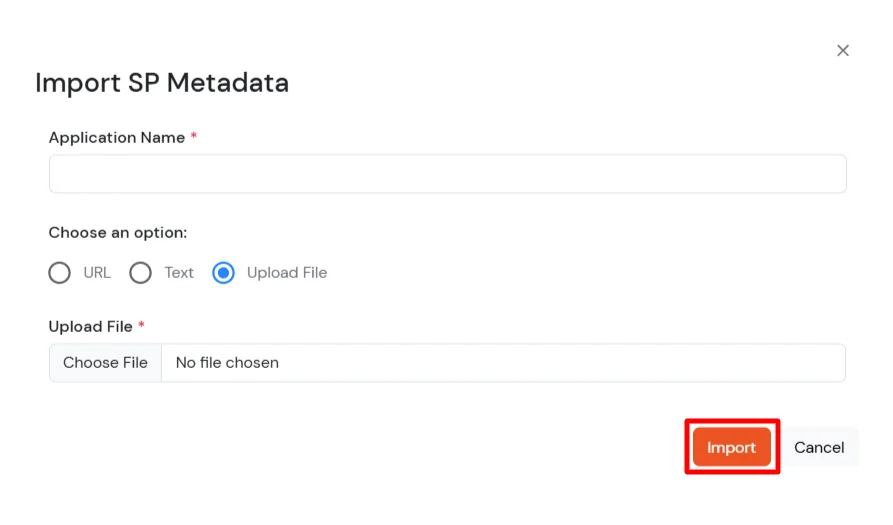
Upload the XML metadata file from AWS to the miniOrange Dashboard using the Import SP metadata feature. In the popup, enter the Application Name, select the Upload File option and upload the XML file as shown below.
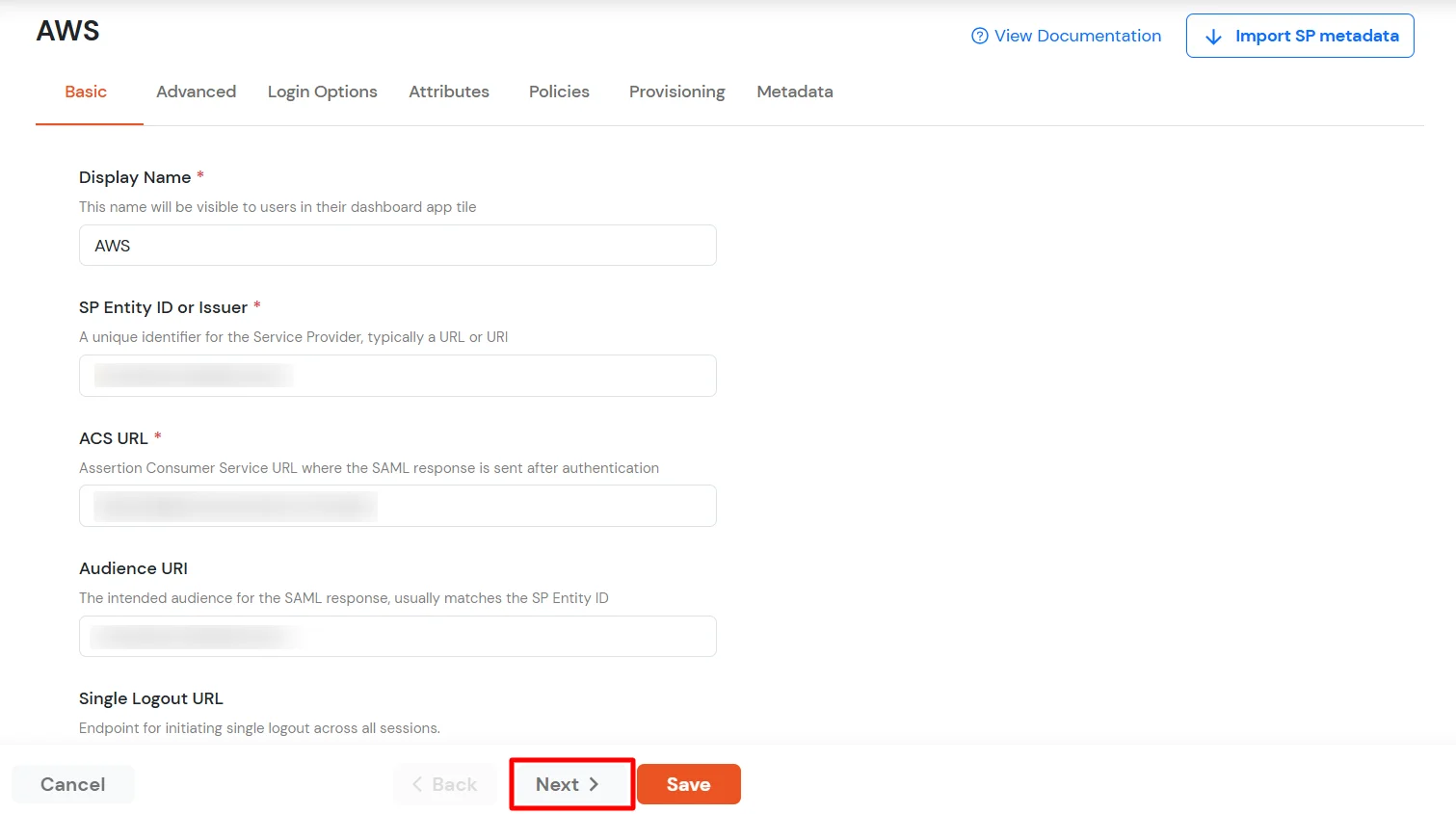
After clicking the Import button, the details will be auto-populated. Click Next to proceed.
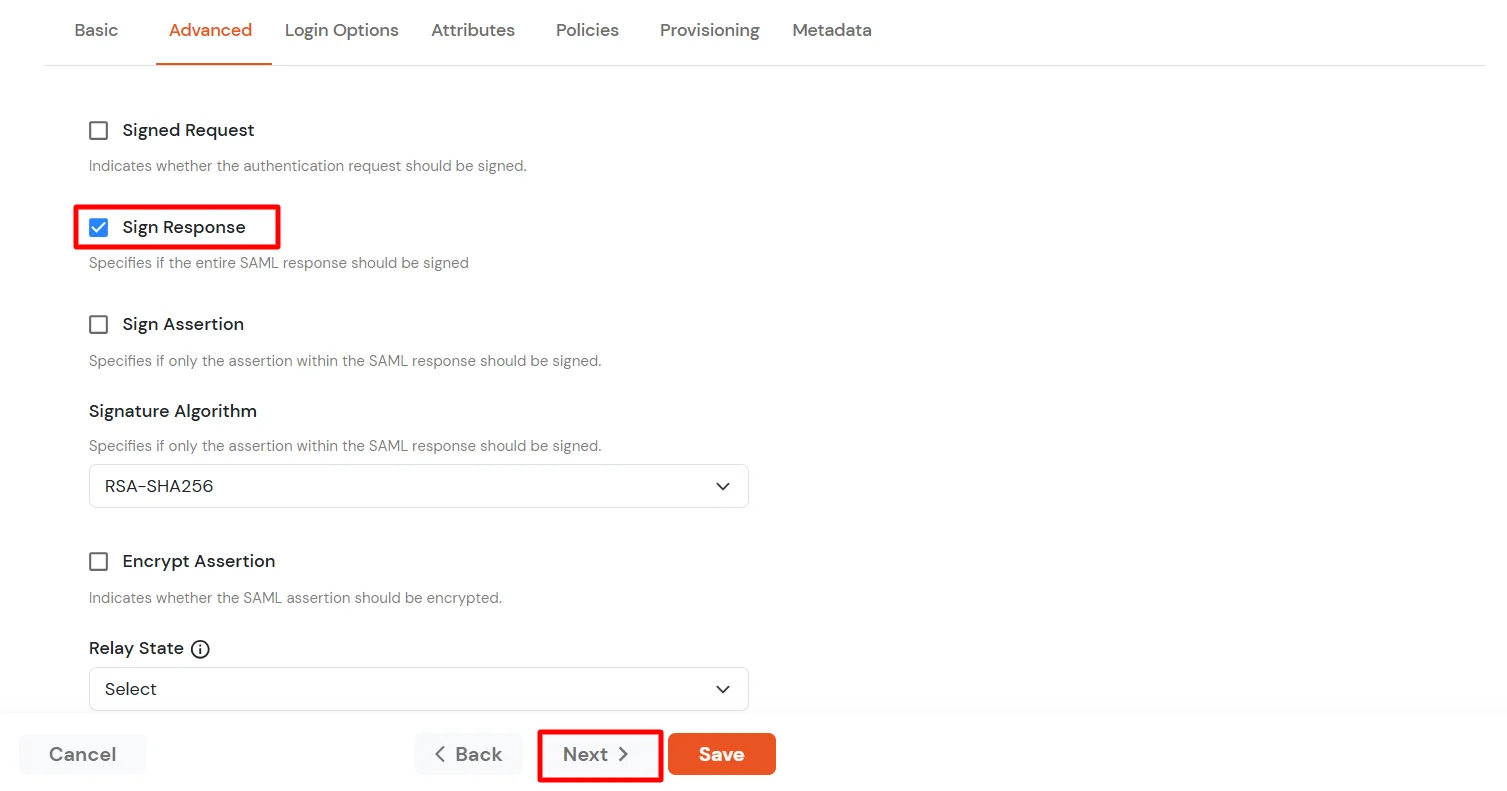
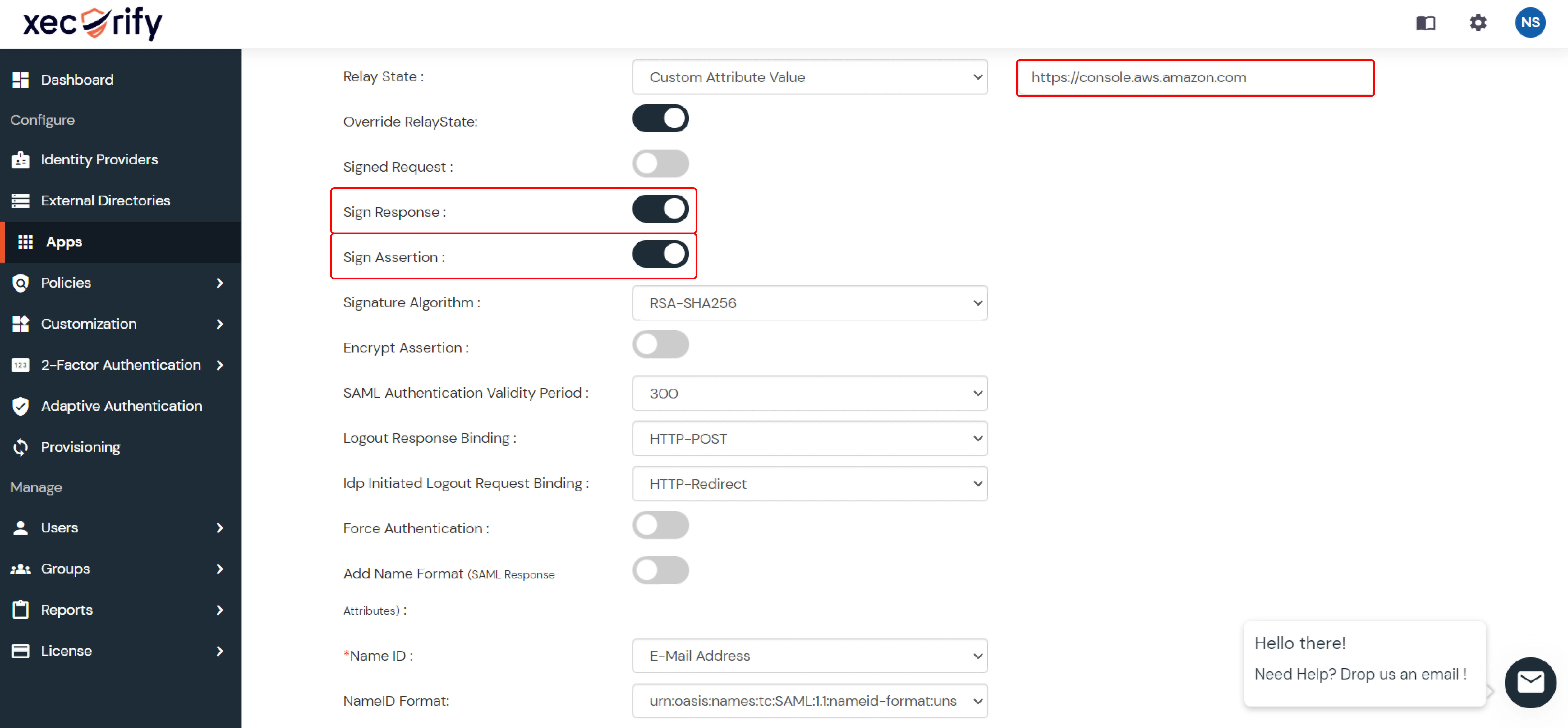
Go to the Advanced tab, enable the Sign Response option, then click Next.
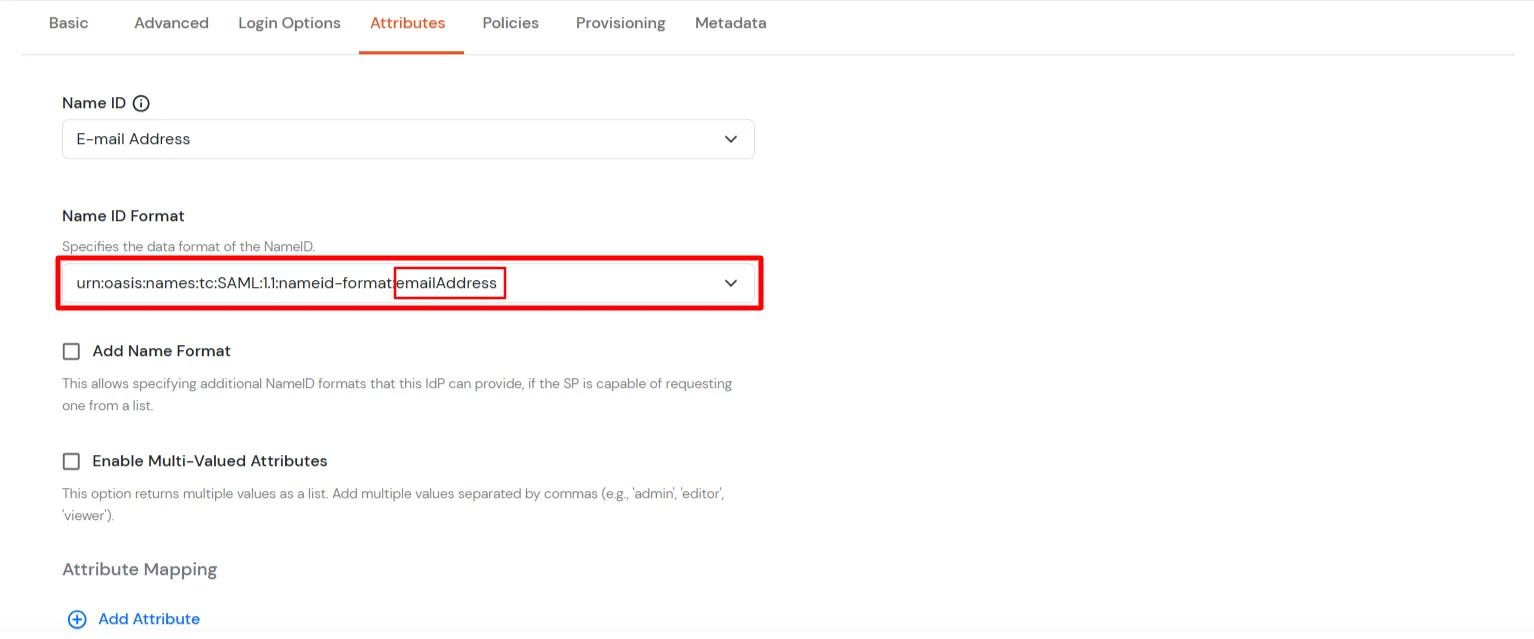
In the Attribute Mapping tab, make sure that the NameID format is configured as email address as shown in the image below.
Click on Save.
Get IdP Metadata Details to upload to AWS Console:
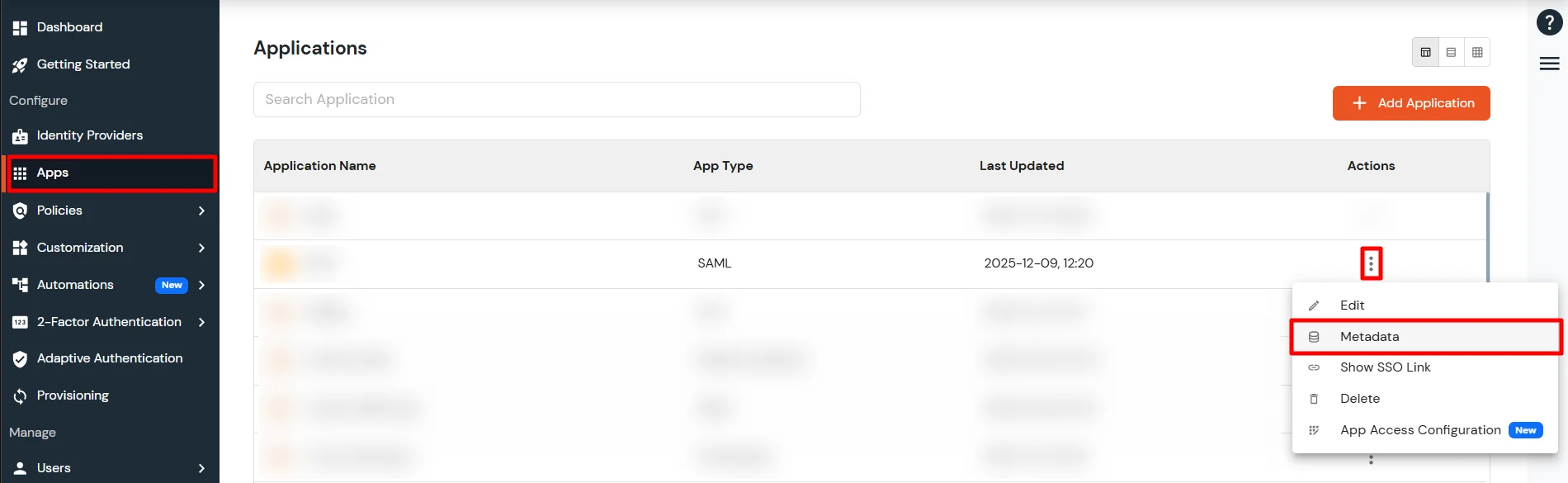
Go to Apps >> Applications.
Search for your app and click the three-dot icon in the Actions column.
Click Metadata to view the miniOrange metadata details. You can also click Show SSO Link to get the IdP-initiated SSO link for your application.
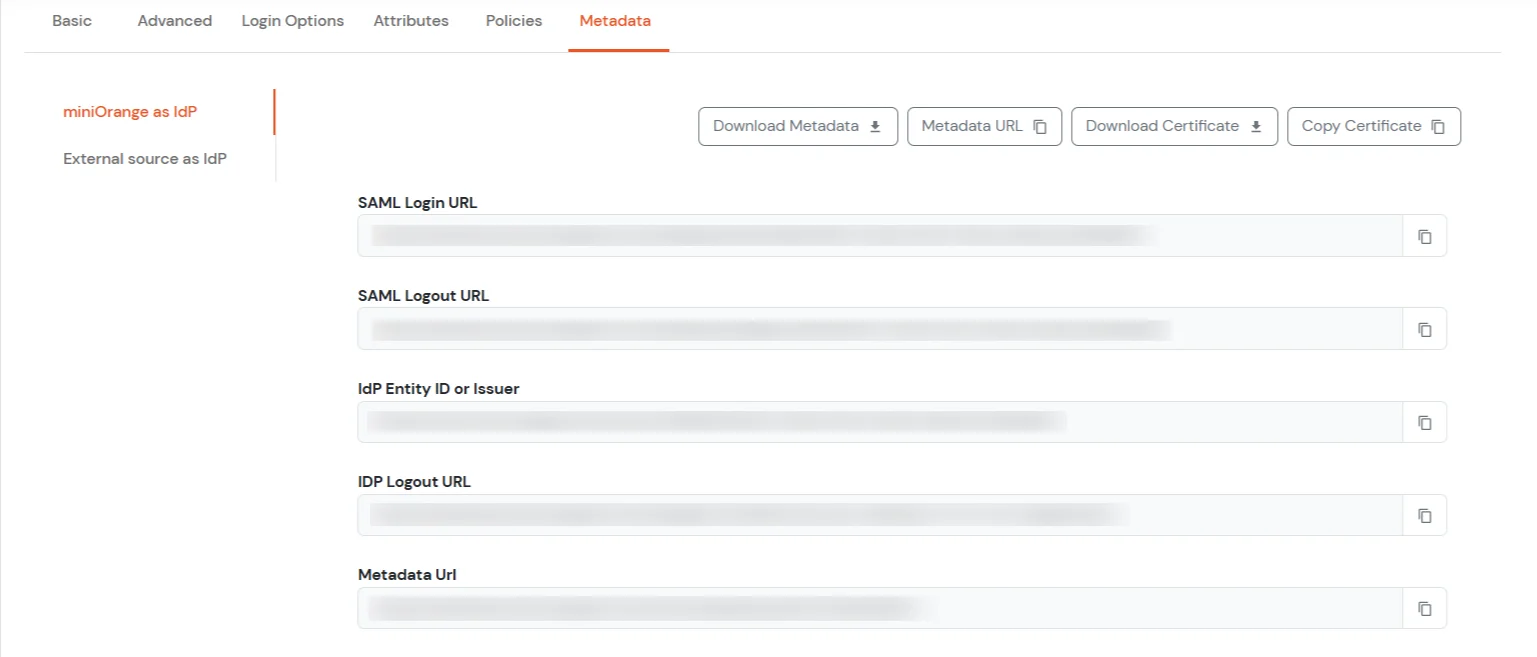
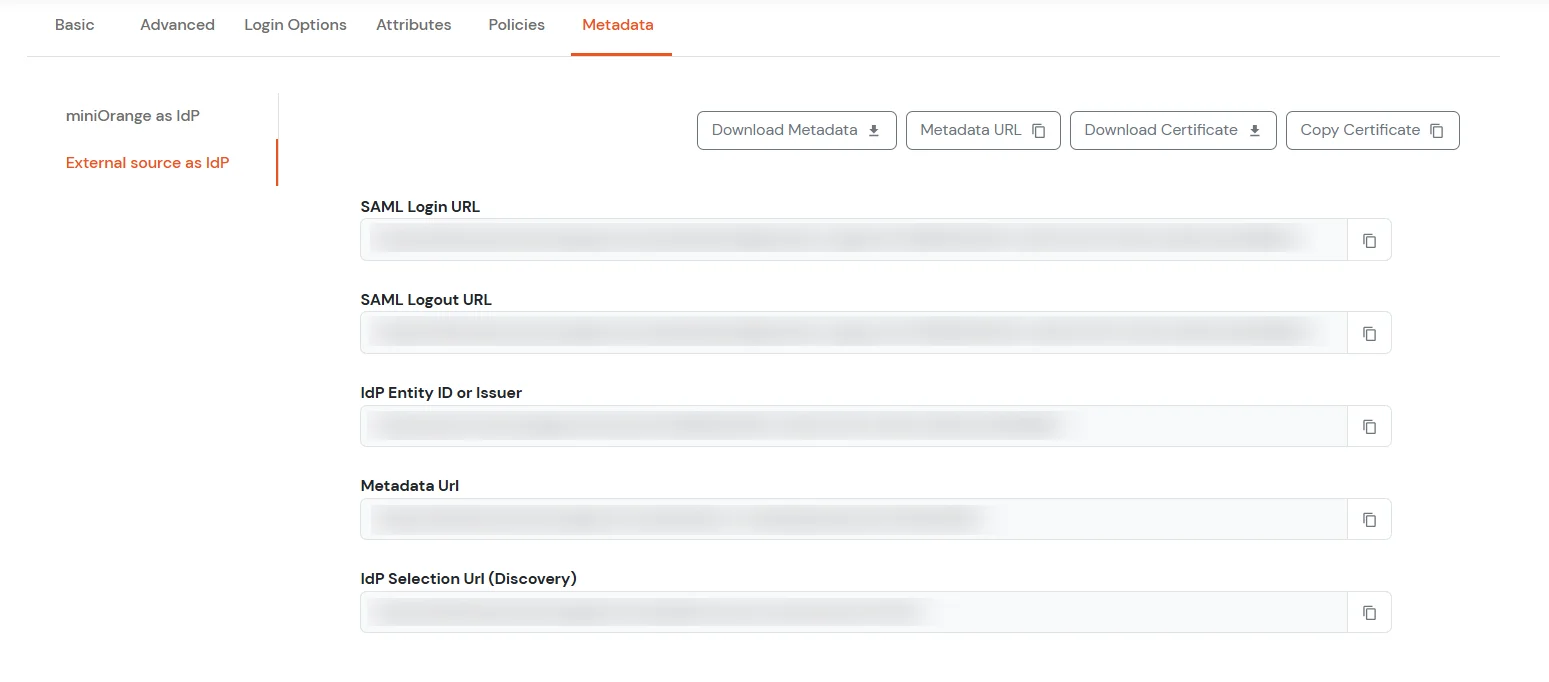
Now, go to the Metadata tab. Here you will see 2 sections. If you are setting up miniOrange as IdP, copy the metadata from the first section. If you need to authenticate via external IdPs (Okta, Azure AD, ADFS, OneLogin, Google Workspace), get the metadata from the External source as IdP section as shown below.
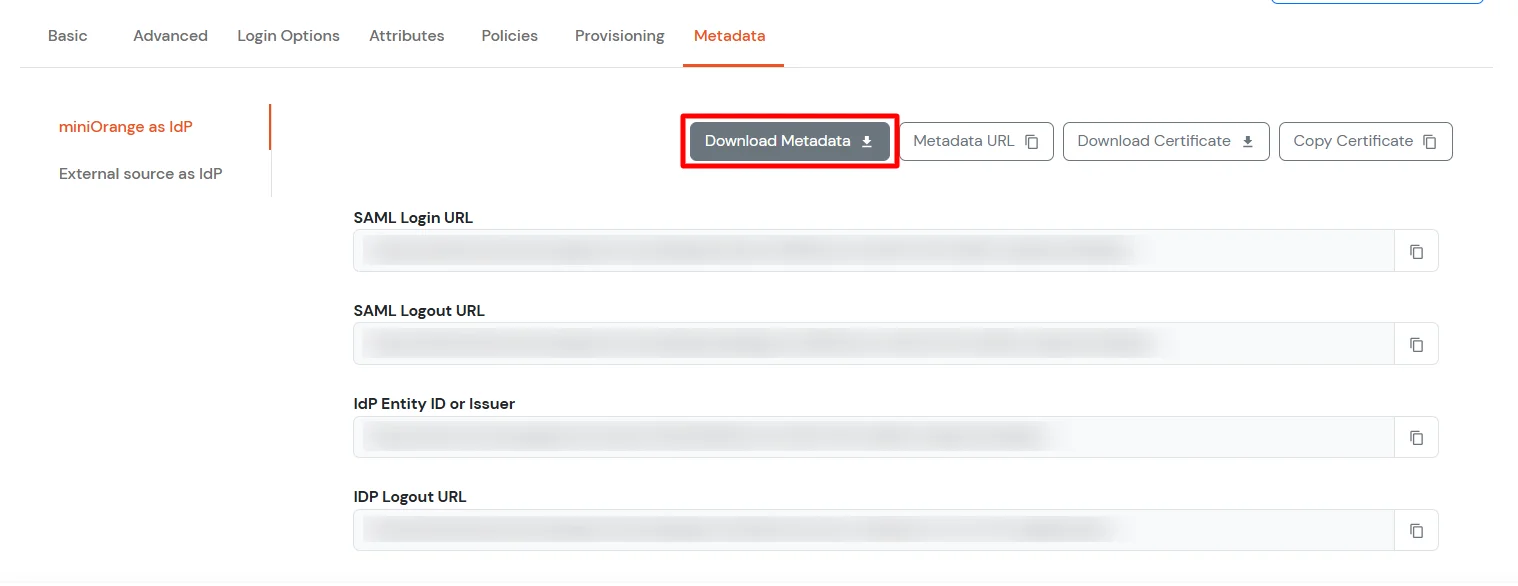
Click on the Download Metadata button to download the IdP metadata file which you will require further to setup SSO in AWS Console.
2.1 Configure SSO in AWS
Go back to the AWS Console. Now, from the AWS console from where you downloaded the XML file, click on the Choose File button under Identity Provider Metadata, and upload the metadata file you downloaded in the previous step from the miniOrange Dashboard.
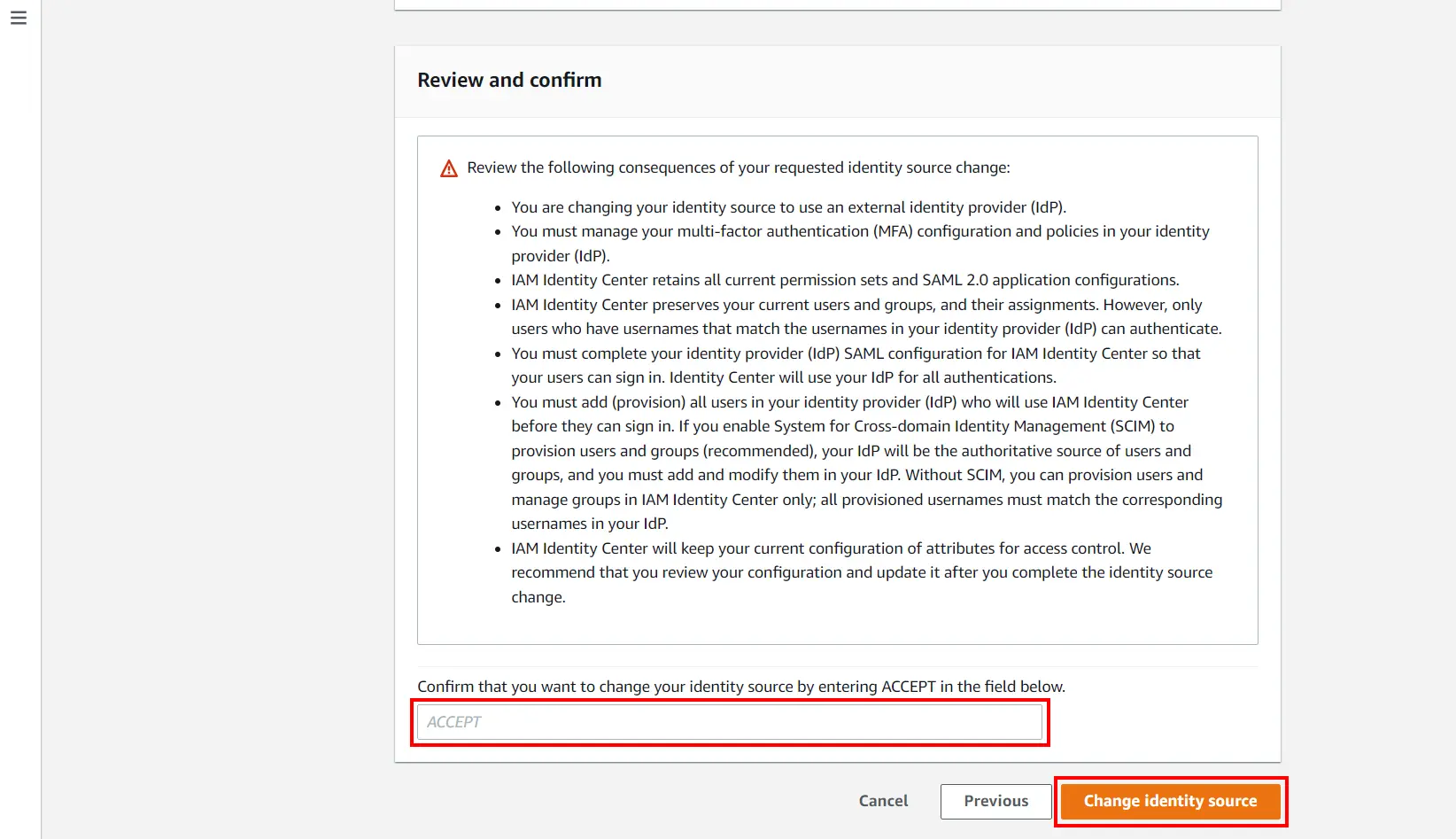
Accept the terms and conditions, and then click Change Identity Source to save the settings.
Now under the Identity Source field, you can find the link under DUAL-stack URL. Use this link for AWS SSO.
3. Test SSO Configuration
Test SSO login to your AWS account with miniOrange IdP:
Using SP Initiated Login
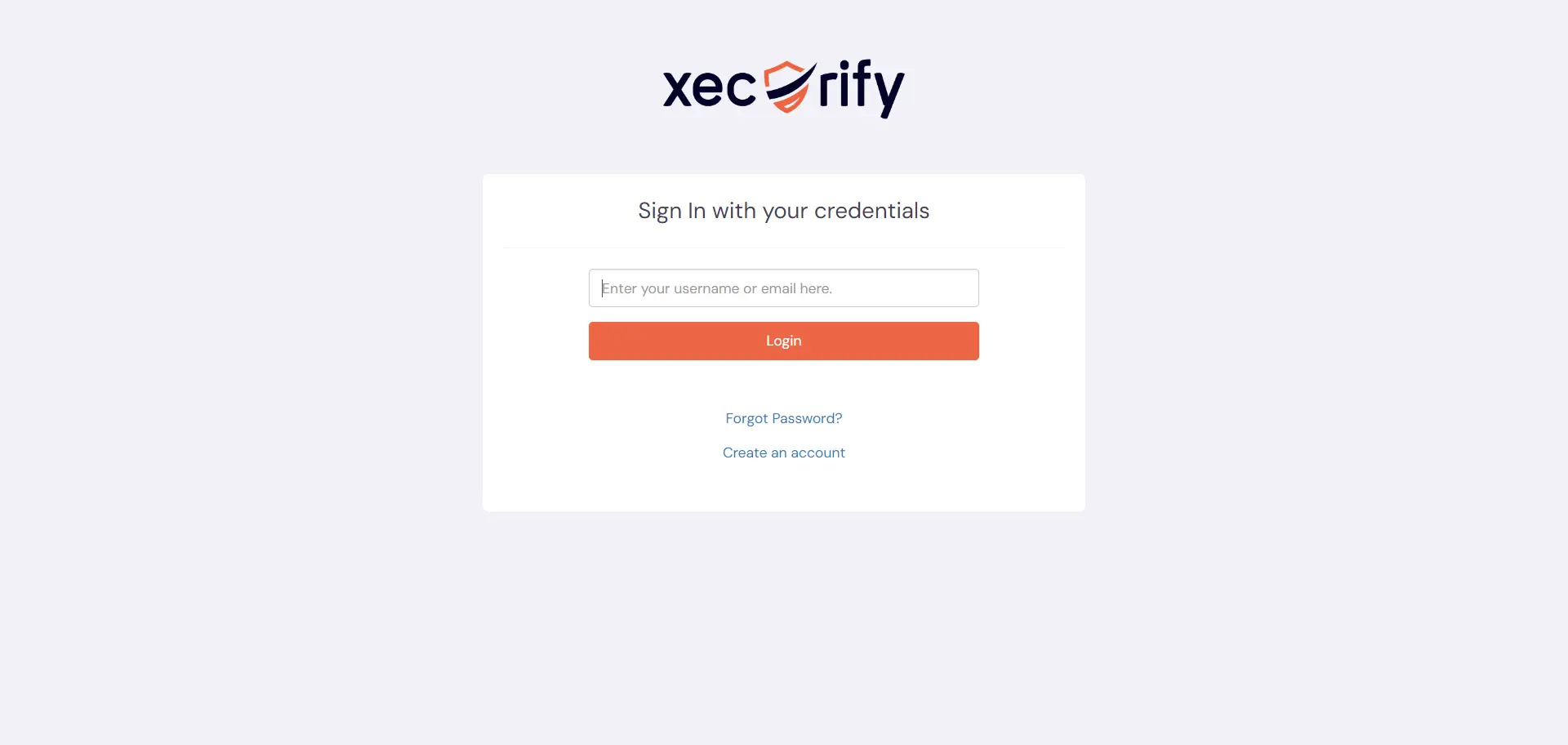
Go to your AWS URL, here you will be either asked to enter the username or click on the SSO link which will redirect you to miniOrange IdP Sign On Page.
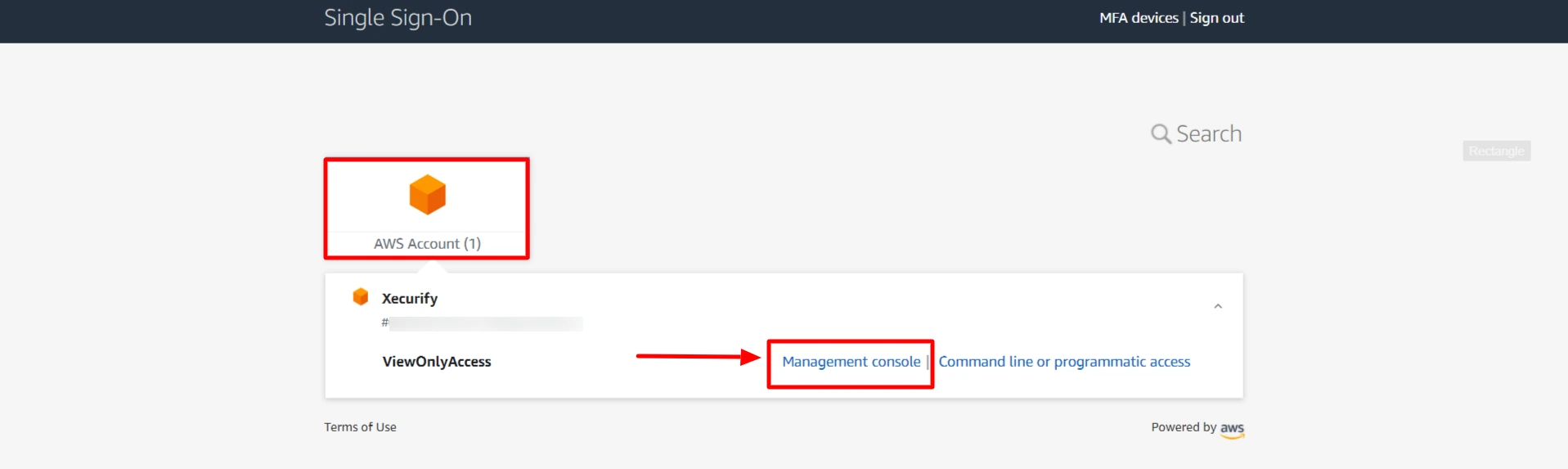
Enter your miniOrange login credential and click on Login. You will be automatically logged in to your AWS account. Click on Management console to SSO into AWS console.
Using IDP Initiated Login
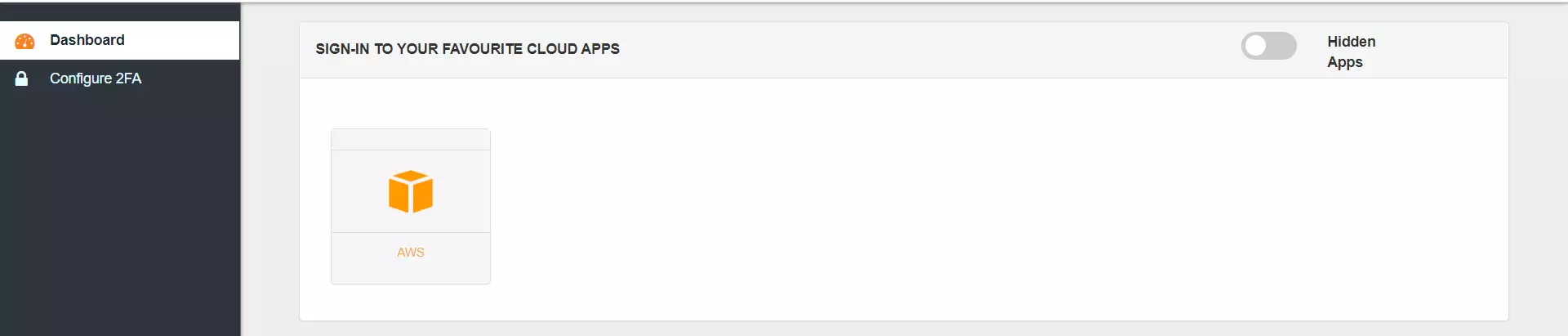
Login to miniOrange IdP using your credentials.
On the Dashboard, click on the AWS application which you have added, to verify SSO configuration.
How to identify errors in SAML assertions sent by your IDP?
Use the SAML Assertion Validator to troubleshoot single sign-on (SSO) login problems and identify errors in SAML assertions sent by your identity provider. Click on this link know more about the error identification in SAML Assertions.
For Chrome / Edge or Chromium-based browsers: Install the SAML tracer extension from Chrome Webstore.
Steps to Capture logs:
Make sure the SAML Tracer window is opened before you start the SSO flow. (You can open it by clicking the SAML Tracer icon in your extensions list in the browser toolbar.)
Run the SSO flow to reproduce the issue. You will see SAML Tracer getting populated with all the URLs.
Hit Pause on SAML Tracer, once the issue is reproduced to avoid extra logs.
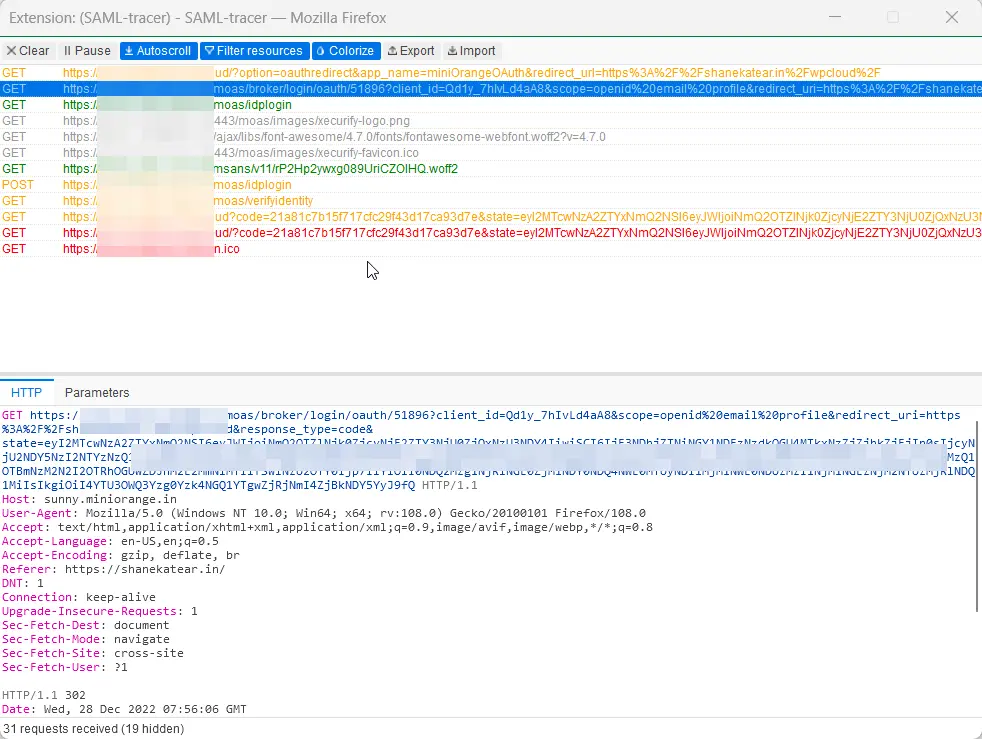
You will have something similar to the below pic in the SAML tracer.
Steps to export logs:
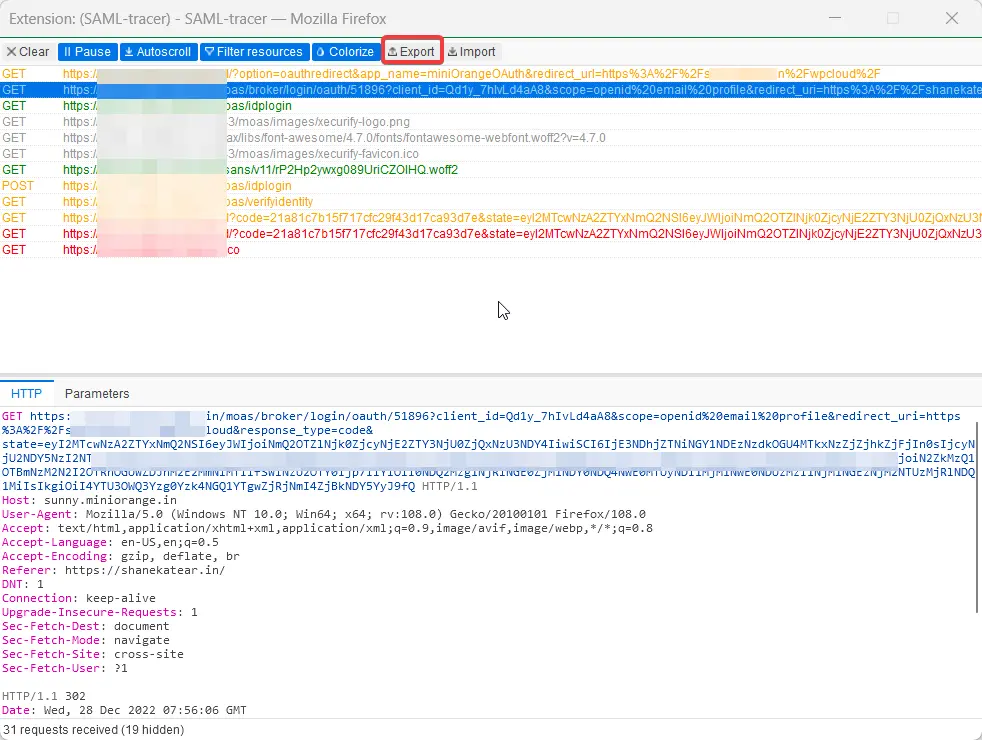
To export logs, click the export option on the top of the SAML Tracer. (Refer to screenshot below).
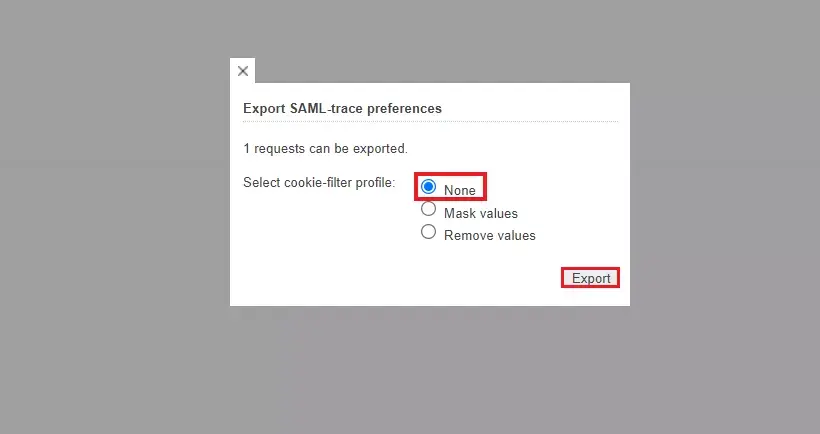
You will be prompted with the Export SAML trace preferences window, select the None field, and then click on the Export option. (This option will allow keeping values in the original state which is required to further investigate the issue.)
Click Export. This will download a JSON file on your system.
Send the log file to the developer you are in touch with or at idpsupport@xecurify.com. Also, please attach an error screenshot. This would help us debug the issue.
If you are still not able to get the logs, feel free to let us know.
Frequently Asked Questions
What is SSO in AWS?
AWS Single Sign-On (AWS SSO), now known as AWS IAM Identity Center, is a cloud service that enables centralized management of user access to multiple AWS accounts and business applications.
What is an AWS SSO session?
An AWS SSO session is the authenticated session that a user establishes after signing in through AWS Single Sign-On. During this session, the user has been granted access tokens and permissions as defined by AWS IAM Identity Center, allowing access to assigned AWS accounts and applications without needing to re-authenticate until the session expires or is terminated.