Hello there!

Need Help? We are right here!

miniOrange Support
miniOrange Email Support
success

Thanks for your Enquiry.

If you don't hear from us within 24 hours, please feel free to send a follow-up email to info@xecurify.com

Search Results:

×

Web Apps Policy


In the PAM dashboard, you can view all created Web App policies. From here, you can :
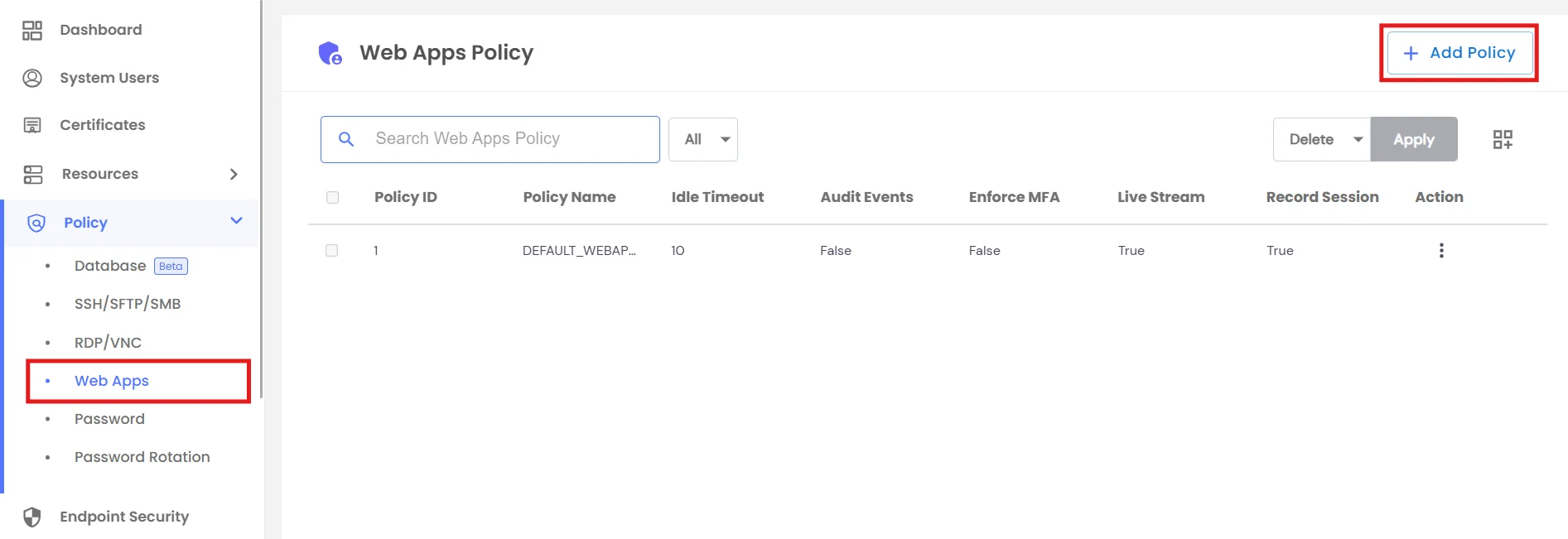
  • Create a New Web App Policy.
  • View existing policies with details like timeout, MFA, and session rules.
  • Use the Action menu to Edit, Delete Policy.
  • Create Web Apps Policy

    When creating a Web App policy, the General tab includes:
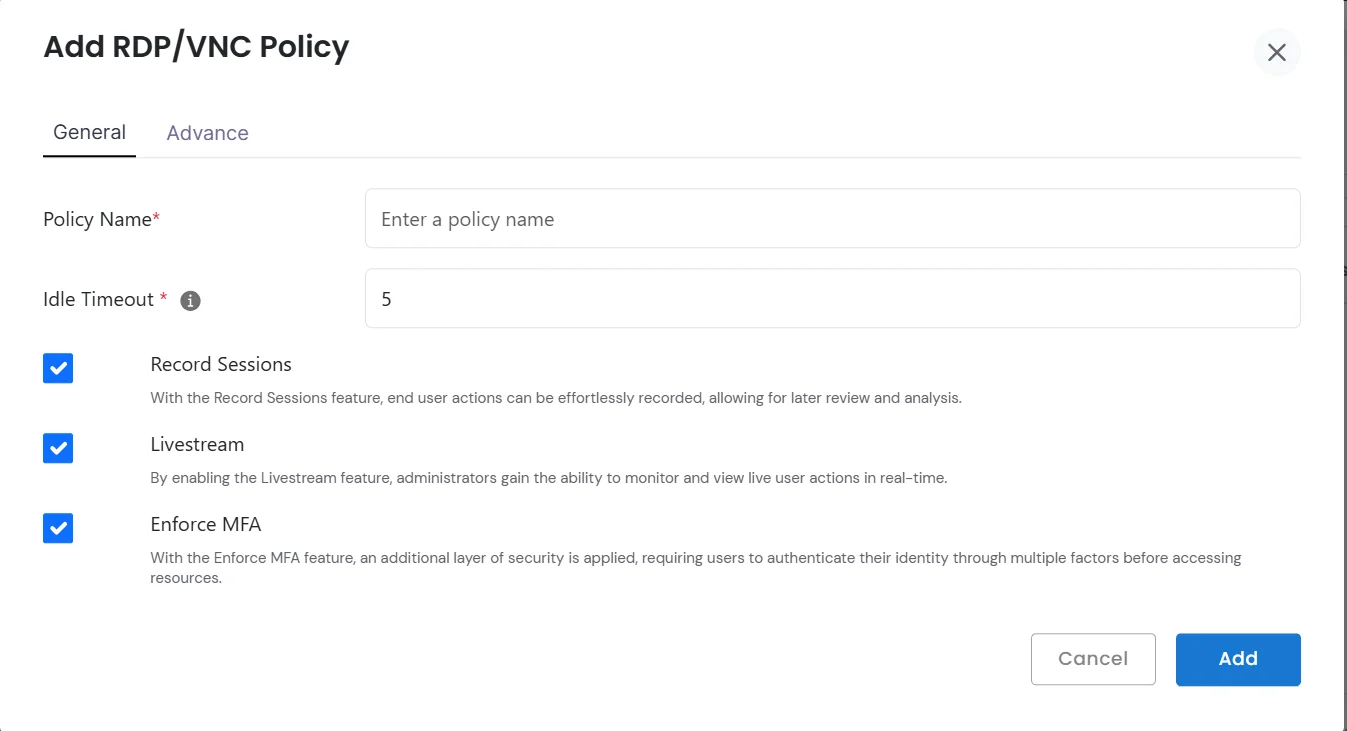
    • Policy Name - Unique identifier for the policy
    • Idle Timeout - Configure automatic logout after inactivity
    • Record Sessions - Record user activity in the web app
    • Livestream - Monitor live usage of the web application
    • Enforce MFA - Enforce multi-factor authentication for app access
    Add RDP Policy in General

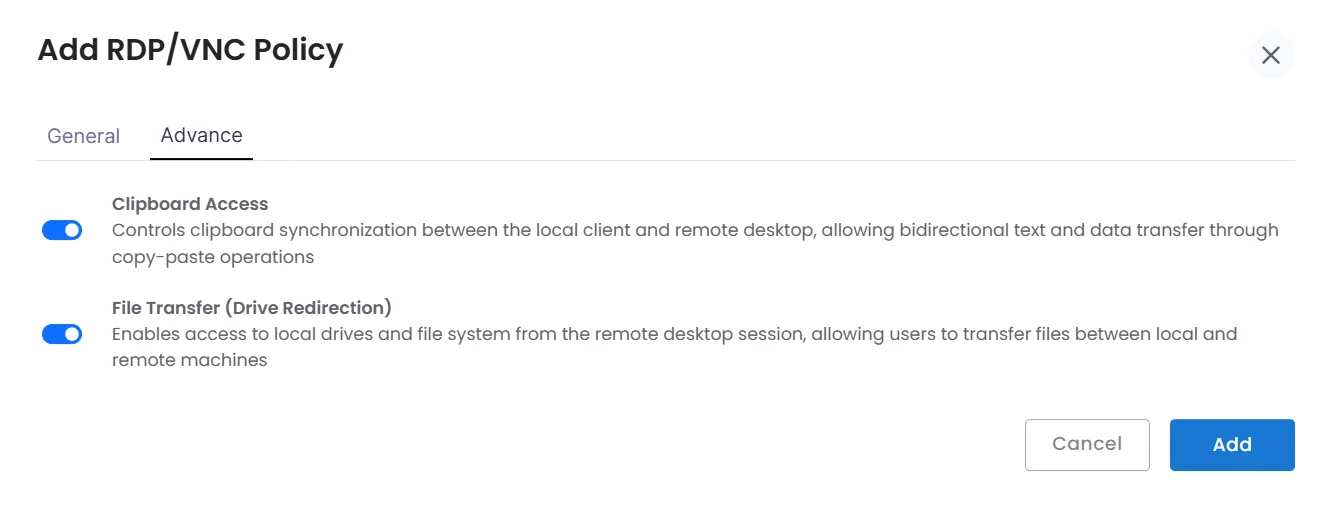
  • The Advanced tab lets you enforce stricter controls:
    • Clipboard Access - Enable or block copy-paste between the web app and local system.
    • File Transfer - Restrict or allow file upload/download between local device and web app.
    Add RDP Policy in Advance

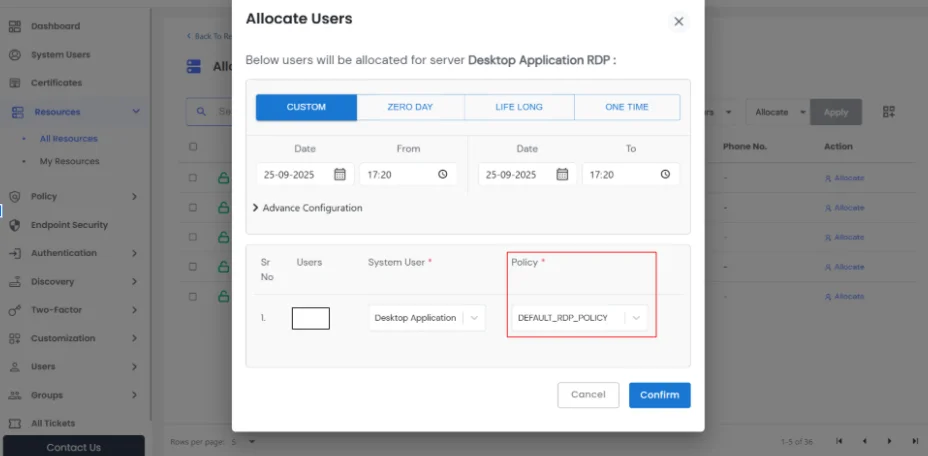
  • Once created, Web App policies can be assigned to specific web application, applying consistent security measures.
  • Allocate Users Custom