SSH/SFTP/SMB/VNC Policy
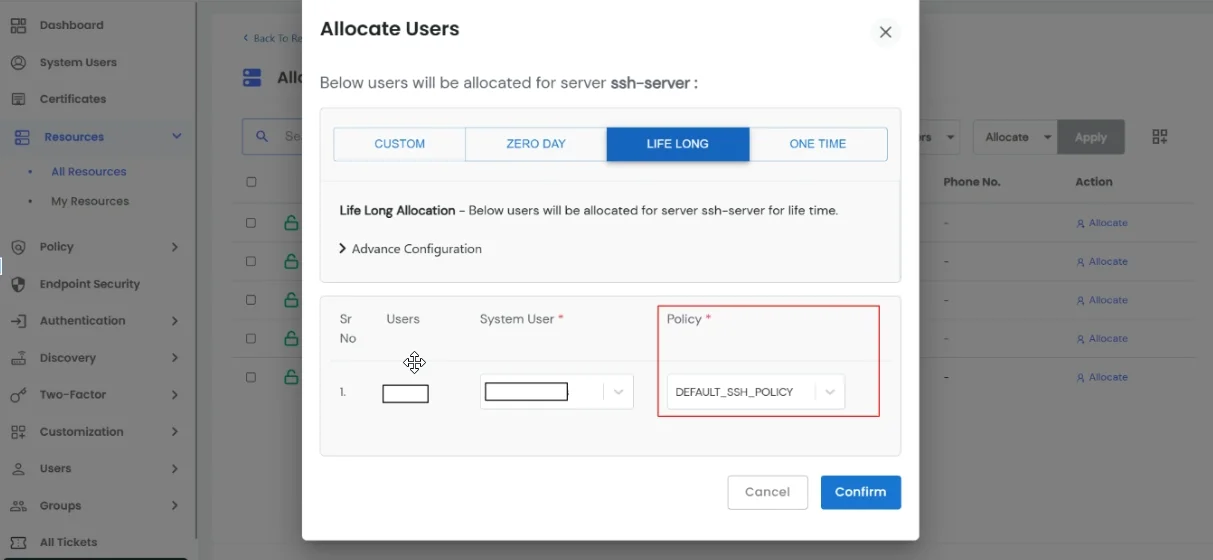
In the PAM dashboard, you can view all created SSH/SFTP/SMB/VNC policies. From this page, you can :
- Create a New Policy
- View existing policies with details such as Audit Events, Enforce MFA, Livestream, and Record Session.
- Use the Action menu to manage, edit, or delete policy.
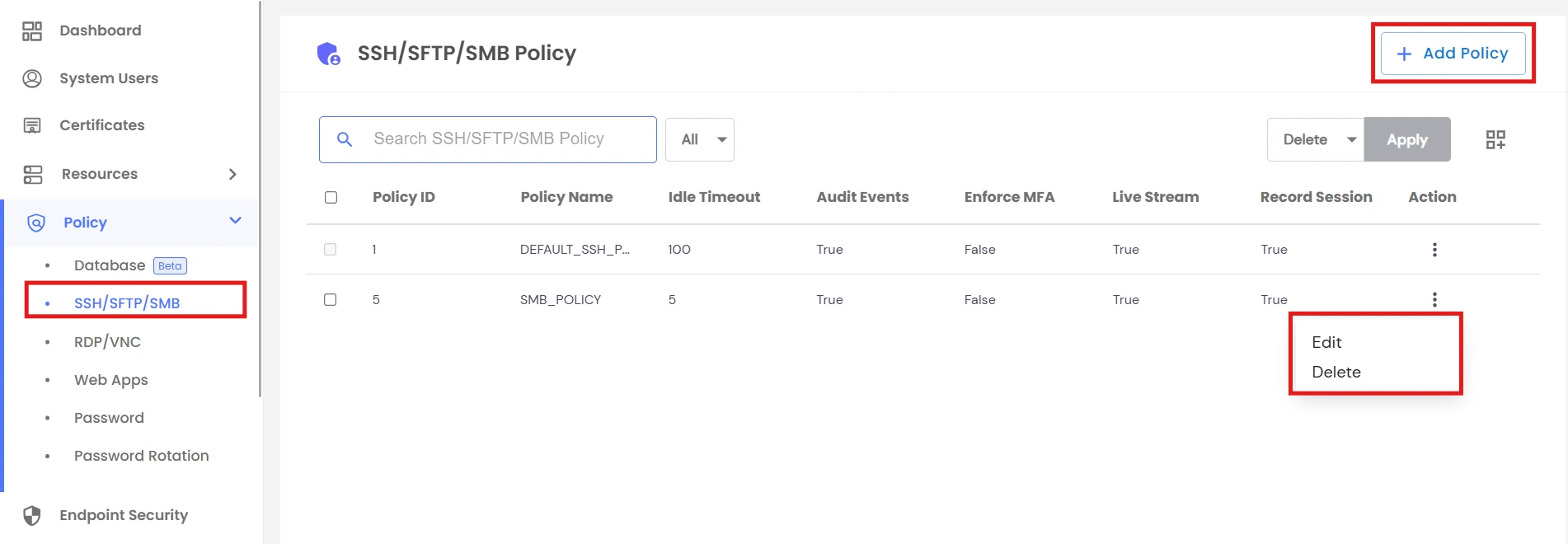
While creating a new SSH/SFTP/SMB/VNC policy, you can configure:
- Policy Name - Unique identifier for the policy
- Idle Timeout - Set idle session timeout duration in minutes
- Audit Events - Enable tracking and logging of executed commands/actions
- Record Sessions - Record user sessions for later review and analysis
- Livestream - Monitor live user activity in real time
- Enforce MFA - Add an extra security layer requiring multi-factor authentication
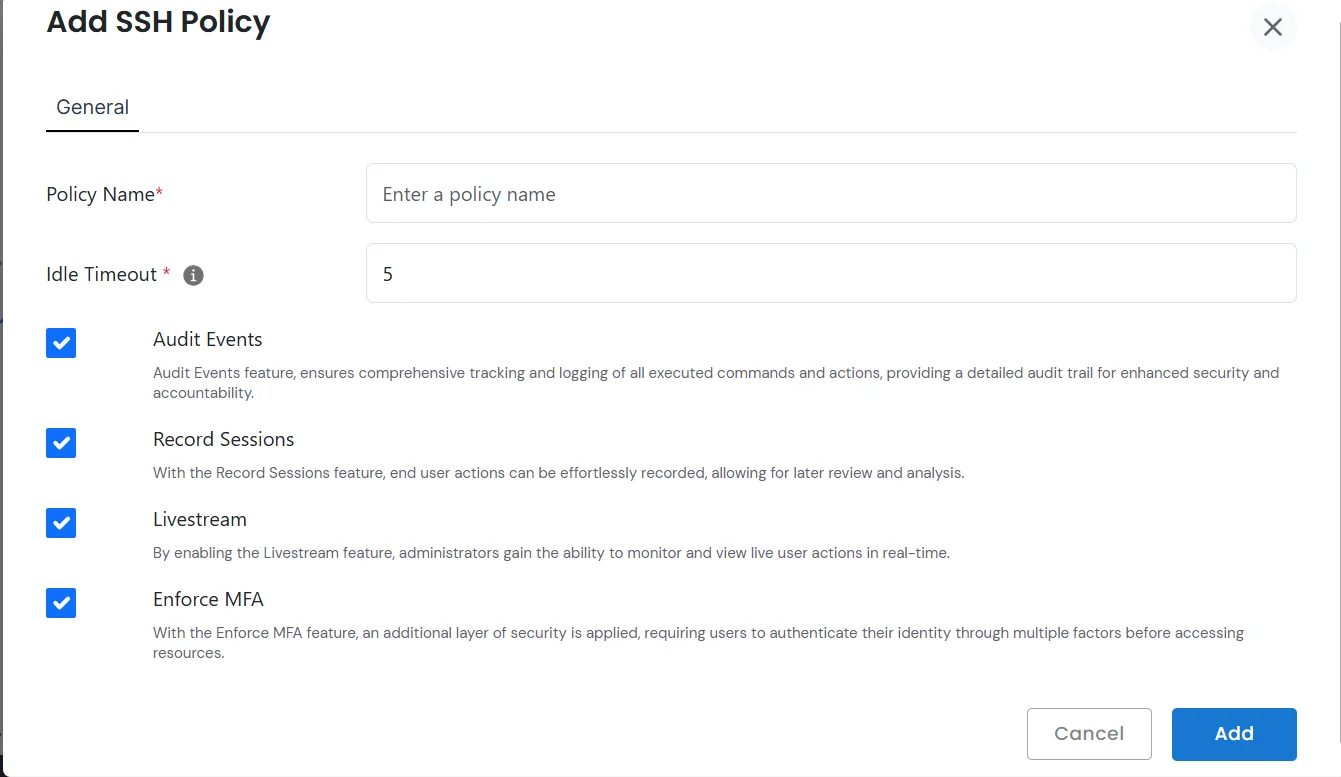
- Once a policy is created, it can be applied to specific SSH/SFTP/SMB/VNC machines. This ensures the defined rules (auditing, MFA, recording, and monitoring) are enforced consistently across selected resources.