Hello there!

Need Help? We are right here!

miniOrange Support
miniOrange Email Support
success

Thanks for your Enquiry.

If you don't hear from us within 24 hours, please feel free to send a follow-up email to info@xecurify.com

Search Results:

×

Audits in Endpoint Security


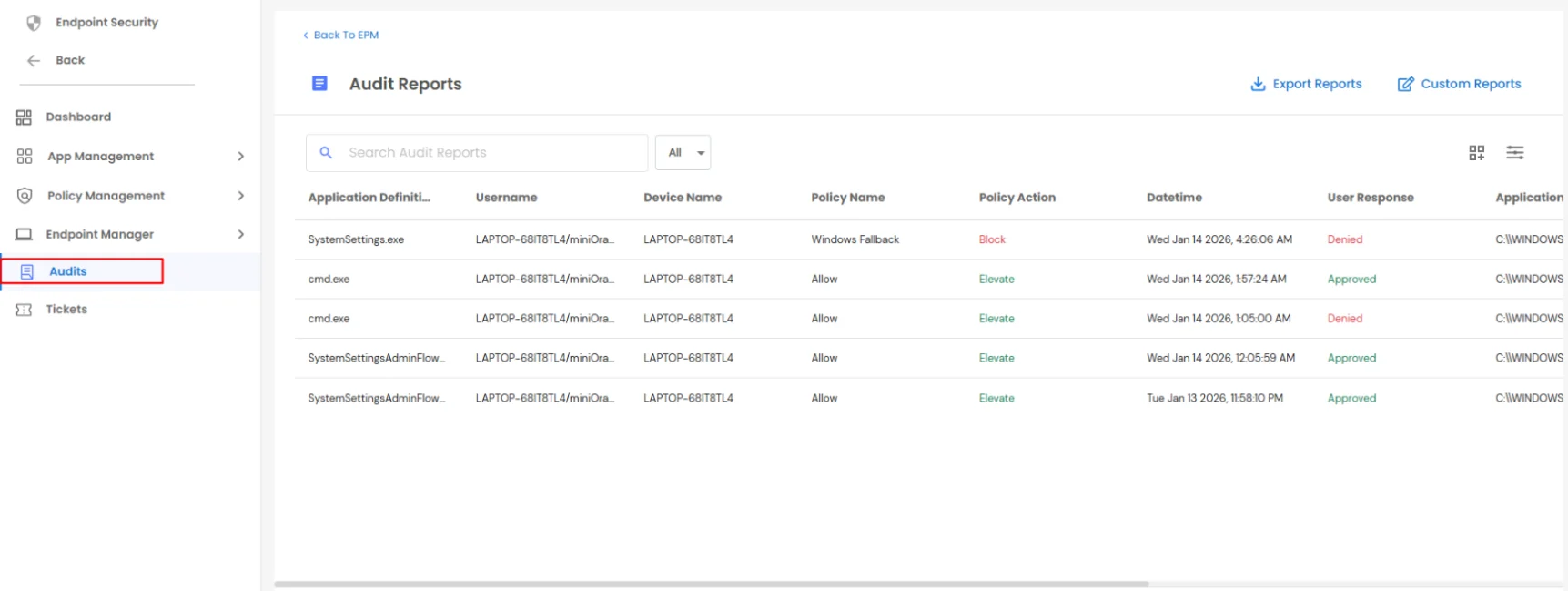
Auditing is one of the core features of the PAM solution and provides complete visibility into end-user activities. All user actions are audited, including application access requests, ticket creation, acceptance or rejection of tickets, and the policy enforced during each action.

Every application requested by a user, along with the user’s response and the associated policy, is recorded and made available through EPM Audits for review and analysis.
Navigation Steps

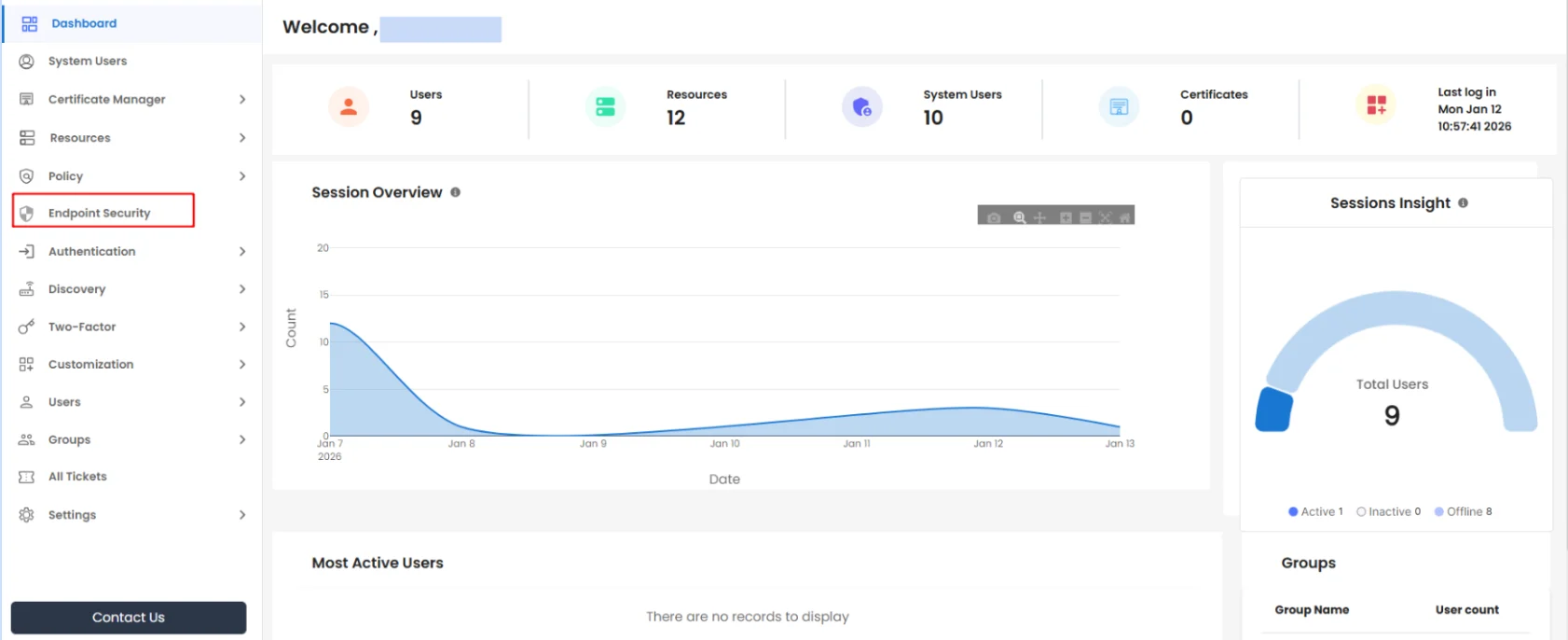
  • Log in to the PAM Dashboard.
  • Click on Endpoint Security from the left-hand navigation panel.
  • PAM Endpoint Click On Endpoint Security

  • Select Audits, as shown in the image.
  • PAM Endpoint Navigate Audit Tab

Audit Data Management

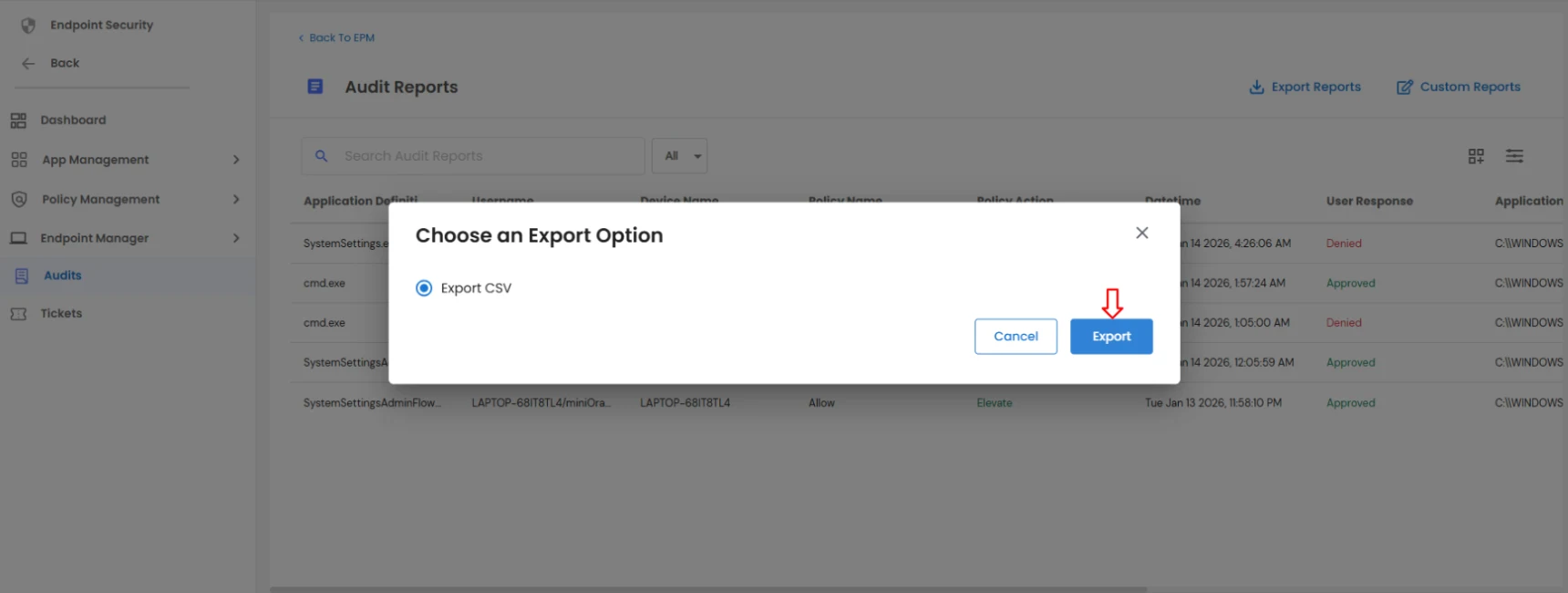
  • Click the Export Reports button and select Export to download all audit data in CSV format.
  • PAM Endpoint Expert Report

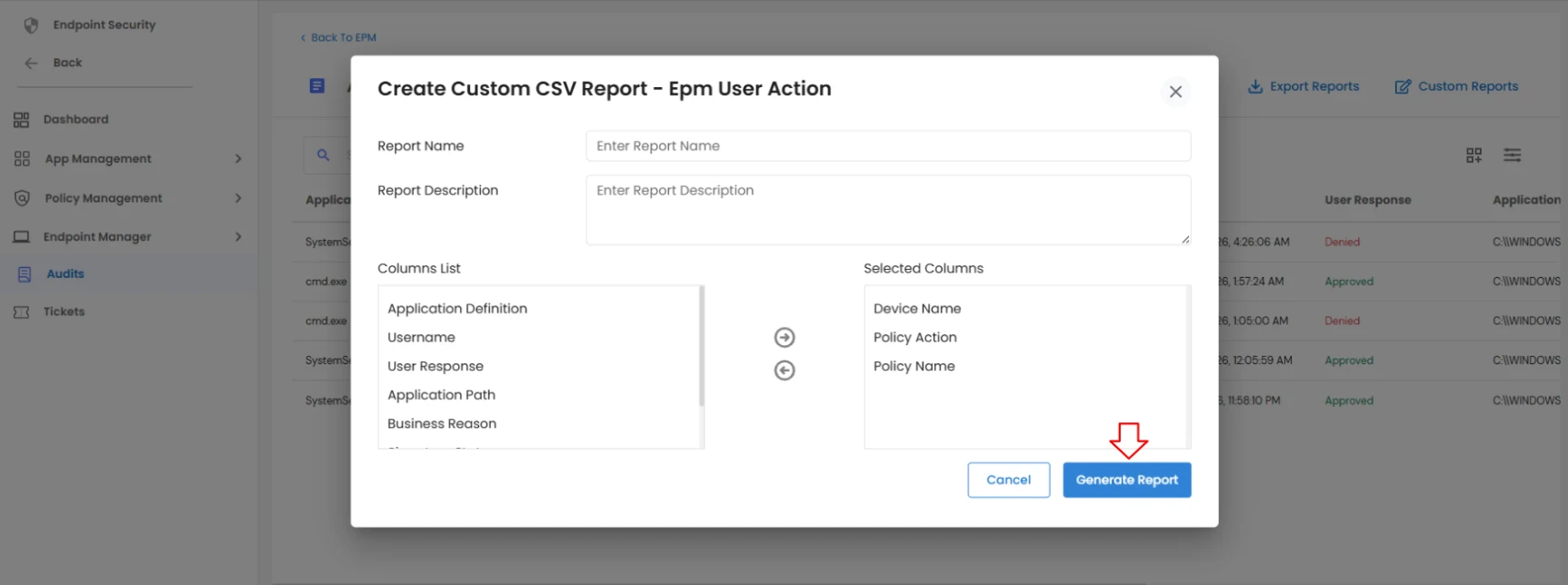
  • To export a customized CSV report, click on Custom Reports, select the required columns to be included in the report, and click Generate Report.
  • PAM Endpoint Generate Report

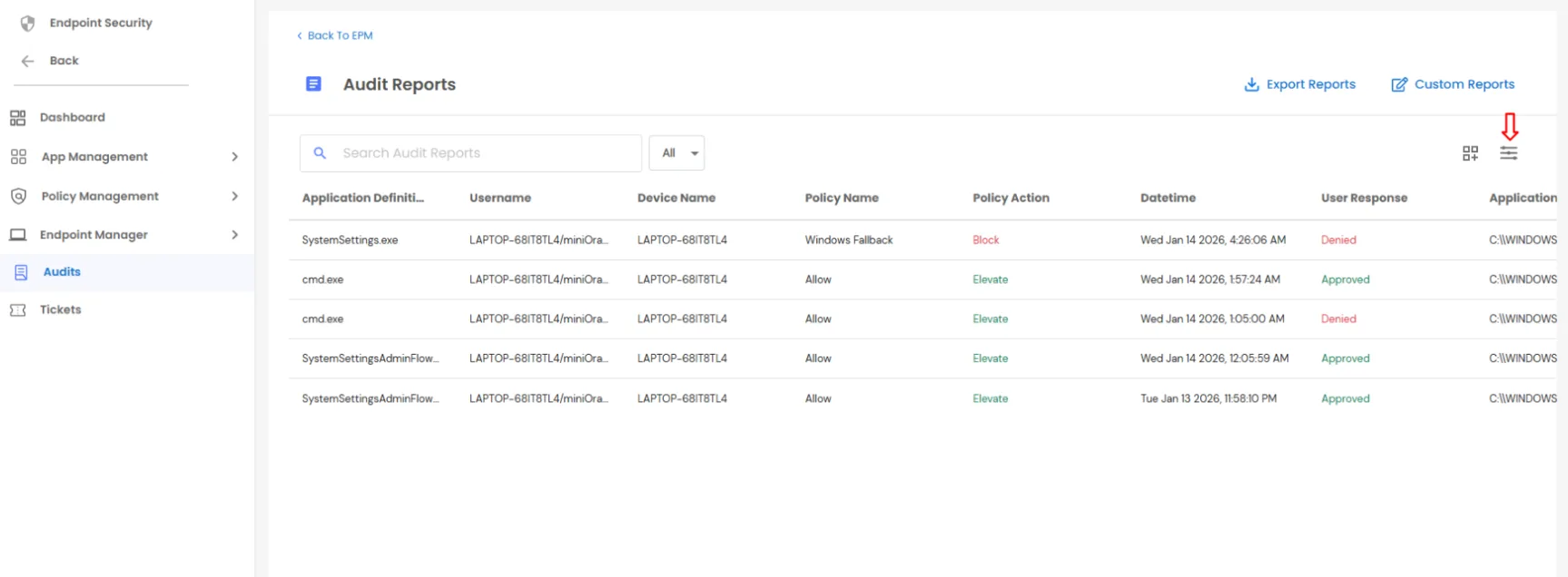
  • Click the filter icon shown in the image to apply filters to the audit data.
  • PAM Endpoint Audit Data

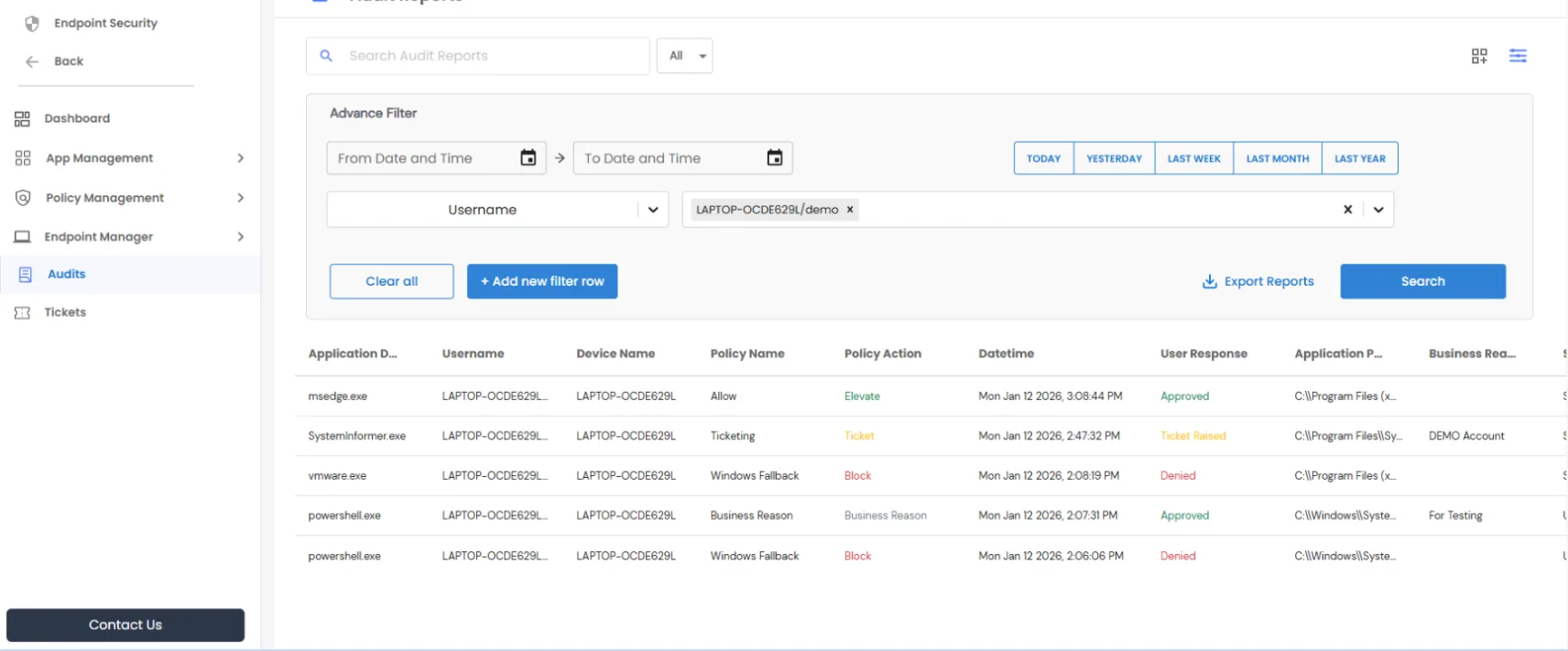
    PAM Endpoint Export Report

  • After applying filters, export the filtered audit data as required by clicking on Export reports.