Hello there!

Need Help? We are right here!

miniOrange Support
miniOrange Email Support
success

Thanks for your Enquiry.

If you don't hear from us within 24 hours, please feel free to send a follow-up email to info@xecurify.com

Search Results:

×

Remote Desktop Policy


In the PAM dashboard, you can view all created Remote Desktop policies. From this page, you can :
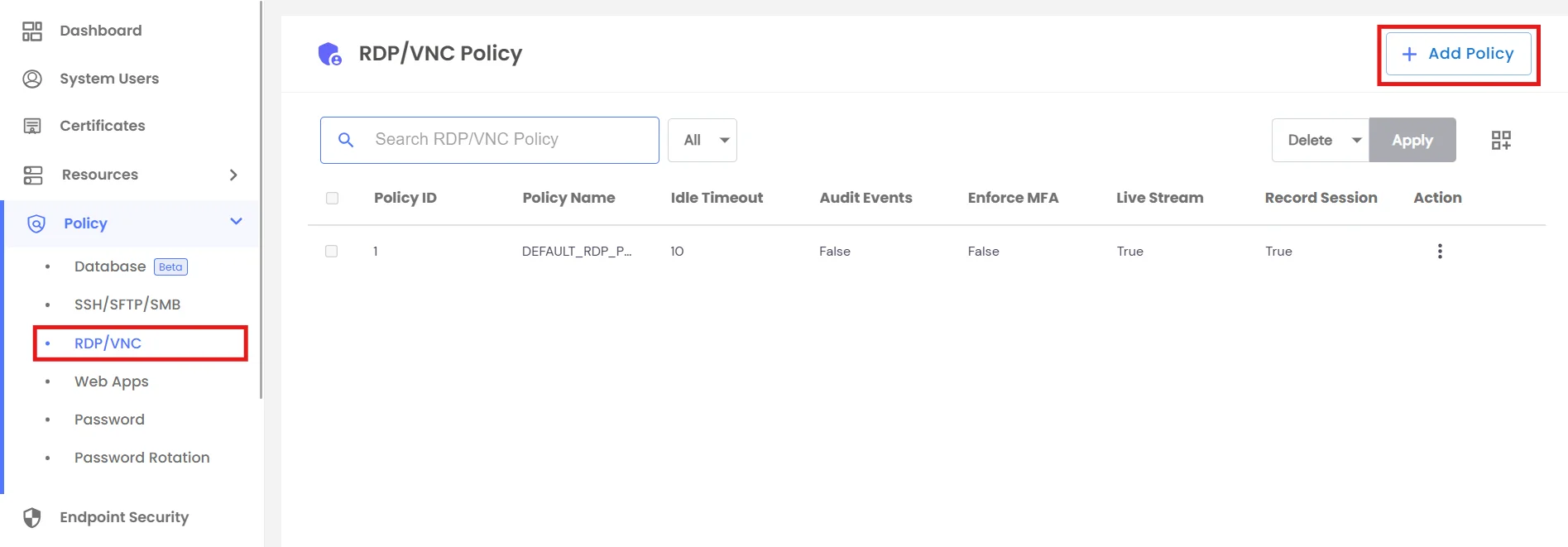
  • Create a New Policy
  • View existing policies with details like recording, MFA, clipboard, and file transfer controls.
  • Use the Action menu to Edit, Delete Policy.
  • Create Remote Desktop Policies

    While creating a Remote Desktop policy, the General tab allows configuration of:
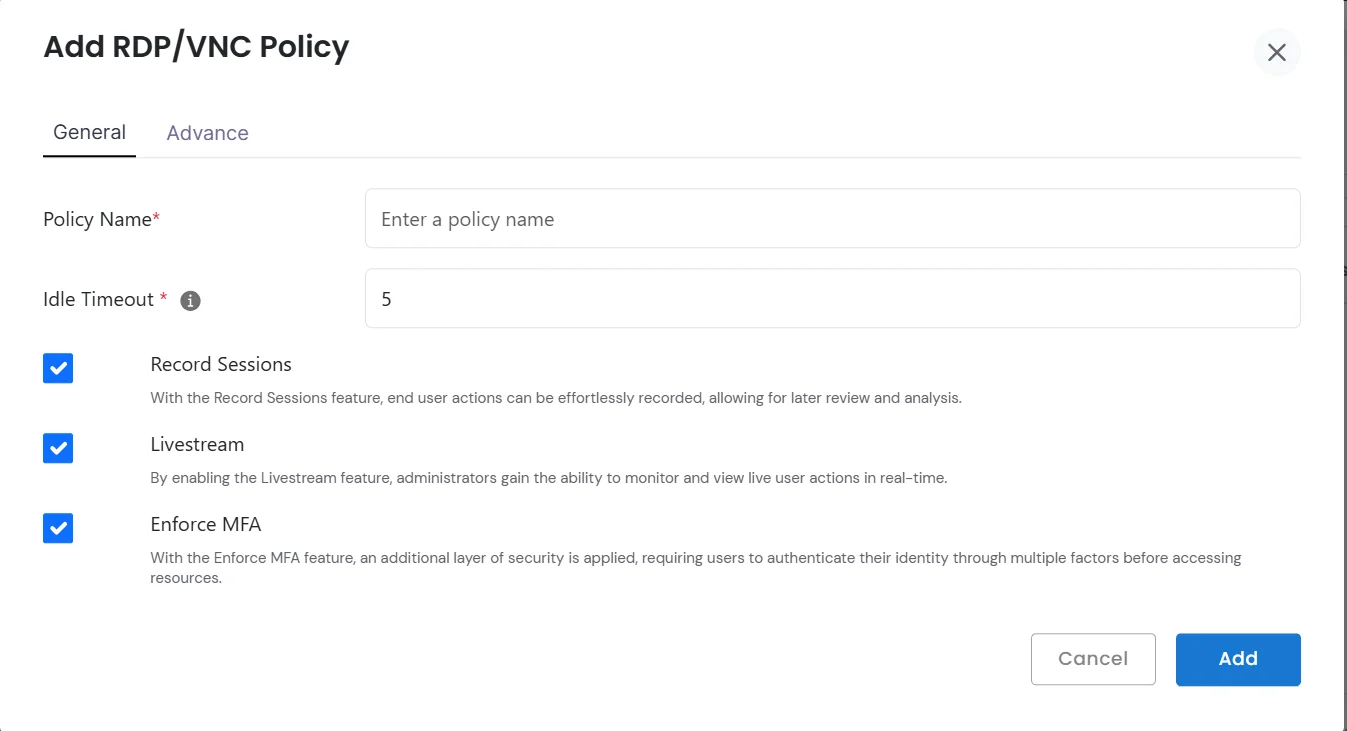
    • Policy Name - Unique identifier for the policy
    • Idle Timeout - Define idle session timeout duration in minutes
    • Record Sessions - Enable session recording for audits
    • Livestream - Monitor ongoing sessions in real time
    • Enforce MFA - Require multi-factor authentication before session start
    Add RDP Policy in General

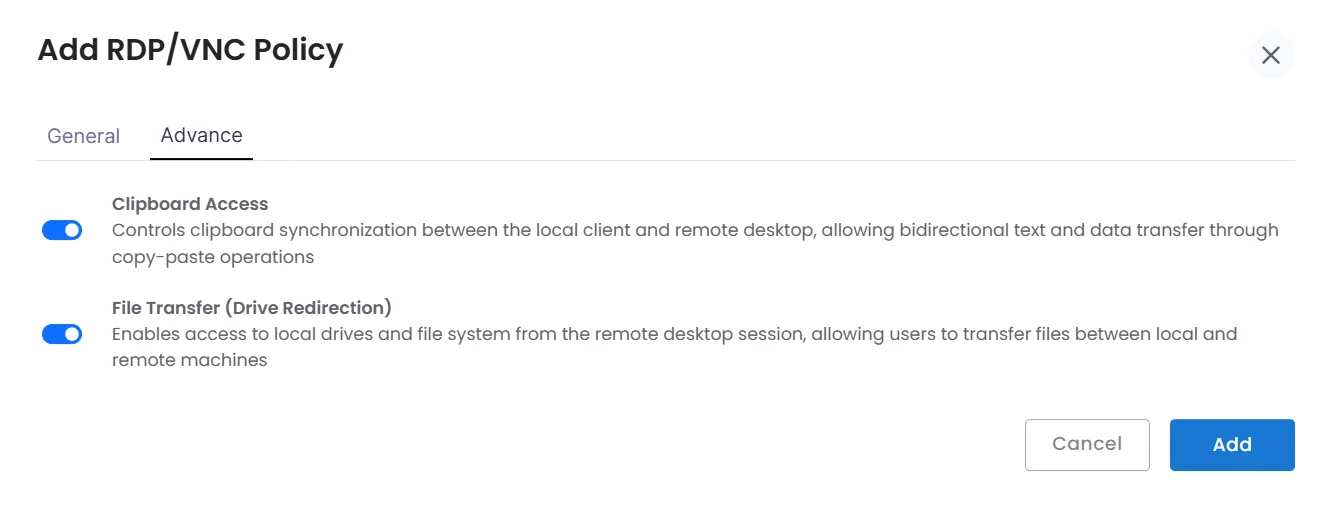
  • The Advanced tab provides granular access control:
    • Clipboard Access - Control copy-paste synchronization between local and remote desktop.
    • File Transfer - Allow or restrict file transfers between local drives and remote machines.
    Add RDP Policy in Advance

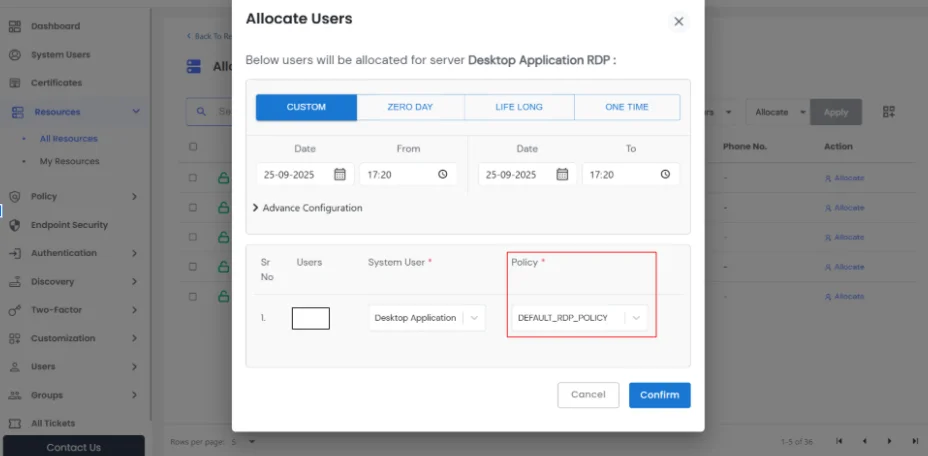
  • After creation, policies can be assigned to specific Remote Desktop resources, ensuring rules apply consistently.
  • Allocate Users Custom