Hello there!

Need Help? We are right here!

miniOrange Support
miniOrange Email Support
success

Thanks for your Enquiry.

If you don't hear from us within 24 hours, please feel free to send a follow-up email to info@xecurify.com

Search Results:

×

Authentication Using LDAP


This feature allows users to authenticate into PAM using their Active Directory (AD) credentials via the LDAP/LDAPS protocol.

The authentication flow first checks if an AD configuration is set as the default authentication.
  • If AD authentication is enabled, user login requests are validated against AD.
  • If the user exists in AD but not locally, PAM automatically provisions the user with the same credentials and attributes from AD.
  • If fallback authentication is enabled and AD authentication fails, PAM falls back to local authentication.
  • If fallback authentication is disabled, only AD authentication is permitted

1. Add AD Configuration

  • Log in to your PAM dashboard using your admin credentials.
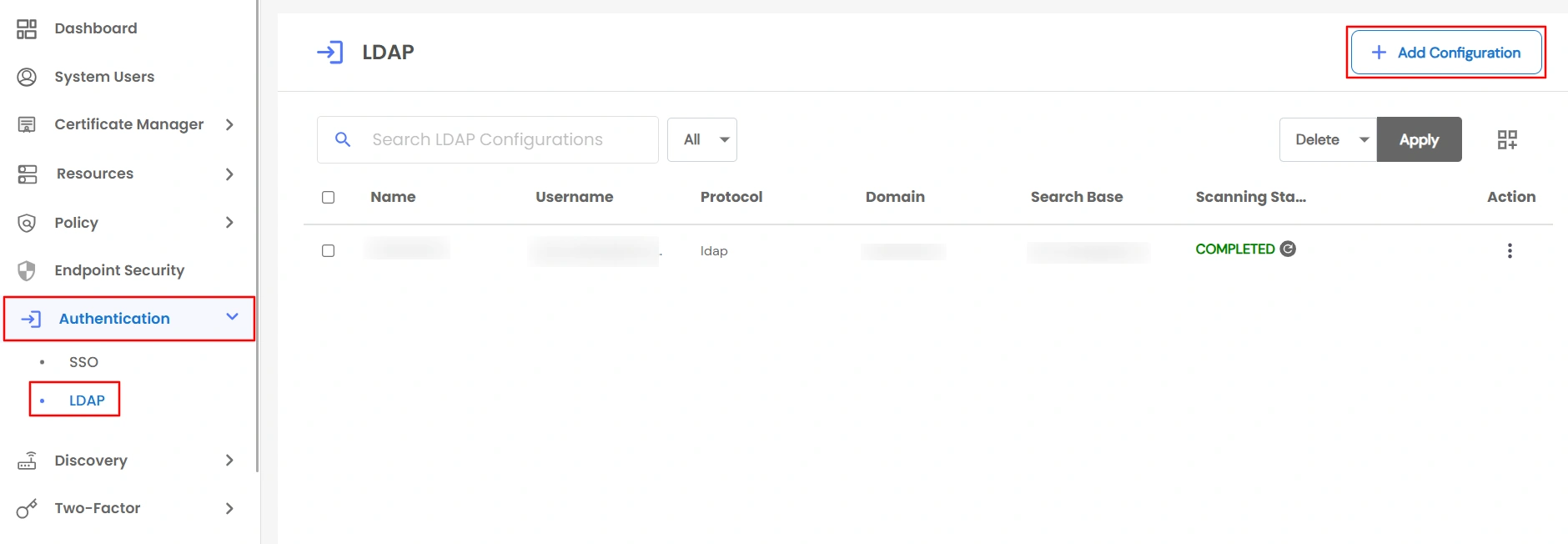
  • From the left-hand menu, navigate to Authentication >> LDAP.
  • Click on Add New LDAP Configuration to create a new LDAP configuration.
  • LDAP Authentication - authentication ldap navigation menu

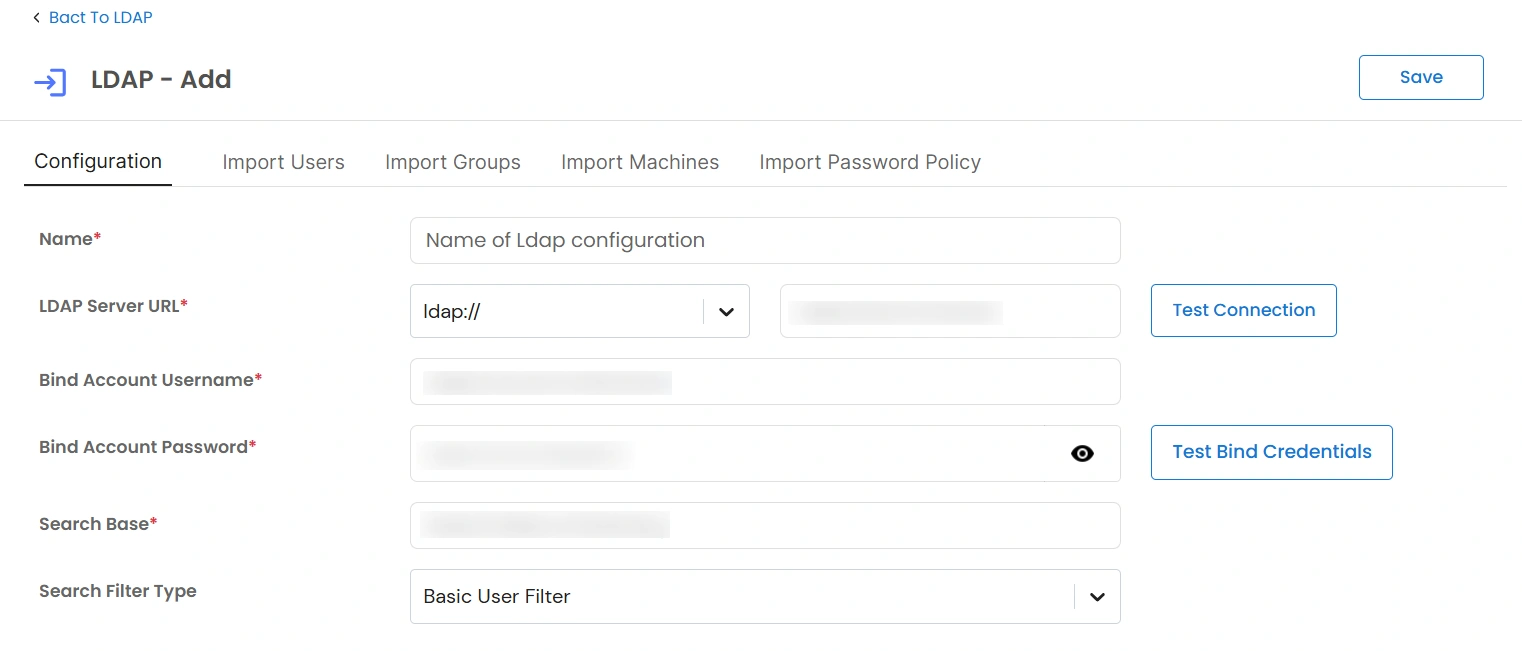
  • Click Add Configuration and fill the required details:
  • Field Description
    Name A unique name used to identify this LDAP/Active Directory configuration in PAM.
    LDAP Server URL The protocol and hostname or IP address of the LDAP server.
    Bind Account Username The LDAP service account username used to authenticate and perform directory searches.
    Bind Account Password The password for the bind account to securely connect to the LDAP server.
    Search Base The base Distinguished Name (DN) from which LDAP objects such as users, groups, and machines are searched.
    LDAP Authentication - fill required details

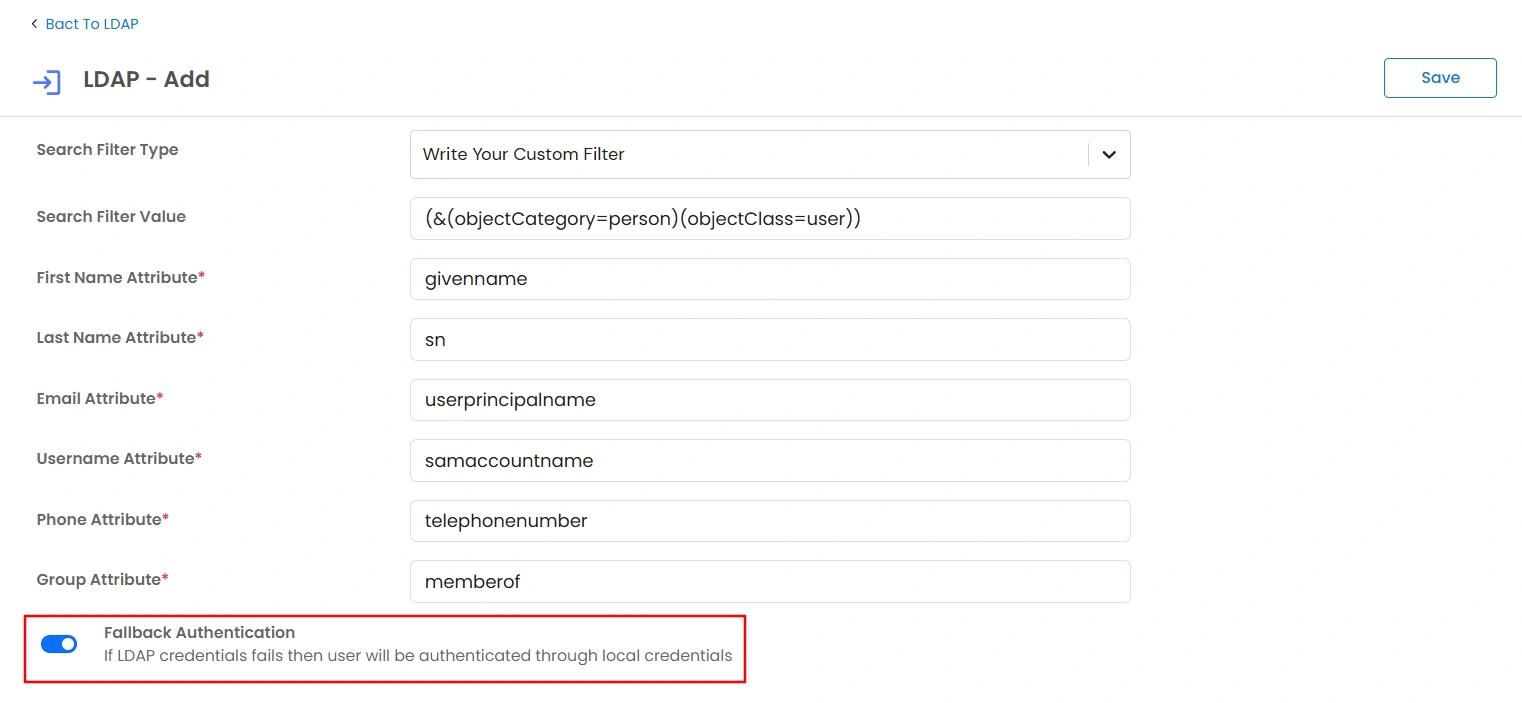
  • Then, configure the Fallback Authentication :
    • Enabled: If LDAP authentication fails, PAM will fall back to local authentication.
    • Disabled: Only LDAP authentication will be allowed. Local credentials will not work if LDAP authentication fails.
  • LDAP Authentication - configure fallback authentication

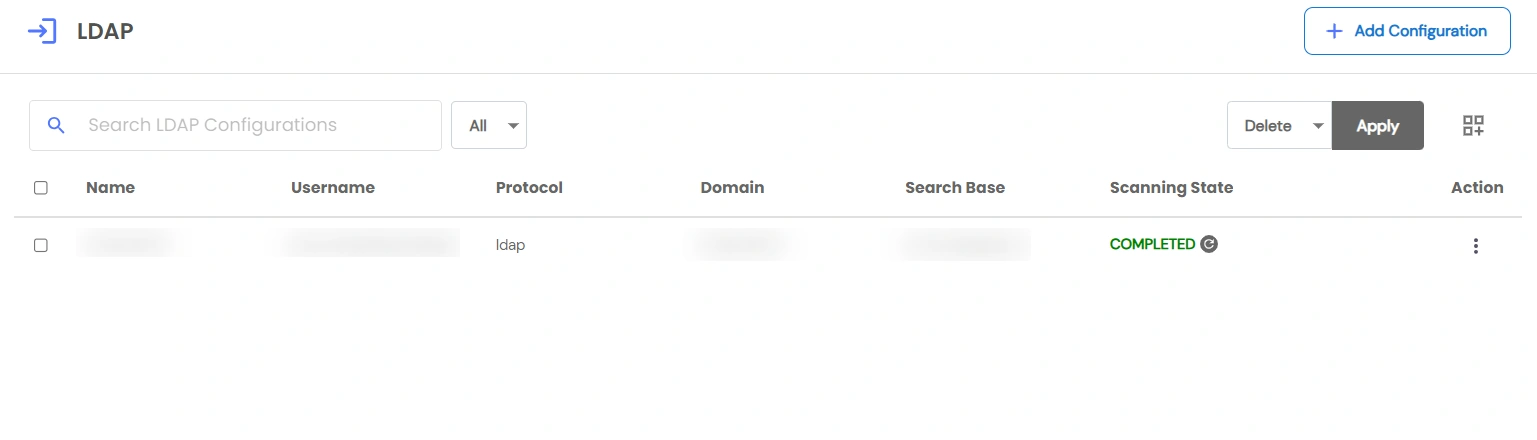
  • Click Save. The newly created configuration will now appear in the LDAP configuration list.
  • LDAP Authentication - save configuration

2. Set up Authentication

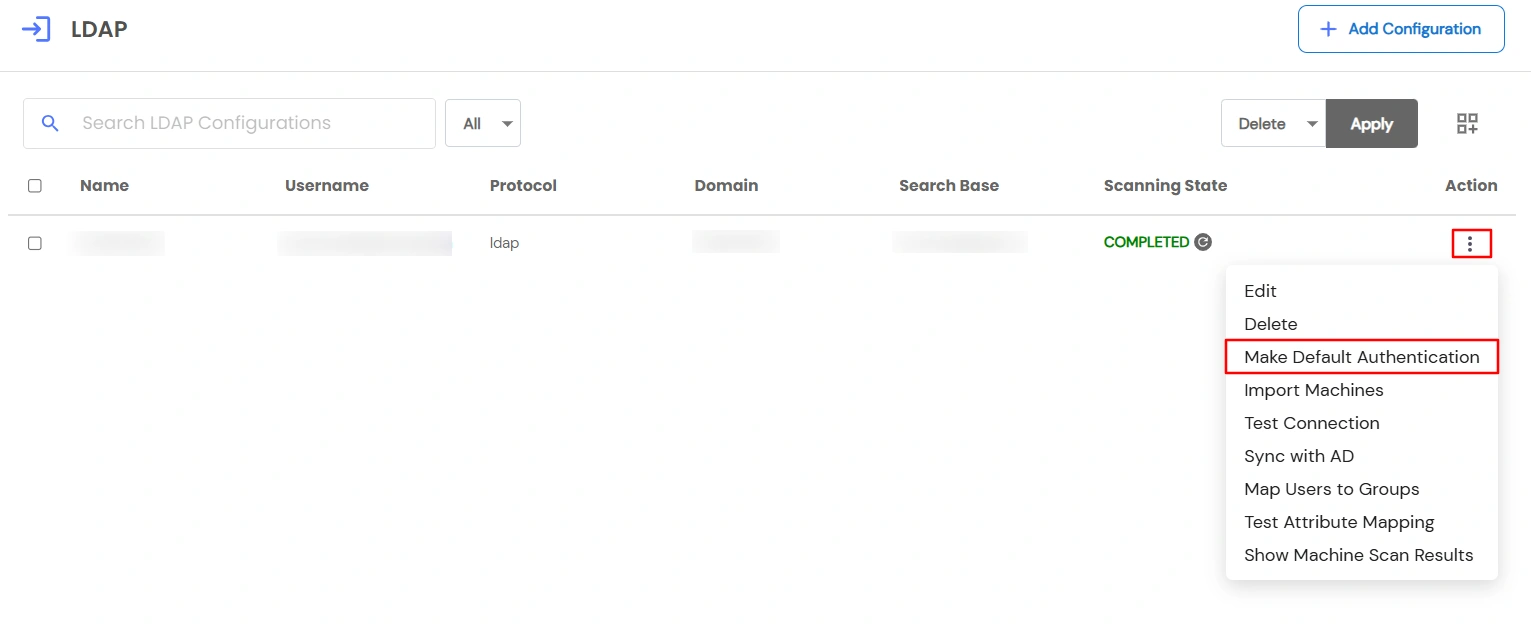
  • In the LDAP list, click on the Action (⋮) menu of your configuration.
  • Select Make Default Authentication.
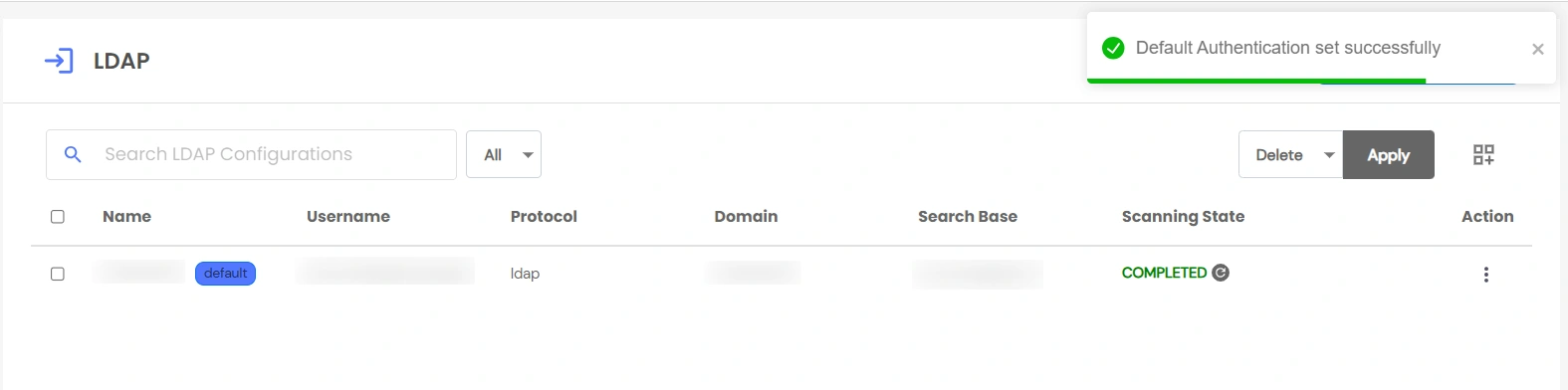
    • The selected AD becomes the default authentication source.
    • Users can now log in using their AD credentials.
  • LDAP Authentication - click make default authentication

    LDAP Authentication - deafult authentication successfully