Hello there!

Need Help? We are right here!

miniOrange Support
miniOrange Email Support
success

Thanks for your Enquiry.

If you don't hear from us within 24 hours, please feel free to send a follow-up email to info@xecurify.com

Search Results:

×

Dashboard Overview


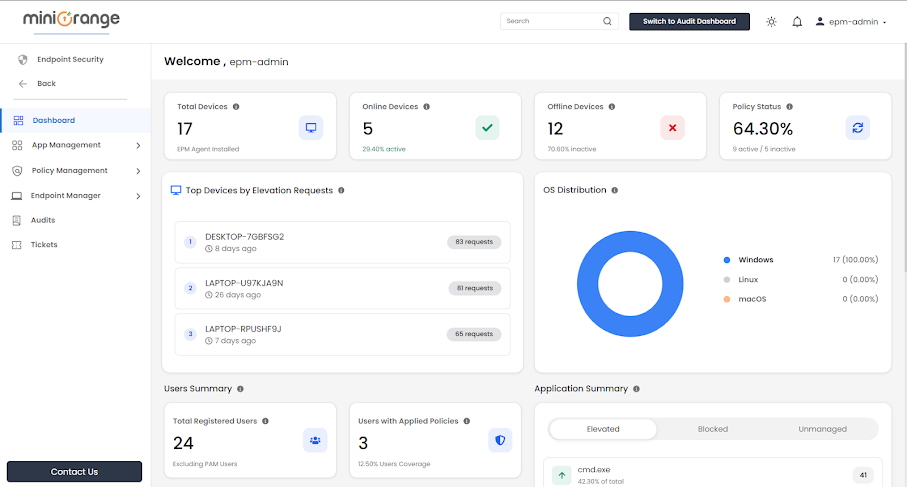
The Endpoint Security Dashboard in miniOrange PAM provides administrators with a centralized view of endpoint security management, including user counts, policies, devices, and applications.
Accessing the EPM Dashboard

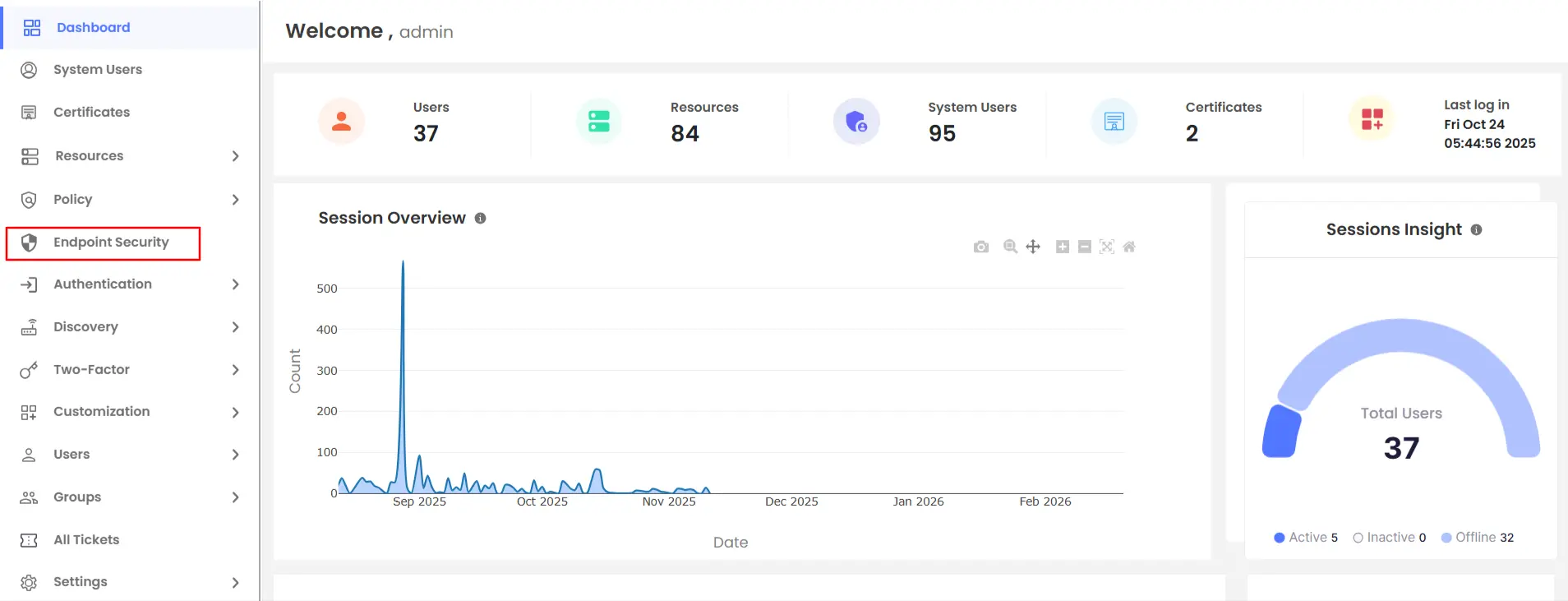
  • In the PAM dashboard sidebar, click Endpoint Security to navigate to the Endpoint Dashboard.
  •  PAM Endpoint Security

  • The logged-in admin’s username is displayed in the welcome message along with the last login details.
  •  PAM Endpoint Security

  • Once you click on Endpoint Security, you will access the EPM dashboard.
  •  PAM Endpoint Security

Device Summary

    Endpoint Dashboard Highlights

  • Total Devices

    Displays the total number of endpoints where the EPM Agent is installed.

  • Online Devices

    Indicates the number of endpoints where the EPM Agent is installed and currently running.

  • Offline Devices

    Represents endpoints where the EPM Agent is uninstalled.
  • Policy Status
    • Displays the overall policy compliance percentage.
    • Indicates how many devices are actively governed by policies, along with those without applied policies.

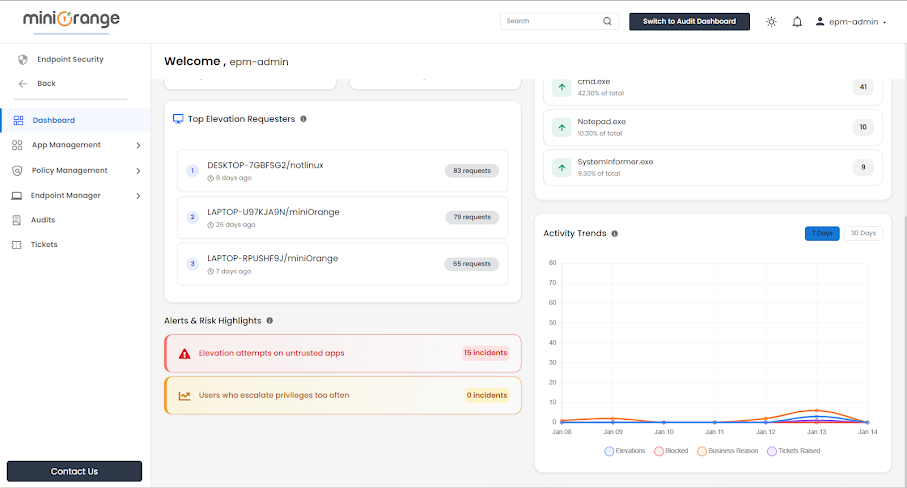
Top Devices by Elevation Requests

Endpoint Dashboard Highlights

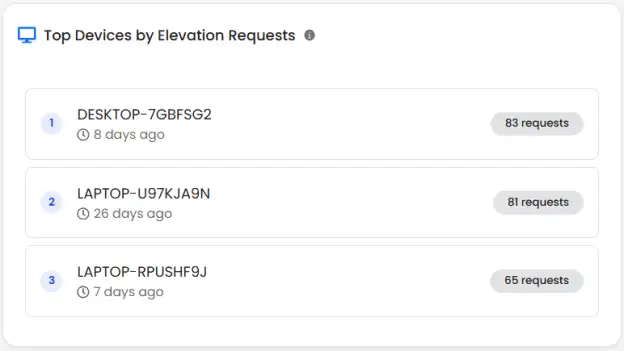
Highlights devices that generate the highest number of privilege elevation requests.

Each entry includes:
  • Device name
  • Time since last request
  • Total number of elevation requests

OS Distribution

Endpoint Dashboard Highlights

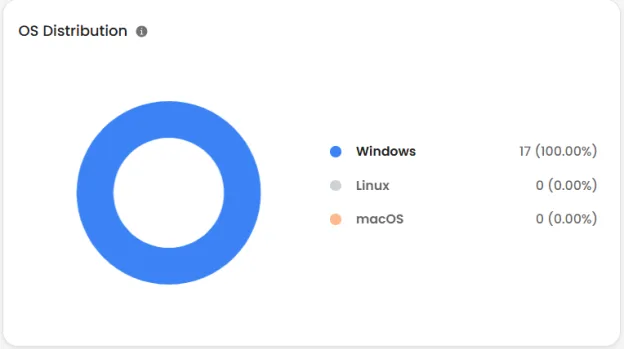
Visual breakdown of devices by operating system:
  • Windows
  • Linux
  • macOS

User Summary

Endpoint Dashboard Highlights

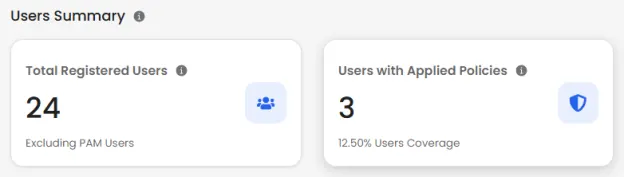
  • Total Registered Users

    Displays the number of users registered in the EPM system.

  • Users with Applied Policies

    Shows how many users are currently governed by at least one EPM policy.
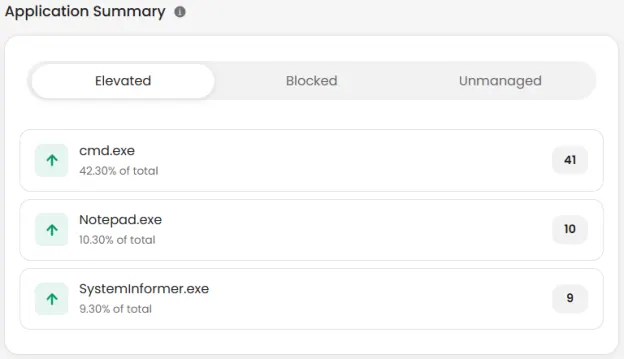
Application Summary

    Endpoint Dashboard Highlights

    Elevated Applications

    • Lists applications that were allowed to run with elevated privileges.
    • Shows usage percentage and request count per application.

    Blocked Applications

    • Displays applications blocked due to policy enforcement.
    • Useful for identifying unauthorized or risky software.

    Unmanaged Applications

    • Shows applications not yet governed by any policy.
    • Helps administrators identify candidates for future policy creation.

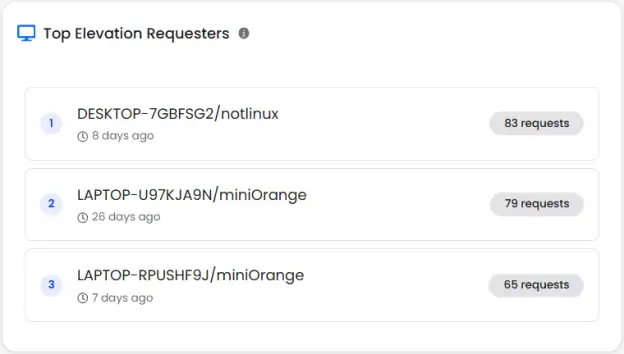
Top Elevation Requesters

Endpoint Dashboard Highlights

This feature identifies users who frequently request elevated access, including:
  • Device name
  • Username
  • Request count
  • Last activity timestamp

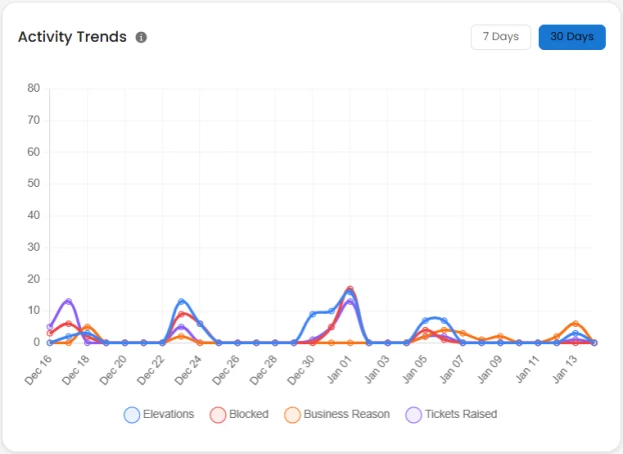
Active Trends

    Endpoint Dashboard Highlights

  • Visual timeline showing EPM activity over selected periods (7 or 30 days) and tracks:
    • Elevations
    • Blocked actions
    • Business reason
    • Tickets raised

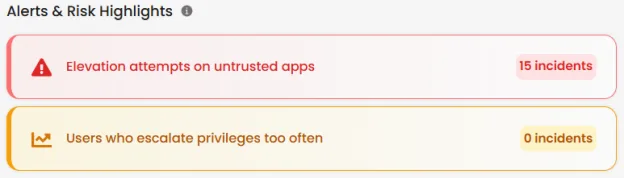
Alerts & Risk Highlights

Endpoint Dashboard Highlights

  • Elevation attempts on untrusted apps

    Counts untrusted applications that attempted privilege elevation in the last 30 days.

  • Users who escalate privileges too often

    Counts users with more than 10 elevation requests within 2 hours.