Hello there!
Need Help? We are right here!

Need Help? We are right here!
Search Results:
×miniOrange provides the ability for database connection and use it as authentication user store to enable Single Sign-on (SSO), Multi-factor authentication, etc. for your external applications. Here, miniOrange makes custom database work as user store for authentication. Users will login using their custom database credentials only once and have a seamless SSO login into the other applications. We develop connection between miniorange and your database as user store.
miniOrange offers free help through a consultation call with our System Engineers to set up our on-premise server.
For this, you need to just send us an email at idpsupport@xecurify.com to book a slot and we'll help you in no time.
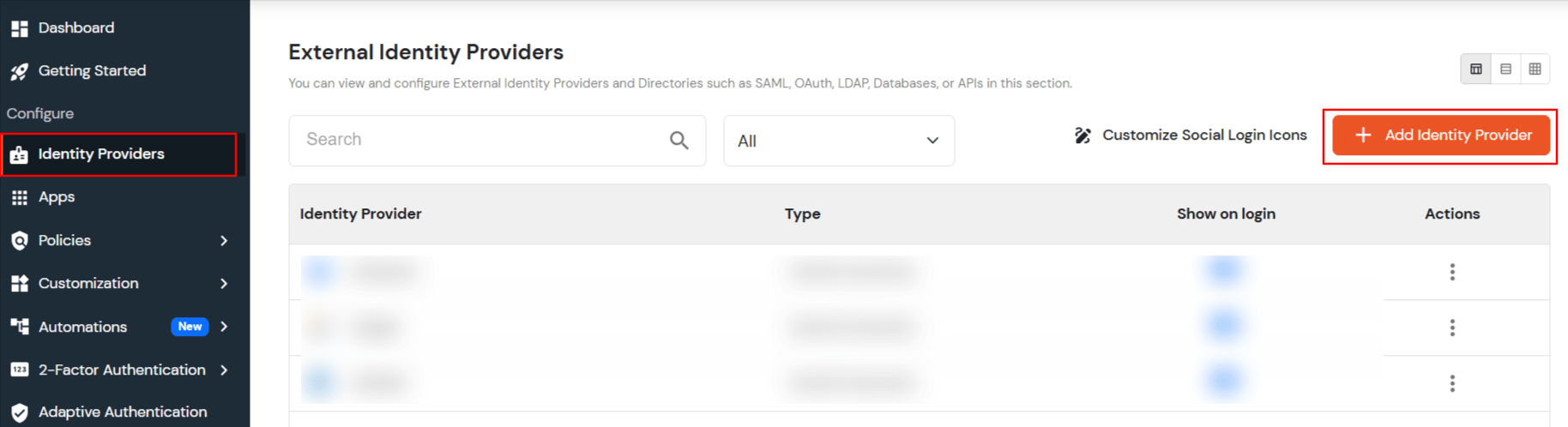
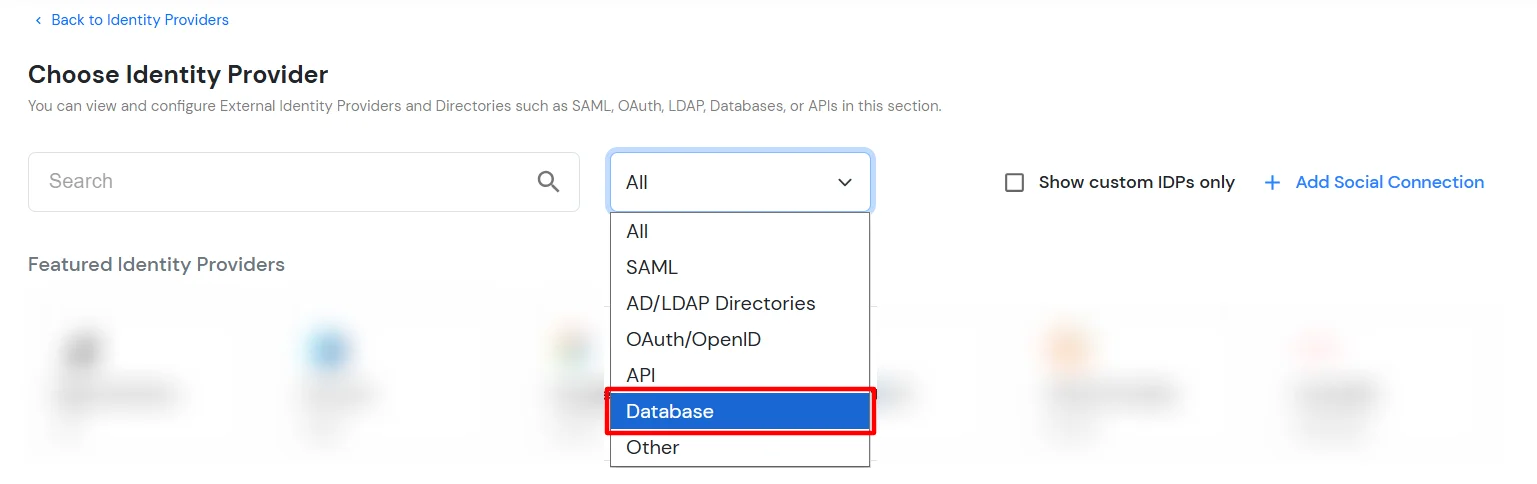
Note: If your database type is not listed, contact us to add support for your database type.
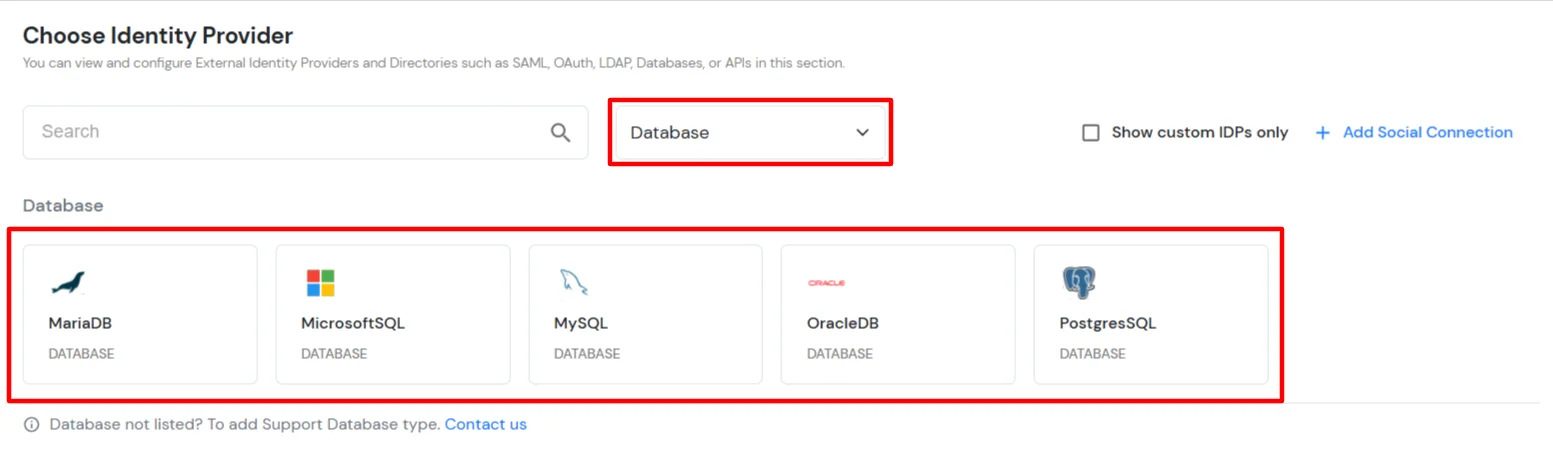
| Database Type | Database Host | Port Number Default |
| My-SQL/MariaDB | jdbc:mysql://hostname:port/database-name |
3306 |
| MS-SQL | jdbc:sqlserver://hostname:port/database-name |
1433 |
| Postgres sql | jdbc:postgresql://hostname:port/database-name |
5432 |
| OracleDB | jdbc:oracle:thin:@hostname:port/database-name |
1521 |
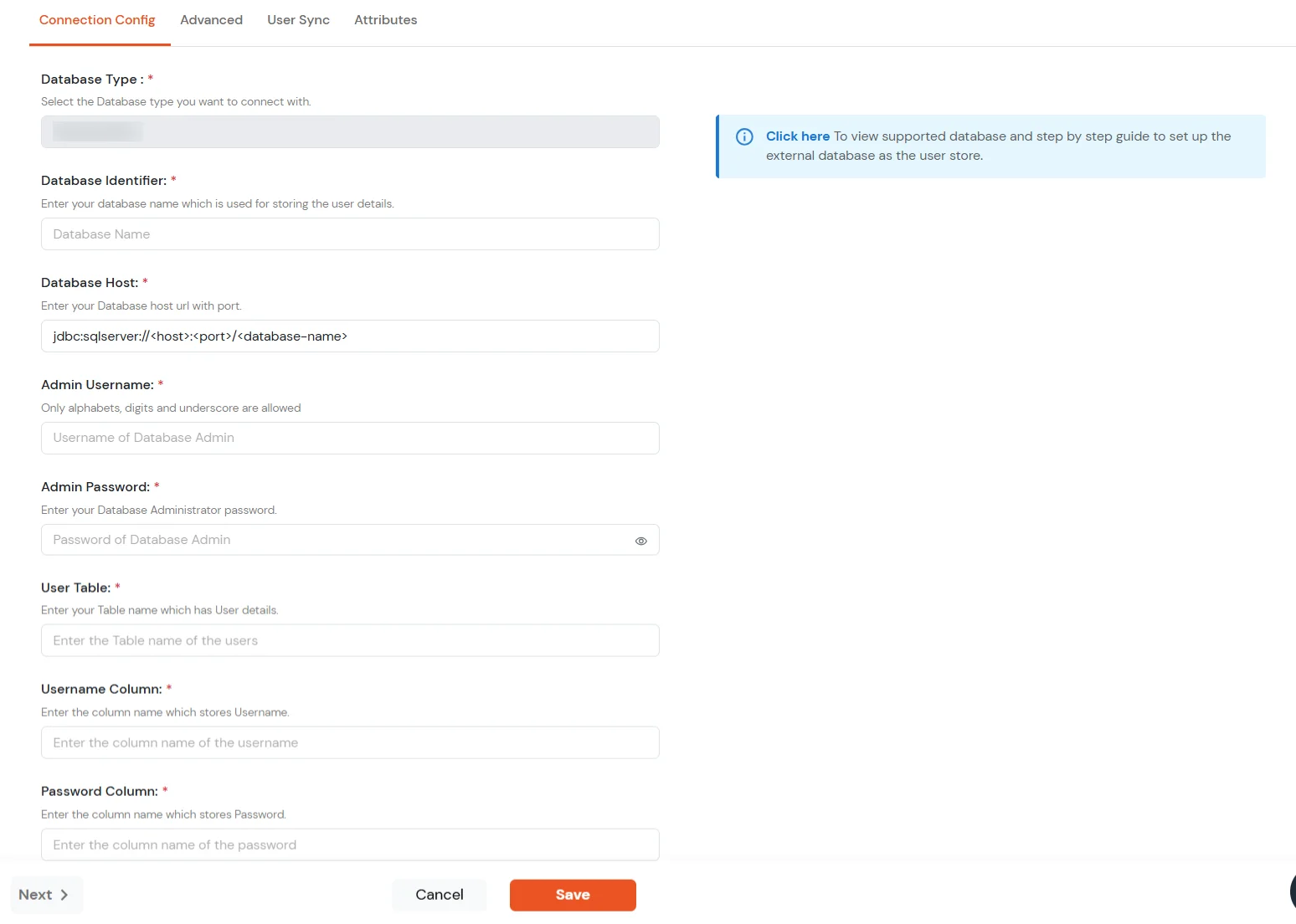
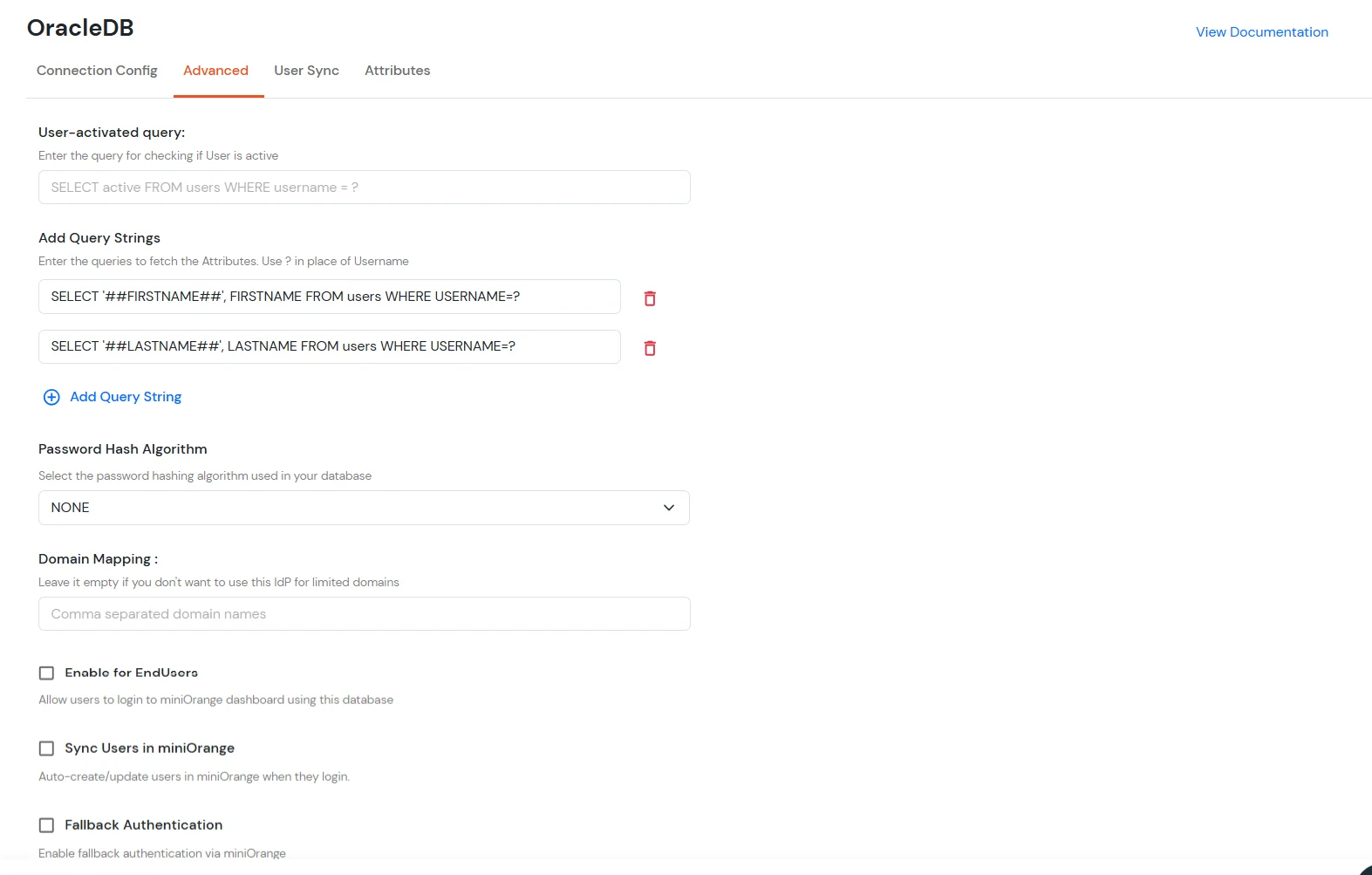
| User-activated query | In which you can enter the query for checking if the User is Active or not. Example: |
| Add Query Strings | Add the query strings for the columns you want to import from the database. This can be useful for attribute mapping: Example: |
| Password Hash Algorithm | Select the Hashing type used for hashing the password. We support the below Hashing types such as: SHA256, SHA512, SHA1, MD5, PHPPASS, BCRYPT. |
| Enable for EndUsers | Enable this option, if you want your endusers to log in to their corresponding End-User Dashboard using IDP Credentials. |
| Sync Users in miniOrange | Users will be created/updated in miniOrange when logging into the End User dashboard. Only applies when 'Enable for End Users' is enabled. |
| Fallback Authentication | If you enable this option, then the users present in an external database will be authenticated directly through the miniOrange IdP, without being created in the miniOrange IdP. It is helpful in case when the database from where the authentication is being performed contains some private or sensitive information about users. |
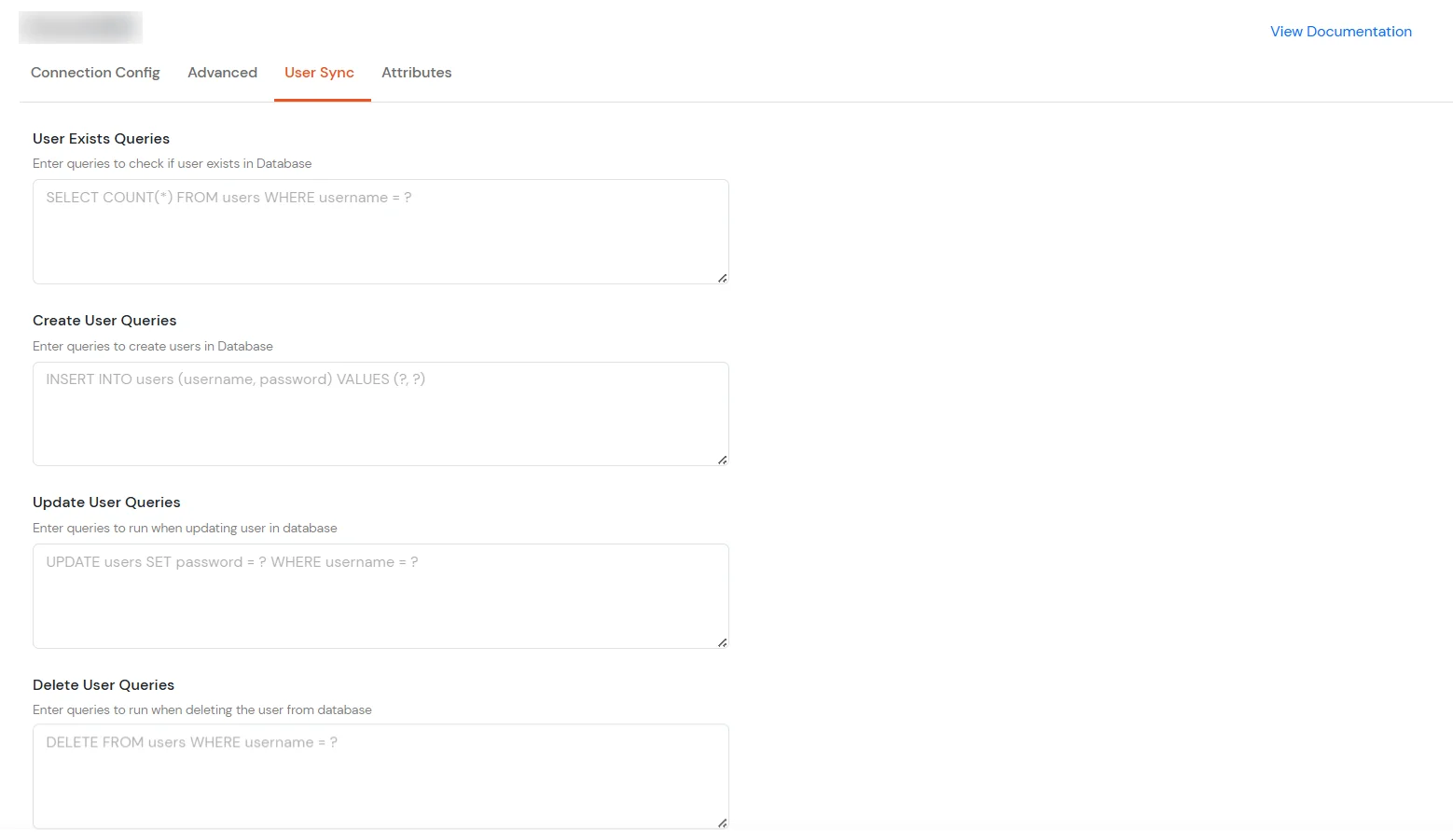
| User Exists Queries | Check if a user already exists in the database. Example: select * from users where username = '##username##' |
| Create User Queries | Create a user in the database when a user is created in miniOrange. Use ##attribute## notation to map attributes. Example: insert into users (username, password, firstname, lastname, email_address) values ('##username##', 'defaultPassword123#', '##firstname##', '##lastname##', '##email_address##') |
| Update User Queries | Update a user in the database when user details are changed in miniOrange. Example: update users set firstname='##firstname##', lastname='##lastname##', email_address='##email_address##' where username='##username##' |
| Delete User Queries | Delete a user from the database when a user is deleted in miniOrange. Example: delete from users where username='##username##' |
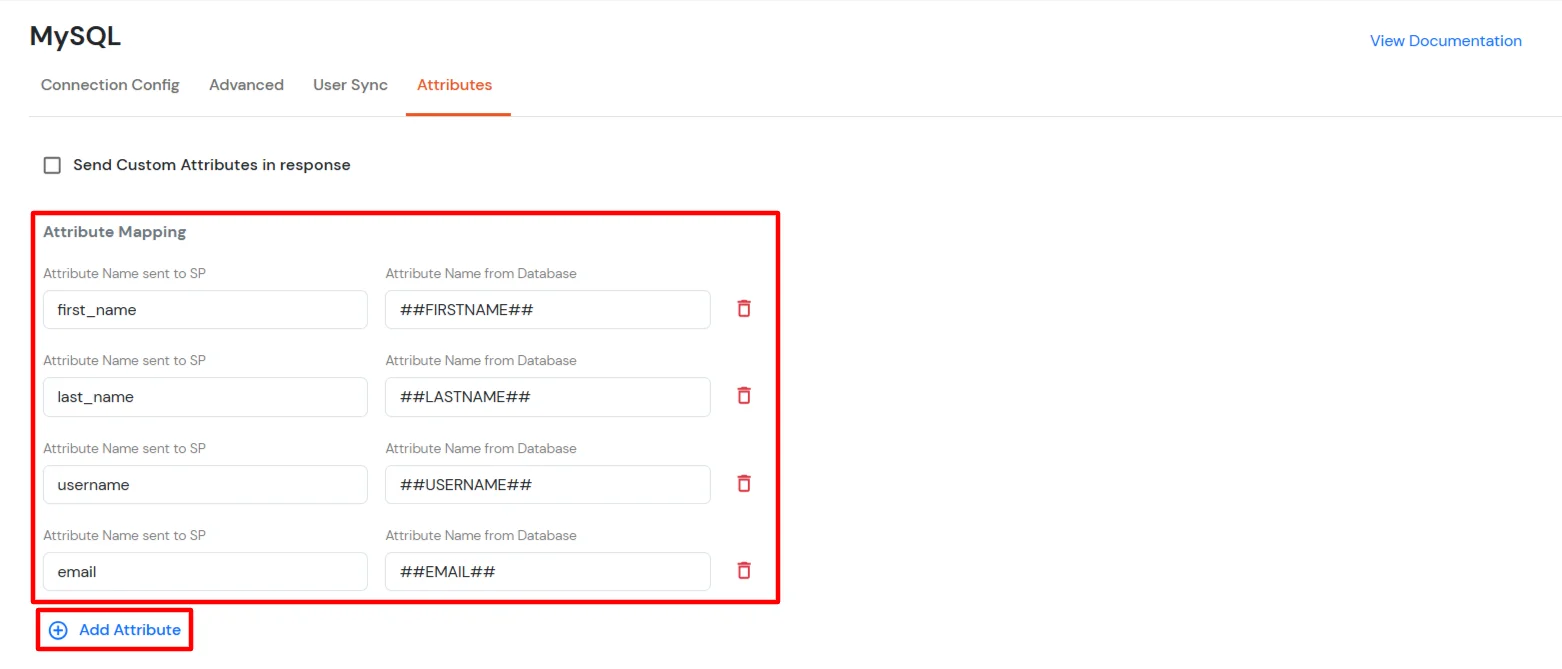
select '##username##', username from users where username=?Note: Add a query string for each attribute you want to fetch from the database.
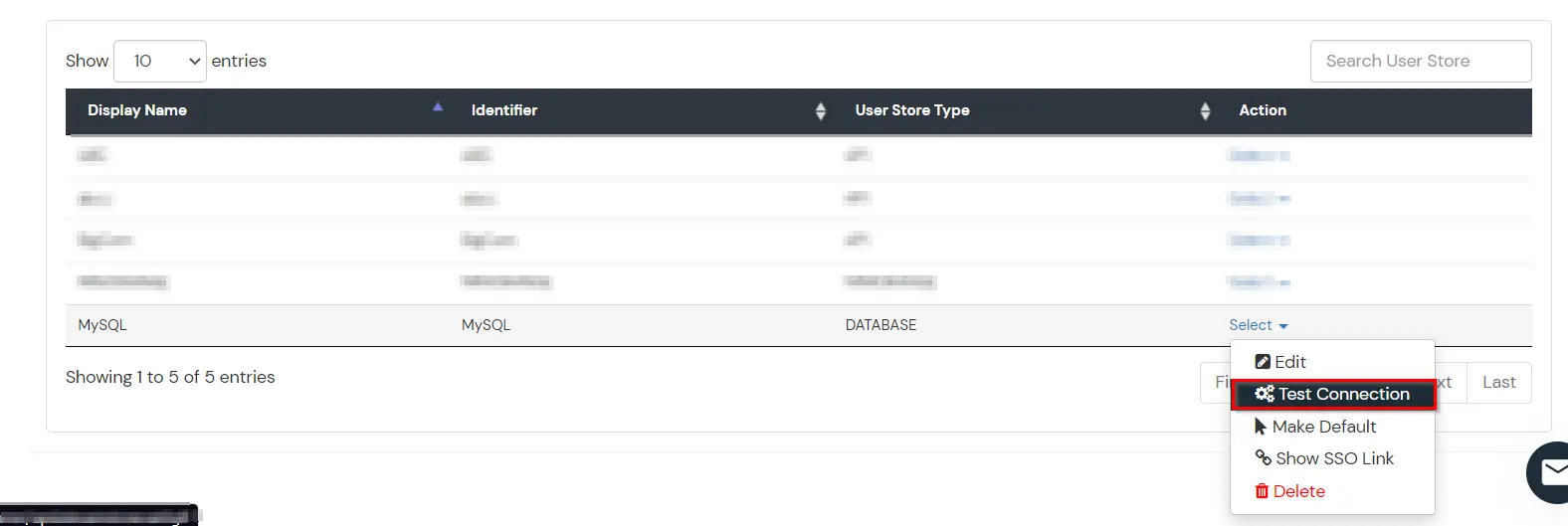
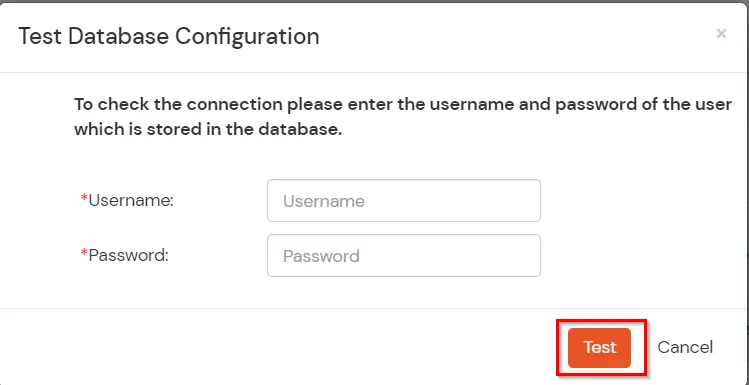
Note: You can follow this guide, if you want to configure SAML/OAuth/JWT for your applications using Database as User Store.