Hello there!
Need Help? We are right here!

Need Help? We are right here!
Search Results:
×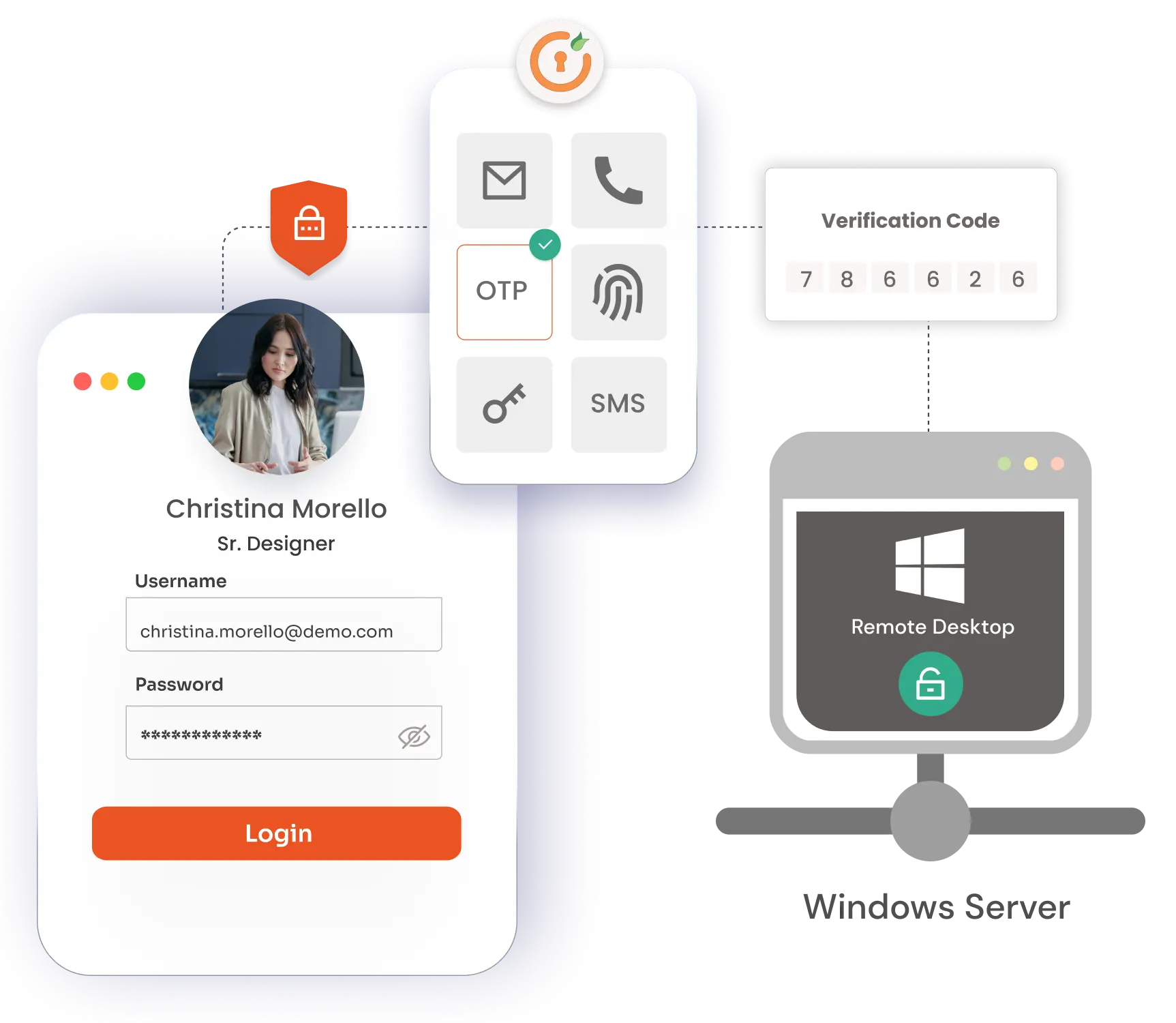
Windows Server MFA integrates smoothly with Active Directory (AD) and LDAP, ensuring secure login by synchronizing user identities and MFA preferences across different servers and workstations.
Administrators can create tailored MFA policies specific to user roles, groups, or applications. For instance, you can enforce stricter Windows Server MFA Login for administrators while allowing standard users easier access, adjusting security levels based on organizational needs.
Windows Server MFA supports multi-factor authentication for devices not joined to a domain and enables cross-domain authentication for users within trusted domains (Active Directory or Azure AD) or local Windows accounts.
Windows Server MFA enforces authentication even when the server or device is offline nows as offline MFA. This is achieved through the use of soft tokens, authenticator apps, or backup codes, maintaining security without requiring an internet connection.
Windows Server MFA includes advanced security measures like risk-based authentication, account lockout policies, and detailed audit logs, which enhance security and ensure compliance within server environments.
Windows Server MFA RDP enables multi-factor authentication for secure remote access via RDP, RD Web, and RD Gateway. It works with various Windows Server versions and supports both remote and local logins.
Windows Server MFA can be integrated with Active Directory (AD) or LDAP,
allowing for centralized management of user identities and access.
Ensure consistent and up-to-date information with automatic synchronization of user identities from your existing Microsoft Active Directory or LDAP Directory.
Manage user credentials and access rights centrally within AD or LDAP, eliminating the need for duplicate management efforts and reducing administrative overhead.
Facilitate a smooth transition to MFA by allowing users to log in with their existing AD or LDAP credentials, enhancing user adoption.
Deploy the Windows Server MFA solution effortlessly across all servers and workstations using group policies, ensuring comprehensive coverage and minimal disruption.
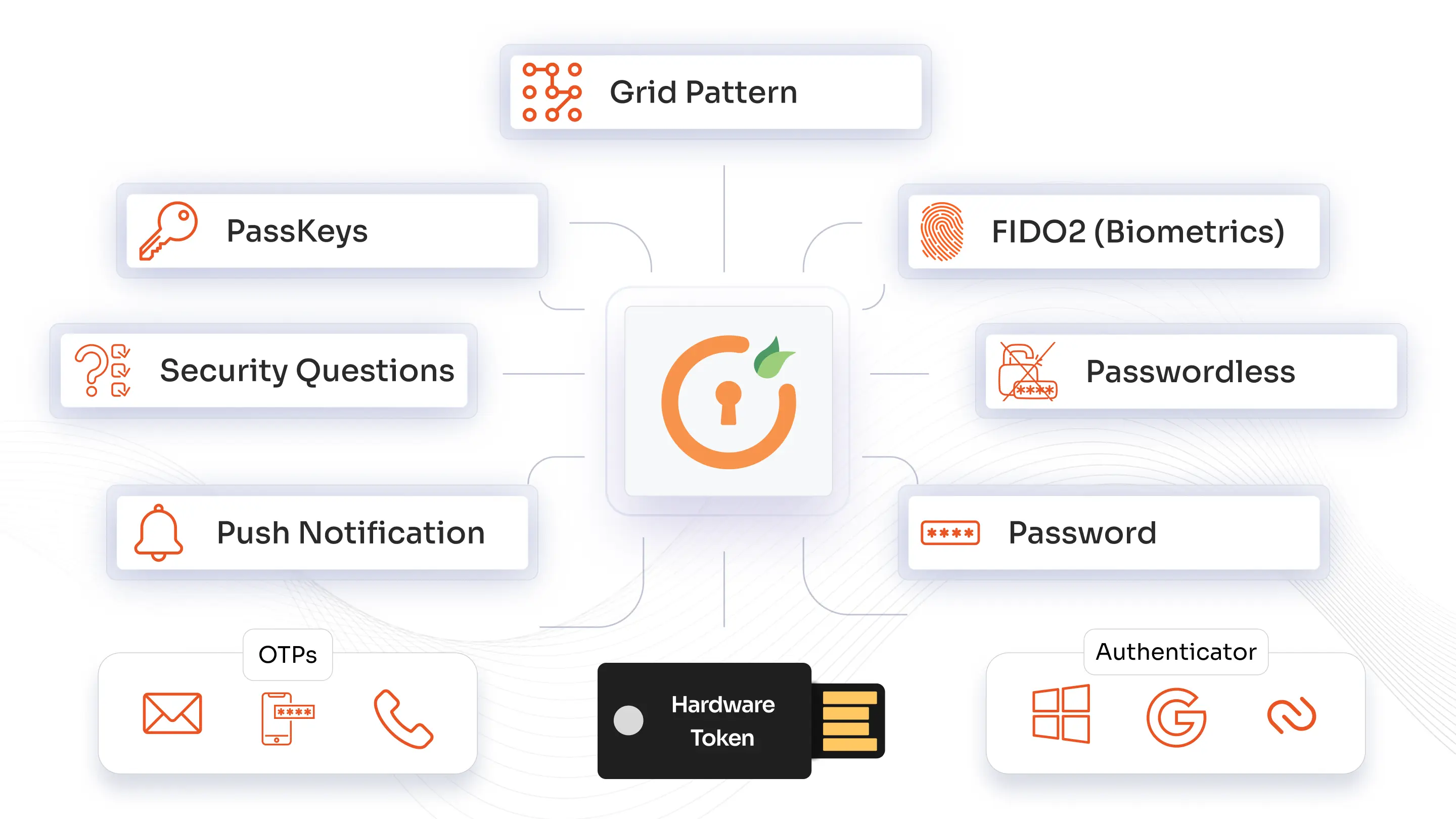
miniOrange authentication methods secure user access with SMS and phone callback for mobile validation, time-based OTP tokens via popular authenticator apps like Google or Microsoft. Users can also verify via secure email links or codes, use physical USB hardware tokens for added security, and authenticate through personalized knowledge-based security questions.
Begin by enabling MFA for admin and high-privilege accounts to protect the most sensitive access points
Implement adaptive authentication to require MFA based on suspicious behaviors like unfamiliar logins or unusual access patterns
Restrict RDP access to trusted IP ranges and approved devices by setting up allow lists
Upgrade to secure protocols and enable Network Level Authentication (NLA) for robust session security
Continuously review user activity during active sessions and take immediate action to mitigate risks if anomalies are detected
*Please contact us to get volume discounts for higher user tiers.
miniOrange MFA module can be installed on all Linux server operating systems to enable Multi-factor authentication (MFA) on SSH connection to the servers.
Enable Multi-Factor Authentication (MFA) directly for login on MacOS operating systems without the need for Jamf Connect or JAMF Pro.
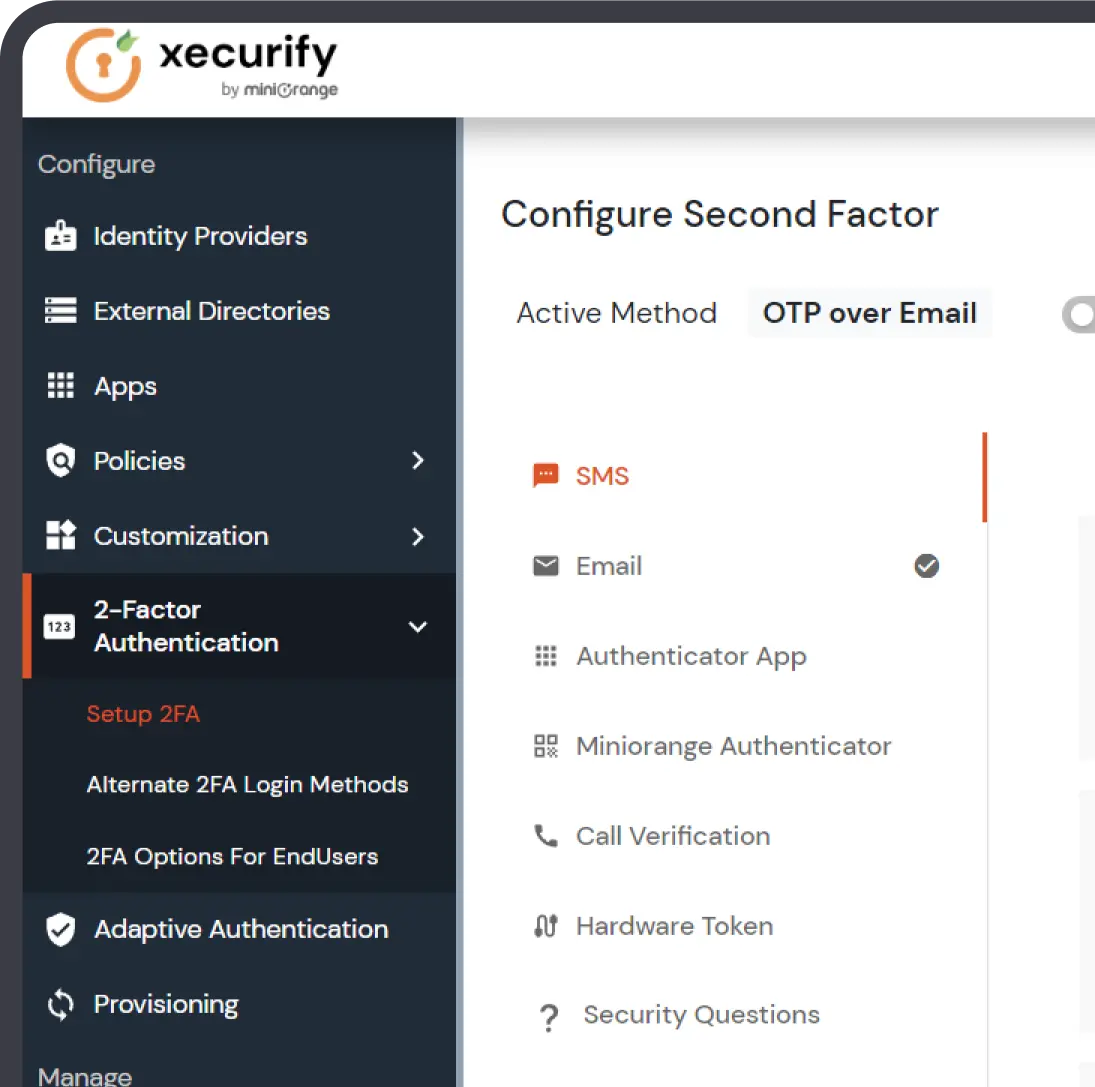
Administrators can easily configure MFA prompts to suit their specific needs for better security and convenience.