Hello there!
Need Help? We are right here!

Need Help? We are right here!
Search Results:
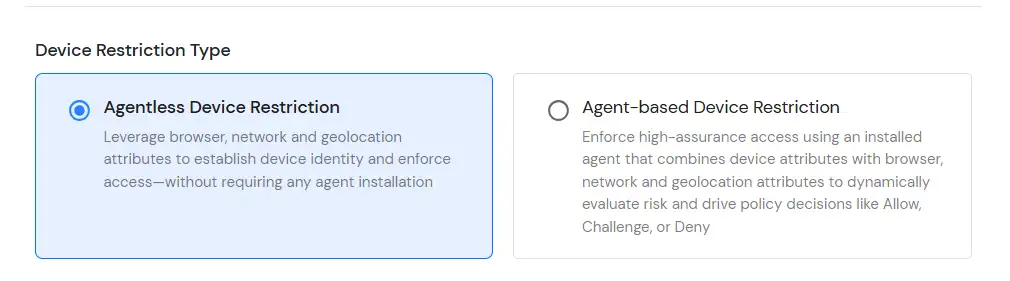
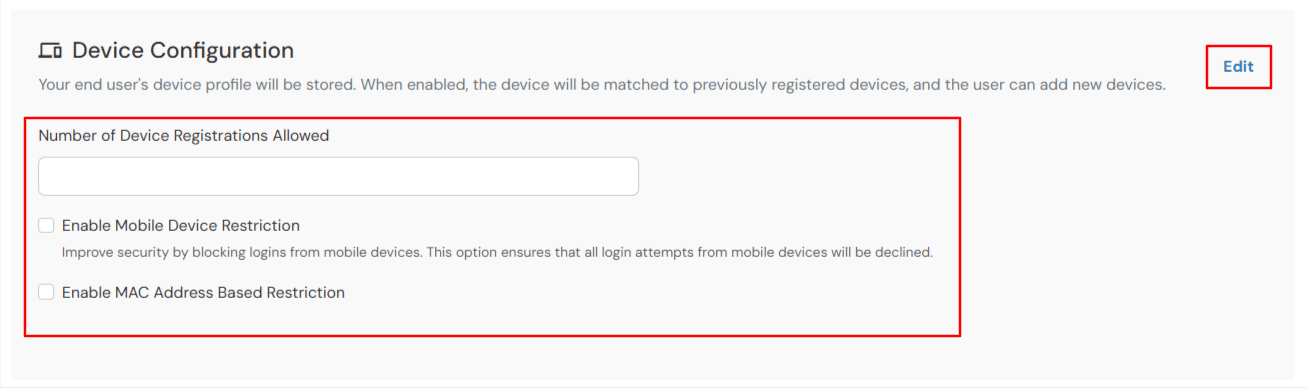
×Adaptive Authentication with Advanced Device Configuration enables administrators to enforce device restriction policies by controlling how many devices a user can register and access securely. Through advanced device fingerprinting, the system identifies and tracks trusted devices, helping organizations prevent unauthorized device access while maintaining a seamless authentication experience.
This approach supports both agentless and agent-based device fingerprinting methods, enabling continuous device risk evaluation during authentication. Based on device trust signals and behavioral patterns, the system intelligently applies security actions such as allow, challenge, or deny, strengthening protection against spoofing attempts and unauthorized access.
Device Configuration supports the following modes:
miniOrange offers free POC and help through a consultation call with our System Engineers to Setup Multi-Factor Authentication for Device Restriction in your environment with 30-day trial.
For this, you need to just send us an email at idpsupport@xecurify.com to get free POC and we'll help you setting up our solution in no time.
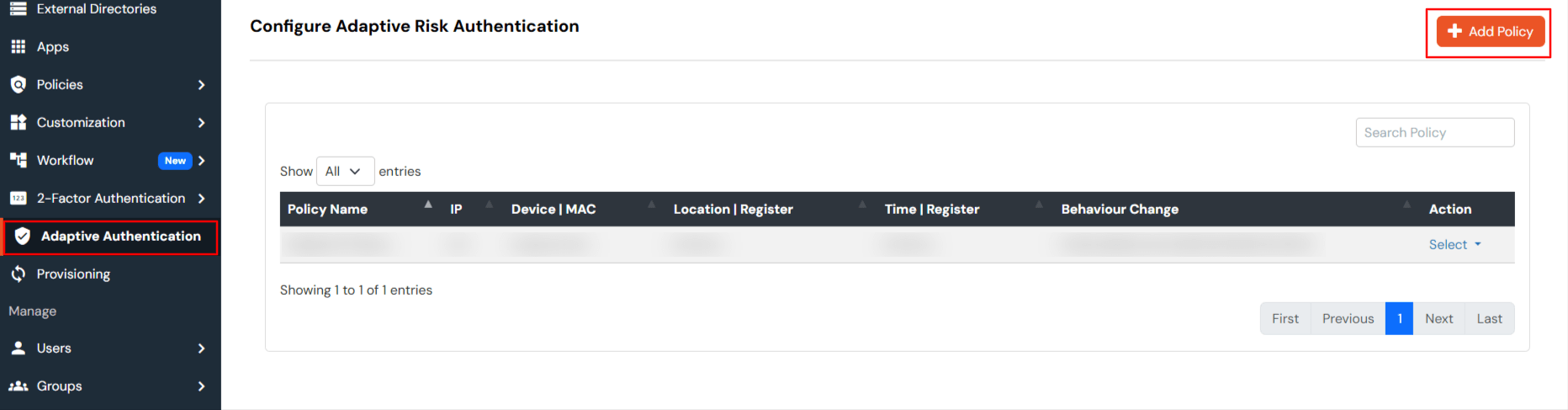
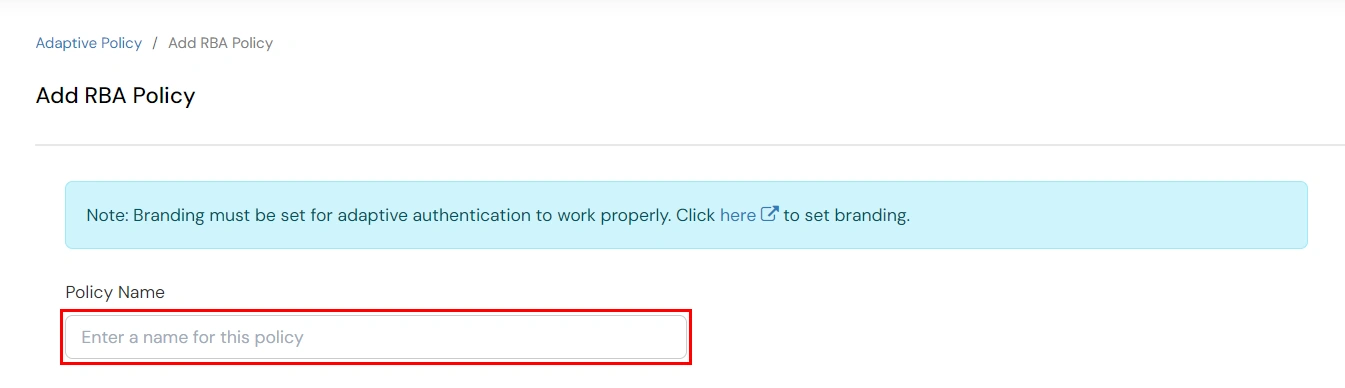
Enter a Policy Name for your Adaptive Authentication Policy in the required field.

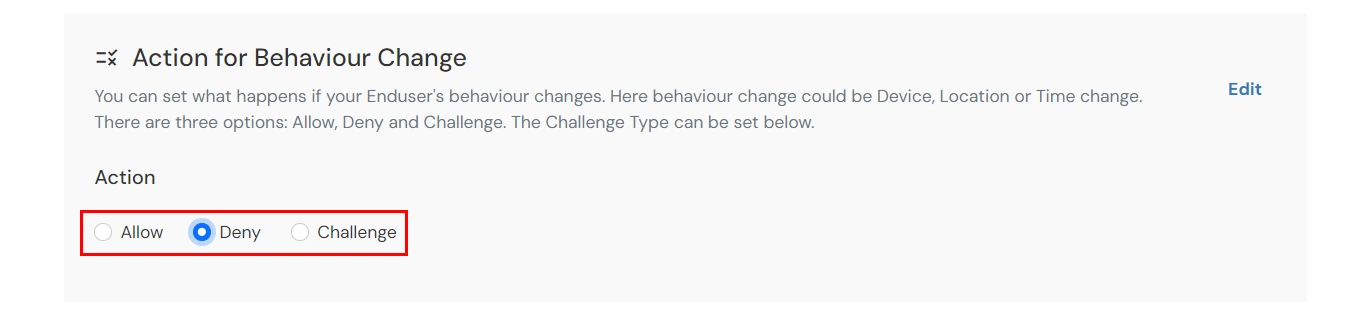
| Attribute | Description |
|---|---|
| Allow | Allow user to authenticate without challenge and registration. |
| Challenge | Allow user authentication with a challenge, e.g., when the device limit is exceeded. |
| Deny | Deny user authentication, e.g., when the device limit is exceeded. |
| Attribute | Description |
|---|---|
| User second Factor | The User needs to authenticate using the second factor he has opted or assigned for such as
|
| KBA (Knowledge-based authentication) | The System will ask user for 2 of 3 questions he has configured in his Self Service Console. Only after right answer to the questions user is allowed to proceed further. |
| OTP over Alternate Email | User will receive a OTP on the alternate email he has configured threw Self Service Console. Once user provides the correct OTP he is allowed to proceed further. |
The policy will take effect only after it is associated with a specific application login flow.
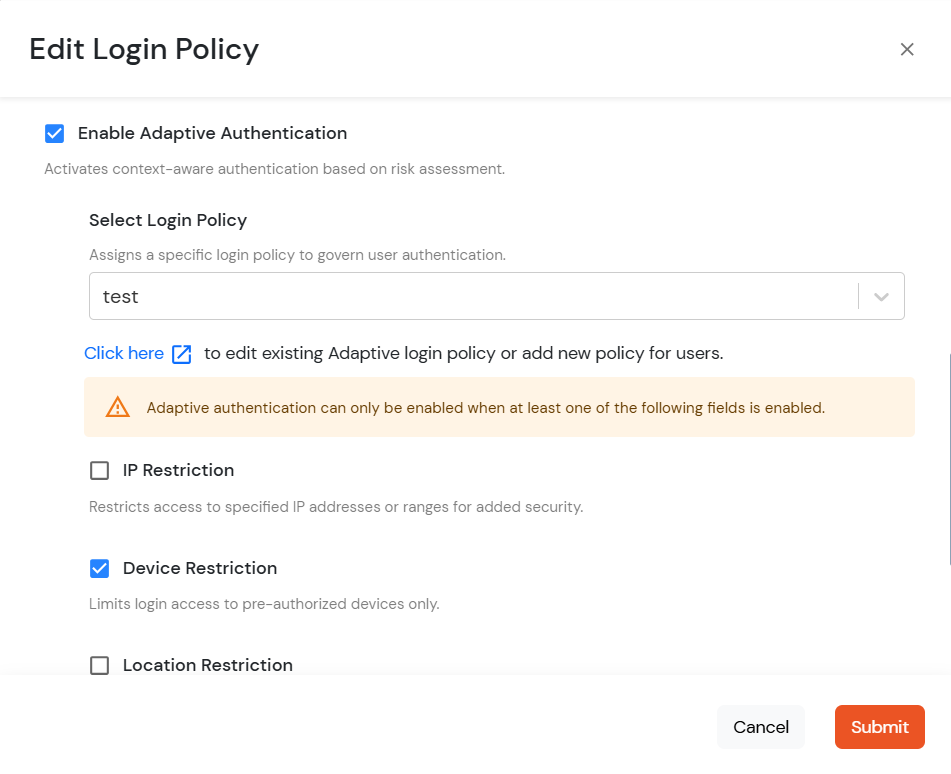
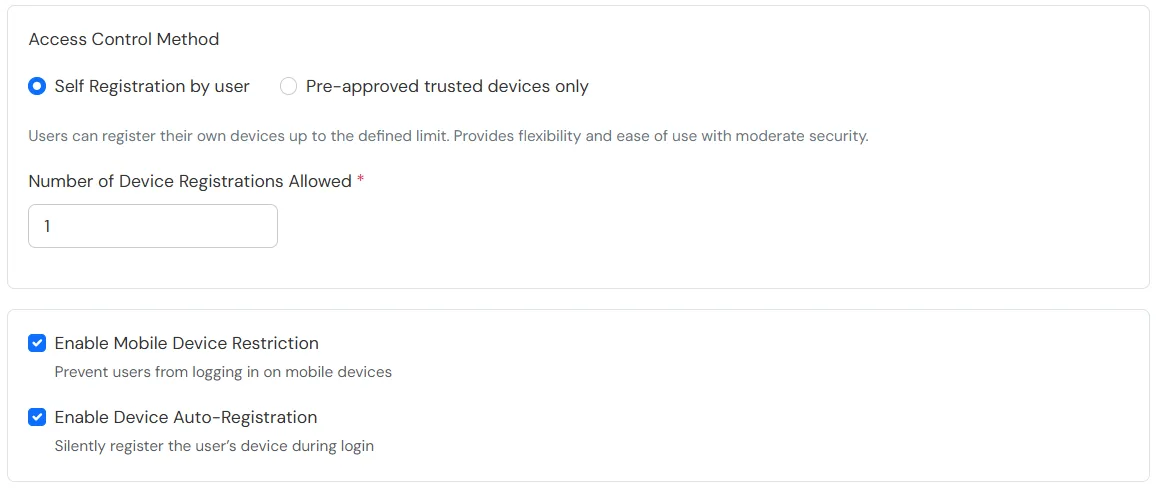
Applies when a user is registering a device for the first time.
https://<domain_name>.xecurify.com/moas/login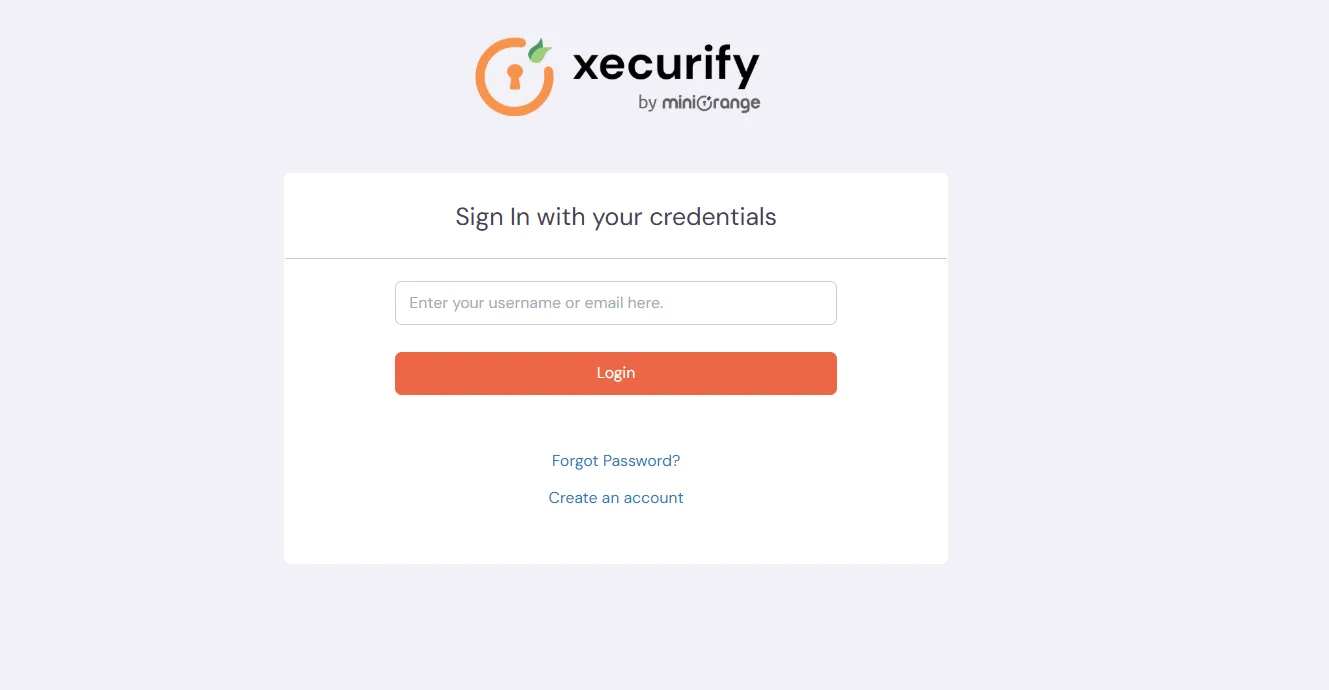
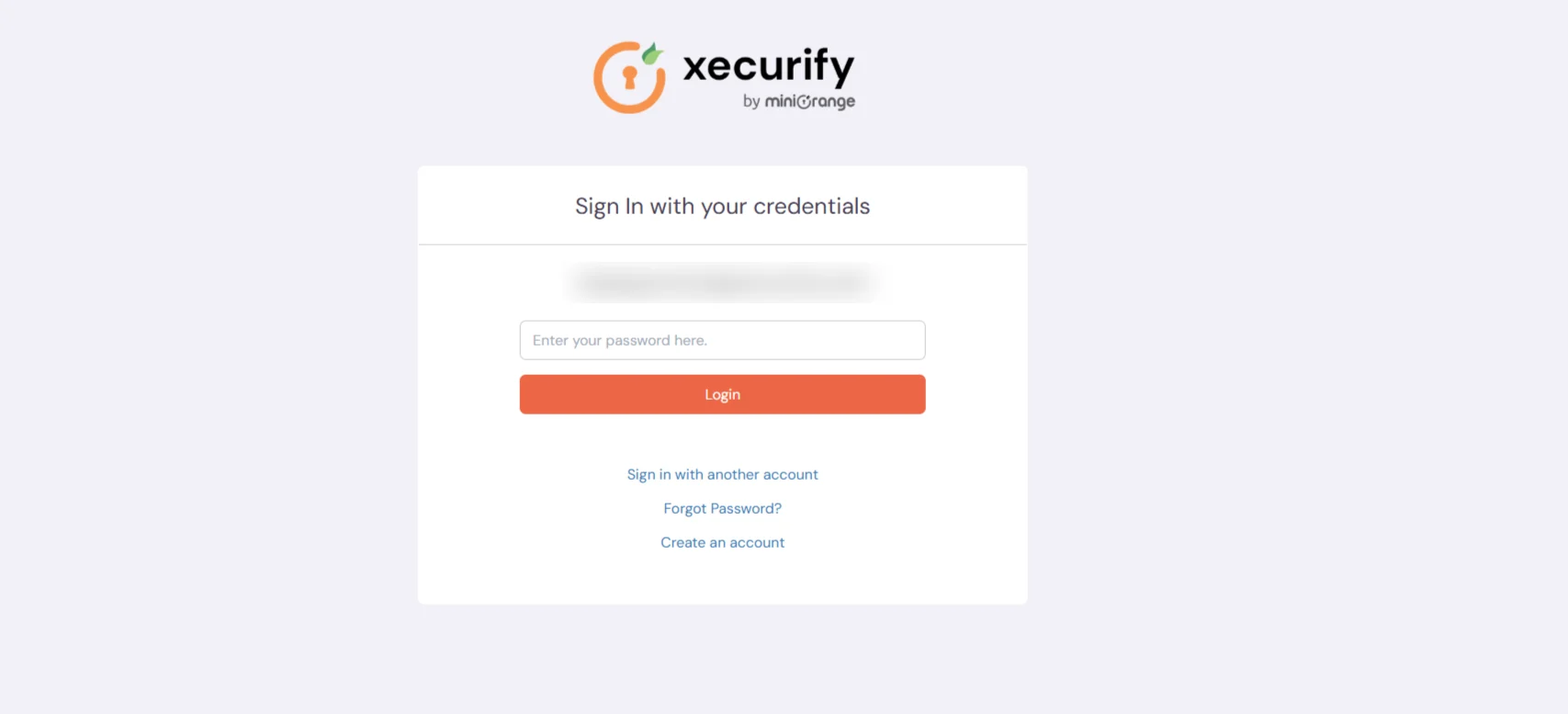
Note:
If Auto-Registration is enabled and Action for Behaviour Change is set to Deny or Challenge, the device is registered automatically after successful challenge.
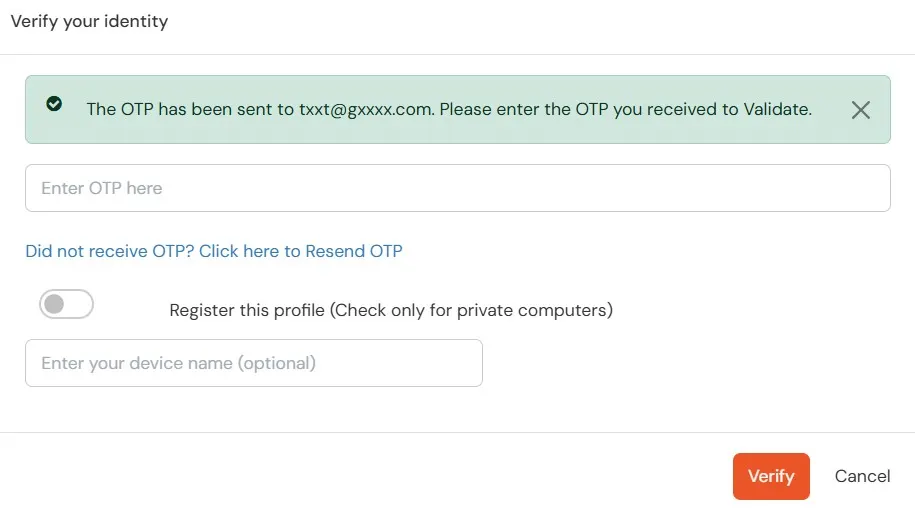
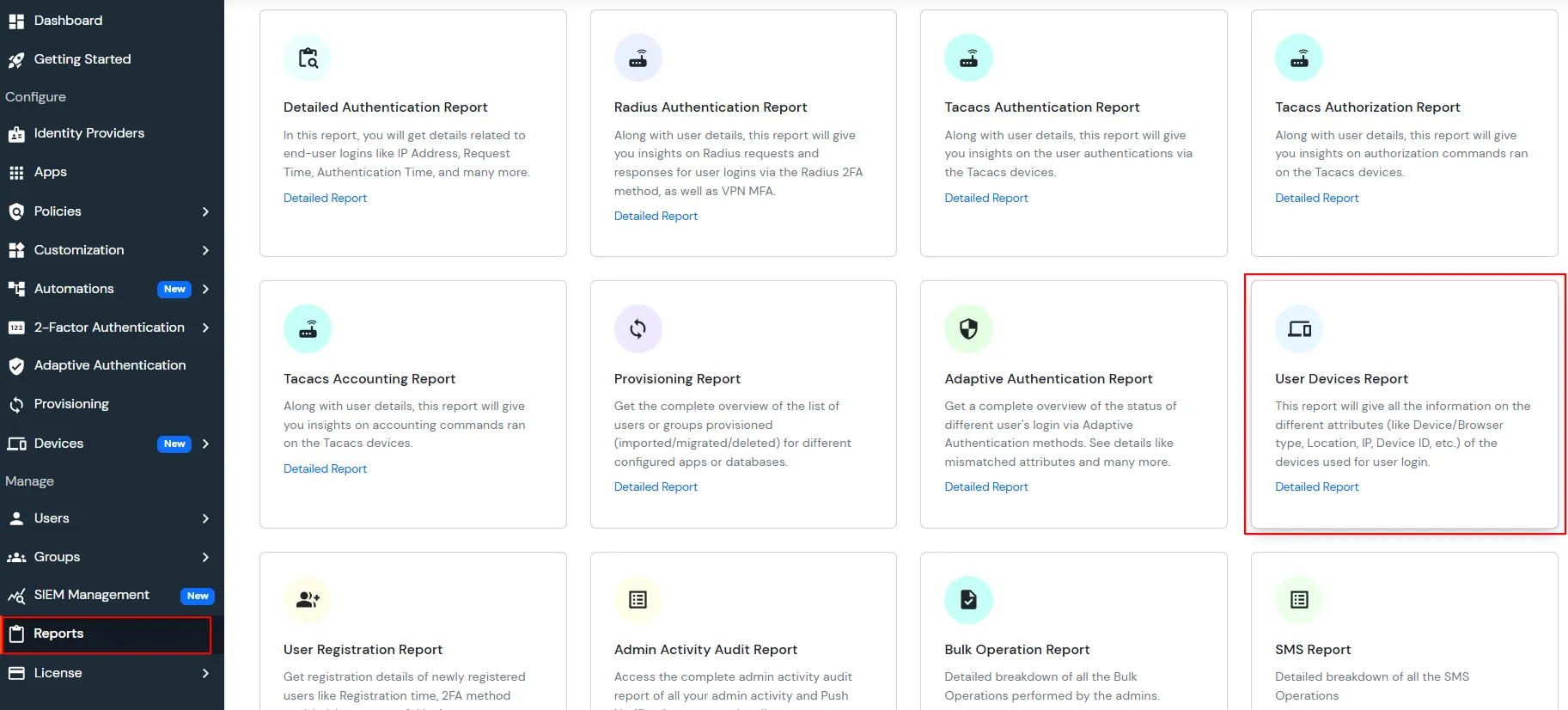
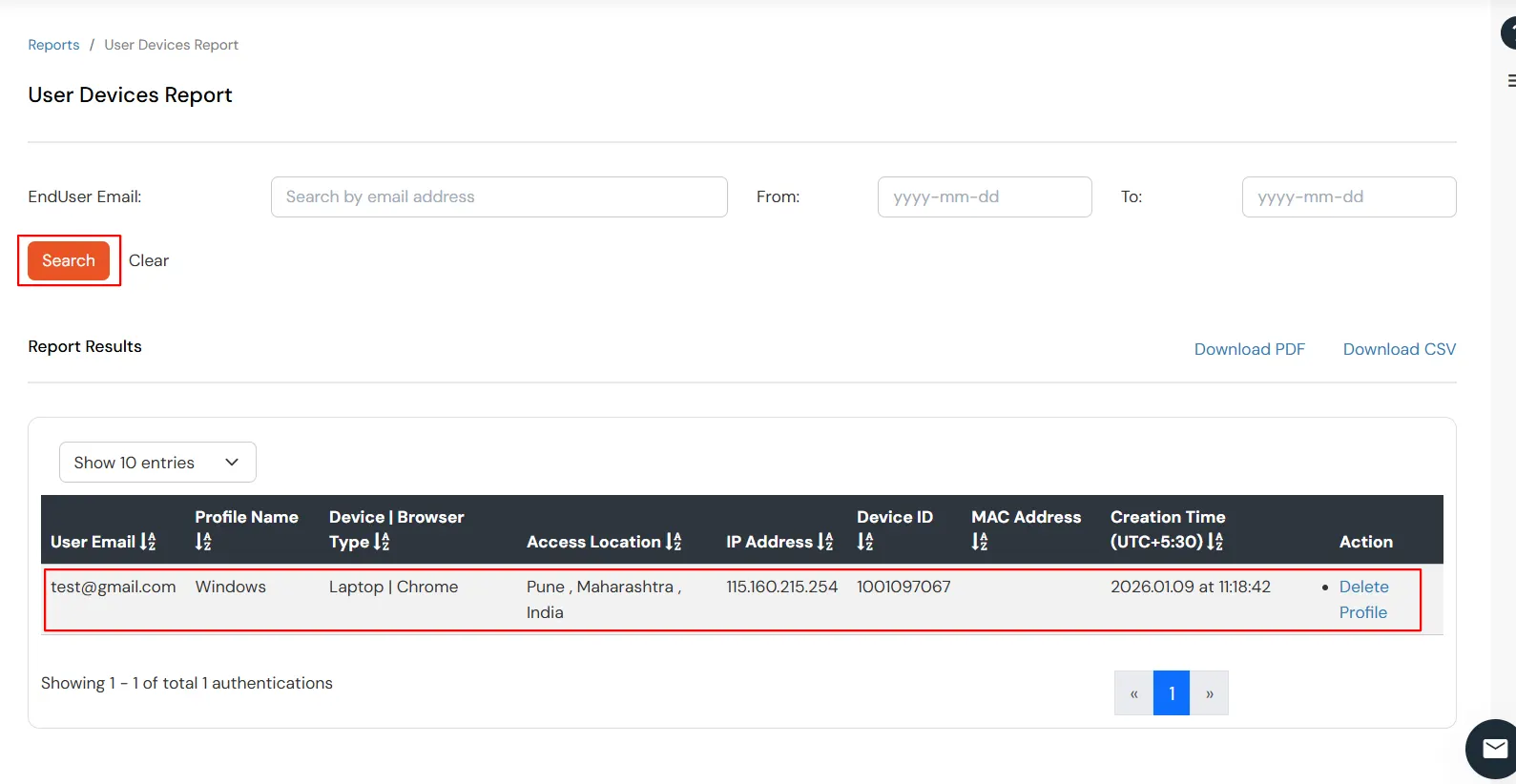
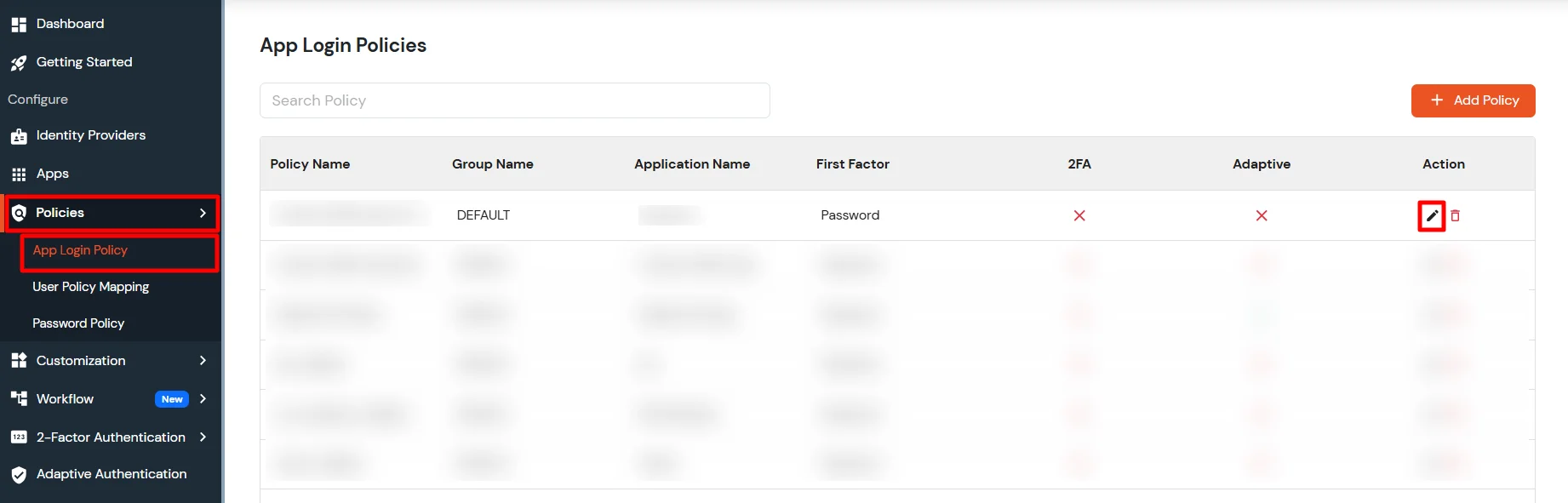
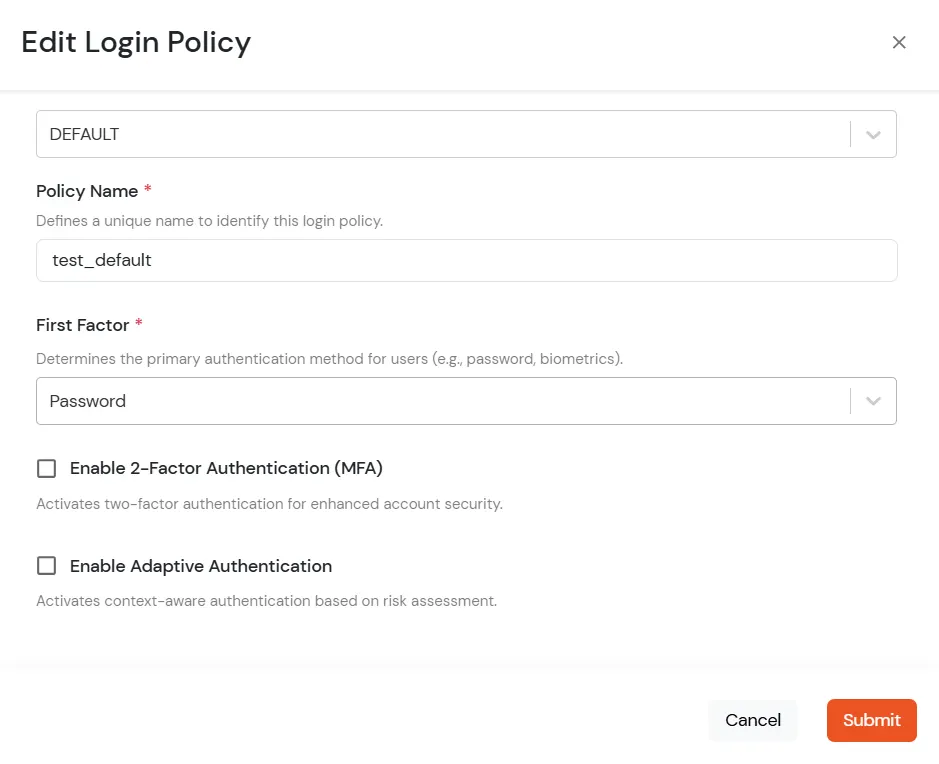
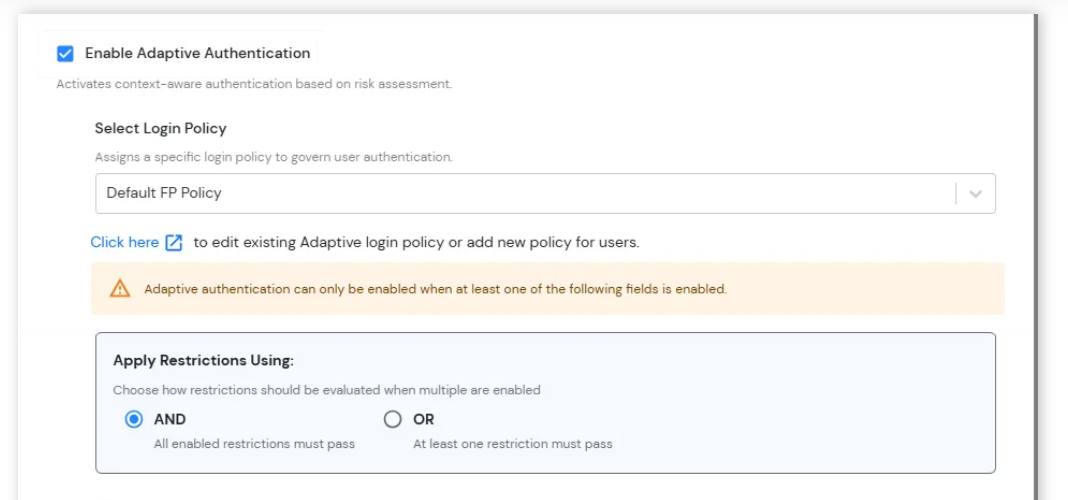
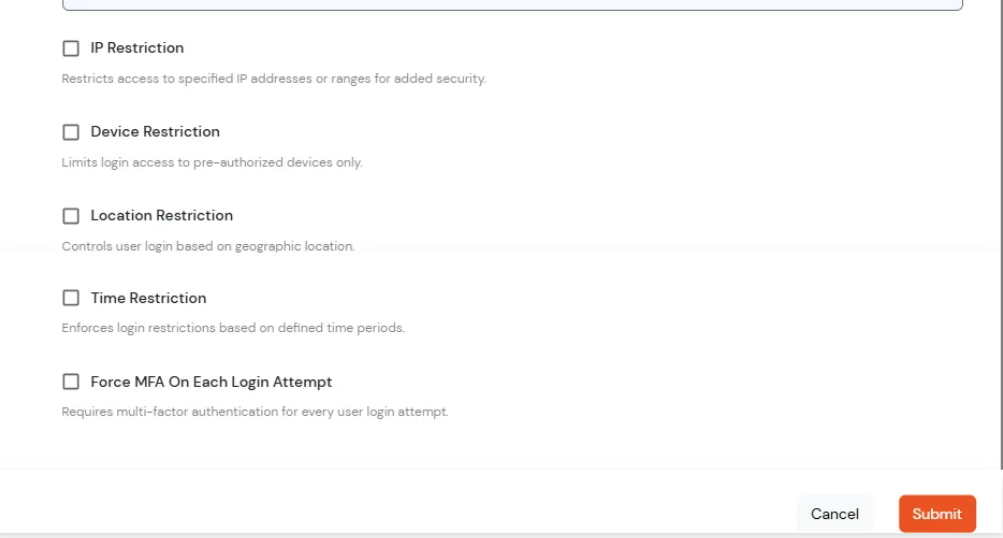
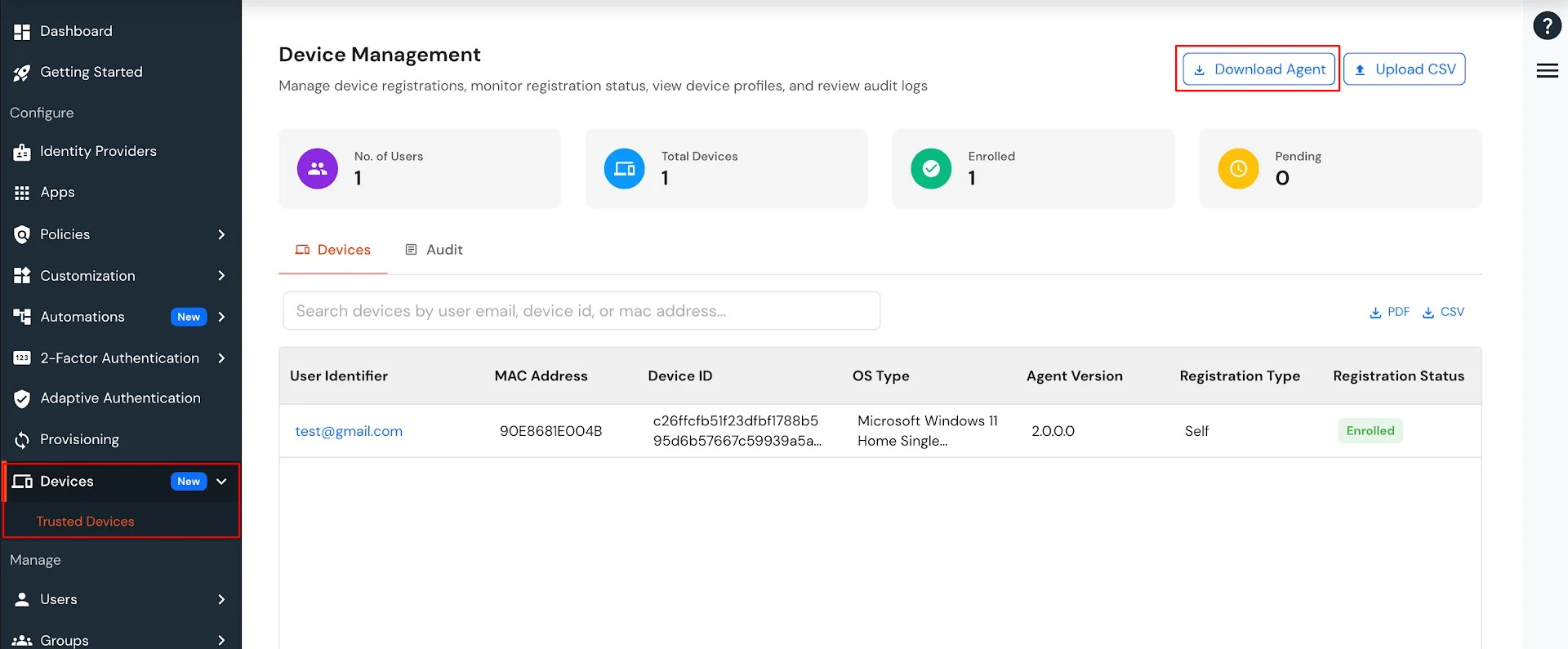
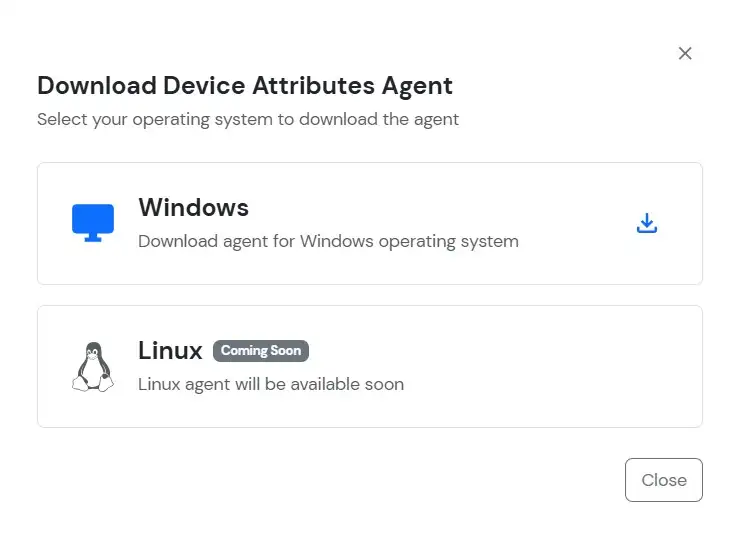
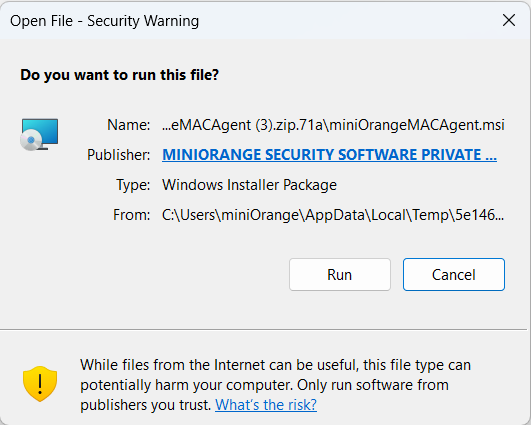
The miniOrange Device Agent must be installed on your device.
Steps to download the Miniorange Agent:
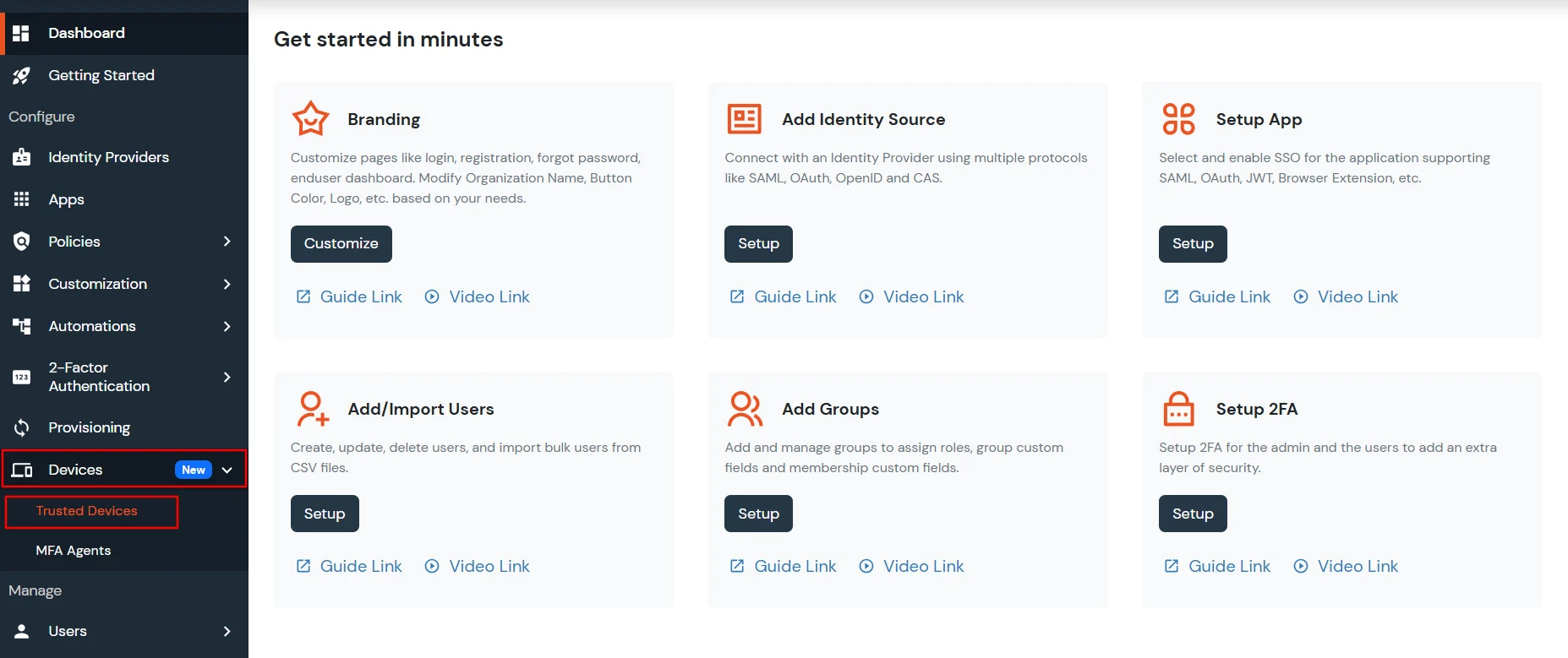

The Risk Engine allows you to evaluate device trustworthiness by analyzing multiple device attributes and calculating a risk score. Based on this score, user access is allowed, challenged or denied during login and device registration.

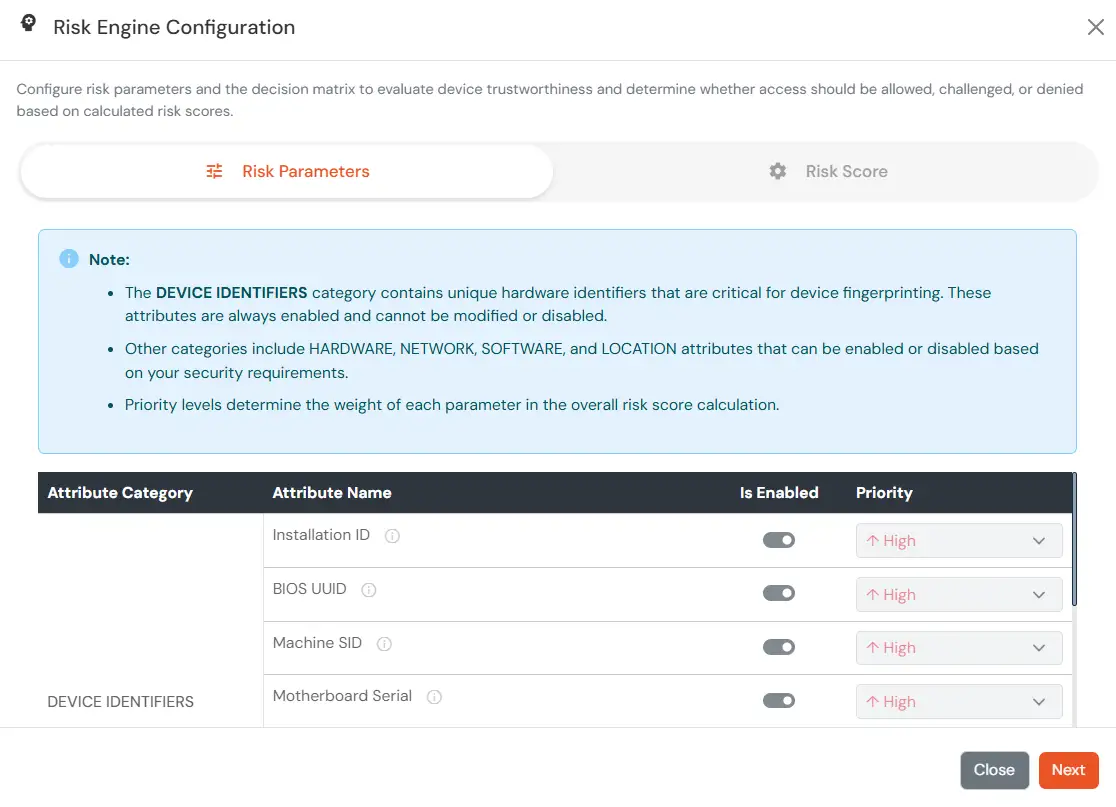
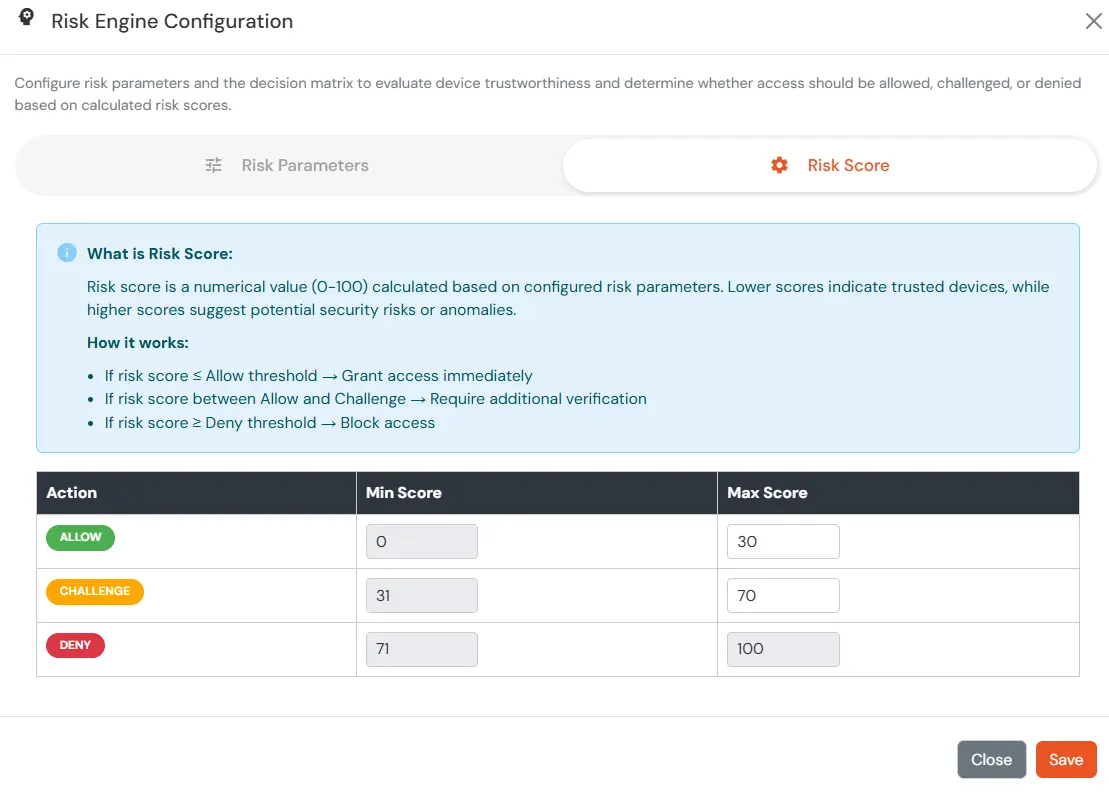
| Attribute | Description |
|---|---|
| Allow | Allow user to authenticate without challenge and registration. |
| Challenge | Allow user authentication with a challenge, e.g., when the device limit is exceeded. |
| Deny | Deny user authentication, e.g., when the device limit is exceeded. |
| Attribute | Description |
|---|---|
| User second Factor | The User needs to authenticate using the second factor he has opted or assigned for such as
|
| KBA (Knowledge-based authentication) | The System will ask user for 2 of 3 questions he has configured in his Self Service Console. Only after right answer to the questions user is allowed to proceed further. |
| OTP over Alternate Email | User will receive a OTP on the alternate email he has configured threw Self Service Console. Once user provides the correct OTP he is allowed to proceed further. |
The policy will take effect only after it is associated with a specific application login flow.
Applies when a user is registering a device for the first time.
https://<domain_name>.xecurify.com/moas/loginNote:
If Auto-Registration is enabled and Action for Behaviour Change is set to Deny or Challenge, the device is registered automatically after successful challenge.
After a user completes the registration flow, their registered devices appear in the Trusted Devices section of the customer admin account.
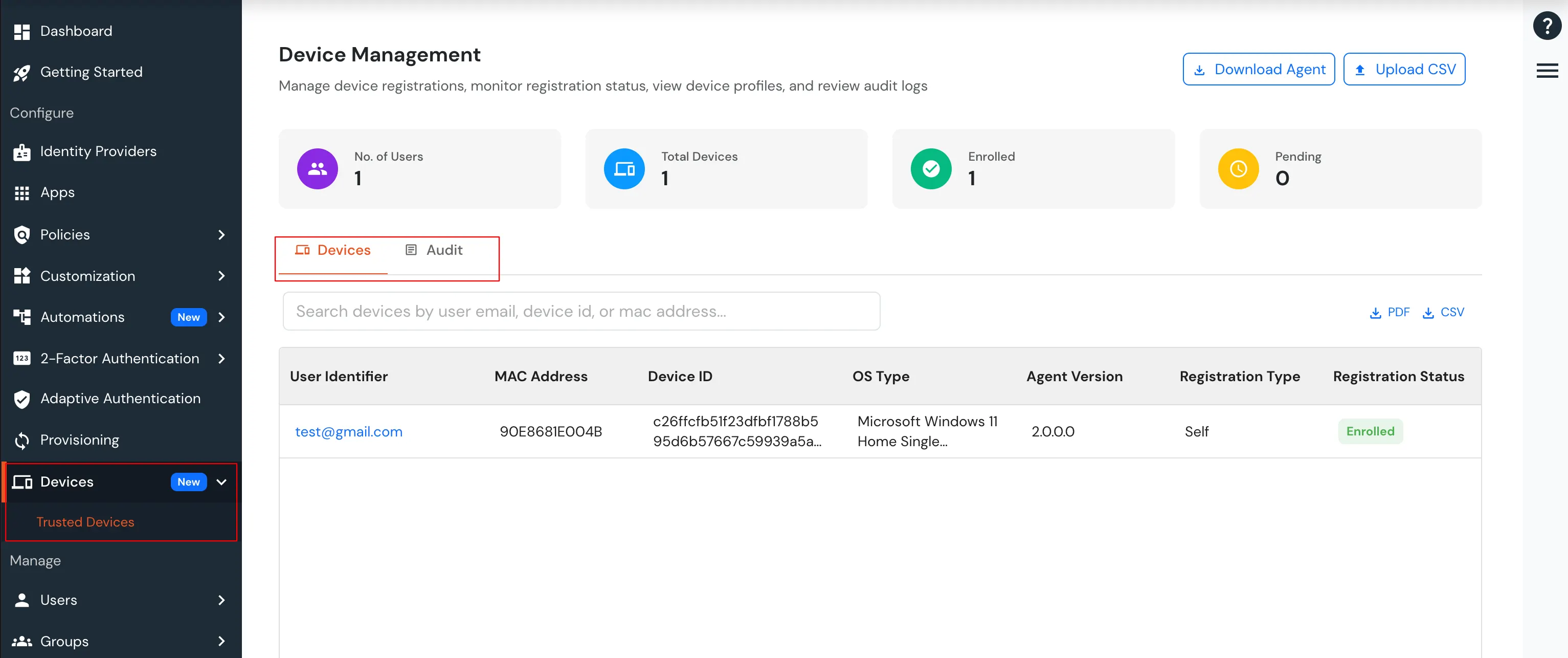
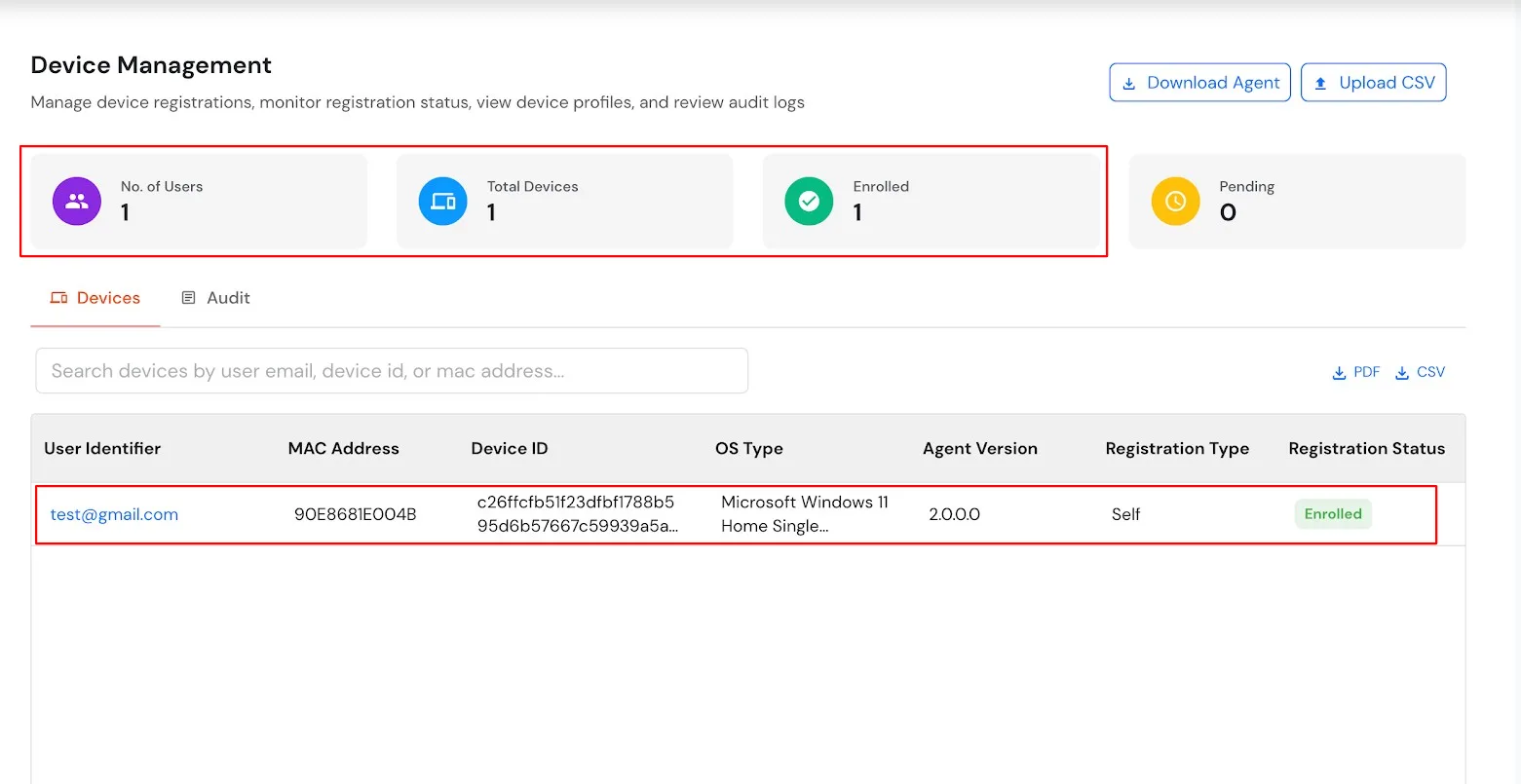
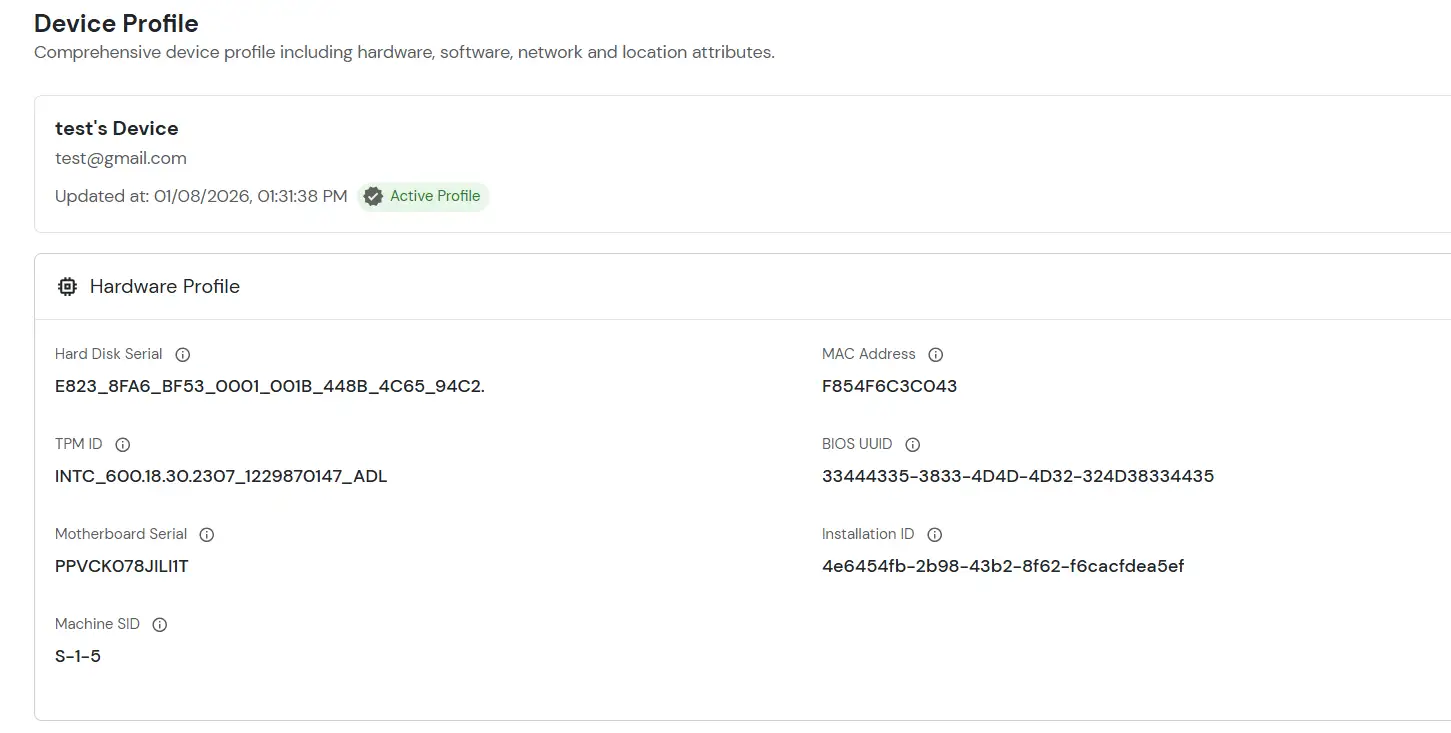
All configured device attributes associated with the selected user are displayed on this page.
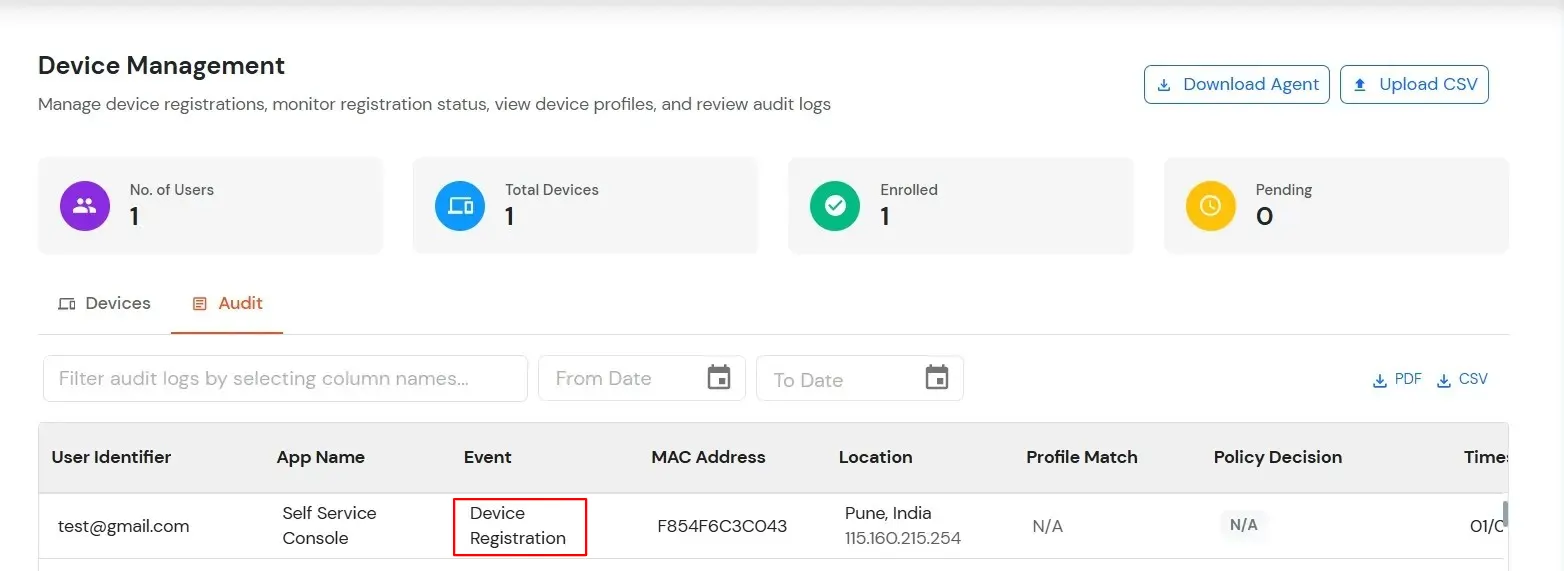
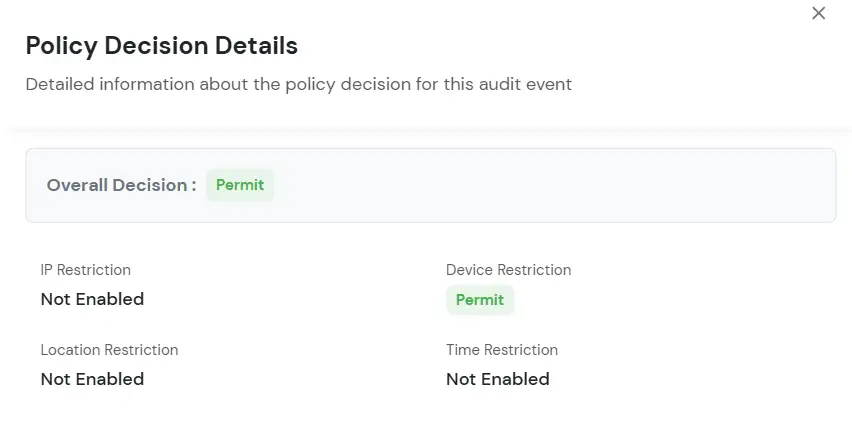
The User Audit tab is used to review audit activity associated with users. Use the audit filter/search controls to narrow the displayed records. The Created At control can be used to filter records by their creation date/time.
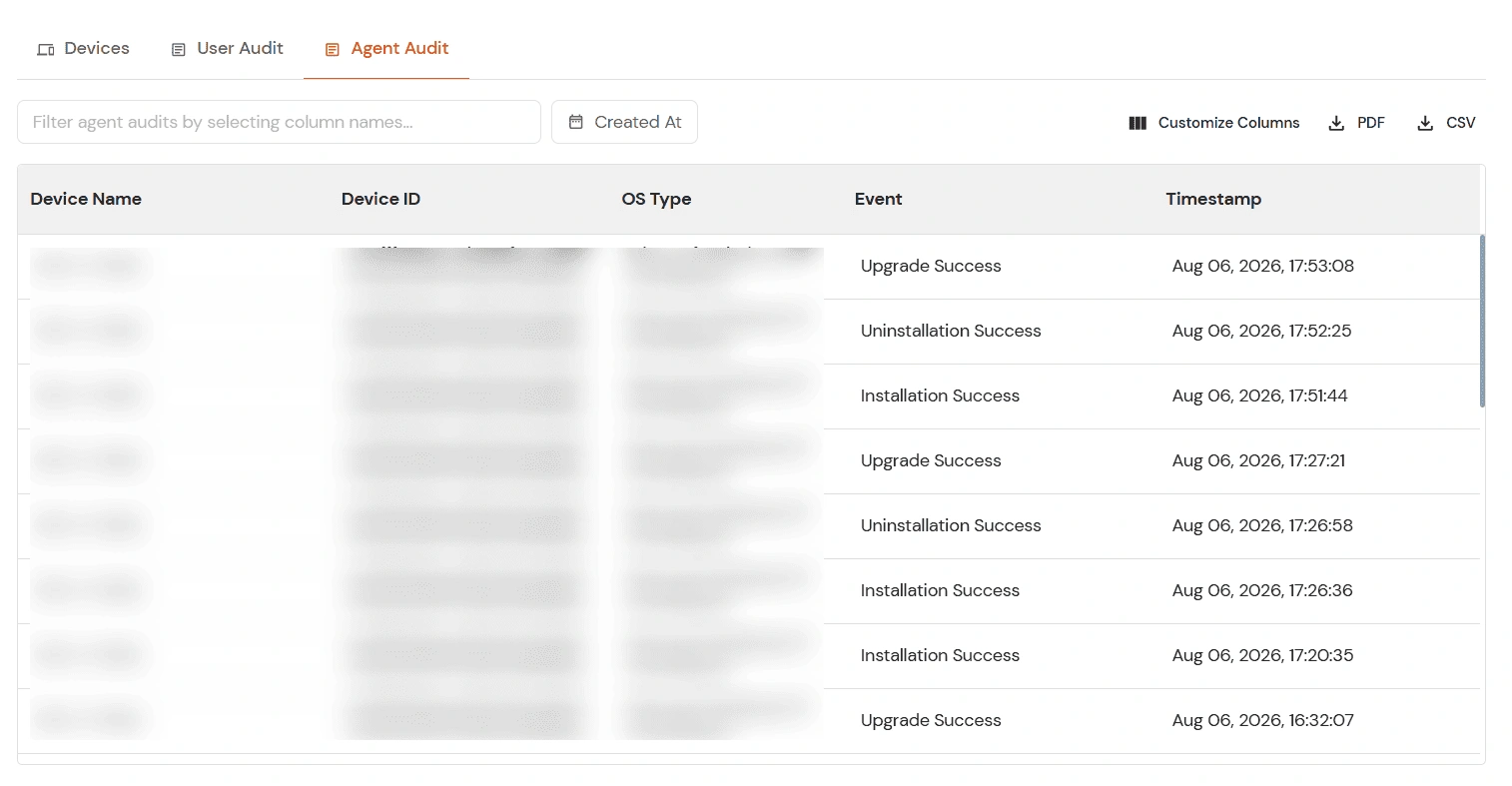
The Agent Audit tab displays audit events generated by the device agent. It can be used to review events such as agent installation, uninstallation, and upgrade activity, along with the associated device and timestamp. Use the audit filter/search controls to narrow the displayed records. The Created At control can be used to filter records by their creation date/time.
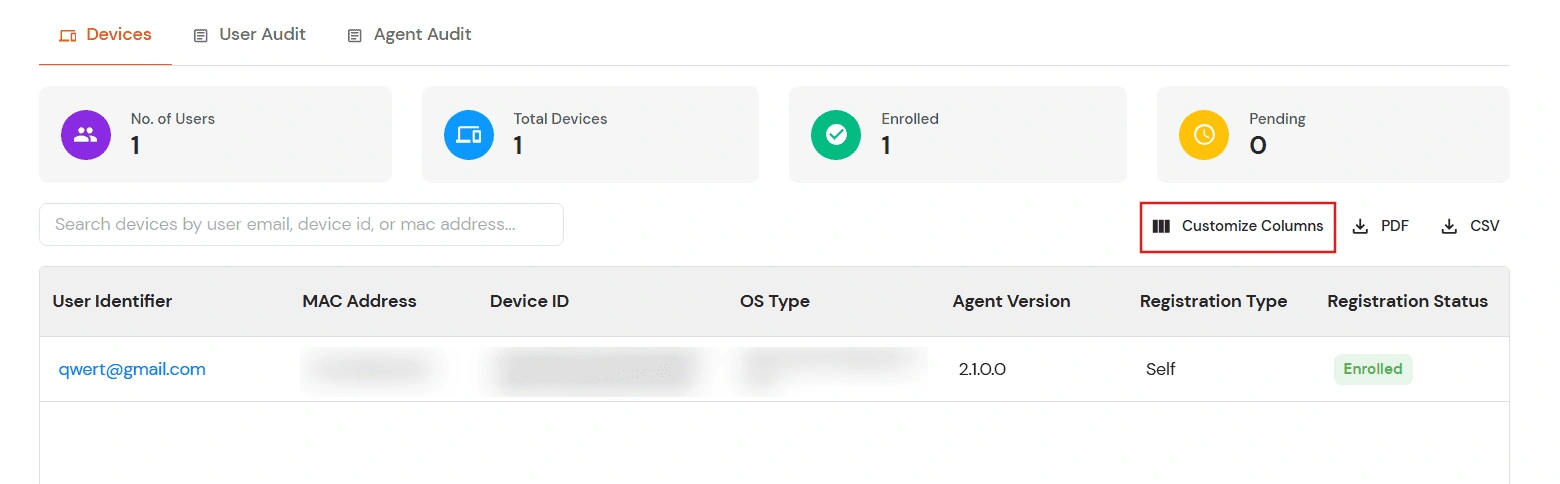
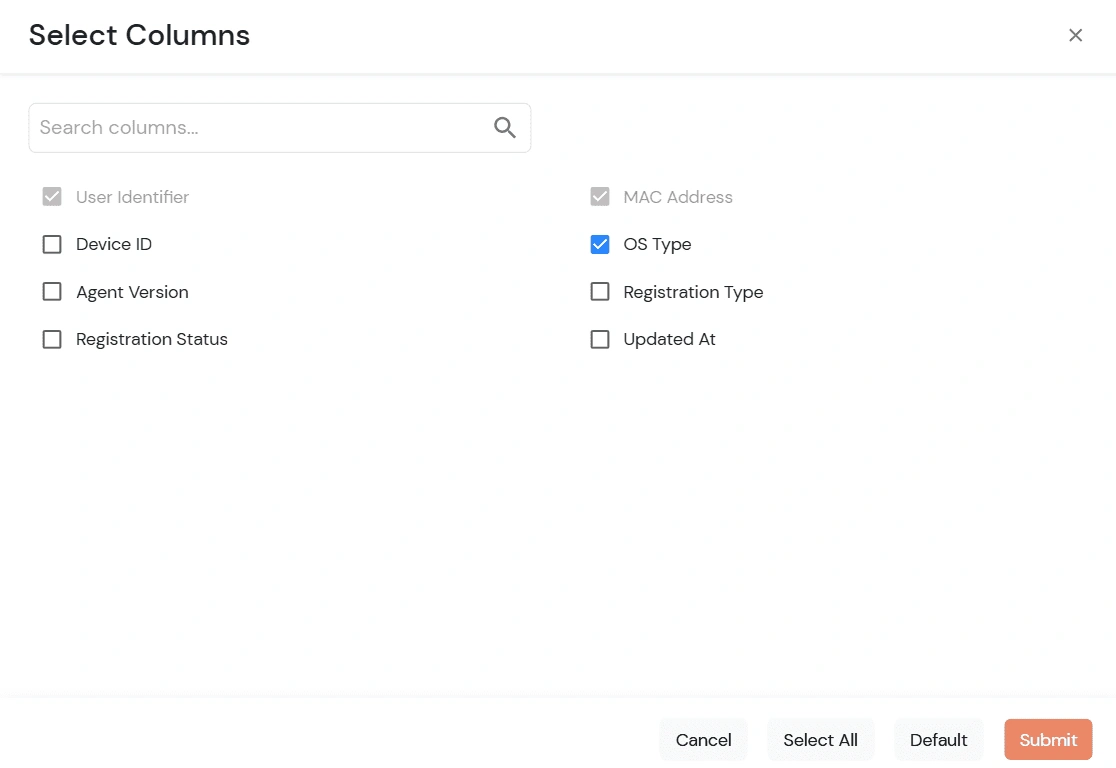
The Customize Columns feature is available across the Devices and audit views. It allows you to control which optional columns are displayed in the table, so you can focus the view on the information relevant to your task. Required columns remain selected and cannot be disabled.
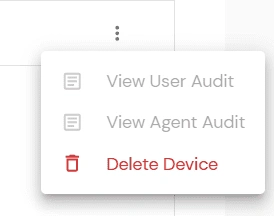
The Actions menu provides shortcuts for reviewing audit activity related to an individual device. These options are useful when you need to move directly from a device record to its corresponding audit information.
Defines how users are authenticated and what they experience during login.
https://<domain_name>.xecurify.com/moas/login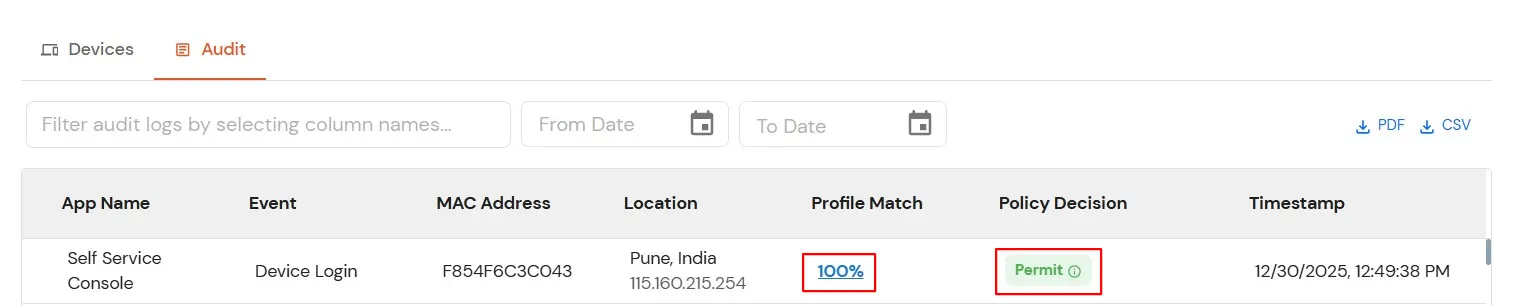
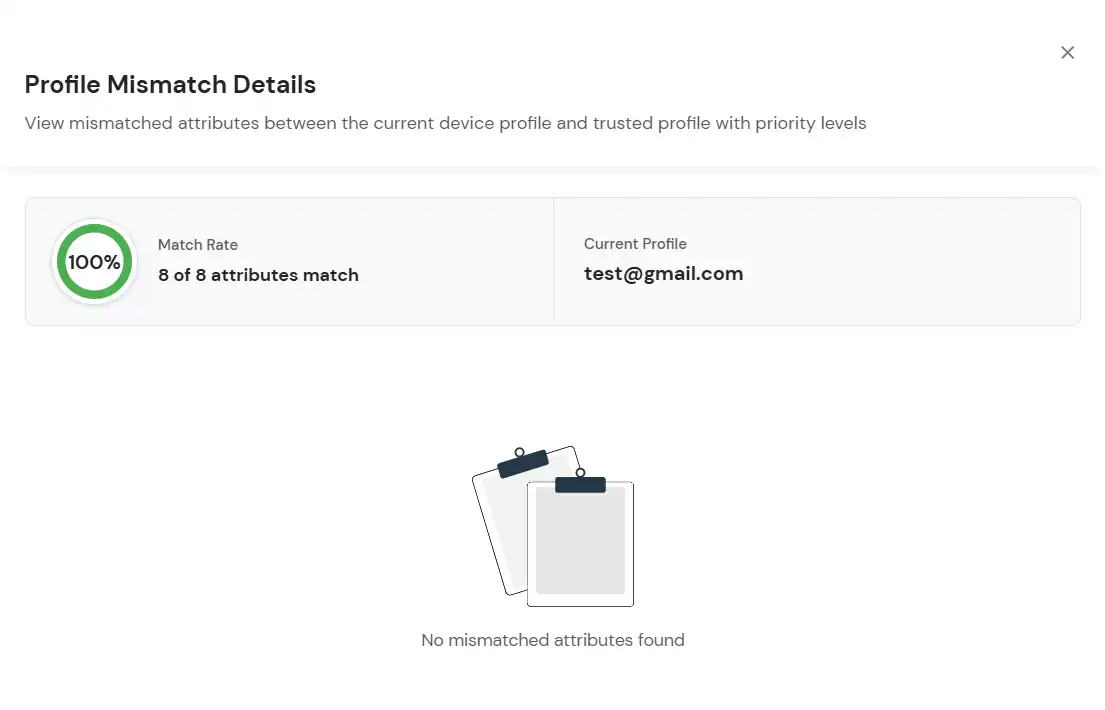
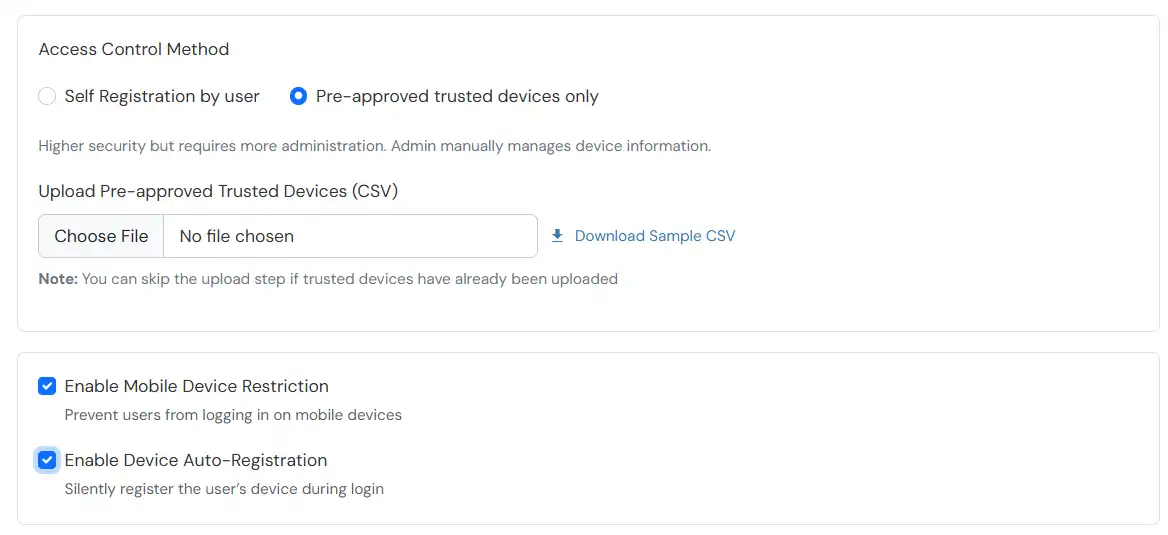
The Risk Engine allows you to evaluate device trustworthiness by analyzing multiple device attributes and calculating a risk score. Based on this score, user access is allowed, challenged or denied during login and device registration.
The policy will take effect only after it is associated with a specific application login flow.
Applies when a user is registering a device for the first time.
https://<domain_name>.xecurify.com/moas/loginNote:
If Auto-Registration is enabled and Action for Behaviour Change is set to Deny or Challenge, the device is registered automatically after successful challenge.
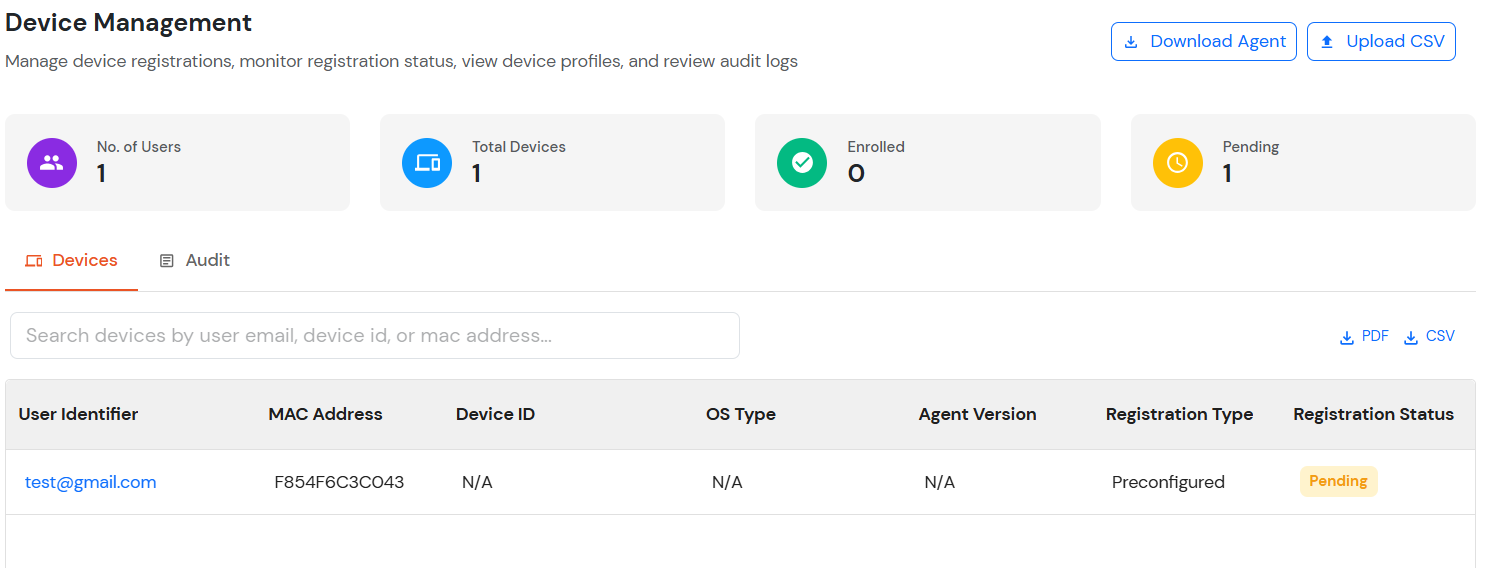
After a user completes the registration flow, their registered devices appear in the Trusted Devices section of the customer admin account.
The User Audit tab is used to review audit activity associated with users. Use the audit filter/search controls to narrow the displayed records. The Created At control can be used to filter records by their creation date/time.
The Agent Audit tab displays audit events generated by the device agent. It can be used to review events such as agent installation, uninstallation, and upgrade activity, along with the associated device and timestamp. Use the audit filter/search controls to narrow the displayed records. The Created At control can be used to filter records by their creation date/time.
The Customize Columns feature is available across the Devices and audit views. It allows you to control which optional columns are displayed in the table, so you can focus the view on the information relevant to your task. Required columns remain selected and cannot be disabled.
The Actions menu provides shortcuts for reviewing audit activity related to an individual device. These options are useful when you need to move directly from a device record to its corresponding audit information.
Defines how users are authenticated and what they experience during login.
https://<domain_name>.xecurify.com/moas/login