

Access sprawl is quiet.
For example, a contractor's admin rights outlive the project by eight months, or an account sits open for weeks after someone switches teams. And in most cases, nobody catches access sprawl until an audit or a breach forces the question.
User access management (UAM) is the discipline that catches this. It decides who gets access to what, why they get it, how that access is approved, how it changes over time, and when it gets pulled.
GDPR and HIPAA both require organizations to prove they control access to sensitive data, and getting UAM wrong tends to show up in an audit finding long before it shows up as a breach.
This guide covers what UAM actually is, how it works step by step, the components that make it up, and what to look for if you're evaluating software.
What is User Access Management?
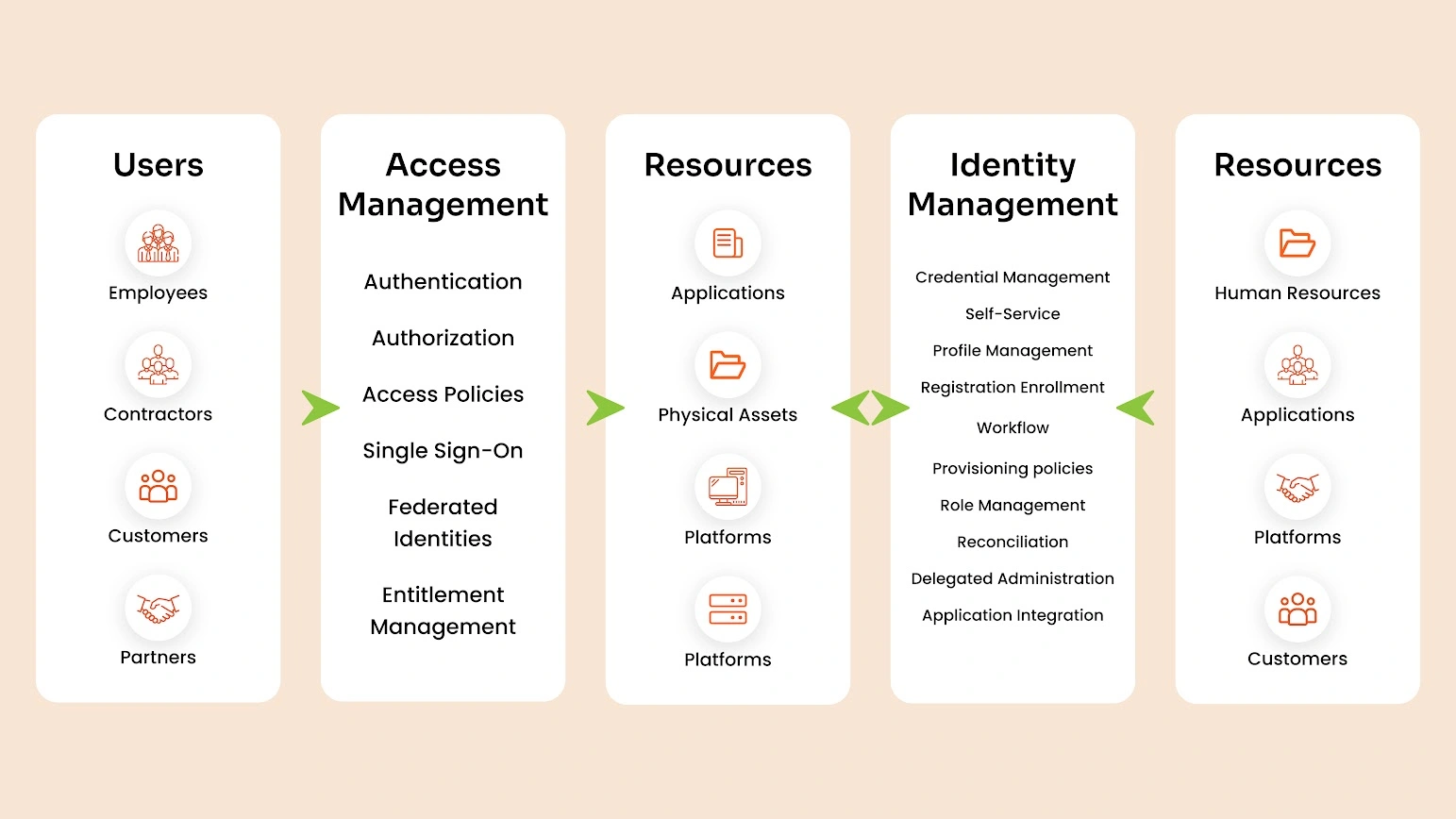
User access management is the process of controlling who can access an organization's systems, applications, and data, and what they're allowed to do once they're in.
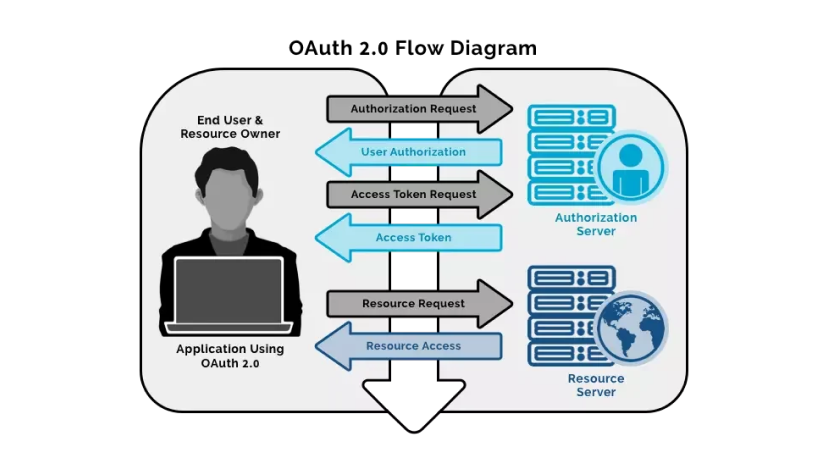
It's a core function within Identity and Access Management (IAM), but it's narrower than IAM as a whole. UAM isn't primarily about authentication (proving you are who you say you are) or authorization (what a system lets you do in that moment). Those are pieces of the picture. UAM is concerned with the full lifecycle around access: who requests it, who approves it, how it gets granted, how it's reviewed, and how it's removed.
Think of authentication and authorization as the lock and the room. UAM is the process that decides who gets a key, which rooms it opens, and when the key gets taken back.
The relationship between Identity Management (IdM) and Access Management (AM)
The relationship between identity management and access management is symbiotic and essential for identity security. Here’s how they interconnect:
- Foundation of Security: IdM provides the foundational identity data that AM relies on to make access decisions. Without accurate identity information, access control mechanisms cannot function effectively.
- Lifecycle Management: IdM manages the lifecycle of user identities, ensuring that access rights are updated as users join, move within, or leave an organization. AM uses this information to grant or revoke access in real-time.
- Policy Enforcement: IdM defines user roles and attributes, which AM uses to enforce access policies. For example, a user’s role in IdM might determine their access level in AM.
How Does User Access Management Work?
UAM follows a repeatable process, not a single check at login. Here's how it typically runs:
1. Identify the User
Every access decision starts with a verified identity, usually pulled from a directory like Active Directory, Azure AD, or an HR system.
2. Determine Access Requirements
Based on role, department, or project, the system (or an admin) works out what that user actually needs. A finance analyst needs the ERP system. A support agent doesn't.
3. Request and Approve Access
The user or their manager submits a request. It routes to whoever owns that resource for sign-off. This step is where most manual UAM processes break down. Emails get lost, approvals sit for weeks, and people end up over-provisioned just to keep work moving.
4. Provision Access
Once approved, the account gets created or updated with the right permissions across the relevant systems.
5. Review and Monitor Access
Access doesn't stay correct forever. Roles change, projects end, people move teams. Regular reviews catch permissions that no longer match what someone actually does.
6. Modify or revoke access
When a role changes or someone leaves, access gets adjusted or pulled immediately. Delayed offboarding is one of the most common audit findings companies run into.
What are the components of user access management?
UAM is built from a few interlocking pieces. Each one is a discipline on its own, but they only work as a system.
- Identity and user lifecycle management (ULM): Creating, updating, and retiring user accounts as people join, move, or leave an organization. This is the foundation everything else sits on. If the underlying identity data is wrong or stale, every access decision built on top of it is wrong too.
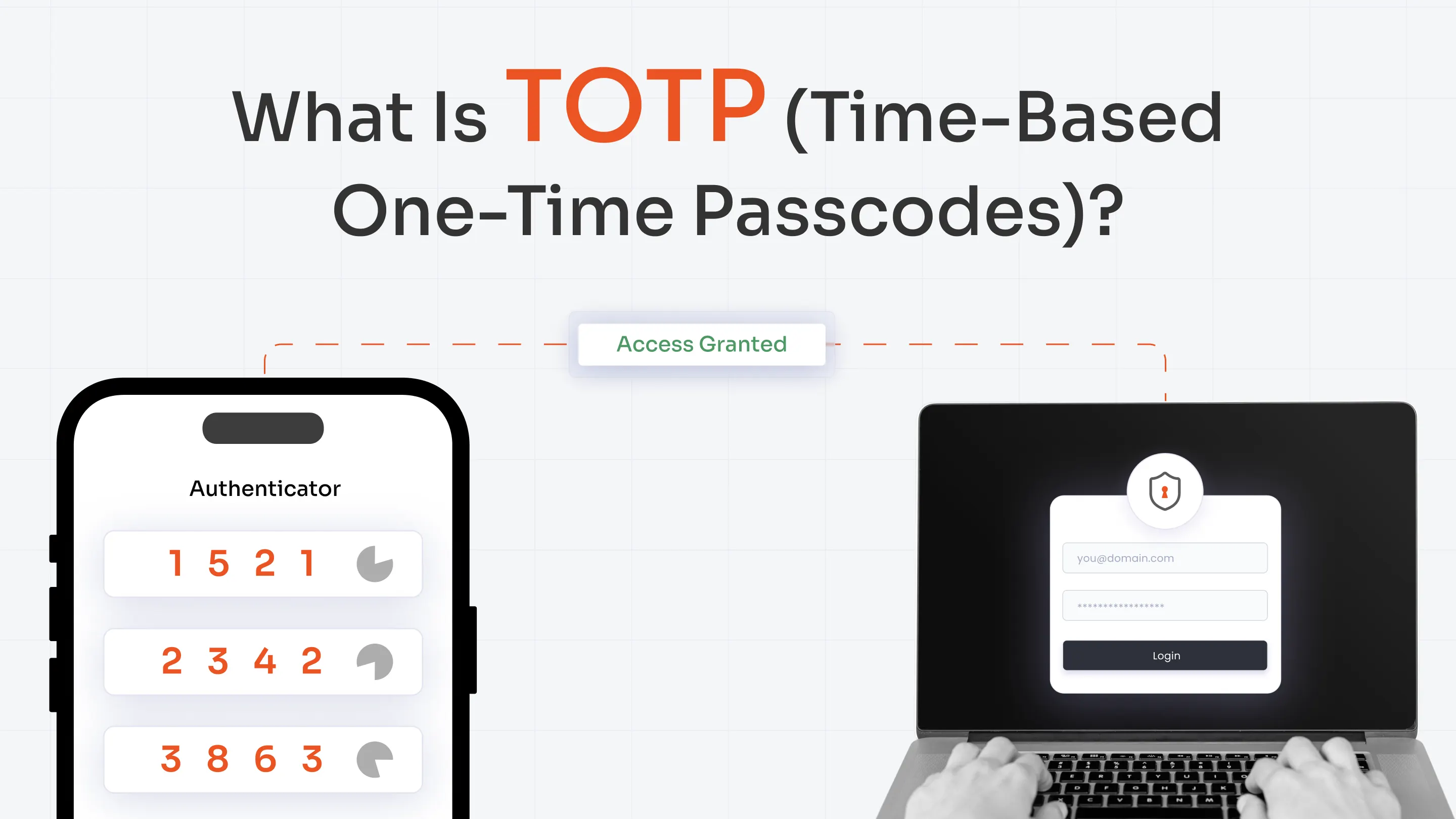
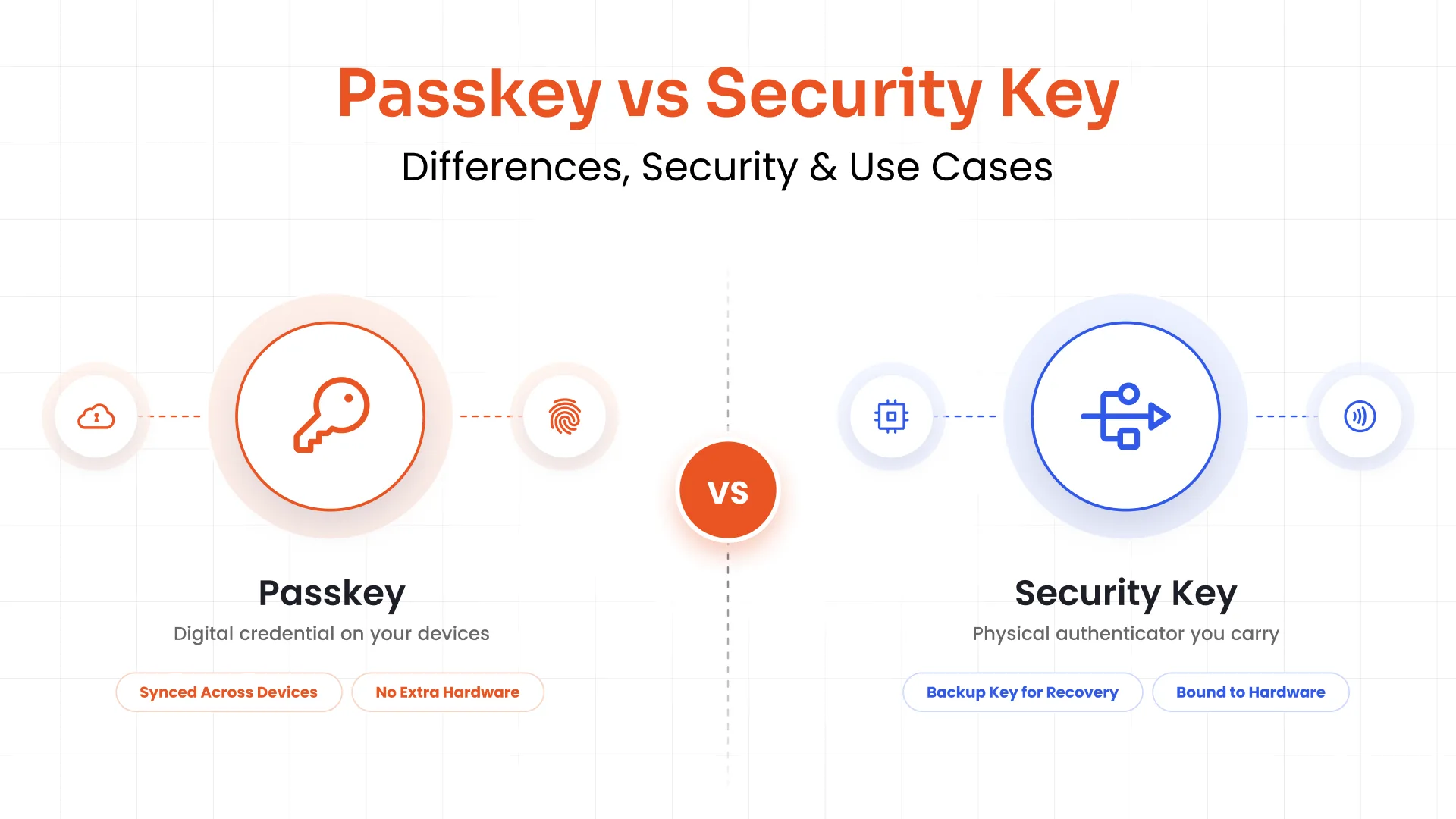
- Authentication: Verifying identity through passwords, MFA, biometrics, or similar. It confirms who's logging in.
- Authorization and access control: Determining what an authenticated user can actually do or see, mapped against policies rather than decided case by case.
- Roles and permissions: Defining access by job function, usually owned jointly: IT sets up the roles, resource owners define what each role should include, and managers approve requests against it. This keeps permissions predictable instead of one-off.
- Provisioning and deprovisioning: The mechanics of granting and removing access across every connected system, ideally in sync so a single HR event (a hire, a role change, an exit) triggers the same change everywhere at once.
- Access review and auditing: Periodic checks that confirm existing access still matches business needs, with a record to show auditors. This is also where most orgs catch access that got approved once and never revisited.
Why does user access management matter?
Getting the process and components right changes real outcomes, on the security side and the operations side.
Improved Security
Credential abuse is still one of the most common ways attackers get in. Verizon’s 2026 DBIR shows credential abuse as the initial access vector in 13% of breaches, and present at some point in 39% of breaches. Controlling who has valid access, and how much, cuts directly into that number by controlling access levels, encrypting and monitoring sensitive data.
It enforces least privilege
Users get exactly what their role requires and nothing more. Extra permissions sitting unused are pure risk. They don't help anyone do their job, but they're exactly what an attacker looks for once they've gotten a foothold inside your systems.
It cuts IT workload
Automated provisioning and deprovisioning remove a huge chunk of manual ticket handling, especially during onboarding and offboarding spikes when dozens of accounts need setting up or shutting down at once. That's time IT gets back for work that actually needs a human.
It supports compliance
GDPR, HIPAA, PCI-DSS, and most other frameworks require organizations to prove, with evidence, that they control access to sensitive data. UAM produces exactly that: an audit trail showing who has access, who approved it, and when it changed.
But none of this happens by accident. It takes a specific set of practices to get there.
User access management best practices
A few ground rules, drawn from what actually works:
Establish and enforce an access management policy
Before any tooling enters the picture, write down who can request access, who signs off on it, and how often it gets reviewed. A policy gives every later decision, manual or automated, a rulebook to follow instead of habit or memory.
Enforce least privilege through roles
Group users by function and assign permissions to the role itself, not the individual sitting in the seat. When someone changes jobs, their access changes with the role automatically, instead of carrying over old permissions that quietly pile up over the years.
Automate the user lifecycle
Automate provisioning so access changes the moment someone's role changes, instead of during a monthly cleanup or an annual audit. JML automation ties directly to your HR system, so a single event, a hire, a transfer, an exit, updates access everywhere at once.
Strengthen authentication as one layer, not the whole strategy
MFA cuts down credential-based attacks significantly, but it covers only one control inside UAM, not the entire process. An organization can require MFA everywhere and still be sitting on years of stale, over-provisioned accounts nobody's reviewed since the day they were created.
Keep reviewing
Schedule access audits on a set calendar instead of waiting for a compliance deadline to force one. Run quarterly reviews for standard access, and go monthly, or even more often, for privileged accounts where a single stale permission carries outsized risk.
Log and monitor activity
Having access is one data point on its own. Track how people actually use that access day to day, and flag logins, file access, or permission use that looks off compared to their normal pattern. Access without activity monitoring is a blind spot.
Train people
Most access sprawl traces back to a manager approving a request without checking if it's actually needed, not a deliberate attempt to bypass security. A short policy refresher for managers and requesters, run once or twice a year, goes further than people expect.
Every one of these practices is easier to say than to run consistently, especially the automation and monitoring ones. That's largely a function of whether the process behind them is manual or automated.
Manual vs automated user access management
| Factor | Manual UAM | Automated UAM |
|---|---|---|
| Provisioning time | Days, sometimes weeks | Minutes |
| Deprovisioning | Depends on someone remembering | Immediate, tied to HR or directory events |
| Error rate | High, spreadsheets and email threads | Low, rules-based |
| Audit trail | Scattered across tickets and inboxes | Centralized and exportable |
| Scalability | Breaks down past a few hundred users | Handles growth without added headcount |
| IT workload | Constant manual tickets | Mostly exception handling |
Manual UAM can work for a 20-person company. Past that, the gaps (a missed offboarding, an approval nobody tracked) turn into real risk. That's where UAM software comes in.
What to look for in UAM software
Not all UAM software solves the same problem. Some tools handle provisioning well but skip governance. Others cover access reviews but need a separate tool for SSO. Before comparing vendors, it helps to know which of these actually matter for your environment:
- Centralized access control: One place to see and manage access across every connected app, not a different admin panel for each one.
- Policy-based access (RBAC or ABAC): The ability to define access rules by role or attribute instead of configuring every user by hand.
- Automated JML: Joiner-mover-leaver workflows that trigger provisioning and deprovisioning automatically from HR or directory events.
- Access reviews and audit trails: Built-in reporting that shows who has access to what, and when it last got checked.
- Directory and app integration: Native sync with your existing identity store and a wide library of pre-built app connectors.
- Compliance reporting: Reports mapped to the frameworks you actually get audited against.
- Scalability: A platform that holds up as user count, app count, and complexity grow.
*RBAC → Role-based access control | ABAC → Attribute-based access control
How miniOrange maps to UAM requirements
Match that checklist against your current setup, and the gaps usually show up fast, a tool that handles provisioning but not reviews, or SSO with no policy engine behind it. Here's how each requirement lines up against a specific miniOrange capability:
| What you need | miniOrange Capability |
|---|---|
| Centralized access control across apps | Single dashboard covering SSO, MFA, and provisioning. |
| Role-based, policy-driven access | Role-Based Access Control |
| Automated JML | User Lifecycle Management with SCIM-based provisioning |
| Strong identity verification | Phishing-resistant MFA and adaptive authentication |
| Access reviews and audit trails | Access Governance and Administration |
| Directory and app integration at scale | 7,000+ pre-built integrations with AD, Azure AD, Google Workspace, and more. |
*SCIM → System for Cross-domain Identity Management
Final thoughts
UAM works when the pieces above stop being separate tools and start acting as one process. Identity feeds authentication, authentication feeds authorization, roles keep permissions
consistent, and reviews catch what drifts. Miss one piece and the rest can't fully hold.
That's the gap most manual setups run into eventually. Spreadsheets and email approvals can't keep pace once an org passes a certain size, no matter how careful the team running them is.
Whether you handle it manually or bring in user management solutions like miniOrange to automate the joiner-mover-leaver process and centralize access control, the goal stays the same: the right people, the right access, and a clear record of both.
FAQs
What's the difference between user access management and identity management?
Identity management handles who a user is: their profile, attributes, and lifecycle status. UAM handles what that identity is allowed to access. Identity management feeds the data; UAM acts on it.
What's the difference between authentication and authorization in user access?
Authentication confirms identity, proving you're actually the person logging in. Authorization determines what that authenticated person can do or see once they're in. UAM governs both, but they answer different questions.
What features should you look for in user access management software?
Centralized access control, role-based policies, automated provisioning and deprovisioning, built-in audit trails, and integration with your existing directory. Compliance reporting matters too if you're in a regulated industry.
How does user access management improve security?
It limits who can reach sensitive systems and data to only the people who need it, cuts the number of unused or excessive permissions sitting around, and gives you a record of who accessed what and when.
How can user access management be automated?
Through JML automation tied to your HR system or directory. When someone joins, changes roles, or leaves, access updates automatically instead of waiting on a manual ticket.
Leave a Comment