Hello there!
Need Help? We are right here!

Need Help? We are right here!
Search Results:
×
Every leak starts with one unchecked message. The Email DLP software inspects content, attachments, and context
before
an email ever reaches its recipient.
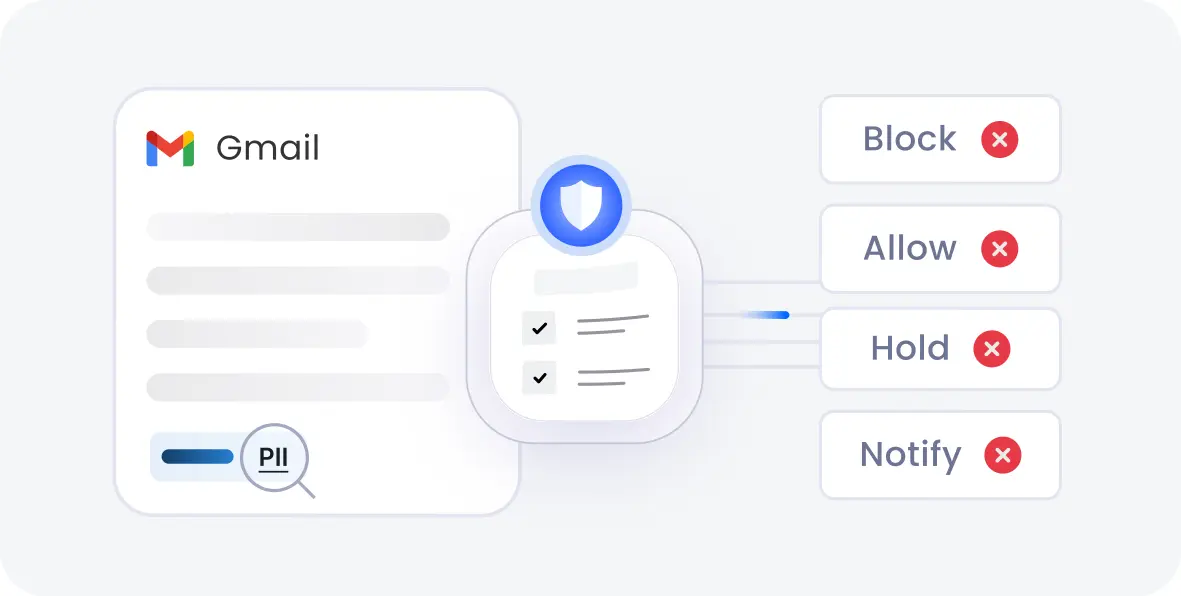
Every outgoing message is scanned before it leaves the network. Suspicious or policy-violating emails are stopped in transit, not after the damage is done.
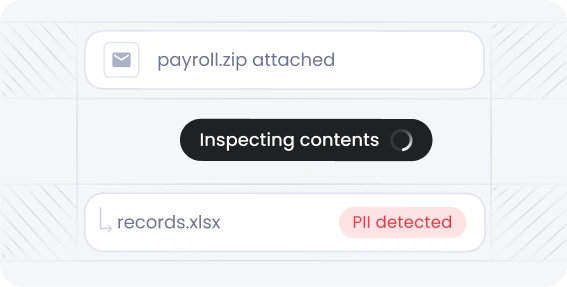
Files, spreadsheets, or PDFs are inspected for sensitive content before the email is delivered. Hidden data in compressed or embedded files doesn’t slip unnoticed.
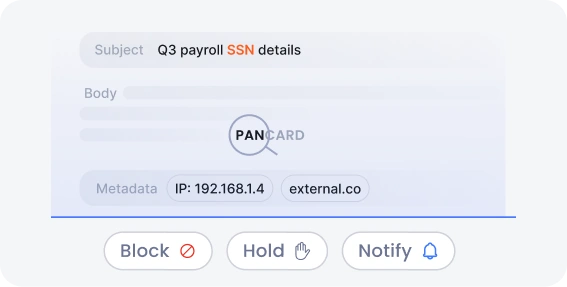
Subject lines, body text, and metadata are checked against your data policies using pattern matching and keyword detection. Sensitive terms and formats are flagged instantly.
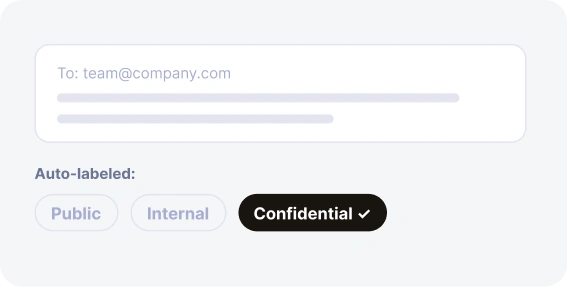
Messages are automatically tagged by sensitivity level as they’re composed. Employees see clear labels that indicate safe handling before they hit send.
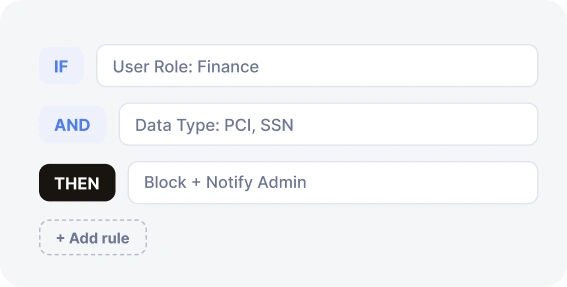
Build custom rules based on user roles, departments, or data types in a few clicks. Update policies centrally without touching individual mailboxes.
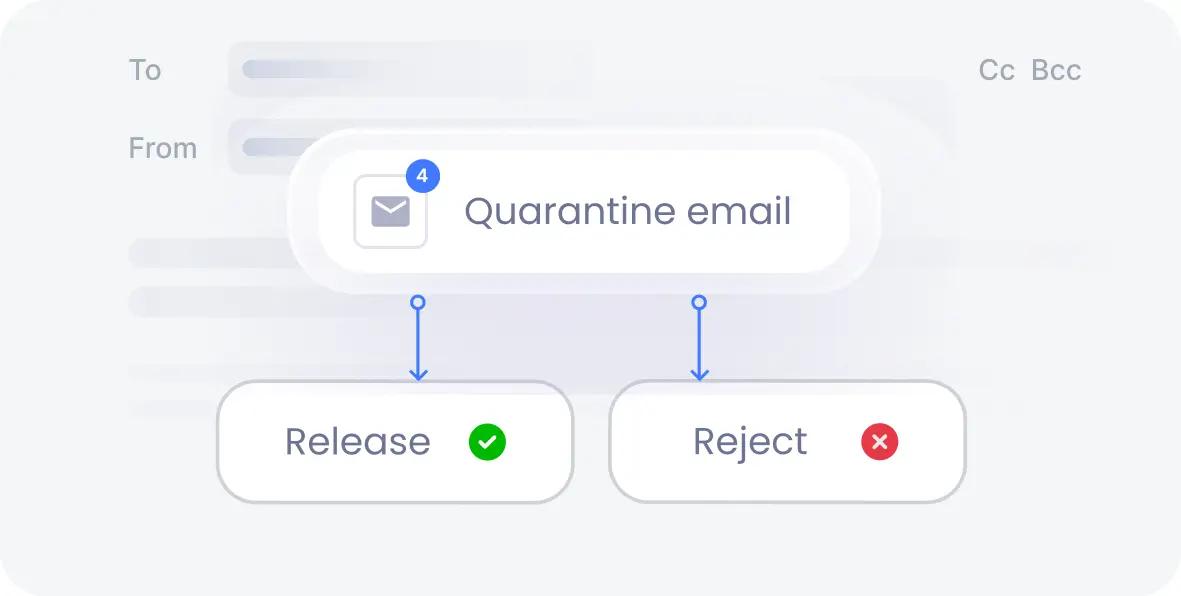
Flagged emails are held for admin review instead of being sent or deleted outright. Reviewers can approve or reject messages from one dashboard.
Advanced capabilities to elevate your email security.

Sensitive fields within a message can be automatically redacted before sending it. Recipients still get the context they need.

Manage email recipients by defining allow lists and block lists for specific domain names. This restricts users from emailing sensitive data to unauthorized parties.

Every policy match, block, and override is logged automatically for compliance and forensic review. Audit-ready reports are generated on demand, not built from scratch.
Understanding how DLP for email operates helps you see exactly where it stops a breach before it starts.
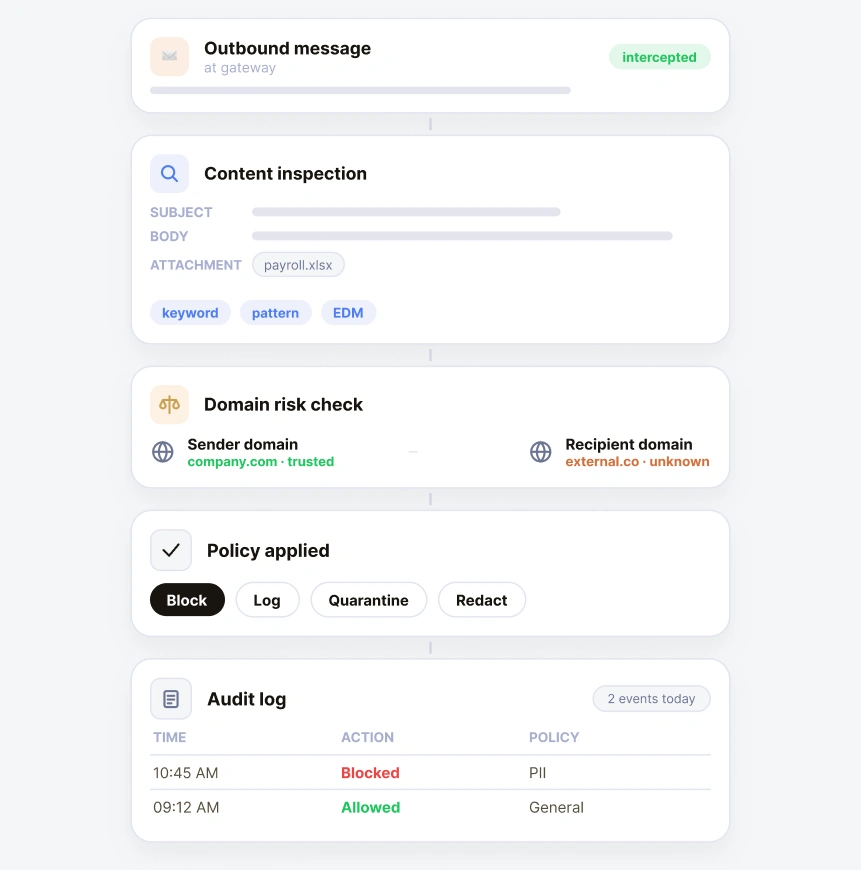
The system captures outbound email traffic before it reaches its destination.
Subject lines, body text, attachments, and metadata are scanned against your policies using keyword matching, pattern recognition, fingerprinting, and EDM.
The solution checks domains only.
Based on what’s detected, the email is blocked, logged, quarantined, and redacted for manager approval.
Every match and action is recorded for audit trails, compliance reporting, and future policy tuning.
miniOrange’s Email DLP solution plugs directly into the platforms your teams already use, so protection starts on day one, with no migration and no workflow disruption.
Every message sent through Google Workspace is scanned and checked. Policies apply automatically, regardless of the device employees use.
Enforcement applies uniformly across all users, regardless of which device, browser, or location employees use to send email.
Email remains one of the biggest blind spots in enterprise security, and staying ahead of risks takes more than just spam filters. This video walks through how miniOrange helps organizations monitor, control, and protect outbound email communication with ease.
Whether you're managing compliance, reducing data exposure, or simplifying IT oversight, Email DLP has it all.
Not every DLP solution for email covers the mailbox you run. miniOrange works across Gmail, Outlook,
Zoho, Mithi, and custom SMTP, all from one console.

Every mailbox and domain is watched from a single view; no more switching between platform-specific consoles.

Under real-time policy enforcement, violations are caught and acted on the moment they occur, not hours later in a batch scan.

Manage rules across multiple domains, subsidiaries, or business units from one dashboard. Cut down on tenant-switching and misconfiguration risk.
Context-aware detection separates routine business email from genuine leak attempts. Fewer false positives mean fewer disruptions to legitimate work.
Compliance reports and incident logs are generated automatically, ready for auditors without manual compilation.

Employees get real-time prompts when a message trips a policy, before it’s sent. Security teams get instant notifications on high-risk activity.

Deployment works with your existing Google Workspace, Microsoft 365, or on-premises mail server. There’s no disruption to daily email workflows.

Policies apply without installing software on every endpoint or device. Coverage extends to mobile and browser-based email access automatically.
Sensitive data is identified and labeled as messages are drafted. Classification rules apply consistently across the entire organization.
Email security should fit your infrastructure, not force you to rebuild it. Choose the deployment model that matches your compliance and data-residency needs.

Cloud SaaS
Hybrid Deployment
100% On-Premise
Email DLP is heavily used across industries handling high volumes of crucial customer records, proprietary data,
and strict compliance requirements to stop intentional or unintentional leaks via outbound mail.

Block unauthorized sharing of PHI and patient records to maintain compliance with HIPAA, HITRUST, and other medical privacy laws.
Read more
Control classified documents, citizen data, and confidential communications from leaking outside government and military facilities.
Read more
Protect account numbers, investment portfolios, transaction details, and non-public financial reports. Stay compliant with federal banking mandates and strict regional and international regulations.
Read moreData Loss Prevention features that go beyond detection.
x
Your download should start now. If not, please email us at uemsupport@xecurify.com or contact us .
Please enter your work email-id