

Enterprise Single Sign-On (SSO) is an authentication approach that allows users to access multiple applications using a single set of credentials. It simplifies identity management while strengthening security across complex IT ecosystems.
At its core, enterprise SSO is a key pillar of enterprise authentication across hybrid environments. It ensures users can move between systems without repeated logins, while organizations retain centralized control over access.
With businesses relying on dozens, sometimes hundreds, of applications, users often face password fatigue. Managing multiple credentials leads to poor practices like password reuse or weak passwords, increasing security risks.
Need for Enterprise Single Sign-On
1. Explosion of Applications and Access Complexity
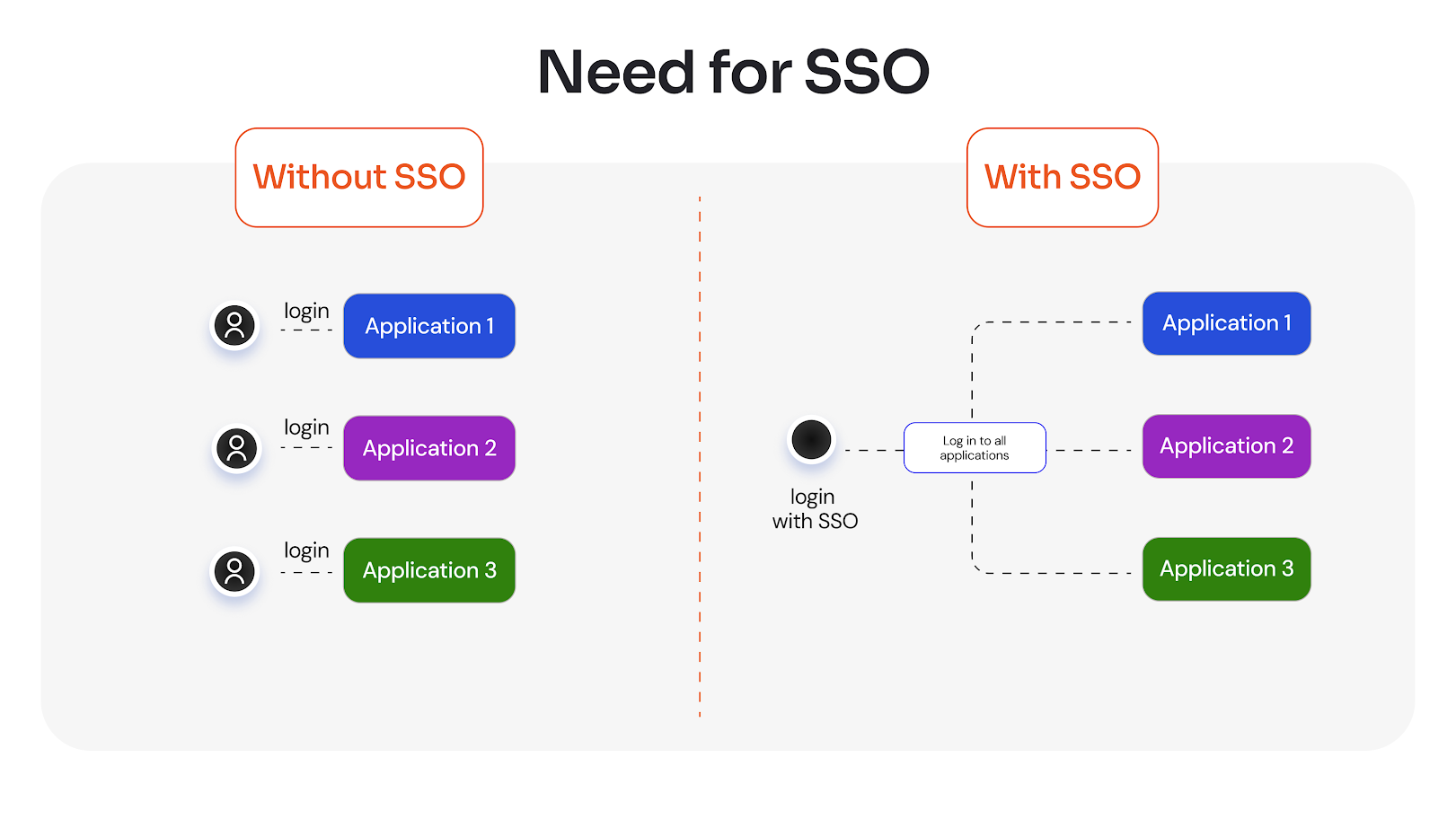
Modern enterprises rely on multiple SaaS, cloud, and on-prem applications, each requiring separate authentication. This fragmented setup makes access management complex and inefficient.
Enterprise Single Sign-On simplifies this by enabling secure access across systems through a single authentication layer, making it easier to scale enterprise environments.
2. Login Challenges and Password Fatigue
Managing multiple credentials creates enterprise SSO login challenges, leading to password fatigue and insecure practices like password reuse. Without a unified enterprise authentication approach, users struggle to maintain strong credentials, increasing both security risks and IT dependency.
3. Productivity Loss Due to Repeated Logins
Frequent login prompts disrupt workflows and slow down employees who switch between tools throughout the day. Enterprise SSO reduces these interruptions by enabling seamless access, making SSO for enterprise applications more efficient and improving overall productivity.
4. Increased Security Risks
Multiple authentication systems create inconsistent security controls, increasing exposure to credential-based attacks. Enterprise SSO solutions strengthen enterprise authentication by centralizing access and enforcing uniform policies like MFA across all systems.
5. IT Burden and Operational Inefficiencies
Handling multiple login systems increases IT workload due to password resets and access management. Implementing an enterprise SSO framework helps centralize control, reduce operational overhead, and streamline user lifecycle management.
6. User Frustration and Poor Experience
Repeated logins and access issues lead to poor user experience and reduced engagement with tools. SSO software for enterprise improves usability by minimizing login friction and enabling fast, consistent access across enterprise environments.
Benefits of Enterprise SSO
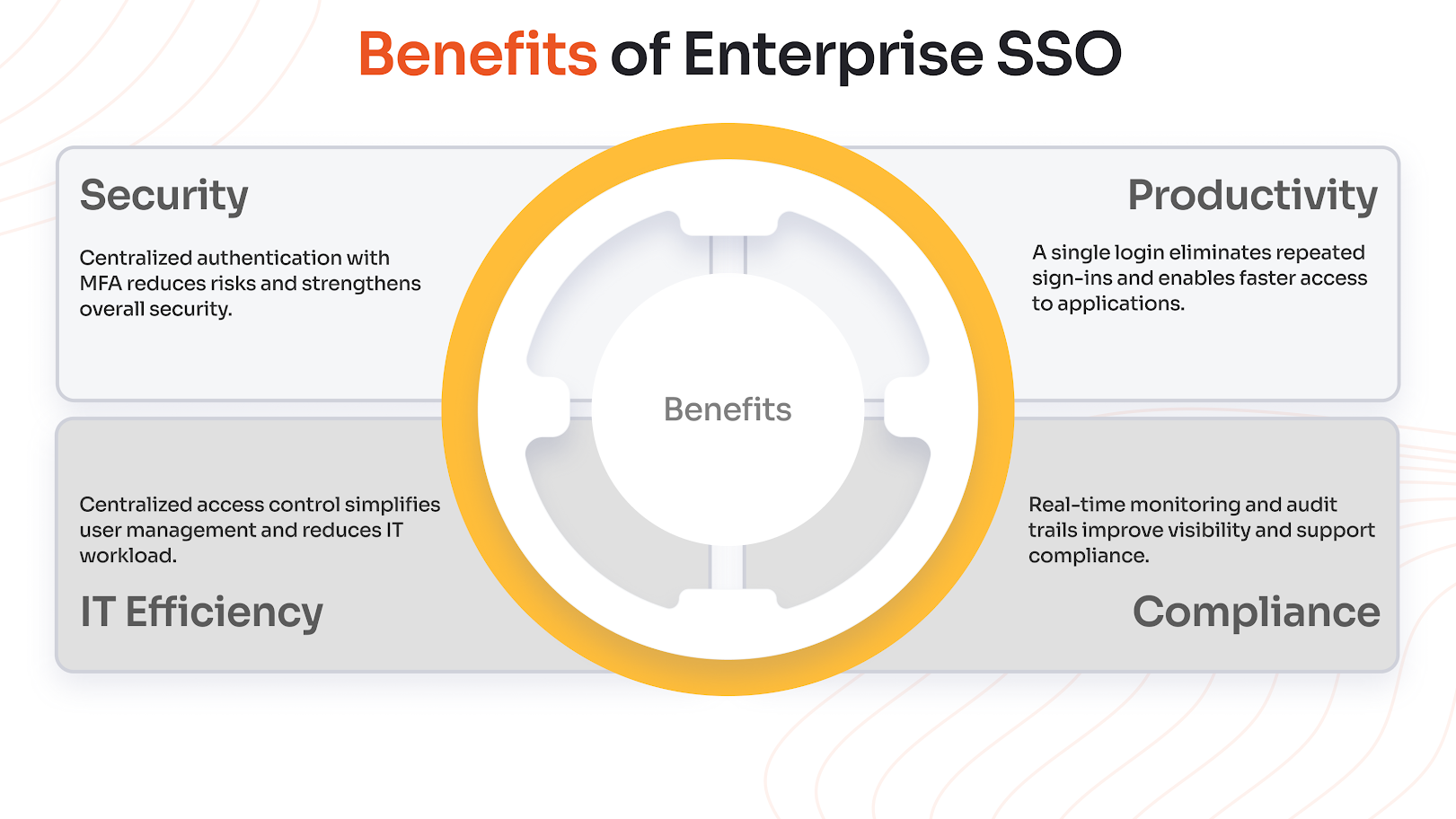
SSO strengthens security by enabling centralized authentication, allowing organizations to manage access from a single control point instead of multiple disconnected systems. When combined with Multi-Factor Authentication (MFA), enterprise authentication becomes significantly more robust and resilient.
User Experience and Productivity
With enterprise single sign-on, users can access multiple applications with a single login, eliminating repeated authentication steps. Employees no longer waste time switching between credentials, which improves efficiency.
Moreover, features like single logout capability enhance both convenience and security by allowing users to securely end sessions across all connected applications at once.
IT and Operational Efficiency
Implementing an enterprise authentication strategy simplifies identity and access management for IT teams by centralizing control over authentication. It also streamlines onboarding and offboarding processes, ensuring users get timely access to the right systems while maintaining security. Overall, enterprise SSO solutions help optimize operations and improve resource utilization.
Compliance and Audit
For organizations with regulatory requirements, enterprise single sign-on improves compliance by providing real-time monitoring of user access and activities.
Detailed audit trails support compliance reporting and help detect anomalies or unauthorized behavior. This level of transparency ensures organizations can meet security standards while maintaining control over enterprise access.
How Enterprise Single Sign-On Works
Core Components of SSO
Identity Provider (IdP)
The Identity Provider is the central system that authenticates users and manages their identities. Once a user is verified, it acts as a trusted authority to grant access across connected applications while enforcing security policies like MFA.
Service Provider (SP)
Service Providers are the applications users want to access. Instead of managing authentication themselves, they rely on the Identity Provider to validate users, allowing seamless access without repeated logins.
Enterprise SSO Authentication Flow
- A user tries to access an application.
- The application redirects the user to the Identity Provider.
- The user signs in using credentials or multi-factor authentication.
- The Identity Provider verifies the user and generates an authentication token.
- The user is redirected back to the application with the token.
- The application validates the token and grants access without another login.
This process is based on federated identity principles, allowing different systems to trust a single authentication source.
Protocols Used in Enterprise SSO
Enterprise SSO relies on standard SSO protocols to securely authenticate users and enable seamless access across multiple applications.
SAML (Security Assertion Markup Language)
A widely used protocol that enables secure exchange of authentication data between systems, especially for web applications.
OAuth
Used for secure authorization; OAuth allows applications to access user data without exposing login credentials.
OpenID Connect (OIDC)
An identity layer built on OAuth that supports modern authentication use cases and improves user experience.
WS-Federation
Common in older enterprise environments; this protocol supports secure identity federation across domains.
LDAP (Lightweight Directory Access Protocol)
A directory-based protocol used to store and manage user identities within enterprise systems.
vLDAP (Virtual LDAP)
An extension of LDAP that helps unify multiple directories, making identity management more flexible and scalable.
Enterprise Single Sign-On in Action
Let’s take a practical example to understand how enterprise SSO improves both user experience and access management.
Sam is a system administrator at ABC Enterprises, where an enterprise single sign-on solution is implemented across all applications. When a new employee, Jane, joins the organization, Sam creates her account in the centralized system and grants access to the required applications. With this setup, Jane can use a single set of credentials to access all approved tools without managing multiple logins.
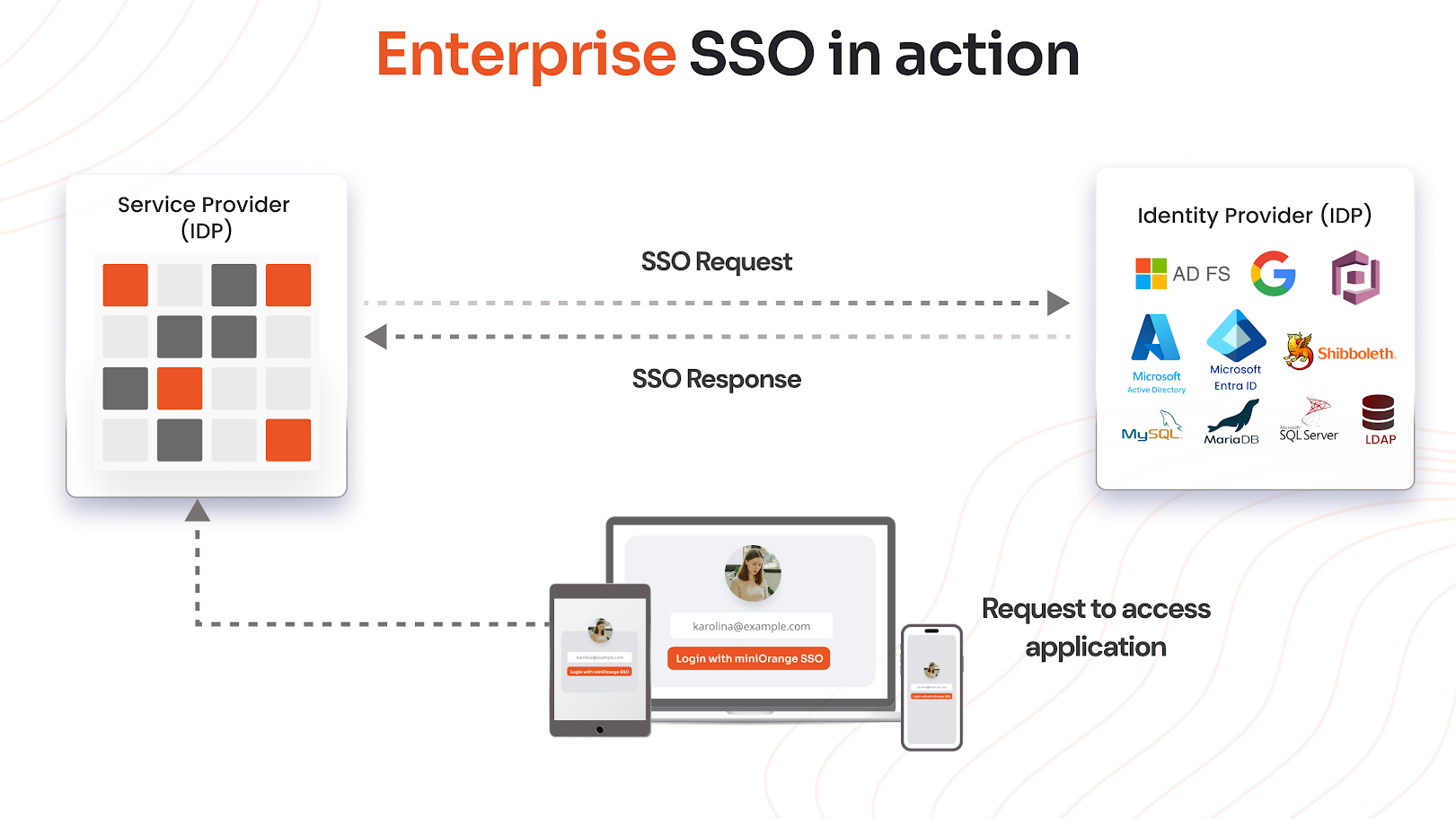
Jane’s login experience works as follows:
- Jane navigates to the application she wants to access.
- The application redirects her to the Identity Provider for authentication.
- Since she is not logged in, she enters her credentials.
- If MFA is enabled, she completes an additional verification step, such as OTP.
- The Identity Provider validates her identity and sends a secure assertion back to the application.
- The application verifies this assertion and grants access.
- Once logged in, Jane can access other connected applications without re-entering credentials.
From an administrative perspective, this simplifies lifecycle management. If Jane changes roles, Sam can update her access centrally. If she leaves the organization, her access to all systems can be revoked instantly from one place. This highlights how enterprise SSO not only improves user convenience but also strengthens control and security for IT teams.
Enterprise SSO vs. Traditional SSO
| Aspect | Traditional SSO | Enterprise Single Sign-On |
|---|---|---|
| Scale and Coverage | Typically limited to a smaller number of applications within a controlled environment | Designed to support large organizations with hundreds of applications across cloud, on-prem, and hybrid environments |
| Compliance and Governance | Offers basic access control with limited visibility and auditing features | Provides advanced logging, monitoring, and audit capabilities to meet regulatory requirements |
| Integration Complexity | May struggle with complex integrations, especially with legacy or highly customized systems | Supports integration with diverse systems, including legacy apps, SaaS platforms, and APIs, using multiple protocols |
| Security Capabilities | Focuses mainly on basic authentication with fewer advanced security controls | Includes advanced features like MFA, adaptive authentication, and centralized policy enforcement for stronger protection |
| User Experience | Simplifies login but may not provide a fully unified or scalable user experience | Seamless access across multiple applications with minimal login friction and a consistent experience |
| IT Management | Limited administrative control across multiple disconnected systems | Centralized control for provisioning, deprovisioning, and access management across all systems |
Why Does Enterprise SSO Matter Today?
Rise of SaaS Adoption
Organizations today rely on a growing number of SaaS applications for daily operations, from collaboration tools to business-critical platforms. Managing separate logins for each application creates complexity and increases security risks.
Enterprise SSO simplifies access by providing a unified authentication layer, making it easier to manage and scale access across all SaaS tools.
Shift to Remote Work
With remote and distributed work becoming the norm, employees need secure access to applications from multiple locations and devices.
Enterprise single sign-on ensures consistent and secure login experiences regardless of where users are working from, reducing friction while maintaining strong access control.
Hybrid IT Environments
Most enterprises operate in hybrid environments that combine cloud and on-prem systems. This creates challenges in maintaining consistent authentication across platforms.
Enterprise SSO bridges this gap by enabling seamless access across different environments while maintaining centralized control.
Increasing Security Risks
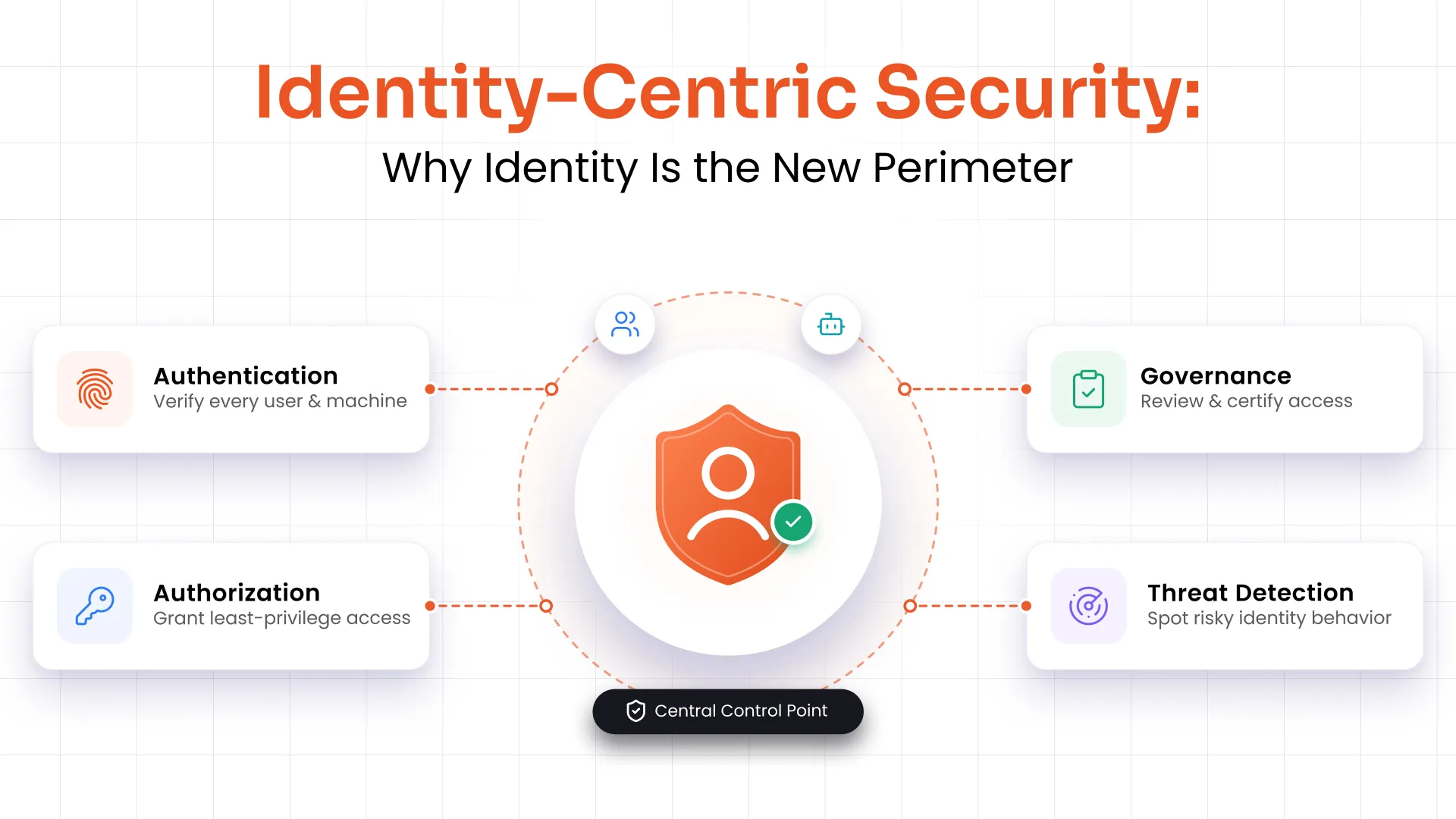
Credential-based attacks, phishing, and unauthorized access attempts are increasing rapidly. Multiple passwords and inconsistent authentication mechanisms create security gaps. Enterprise single sign-on strengthens enterprise authentication by centralizing access and enabling MFA and policy-based controls.
Enterprise SSO Implementation Best Practices
Start with Critical Applications
Begin implementation with high-priority applications that are used frequently or contain sensitive data. This ensures immediate impact while allowing teams to gradually expand SSO across the organization without disruption.
Use Modern Protocols
Adopting modern standards such as SAML, OAuth, and OpenID Connect ensures better compatibility, security, and scalability. These protocols help organizations build a flexible and future-ready authentication system.
Enable MFA
Combining SSO with multi-factor authentication adds an extra layer of security, reducing the risk of unauthorized access even if credentials are compromised. It is a critical step in strengthening enterprise authentication.
Monitor Access and Activity
Continuous monitoring of user access helps detect unusual behavior and potential security threats. Real-time visibility into authentication events allows organizations to respond quickly and maintain control over access.
Train Users
User awareness plays a key role in successful implementation. Training employees on how to use SSO securely ensures smoother adoption, reduces errors, and helps maintain overall security hygiene.
Enterprise Single Sign-On Market Overview
The enterprise single sign-on market is witnessing strong growth as organizations increasingly invest in identity and access management (IAM) solutions. With the rapid expansion of digital ecosystems, enterprises are prioritizing secure and seamless access across applications. This demand is being driven by the need to manage growing user bases, multiple applications, and stricter compliance requirements.
At the same time, security concerns are accelerating adoption. As credential-based attacks continue to rise, businesses are shifting toward centralized authentication models that reduce risk and improve visibility. This security-driven approach, combined with the rise of cloud and SaaS adoption, is making enterprise SSO a critical component of modern IT infrastructure.
Future of Enterprise SSO
Passwordless Authentication
Organizations are moving toward eliminating passwords with passwordless authentication, using biometrics, hardware tokens, or device-based authentication. This reduces reliance on vulnerable credentials while improving user experience.
Adaptive MFA
Authentication is becoming more dynamic, with systems adjusting verification requirements based on context such as user behavior, location, or device. This ensures stronger security without adding unnecessary friction for users.
Continuous Verification
Instead of relying only on login events, systems are beginning to monitor user activity throughout a session. This continuous verification model helps detect anomalies in real time and strengthens overall enterprise authentication.
Conclusion
Enterprise Single Sign-On plays a critical role in modern access management by simplifying authentication and strengthening security across complex environments. It enables organizations to centralize access, reduce login friction, and improve operational efficiency.
By adopting the right strategy and tools, businesses can scale securely while maintaining control over user access. Investing in enterprise SSO software for enterprise environments ensures a future-ready approach to identity management, supporting both centralized access and long-term scalability.
FAQs
Can enterprise SSO work with legacy applications?
Yes, enterprise SSO can integrate with legacy systems using protocols like LDAP, WS-Federation, or through connectors and agents. This allows organizations to extend enterprise single sign-on capabilities even to older applications without major redevelopment.
Does enterprise SSO support mobile and remote users?
Modern enterprise SSO solutions are designed to support access across devices, including mobile, tablets, and remote endpoints. This ensures secure and consistent login experiences regardless of user location or device.
How does enterprise SSO handle user provisioning and deprovisioning?
Enterprise SSO can integrate with identity lifecycle management tools to automate user provisioning and deprovisioning. This ensures users get the right access when they join and that access is revoked instantly when they leave, improving security and efficiency.
Can enterprise SSO be integrated with existing identity providers?
Yes, most SSO software for enterprise supports integration with existing identity providers like Active Directory or cloud directories. This allows organizations to leverage current infrastructure while enhancing authentication capabilities.
What factors should be considered when choosing enterprise SSO solutions?
When selecting enterprise SSO solutions, organizations should evaluate compatibility with existing systems, supported protocols, scalability, security features like MFA, and ease of integration across applications.
Leave a Comment