Mobile devices have become the backbone of the modern workplace.
Employees use smartphones to access business applications, tablets to support customer interactions, rugged devices to manage field operations, and laptops to stay productive from virtually anywhere. With remote work, hybrid teams, and BYOD policies becoming standard practice, organizations now rely on a growing mix of devices to keep business operations running.
While this flexibility has transformed how businesses work, it has also created new challenges for IT teams.
Every device needs to be secured, updated, monitored, and kept compliant. Applications need to be deployed remotely. Lost devices need to be locked or wiped. Security policies must be enforced consistently across multiple operating systems and ownership models.
Managing all of this manually is simply not practical. This is why you need the best enterprise MDM solutions but the challenge is choosing the right one.
With dozens of MDM software vendors competing for attention, finding a solution that aligns with your business requirements can be difficult. Some platforms focus heavily on security and compliance, while others prioritize automation, endpoint management, or industry-specific capabilities.
To help simplify the decision, we evaluated the best MDM tools available in 2026 based on device management capabilities, security features, enrollment options, scalability, remote support, ease of deployment, and overall business value.
Best Enterprise MDM Tools: Quick Comparison
| Solution | Best For | Security Capabilities | Automation & Modern Features | Kiosk Mode | Remote Support | Deployment | Free Trial |
|---|---|---|---|---|---|---|---|
| miniOrange MDM | SMBs & Enterprises | Strong | Strong | Yes | Yes | Cloud & On-Prem | Yes |
| ManageEngine | Unified Endpoint Management | Strong | Strong | Yes | Yes | Cloud & On-Prem | Yes |
| Microsoft Intune | Microsoft Ecosystem | Strong | Strong | Yes | Moderate | Cloud | Yes |
| IBM MaaS360 | Large Enterprises | Strong | Advanced | Yes | Yes | Cloud | Yes |
| SOTI MobiControl | Rugged Device Management | Strong | Advanced | Yes | Strong | Cloud & On-Prem | Yes |
Top 5 Mobile Device Management Tools in 2026
1. miniOrange MDM
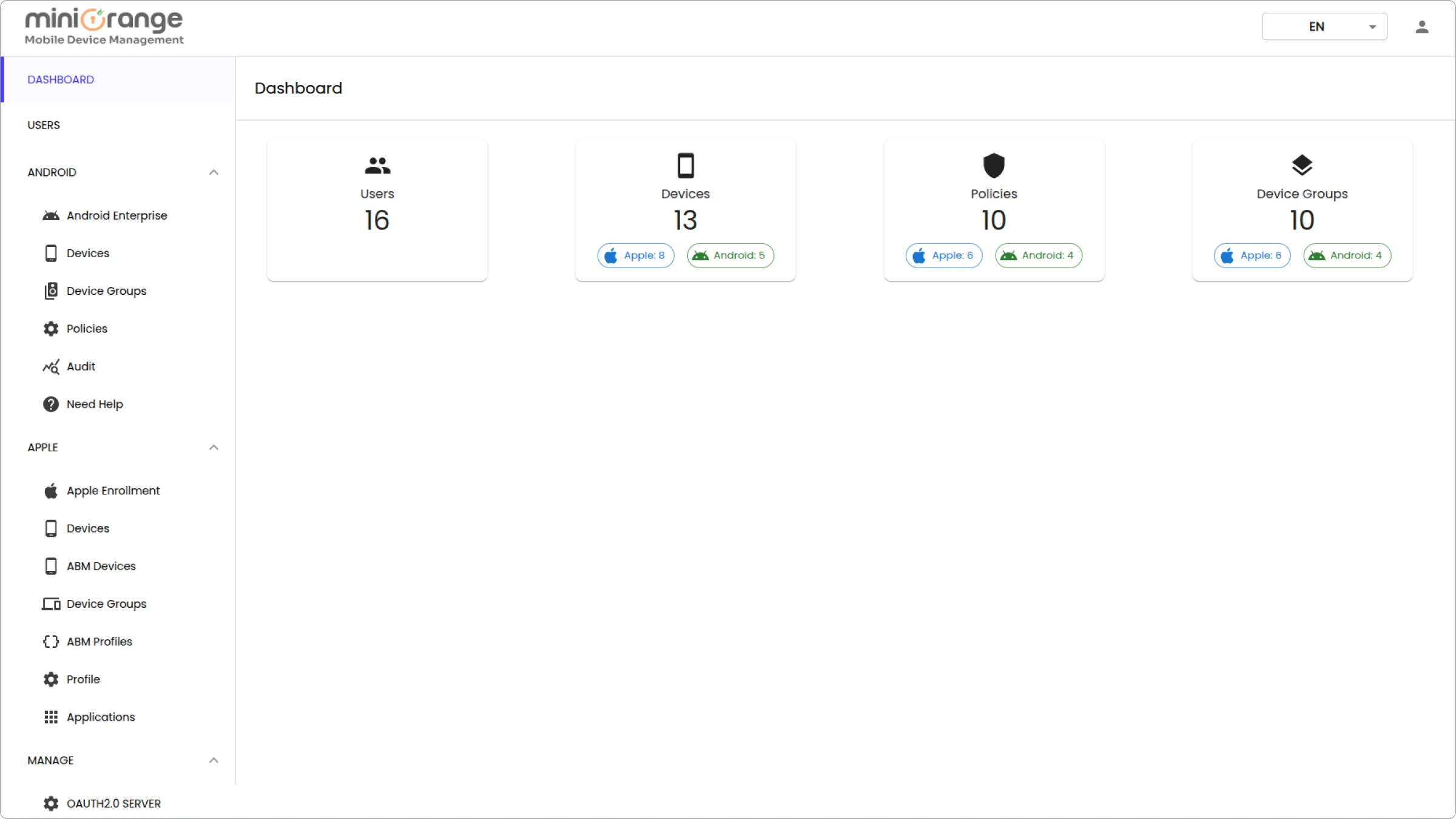
When businesses look for a top MDM platform, they typically want three things: simplicity, security, and scalability.
miniOrange MDM delivers all three.
Designed to support organizations of different sizes, the platform provides centralized management across Android, iOS, Windows, macOS, ChromeOS, and rugged devices. IT teams can enroll devices, deploy applications, enforce security policies, monitor compliance, and troubleshoot issues remotely from a single dashboard.
What makes miniOrange particularly the best MDM tool is its balance between enterprise-grade functionality and ease of use. Organizations can manage both corporate-owned and employee-owned devices without introducing unnecessary complexity.
Key Features:
- Multi-OS Device Management: Manage Android, iOS, Windows, macOS, ChromeOS, and rugged devices from a unified dashboard.
- Multiple Enrollment Methods: Simplify onboarding through Zero-touch Enrollment, Apple Automated Device Enrollment, QR Code Enrollment, and BYOD enrollment options.
- Device and User Groups: Organize devices and users into groups to simplify policy assignment, application deployment, and device management at scale.
- Kiosk Mode: Lock devices into single-app or multi-app kiosk mode for dedicated business use cases such as retail, logistics, education, and digital signage.
- Application Management: Remotely deploy, update, configure, and remove applications across managed devices.
- Patch and OS Update Management: Automate operating system updates and manage third-party application patches to keep devices secure and up to date.
- Remote Cast and Control: Troubleshoot device issues remotely through real-time screen viewing and device control.
- Remote Lock and Wipe: Secure lost, stolen, or compromised devices by remotely locking them or wiping company data when necessary.
- Factory Reset Protection (FRP): Prevent unauthorized users from resetting and reactivating Android devices without approved credentials.
- Built-in Data Loss Prevention (DLP): Protect sensitive business data with Endpoint DLP, Cloud DLP, and Email DLP controls to reduce the risk of data leakage.
- Location Tracking and Geofencing: Track device locations in real time and create geofences to trigger alerts or enforce policies based on device movement.
- Certificate Management: Deploy and manage digital certificates to enable secure authentication, Wi-Fi access, VPN connectivity, and device compliance.
- Compliance and Security Policies: Enforce password requirements, encryption policies, device restrictions, and compliance rules from a centralized dashboard.
- Content and Web Management: Securely distribute content and control web access through web filtering and browsing restrictions.
- Broadcast Messaging: Send announcements, alerts, and important communications to individual devices, groups, or the entire device fleet instantly.
Pricing: Custom pricing based on deployment requirements and device volume.
Best Suitable For: Organizations as well as small businesses looking for a scalable MDM platform with strong security, kiosk management, remote support, and multi-platform device management capabilities.
2. ManageEngine Mobile Device Manager Plus
ManageEngine Mobile Device Manager Plus is an enterprise Mobile Device Management (MDM) platform that helps organizations manage and secure smartphones, tablets, laptops, desktops, rugged devices, and TVs from a centralized console.
It supports the entire device lifecycle, from enrollment and configuration to application deployment, policy enforcement, remote support, and device retirement. This makes it particularly attractive for organizations trying to improve visibility across both devices and SaaS applications.
Supporting both corporate-owned and BYOD devices across major operating systems, it enables IT teams to improve endpoint security, streamline device administration, and maintain compliance.
Key Features:
- Multi-Platform Management: Manage Android, iOS, iPadOS, macOS, Windows, ChromeOS, and tvOS devices.
- Automated Enrollment: Provision devices with Apple Business Manager, Android Enterprise, Samsung Knox, and Windows Autopilot.
- Application Management: Deploy, update, and remove apps remotely.
- Security Controls: Enforce passcodes, encryption, remote lock, and remote wipe.
- Kiosk Mode: Configure devices for single-app or multi-app business use.
- Remote Troubleshooting: Remotely access devices to diagnose and resolve issues.
Pricing: Free for up to 25 devices, with paid cloud and on-premises plans available.
Best Suitable For: Businesses of all sizes seeking centralized device management, endpoint security, and simplified administration for corporate-owned and BYOD environments.
3. Microsoft Intune
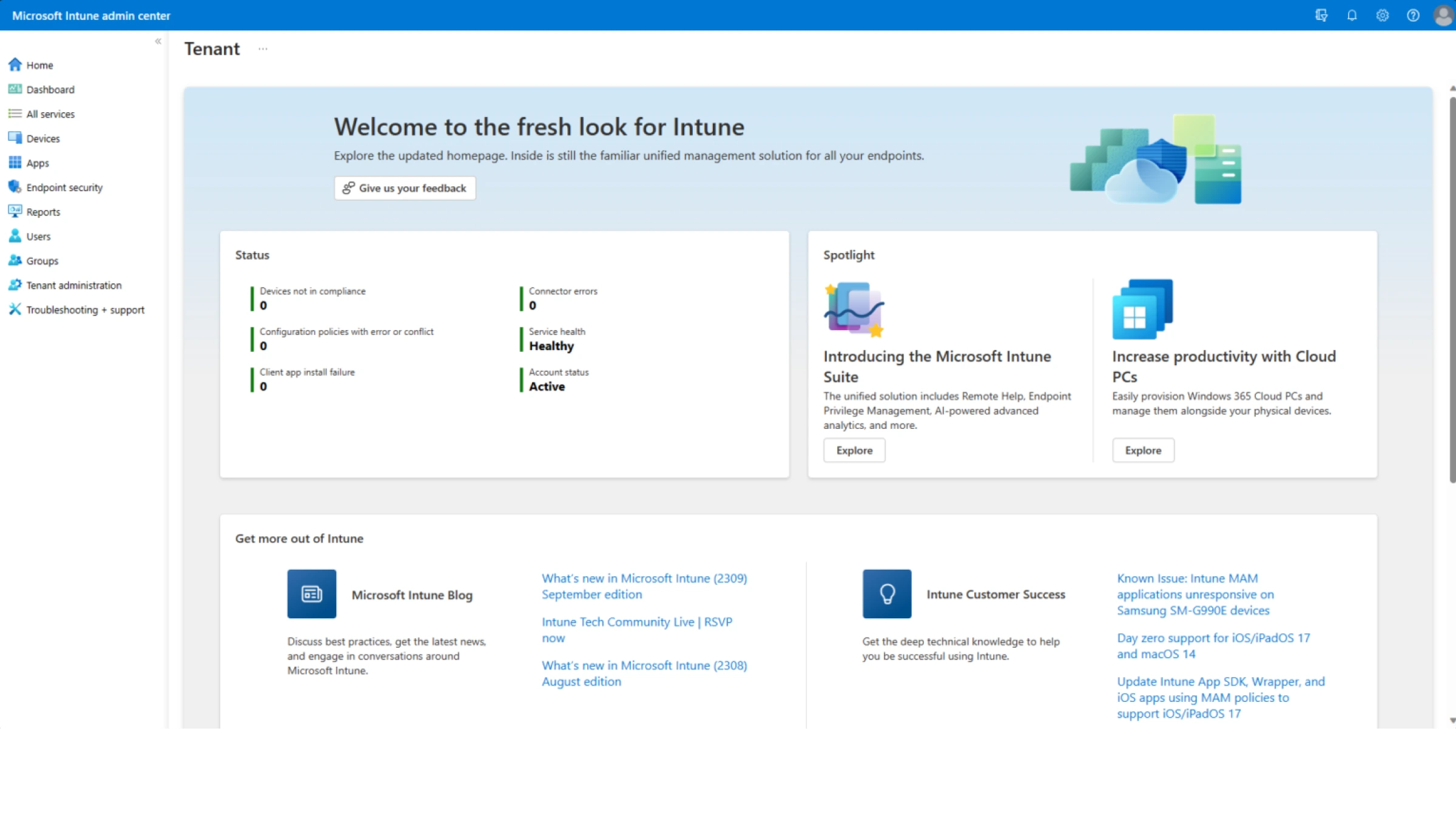
Microsoft Intune is one of the best MDM software options for organizations already invested in the Microsoft ecosystem.
As part of Microsoft Endpoint Manager, Intune combines mobile device management, application management, endpoint security, and compliance capabilities into a single platform. Businesses using Microsoft 365, Azure Active Directory, and Windows devices often find Intune to be a natural fit because of its deep integrations with Microsoft's broader ecosystem.
The platform supports Android, iOS, Windows, and macOS devices, making it suitable for organizations managing diverse device environments.
One of Intune's biggest strengths is its ability to combine device management with identity and access controls. This allows organizations to enforce conditional access policies based on device compliance, helping strengthen overall security.
Key Features:
- Cross-Platform Device Management: Manage Android, iOS, Windows, and macOS devices from a centralized platform.
- Conditional Access Policies: Restrict access to business resources based on device compliance and security status.
- Application Protection Policies: Secure corporate data within applications without requiring full device management.
- Windows Device Management: Deep integration with Windows devices and Microsoft services.
- Endpoint Security Controls: Configure antivirus, firewall, encryption, and security compliance policies.
- Zero-Touch Provisioning: Simplify device enrollment and deployment through automated provisioning methods.
Pricing: Included with select Microsoft 365 and Enterprise Mobility + Security plans. Additional licensing may apply depending on requirements.
Best Suitable For: Organizations heavily invested in Microsoft 365, Azure AD, and Windows-based environments.
4. IBM MaaS360
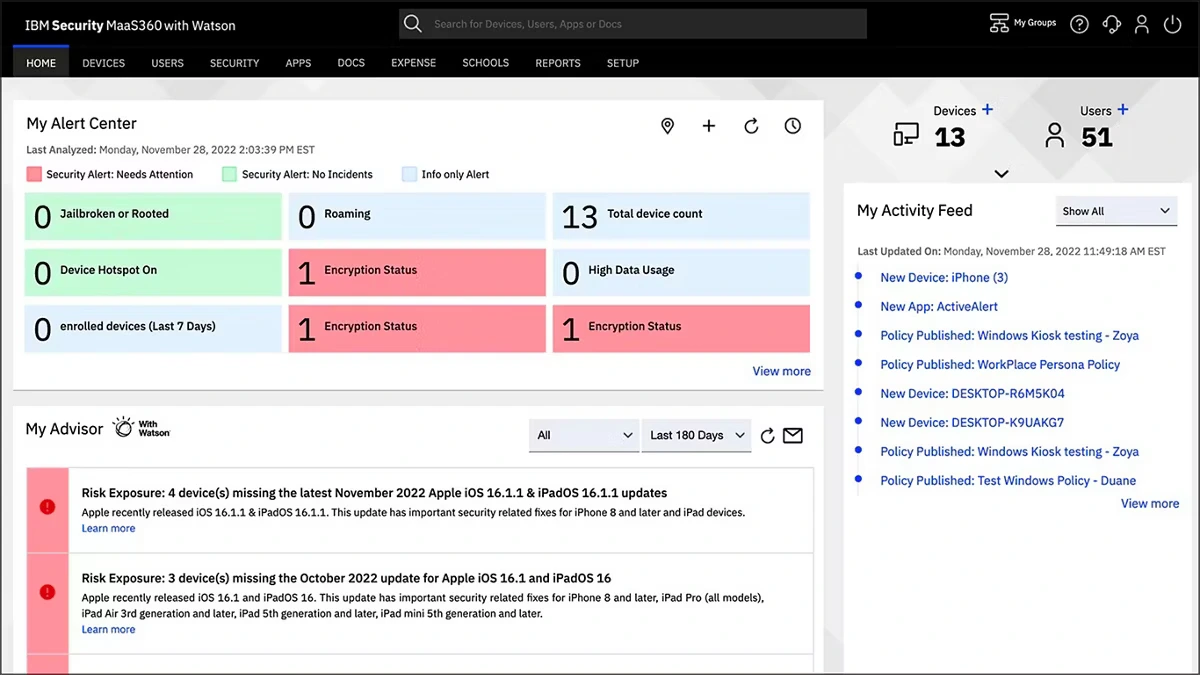
IBM MaaS360 has been a well-established mobile device management platform for many years and remains a popular choice among large enterprises.
The platform combines device management, security, identity management, and threat protection into a single solution. IBM MaaS360 supports a wide range of operating systems and provides advanced security controls designed for organizations with strict compliance requirements.
One area where MaaS360 stands out is its focus on enterprise security and analytics. Organizations can gain visibility into device health, risk levels, application usage, and compliance status while maintaining centralized control over endpoints.
Its mature feature set makes it a strong choice for highly regulated industries such as healthcare, finance, and government.
Key Features:
- Unified Endpoint Management: Manage smartphones, tablets, laptops, desktops, and rugged devices from a single platform.
- AI-Powered Insights: Leverage analytics and recommendations to improve security and device management.
- Threat Management: Detect and respond to device-level security risks and vulnerabilities.
- Application Management: Deploy, configure, and manage business applications remotely.
- Identity and Access Management: Integrate identity controls with endpoint security policies.
- Kiosk Management: Configure dedicated devices for business-specific use cases.
Pricing: Starts at $4 per device per month on a SaaS subscription model. IBM offers multiple editions that scale from basic device management to advanced security and threat defense capabilities.
Best Suitable For: Large enterprises that require advanced security, compliance management, and analytics capabilities.
5. SOTI MobiControl
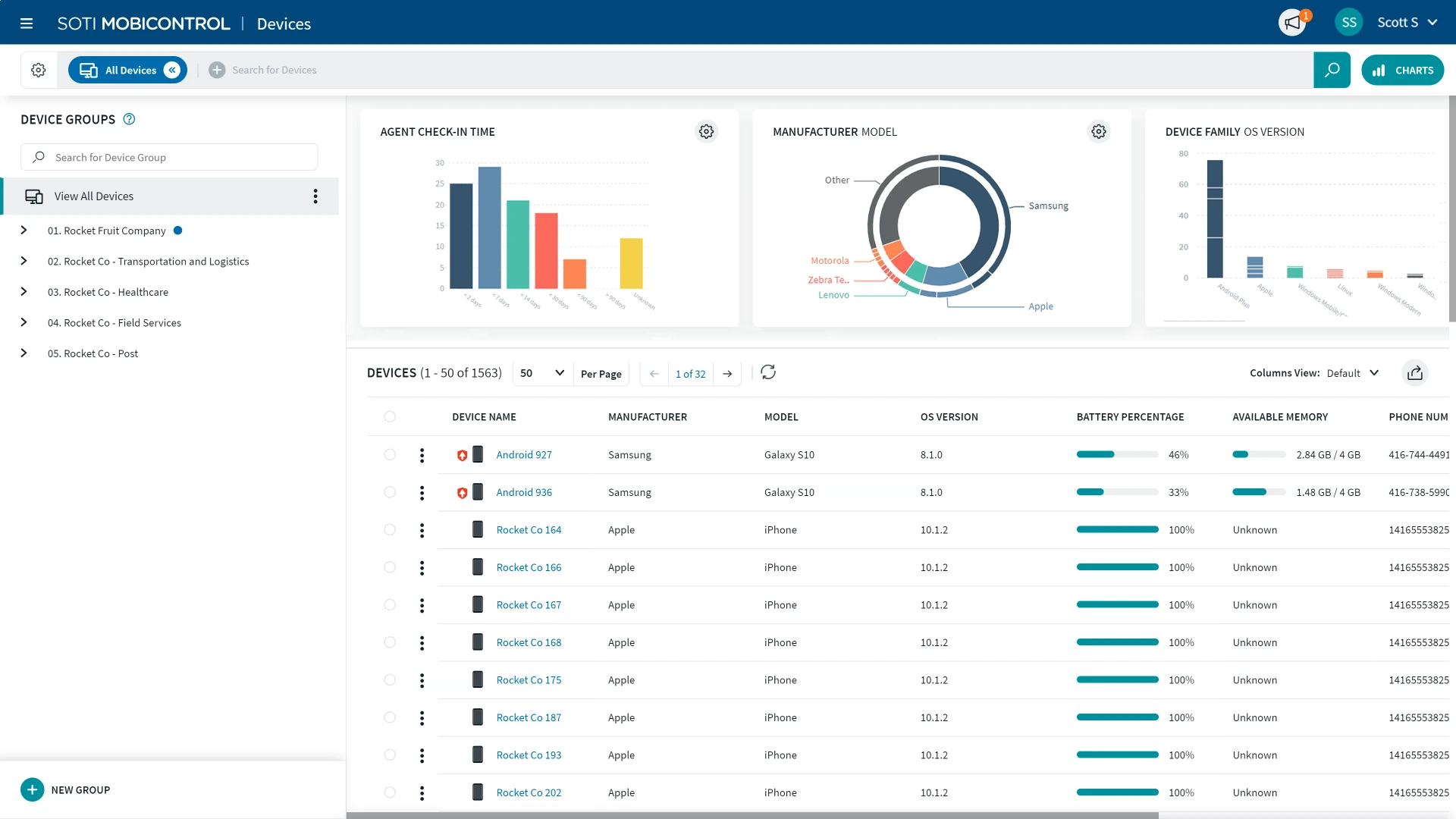
SOTI MobiControl is widely recognized as one of the leading mobile device management tools for organizations managing rugged devices and frontline operations.
The platform is commonly used in logistics, transportation, warehousing, retail, field services, and manufacturing environments where device uptime and remote support are critical.
Unlike many traditional MDM providers, SOTI places a strong emphasis on remote troubleshooting and operational efficiency. IT teams can remotely diagnose device issues, view screens, transfer files, and resolve problems without requiring users to return devices for support.
This makes SOTI particularly valuable for organizations managing geographically distributed device fleets.
Key Features:
- Rugged Device Management: Manage and secure Zebra, Honeywell, Datalogic, and other rugged devices.
- Remote Support and Troubleshooting: Diagnose and resolve device issues remotely in real time.
- Kiosk Mode: Restrict devices to approved applications and workflows.
- Application Management: Deploy, update, and manage applications remotely.
- Location Tracking: Monitor device locations and improve fleet visibility.
- Advanced Device Diagnostics: Gain detailed insights into device health and performance.
Pricing: Custom pricing based on the number of devices, deployment requirements, and support needs. Organizations can request a quote tailored to their environment..
Best Suitable For: Organizations managing rugged devices, frontline workers, and large distributed device fleets.
Not Every Tool Fits Every Business: Make Sure You Choose the Right MDM
The right solution depends on your device environment, security requirements, budget, and long-term business goals. Some organizations prioritize simplicity and ease of deployment, while others need advanced security controls, automation, app management, kiosk management, or support for large-scale device fleets.
The mobile device management platforms featured in this guide are among the strongest options available in 2026. Each offers a unique combination of device management, security, application control, and remote support capabilities designed to help organizations manage devices more effectively.
Before making a decision, evaluate factors such as operating system support, enrollment methods, security features, scalability, compliance requirements, and overall ease of administration. Most vendors offer free trials or demos, making it easier to assess how well a platform fits your organization's needs.
Choosing the right device management software is more than a technology decision. It is an investment in security, productivity, and operational efficiency. With the right platform in place, organizations can keep devices secure, simplify management, and provide employees with the tools they need to work effectively from anywhere.
About the Author

Content Writer
Puja More is an experienced Content Writer with almost a decade of expertise in the industry. A certified digital marketer, Puja holds a Bachelor's degree in Computer Science. She adeptly merges technical know-how with creative finesse to produce captivating content, particularly focusing on cybersecurity and technology. Beyond her professional endeavors, Puja thrives on indulging in her hobbies of photography, reading, and culinary experimentation.
Leave a Comment