AD Tools
Top Active Directory Security Best Practices
Jul 22, 2025
Need Help? We are right here!

Search Results:
×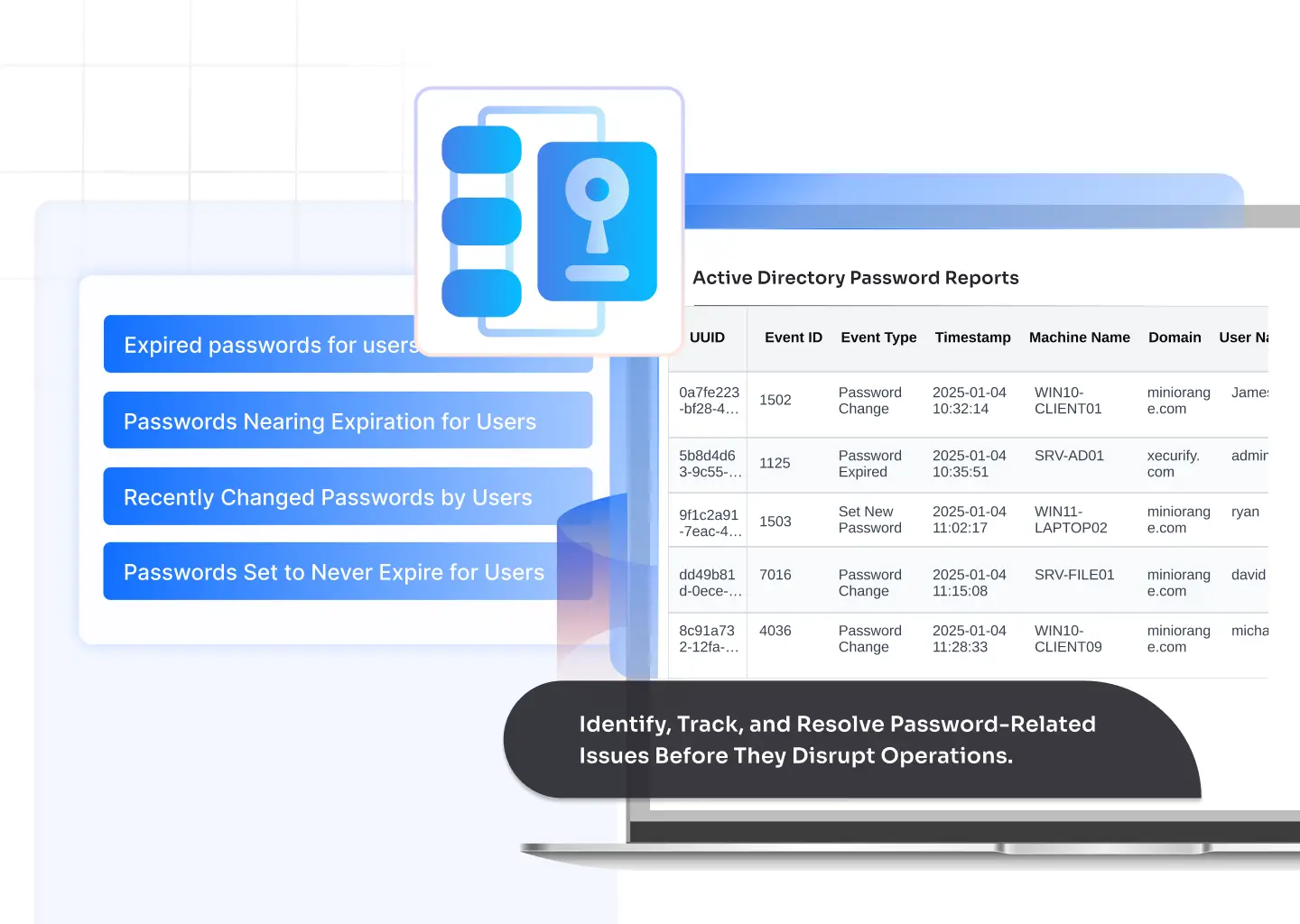

Instantly view users whose passwords have expired and are unable to log in. This helps admins reset or prompt users proactively, avoiding downtime and access bottlenecks.

Automatically notify users before their passwords expire through configurable alerts. This helps users reset passwords on time, prevents account lockouts, and reduces avoidable help desk requests without manual follow-ups from IT teams.

Identify accounts with passwords about to expire and notify users in advance. This minimizes help desk tickets and keeps employees productive.

Track password changes across users and OUs to ensure policies are being followed and detect any suspicious or unplanned changes.

Find accounts still using initial or default passwords, a key indicator of weak security hygiene. Enforce change policies before threats exploit these accounts.

Detect high-risk accounts exempted from password expiration rules. Reviewing these helps maintain compliance and reduce insider threat exposure.

Monitor failed login attempts and repeated lockouts to identify compromised credentials or brute-force attempts across the network.
Audit accounts are restricted from password changes due to policies or admin settings to ensure no security gaps exist.
Ensure users comply with enforced password resets and that all temporary passwords are replaced with secure, user-defined ones.
Detect expiring or locked accounts early and fix them before they cause downtime or user frustration.
Eliminate weak spots by monitoring passwords that never expire or haven’t been changed for long periods.
Generate ready-to-use reports for audits, password policy enforcement, and internal security checks.
With complete visibility into password and lockout events, admins can address recurring issues quickly and cut support requests significantly.
Get detailed password analytics through an intuitive dashboard—no scripts or command-line expertise needed.
Turn password data into meaningful trends, helping IT teams plan better policies and automate user notifications.
Track password expiry and login failures across clinical and administrative systems to ensure uninterrupted access to patient data and meet HIPAA compliance requirements.
Manage password resets and expired accounts for students and faculty across multiple domains, ensuring smooth access to learning portals and systems.
Monitor password aging, lockouts, and change patterns to prevent unauthorized access and maintain adherence to strict regulatory policies like PCI-DSS.
Detect inactive or non-expiring passwords used by machine or service accounts to minimize risks of unauthorized access in production networks.
Streamline password management across multiple client domains and generate consolidated reports for SLA tracking and audit purposes.
Ensure all user accounts comply with password policies and prevent administrative lockouts that can disrupt critical public services.
Active Directory does not allow administrators to view user passwords in plain text for security reasons. Instead, admins can monitor password status using Active Directory Password Reports, which provide visibility into password expiration, last password change, lockout events, and policy compliance without exposing actual passwords.
Password status can be checked by reviewing attributes such as last password set, password expiration, and account lockout details. With the miniOrange Active Directory Password Reporting Tool, admins can generate centralized reports to quickly identify expired passwords, passwords nearing expiration, and users required to change passwords at their next login.
Password history in Active Directory defines how many previous passwords a user cannot reuse. This policy helps prevent users from cycling through old credentials. Password reports help admins verify whether password history policies are enforced correctly across users and organizational units.
Repeated account lockouts usually indicate cached credentials, expired passwords, or misconfigured applications using old credentials. The Active Directory Password Reports highlight recent login failures and lockout trends, enabling admins to identify the root cause and resolve recurring lockouts efficiently.