AD Tools
Top Active Directory Security Best Practices
Jul 22, 2025
Need Help? We are right here!

Search Results:
×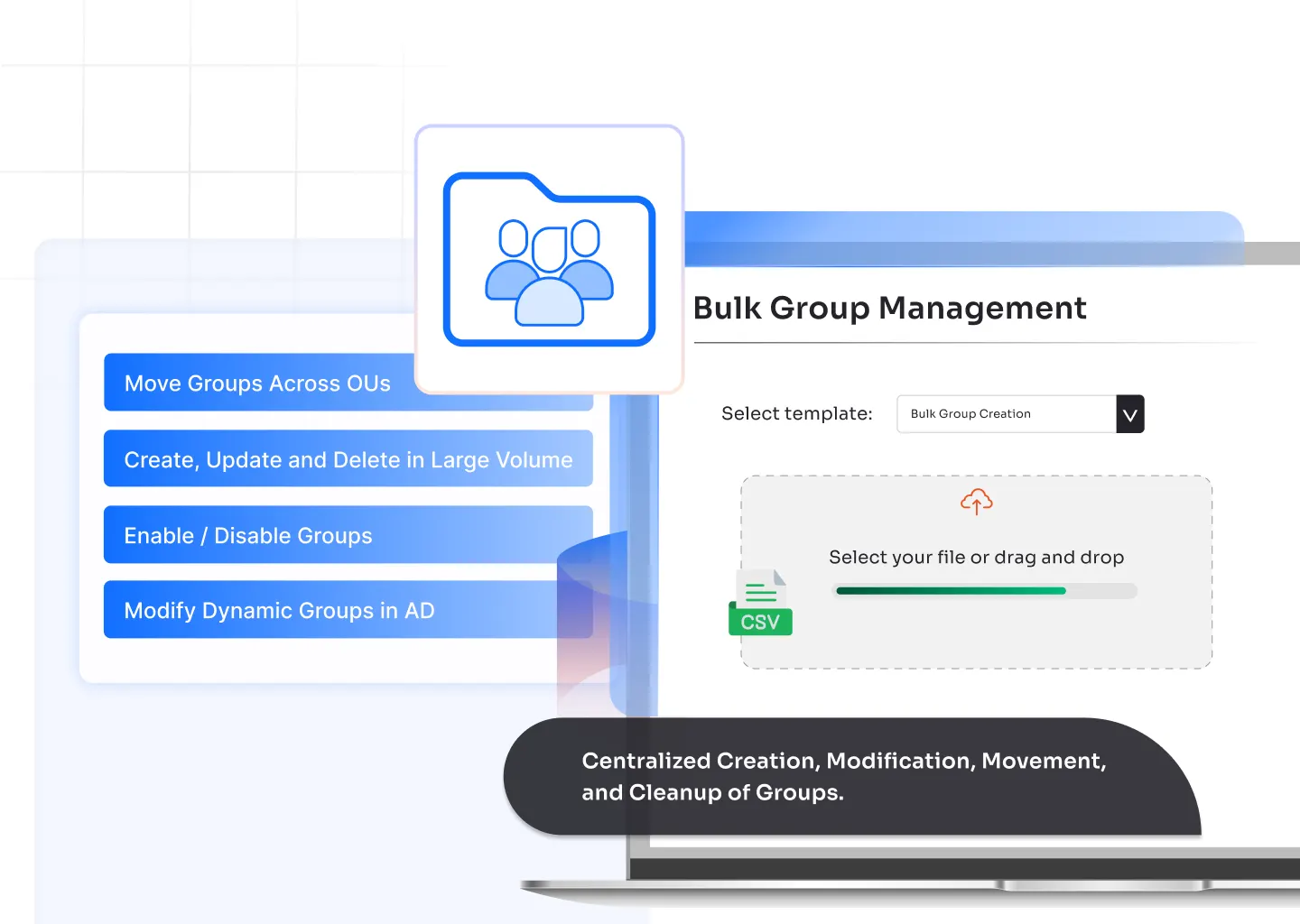


Create multiple security or distribution groups in one go. Preload naming rules, assign scopes, and place every new group in the right OU without manual effort.

Update attributes for several groups at once. Change names, scopes, descriptions, or membership rules in a single action to keep your directory consistent.

Shift multiple groups across OUs with one operation. Reduce clutter, fix placement issues, and organize your directory structure the way your teams work.

Remove unused or duplicate groups in bulk. Clear stale data, reduce access risks, and maintain a clean directory without hunting through every OU.

Edit organizational info for many groups at the same time. Update managed-by fields, notes, owners, and department-related data to reflect current structures.

Adjust filters and rules for dynamic groups in bulk. Fine-tune membership logic so access stays aligned with changing roles, projects, and teams.
Handle large group updates in minutes. Admins avoid repetitive edits and focus on higher-value tasks instead of routine directory maintenance.
Bulk actions remove the chance of human errors that occur during individual updates. Every group gets the same consistent configuration.
Stale, duplicated, or misplaced groups are fixed quickly. This helps maintain proper access controls and supports audit readiness.
When teams shift or projects start, new groups can be created, moved, or updated instantly. This reduces onboarding delays for users.
Organizational attributes, naming formats, and ownership details remain uniform across all groups. This strengthens governance and simplifies troubleshooting.

Bulk group management lets admins create, edit, move, or delete multiple Active Directory groups at once. It removes repetitive work and keeps the directory organized and consistent.
You can create new groups, modify attributes, move groups across OUs, delete unused groups, update organizational details, and manage dynamic group rules in a single operation.
You prepare the required group details in a structured format, upload them through a tool that supports bulk provisioning, and apply the action. The tool creates all groups in the right OU with the correct attributes.
Active Directory uses two group types, security groups and distribution groups. Both support different use cases based on access and communication needs.
Security groups control access to resources. Distribution groups are used for email communication and do not handle permissions. In many setups, both types work together to support team-based access and communication.