AD Tools
Top Active Directory Security Best Practices
Jul 22, 2025
Need Help? We are right here!

Search Results:
×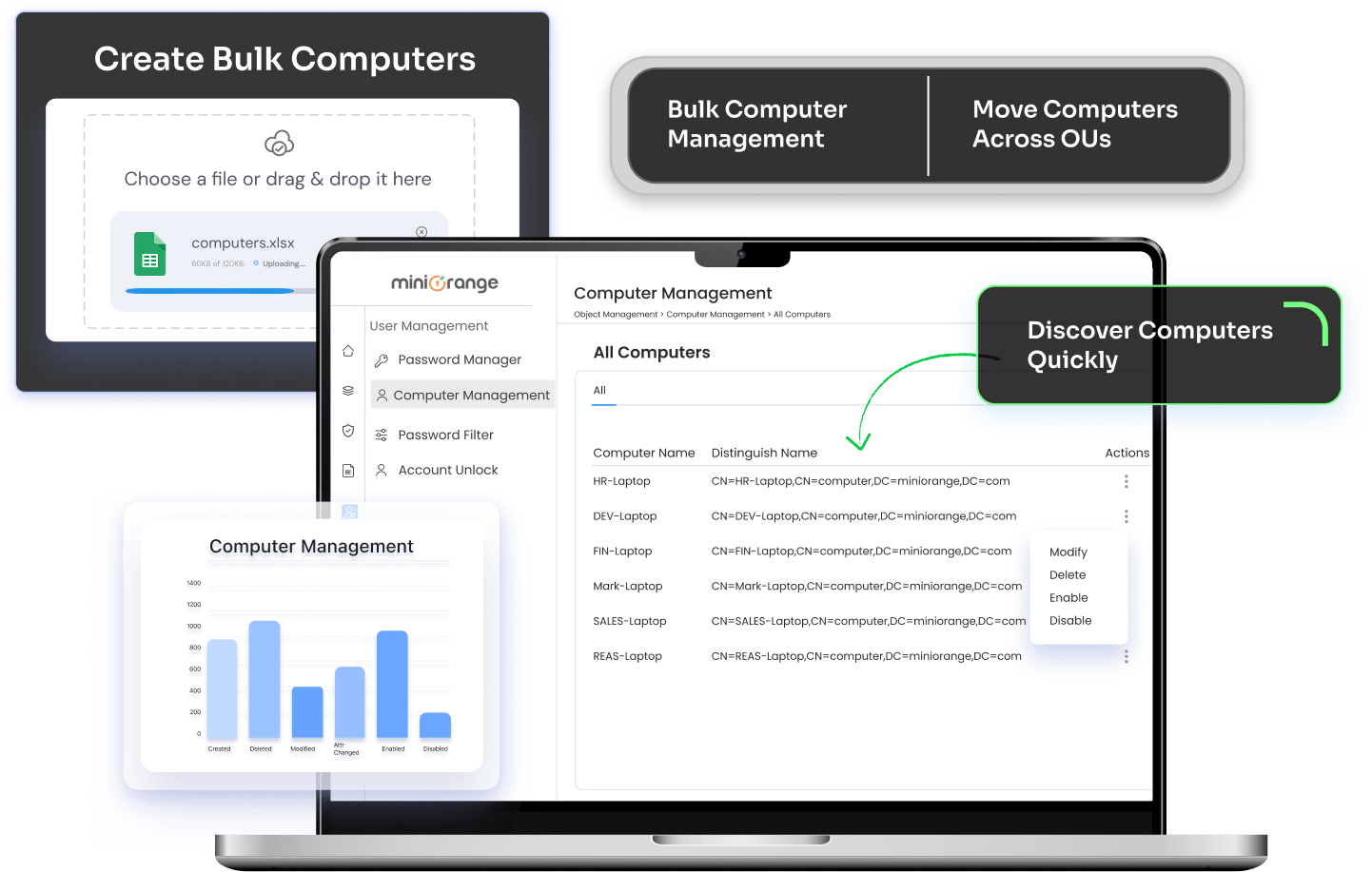
Managing computer accounts one at a time does not scale in growing Active Directory environments. Bulk operations help IT teams stay in control as device counts increase.
Bulk computer management ensures faster execution, better control, and a more manageable Active Directory environment.
Give users flexible ways to unlock AD accounts—across platforms and devices—without compromising on security or admin control.

Update group memberships for multiple computer accounts at once. Ensure computers are placed in the right security and access groups without manually editing each object.

Change computer names, descriptions, department details, and other attributes in bulk. This keeps Active Directory computer management consistent across locations and teams.

Move large sets of computers between OUs during restructuring, location changes, or policy updates without breaking existing configurations.
Instantly disable computer accounts in Active Directory to prevent unauthorized access from unused, lost, or compromised machines.
Securely delete computers from Active Directory that are no longer in use, reducing clutter and improving directory hygiene.

Restore deleted computer accounts quickly to avoid downtime caused by accidental removals.
Reset computer account password in AD using a guided interface, eliminating the need for scripts while resolving trust and authentication issues faster.
Manage hundreds or thousands of computer accounts in a single workflow without slowing down your directory.
Perform critical actions through a secure interface, reducing dependency on scripts and minimizing human error.
Handle provisioning, movement, disabling, deletion, and recovery of Active Directory computer accounts from one place.
Apply standardized actions across bulk AD computers to maintain governance and directory hygiene.
Ensure only authorized administrators can perform bulk computer operations, supporting compliance and audit needs.
Integrate bulk computer management with broader Active Directory computer management workflows for users, groups, and access policies.
Computers in Active Directory can be managed by updating their attributes, group memberships, OU placement, and security settings. Using Active Directory bulk computer management tools allows administrators to perform these actions across multiple computer accounts at once, without manual effort or PowerShell.
Bulk computers can be moved between OUs by selecting multiple computer accounts and applying a single move operation. This helps IT teams reorganize Active Directory computer accounts during department changes, location shifts, or policy updates.
You can bulk add computers to AD by provisioning multiple computer accounts in one operation, ensuring they are created with the correct naming standards and OU placement.
With bulk operations, administrators can disable computer accounts in Active Directory for multiple machines at once, reducing risk from inactive or compromised systems.
To delete computers from Active Directory, identify inactive or stale computer accounts and remove them in bulk while maintaining audit and recovery options.
You can reset computer account passwords in AD in bulk to resolve trust relationship or authentication issues, without relying on PowerShell scripts.
Yes, deleted computer accounts can be recovered instantly, preventing downtime caused by accidental removals.
Bulk rename operations allow administrators to update computer names across multiple devices to meet organizational naming conventions.
Modern AD management tools provide a graphical interface to manage Active Directory computer accounts, eliminating the need for scripting while improving accuracy.
Inactive computer accounts can be identified and removed in bulk, helping maintain a clean and secure Active Directory environment.