

Out-of-band authentication (OOBA) is a multi-factor authentication method that verifies a user's identity through a second, independent communication channel, such as SMS, a push notification, or a voice call, that's completely separate from the one used to enter login credentials.
If a password is the only thing standing between an attacker and your account, that's one channel an attacker only needs to compromise once. OOBA breaks that single point of failure by splitting verification across two channels: credentials go through the primary login screen, while a one-time code or approval request lands on a device the attacker likely doesn't have, like a registered phone. Even a stolen password alone can't complete the login.
That's why banks, enterprises, and consumer apps lean on OOBA so heavily today. In this guide, we'll walk through how it actually works, its benefits, and how miniOrange can help you with it.
How Does Out-of-Band Authentication (OOBA) Work?
The channel used to authenticate a customer in an out-of-band authentication (OOBA) system is completely independent of the channel used by the customer to log in or make a transaction. Out-of-band authentication, as opposed to multi-factor authentication, is a sort of 2FA (something you know, like a password, and something you have, like your mobile device).
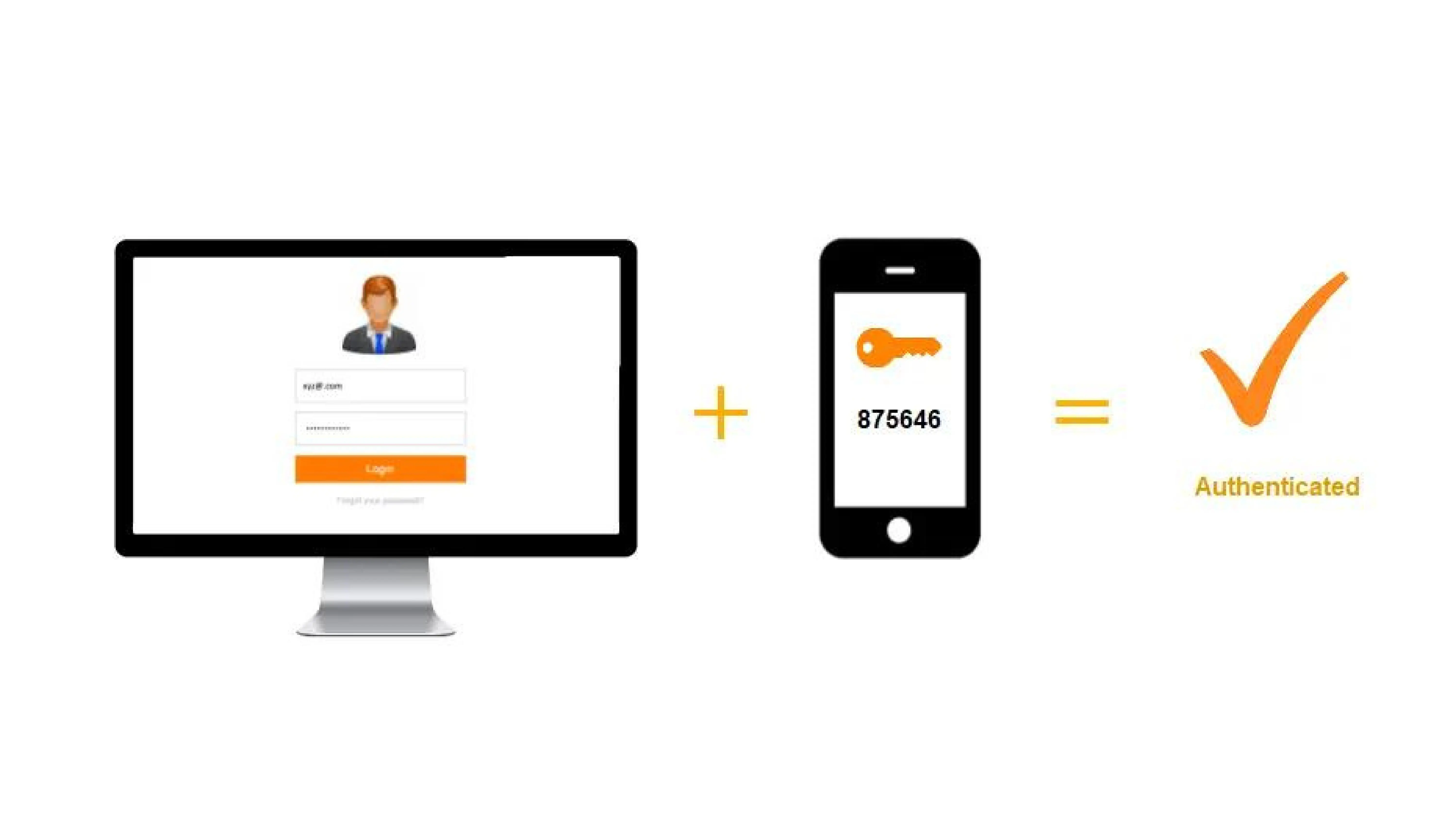
Let’s imagine a customer wishes to do a banking transaction on their computer. They use their username and password to access the online banking system. The system then sends a one-time password (OTP) to their mobile device by text message or push notification. The user’s internet and wireless network are both involved in this scenario.
Malicious actors may have access to compromised credentials and use a laptop to make a transaction, but they rarely have access to the user’s smartphone to obtain the one-time password required for authorization unless additional means like call forwarding, cloning, phone theft, or other methods are used. The transaction cannot be completed without the OTP. Other Out-of-Band Authentication techniques, such as a fingerprint scan or QR code, could be used instead of an OTP by the company.
How is OOBA more beneficial than other authentication methods?
Using Two-factor authentication (2FA) for Out-of-Band Authentication may appear to be a hassle to you, as you have to go through an extra step to log on to your accounts and access resources. Traditional authentication does not work in this fast-paced digital environment when cybercriminals are seeking critical consumer data. You might be leaving yourself open to thieves who want to steal your data and personal information if you don’t use 2FA Security.
Out-of-band authentication is critical in identity and access management because it significantly minimizes the risk of a “man-in-the-middle” attack. Hackers can intercept data transfer channels by taking over the communication channel between the sender and the recipient in an MITM attack.
In access management, using two different channels to authenticate lowers the risk of MITM attacks and keeps the transmitted information safe.
Key benefits of using Out-of-Band Authentication (OOBA)
Fraud Prevention
Before allowing you to proceed, Multi-Factor Authentication confirms that you are who you say you are. It adds another degree of protection to your website, preventing unwanted access.
Improved Customer Trust
Multi-factor authentication (MFA) adds an extra layer of security to your business and your customers’ accounts. It safeguards customer information against identity theft.
Enhanced Security
MFA reduces the likelihood that an attacker will be able to impersonate a user and obtain access to the system. The miniOrange MFA solution allows users to log in using only their Username and OTP, eliminating the need for a password.
Adaptability for different use cases
When dealing with sensitive data, more caution is necessary. The adaptive MFA evaluates risk based on factors including geolocation, IP address, and time since the previous login.
As a result, out-of-band authentication (OOBA) is utilized to secure your devices, accounts, and data from security breaches, phishing, and brute-force password attempts. Knowing the password alone isn’t enough for cyber attackers to pass the security check if you’ve set 2FA protection.
How can miniOrange help you?
miniOrange Authentication Service verifies that you are who you claim to be before letting you move forward. We ensure that, however varied your user base may be, we have the right authentication method for each one of them.
OOBA: OTP/Link over SMS/EmailOTP over text/call using SMS/Email: miniOrange offers OTP via SMS/Email via the default gateway, which users can access. The templates for sending OTP to your users by SMS and email are entirely customizable as well.
Link over SMS/Email: When this option is enabled, you will receive an SMS/email containing an Accept Link and a Deny Link at the moment of verification. If you click the Accept button, your transaction will be completed; otherwise, it will not.
OOBA Push Notification: When the push notification mechanism is enabled, you will receive a push notification from miniOrange on your Authenticator App, which you either accept or deny. You can successfully finish the second-factor challenge after clicking Accept.
Authenticator apps: Receive a time-based OTP token (TOTP) from an external authenticator app such as Google/Microsoft Authenticator for secure login.
Hardware Token: Use of a physical USB token in your computer, which generates the required information to gain access.
For any firm or organization trying to increase security, using multiple authentication methods is a clear choice. It secures client information and protects against security breaches. It benefits everyone: customers are less likely to have their data stolen, and organizations are less likely to suffer a significant data breach.
Further Reading:
Leave a Comment