
What Is Mobile Device Management (MDM)?
Mobile Device Management, commonly known as MDM, is how organizations manage, secure, and monitor mobile devices that access corporate data and applications. It helps IT teams keep smartphones, tablets, and laptops safe while allowing employees to work productively.
With MDM software, administrators can register devices into a secure environment, set rules such as password strength or encryption, lock or wipe lost devices, control access to company resources, and check whether devices follow security policies.
Modern MDM tools support a wide range of platforms. They work with Android and iOS phones, Windows and macOS laptops, and specialized devices like kiosks, point‑of‑sale systems, and rugged equipment used in industries such as retail or logistics.
This type of security software reduces risks while supporting smooth operations. Employees gain safe access to business applications and data, while IT teams maintain visibility and control over every endpoint within the organization.
Why is Mobile Device Management Important?
Mobile devices are becoming one of the most common ways for hackers to get into systems. Unmanaged or poorly protected endpoints are generally where phishing, password theft, unsafe Wi-Fi use, and harmful programs come from.
This is why Mobile Device Management Software is so important for businesses today:
- Lowering Security Risks: Unprotected devices may get past typical perimeter protections. Mobile device management lowers risk by requiring encryption, robust authentication, OS upgrades, and application restrictions.
- Compliance and Regulatory Alignment: Healthcare, BFSI, and education are some of the industries that have to follow stringent regulations. Mobile device management helps make absolutely certain the standards set by GDPR, HIPAA, PCI-DSS, and ISO are followed.
- Support for Remote and Hybrid Work: Remote work has become a defining feature of modern workplaces. Mobile device management lets you use your devices safely without having to depend just on VPNs or restrictions in the workplace.
- Operational Efficiency: Centralized management cuts down on the amount of manual work IT has to perform, speeds up onboarding, and cuts down on downtime caused by device problems.
- Business Continuity: When mobile device management rules are in place, lost or stolen devices don't mean losing a lot of data anymore.
Components of Mobile Device Management (MDM) Tools
Strong mobile security is built on several key components. Together, they provide enterprises with visibility, control, and safety for all connected devices.
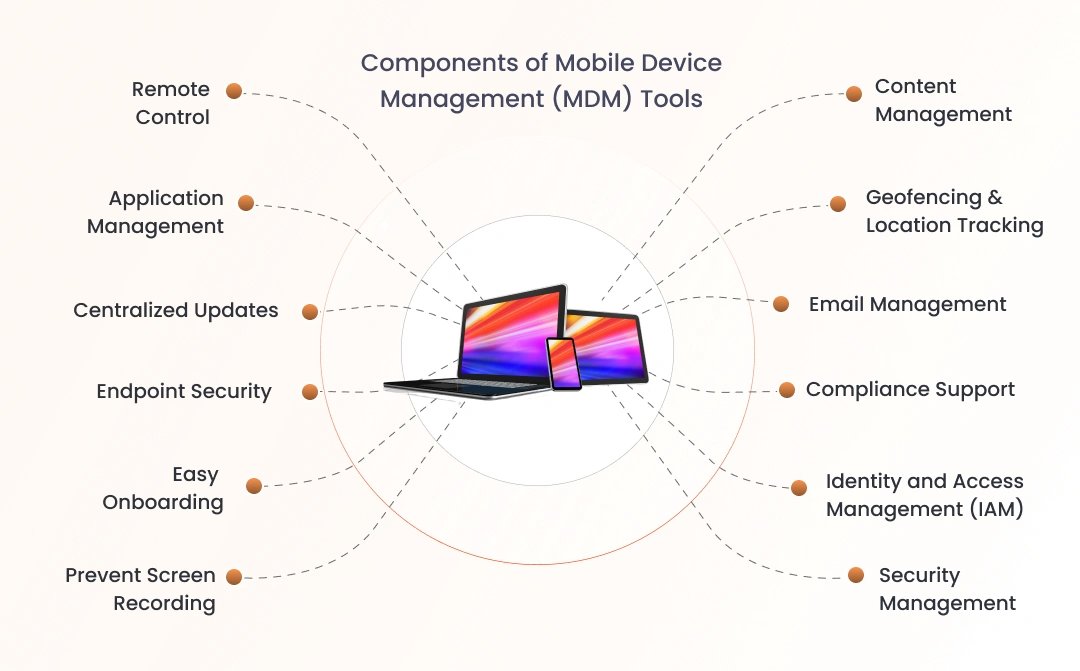
- Device Tracking: Tracks device location and activity, assisting IT departments in detecting missing devices, monitoring usage, and ensuring compliance.
- Mobile Management: Handles enrollment, configuration, and updates to ensure that devices are properly configured and secure throughout their lifecycle.
- Identity and Access Management (IAM): Verifies user identities, enforces authentication, and implements role-based access to ensure that only authorized users have access to sensitive resources.
- Application Security: Controls which apps can be installed, enforces permissions, and blocks unsafe software to protect business data.
- Endpoint Security: Applies encryption, patches, and monitoring to protect devices from malware, data breaches, and unauthorized access.
How Does Mobile Device Management (MDM) Work?
Mobile Device Management relies on two essential components: the MDM server and the MDM agent. The server usually runs in the cloud, while the agent is endpoint software installed on each device to enforce rules and security policies.
IT administrators use the server’s management console as their control center. From here, they configure policies such as password strength, encryption, and app restrictions. Once defined, these rules are pushed wirelessly to every connected device across the organization.
The MDM agent receives those instructions and applies them directly to the device. It communicates with built‑in application programming interfaces (APIs) inside the operating system, ensuring that policies are enforced consistently without requiring manual action from employees.
Beyond security policies, administrators can also deploy applications through the MDM server. This allows IT teams to distribute approved apps, updates, or tools across managed devices, keeping systems aligned with business needs while maintaining compliance and security standards.

BYOD and Mobile Device Management
As organizations embrace flexible work models and a wide variety of devices, keeping endpoints secure has become more challenging. To address this, concepts like BYOD, EMM, and UEM provide frameworks for balancing employee freedom with enterprise‑level security and control.
- Bring Your Own Device (BYOD): Bring Your Own Device gives employees the freedom to use their personal smartphones, laptops, or tablets for work. This boosts flexibility and productivity, but it also raises security concerns since personal devices are not built with enterprise safeguards in mind.
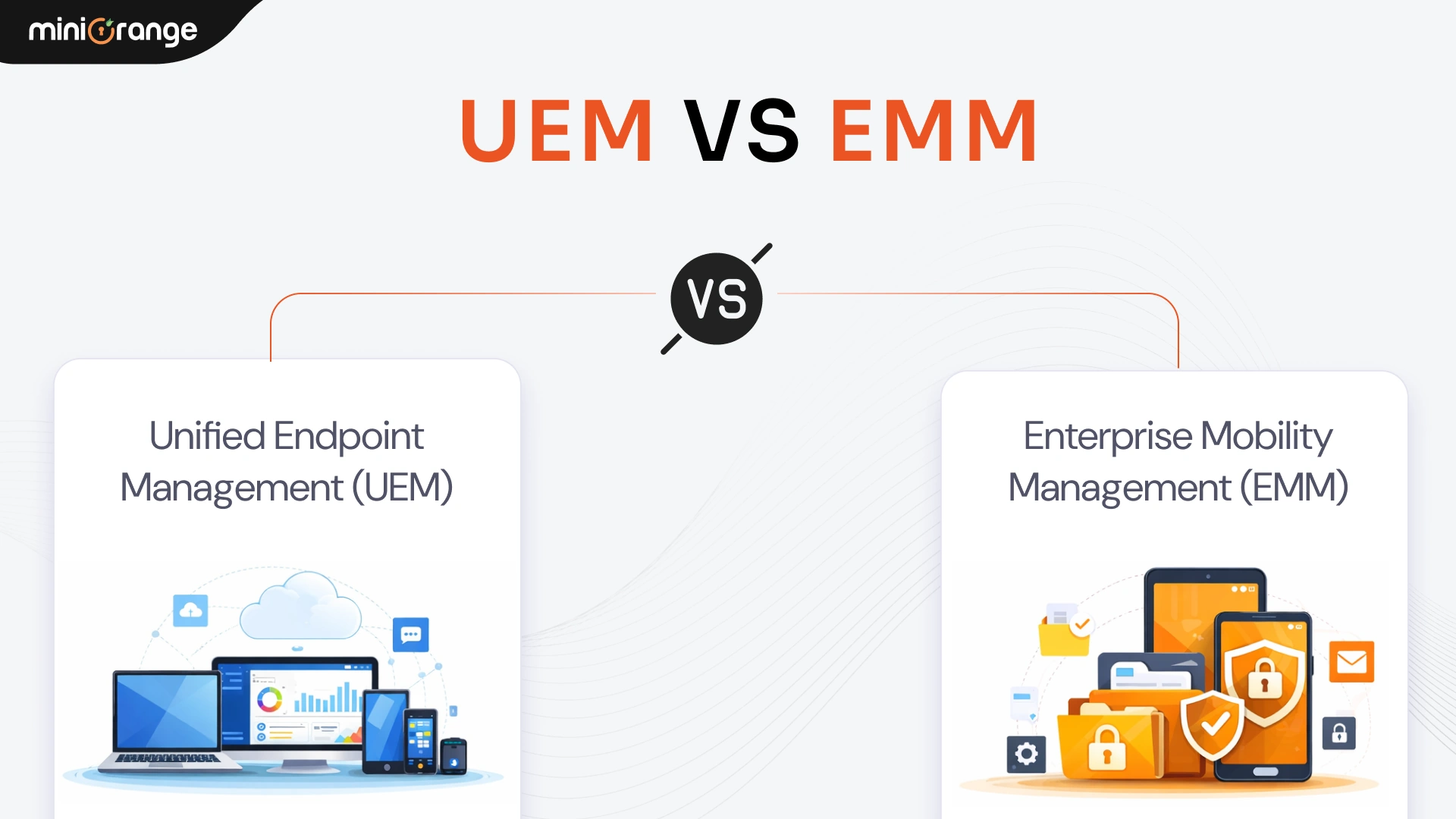
- Enterprise Mobility Management (EMM): Enterprise Mobility Management takes security a step further. Instead of focusing only on the device, EMM manages users, applications, and data across mobile environments. It’s especially valuable for organizations that support BYOD or have large, distributed mobile workforces.
- Unified Endpoint Management (UEM): Unified Endpoint Management brings everything together under one platform. It allows IT teams to manage mobile devices, desktops, and laptops in a unified way. By supporting multiple operating systems, UEM provides visibility and control across devices, applications, and data.
Benefits of Mobile Device Management
Mobile Device Management helps organizations protect data and make device management easier. The main MDM benefits include:
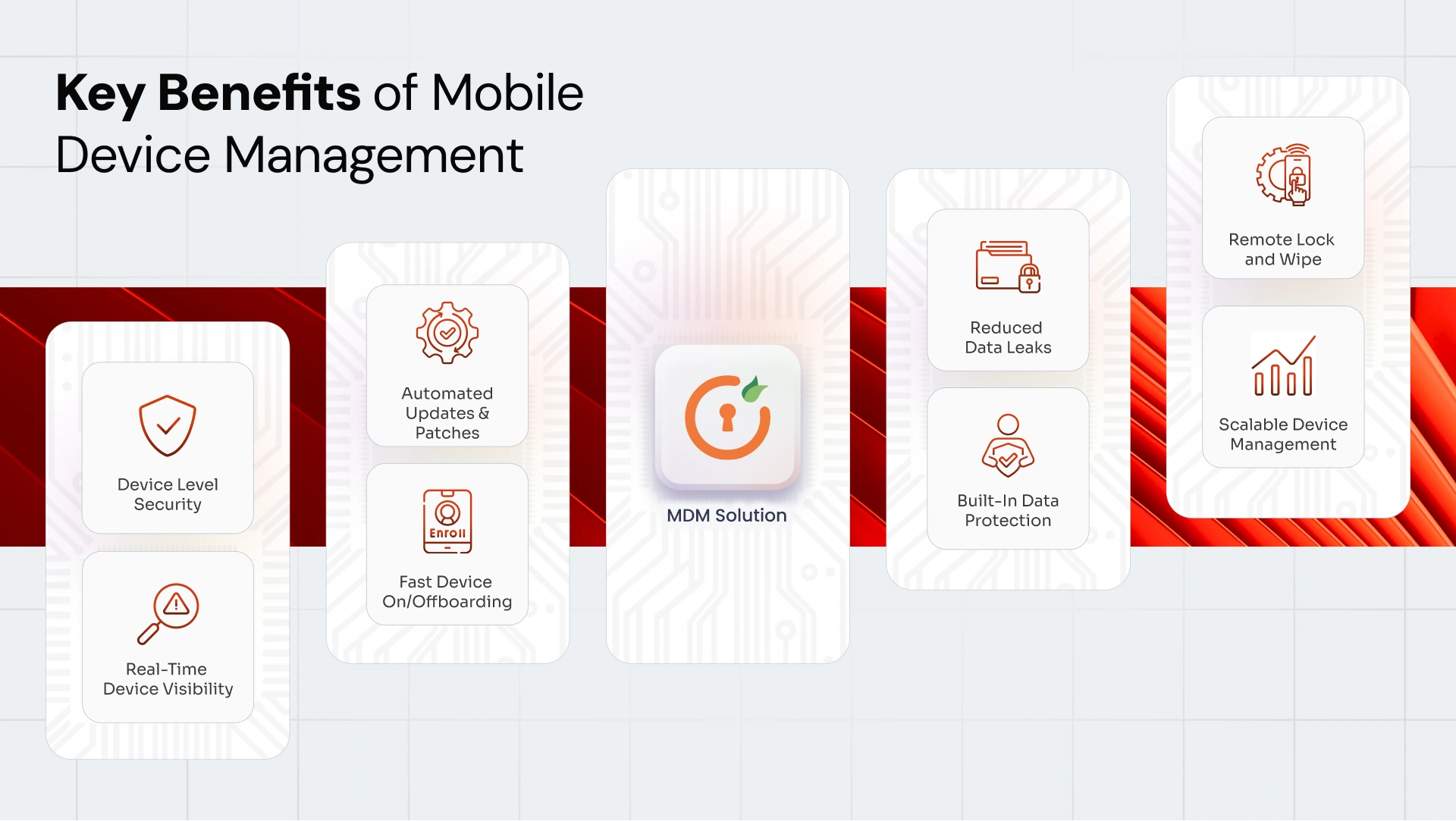
- Device Level Security: Keeps business data protected with basic safeguards like screen locks, encryption, and remote actions, even when devices go missing.
- Real-Time Device Visibility: Gives teams a clear view of every managed device, making it easier to spot issues and stay in control.
- Automated Updates and Patches: Helps keep devices up to date by pushing security patches and system updates without manual effort.
- Fast Device Onboarding/Offboarding: Makes it simple to set up devices for new employees and quickly remove access when someone leaves.
- Reduced Data Leaks: Reduces chances of sensitive data being shared through screenshots, file transfers, or unapproved apps.
- Built-in Data Protection: Helps meet regulatory requirements by enforcing basic security rules and access controls across devices.
- Remote Lock and Wipe: Allows devices to be locked, located, or wiped remotely during security incidents.
- Scalable Device Management: Grows easily as teams expand, new devices are added, or work environments change.
Use Cases of Mobile Device Management
MDM supports a wide range of industries and operational environments.
- Healthcare: MDM protects patient data and supports regulatory compliance by securing devices used in clinical and administrative settings.
- Education: Schools and universities use MDM to manage student and faculty devices, enabling secure and productive learning environments.
- Retail: MDM secures point-of-sale systems and workforce devices, reducing the risk of data exposure.
- BFSI: Financial institutions rely on MDM to protect sensitive financial data and enforce strict security controls.
- Logistics and Transportation: MDM manages rugged devices used in the field, ensuring reliable access to operational tools.
Mobile Device Management Best Practices
Following Mobile Device Management best practices helps ensure long-term success.
- Decide what “managed” really means: Define which apps, networks, and data types a device can access before enrollment, not after problems arise.
- Make enrollment invisible to users: Use zero-touch or QR-based setup so devices are secured the moment they are switched on.
- Control access at the app level: Restrict sensitive data to approved applications instead of locking down the entire device.
- Treat compliance as a signal, not a report: Act immediately on outdated OS versions, disabled encryption, or unapproved apps instead of reviewing logs later.
- Prepare for loss scenarios in advance: Test remote lock and wipe workflows before devices are actually lost or stolen.
- Adjust policies as usage changes: Revisit restrictions when teams go remote, adopt new apps, or introduce shared or frontline devices.
How to Choose the Right MDM Software
Choosing the right MDM solution requires aligning technology with business goals. Key considerations include:
- Supported device platforms and operating systems: Ensure coverage for all devices your organization uses now and plans to adopt.
- Depth of security and compliance features: Look for granular controls that protect data, apps, and access across environments.
- Ease of administration and deployment: The MDM software should be simple to configure, manage, and act on without operational friction.
- Integration with existing identity providers: Native support for your identity stack ensures consistent access control and policy enforcement.
- Scalability and vendor support: The solution must grow with your teams and provide reliable support as your environment evolves.
- Pricing model and transparency: Understand pricing per device/user, what features are included, and the total cost of ownership to avoid surprises.
Conclusion
As mobile devices continue to shape how organizations operate, securing and managing them effectively has become a business necessity. The miniOrange Mobile Device Management solution helps organizations maintain control with robust security, streamlined device management, and support for diverse work environments. It enables teams to protect business data while keeping operations efficient. Find out how the miniOrange MDM solution can simplify device security and management as your organization scales.
Frequently Asked Questions (FAQs)
1. What Does Mobile Device Management Mean?
Mobile device management means controlling and securing mobile devices that access enterprise systems using centralized software and policies.
2. Why Is Mobile Device Management Required?
Mobile device management is required to reduce security risks, ensure compliance, and support modern work environments.
3. What Is the Difference Between MDM and UEM?
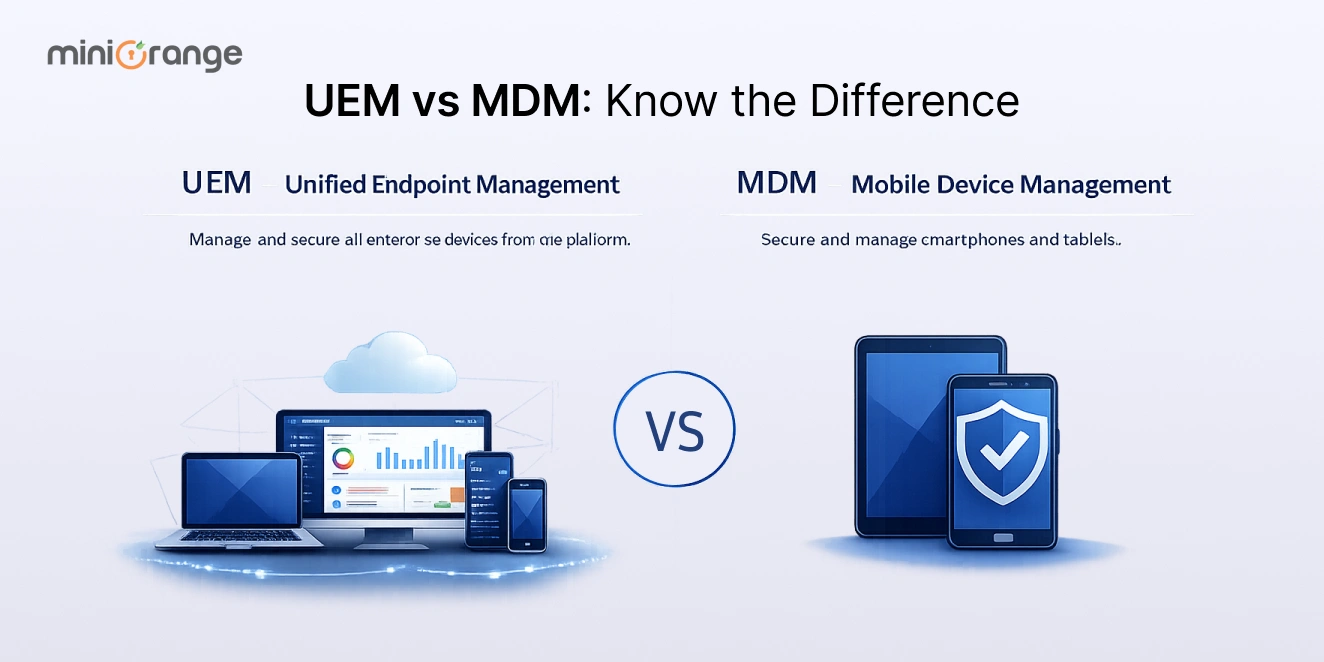
MDM focuses on mobile devices, while UEM manages all endpoints, including desktops, laptops, and IoT devices.
4. What Is the Purpose of Mobile Device Management Software?
The purpose of mobile device management software is to secure enterprise data, enforce policies, and manage devices at scale.
Additional Resources
- Unified Endpoint Management (UEM) by miniOrange
- Android Mobile Device Management
- How to enroll iOS Device in miniOrange MDM Solution
- How to enroll Android devices into miniOrange MDM
- Top 10 Benefits of Mobile Device Management (MDM) for Businesses
- MDM Containerization: How it Protects BYOD Devices at Work
Leave a Comment