

Shopify's latest Customer Accounts experience is built around passwordless login. Customers enter their email address and receive a one-time six-digit verification code instead of creating and remembering a password. For merchants moving from Legacy Customer Accounts or evaluating a more familiar sign-in experience, this raises an important question.
Does Shopify Customer Accounts Support Email & Password Login?
Shopify does not natively support email and password login for Customer Accounts. The default sign-in experience asks customers to enter their email address and then verify their identity using a one-time password (OTP) sent to that address.
This is a significant change from Legacy Customer Accounts, where customers signed in with an email address and password. Understanding Shopify Customer Accounts login using email-password therefore starts with examining how the current Customer Accounts model differs from the legacy system.
Shopify Customer Accounts vs. Legacy Customer Accounts
2026 Update: Shopify deprecated Legacy Customer Accounts on February 26, 2026. Shopify has confirmed that a final sunset date will be announced later in 2026, at which point legacy login templates will eventually be locked and removed.
This deprecation timeline matters more than any single feature comparison, because it determines which stores even have a choice to make. Stores that already had Legacy Customer Accounts running before the cutoff can keep using them for now, but they are not receiving new features or active support. Everyone else is on the new Customer Accounts framework by default.
| Aspect | Legacy Customer Accounts | Shopify Customer Accounts |
|---|---|---|
| Login method | Email + password | Email OTP by default; Sign in with Shop, social sign-in, or external identity provider (Shopify Plus only) also available |
| Customization | Liquid theme edits (customers/login.liquid, customers/account.liquid) | Customer Account UI extensions; no direct Liquid access |
| Session persistence | Sessions persist for 24 hours | Sessions persist for up to 365 days |
| Availability for new stores | Not available since February 26, 2026 | Default for every new store |
| Ongoing development | Deprecated, no new features | Actively developed |
Legacy accounts let store teams edit login and account pages directly in Liquid, so a lot of custom scripts and third-party integrations were built assuming that level of access. The new framework decouples authentication from the theme entirely, which means those older customizations stop working and need to be rebuilt through Shopify's supported extension model instead.
The deprecation of Legacy Customer Accounts therefore has implications beyond the login method itself, particularly for stores with extensive account-page customizations.
Shopify Customer Authentication Methods (2026)
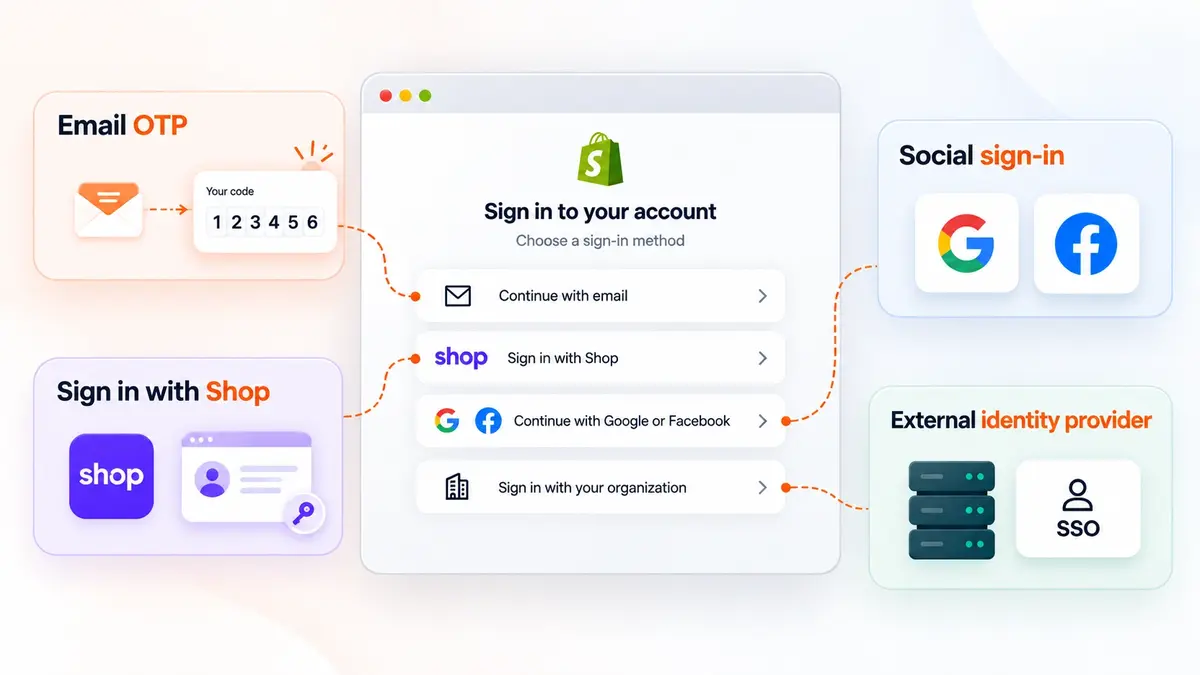
The Shopify Customer Accounts authentication model supports several sign-in paths. The exact options available depend on the store configuration and, in some instances, the Shopify plan.
Email OTP
The default login method for Customer Accounts. Customers enter their email address, receive a one-time six-digit verification code, and use that code to access their account. No password needs to be created or stored.
Sign in with Shop
Customers can sign in using their Shop credentials and saved passkeys. If Shop Pay is activated, Sign in with Shop is automatically enabled for Customer Accounts and remains enabled as long as Shop Pay is active. If Shop Pay isn't activated, the option is enabled by default but can be turned on or off from the Customer Accounts settings.
Social sign-in
Shopify also provides social sign-in options that can be offered alongside the default passwordless experience. Google and Facebook are currently listed as the supported social providers according to Shopify's documentation.
External identity provider for Shopify Plus
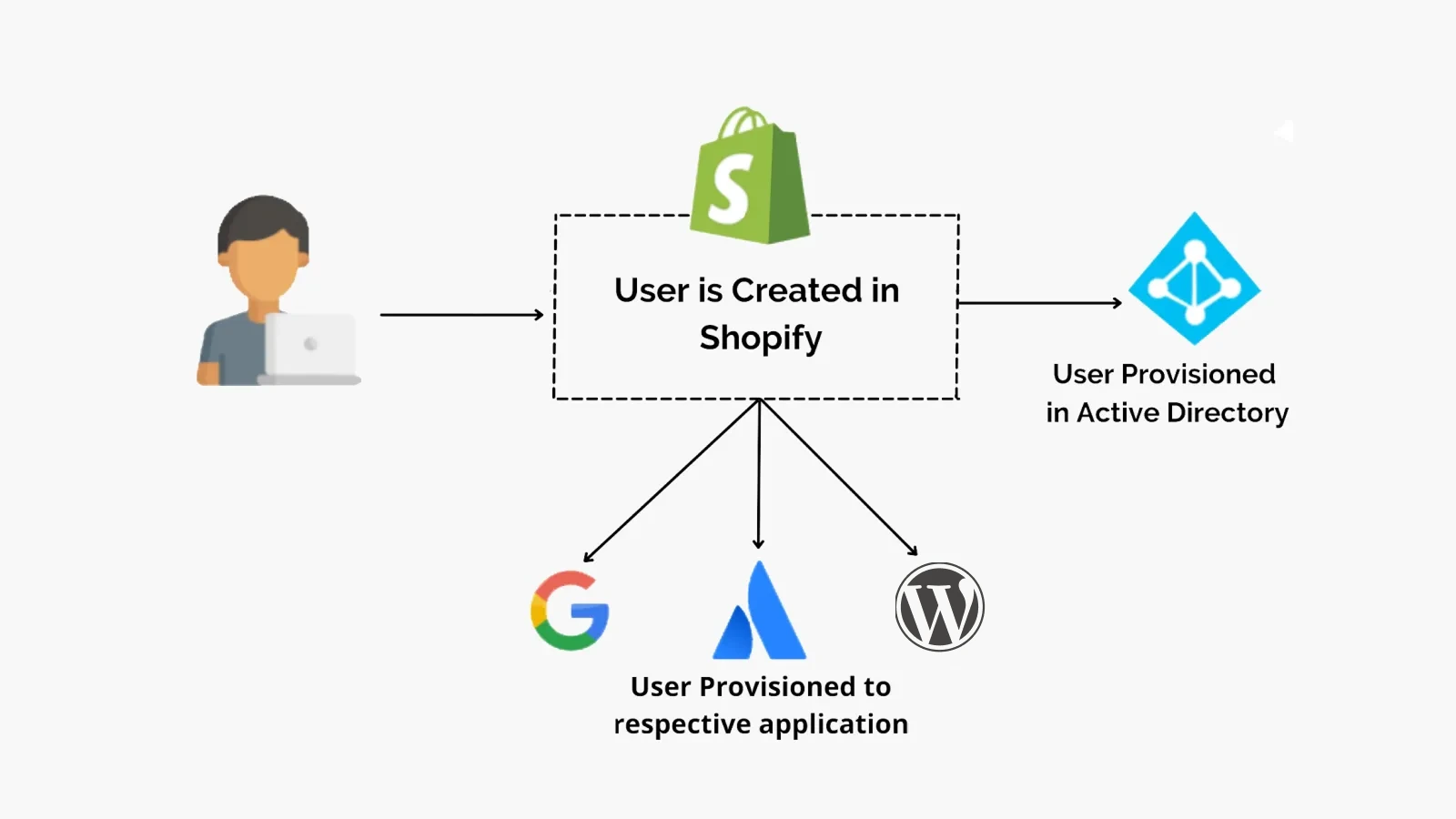
Shopify Plus stores can connect an external OpenID Connect (OIDC)-compliant identity provider and replace the default Customer Accounts sign-in experience with a Single Sign-On (SSO) option. Multiple identity providers can be connected, but only one can be active on the online store at a time.
What Passwordless Login Changed for Shopify Customers
Shopify's current sign-in model reduces the amount of password management required from customers. Instead of creating a password during account setup and remembering it for future visits, the customer verifies access to their email whenever authentication is required.
The model also removes several password-related tasks from the default customer journey:
- No passwords to create, forget, or reset.
- Reduced exposure to password reuse because the default flow does not rely on a customer-created password.
- Faster account access without asking customers to create another credential.
- One account experience for supported features such as orders, profile information, addresses, returns, and store credit.
There is also a practical consideration for merchants concerned about repeated authentication. Shopify states that customer sessions can persist for up to 365 days, so customers do not necessarily have to complete the email verification flow every time they return to the store.
For many stores, this passwordless approach may work well. However, some merchants have customer journeys where email and password login remains a specific requirement.
B2B buyers may be accustomed to established credentials, legacy customers may expect their previous sign-in experience, and some businesses may want more control over how customers authenticate and recover their accounts. In these cases, the question shifts from why Shopify adopted passwordless login to whether that default experience fits the store at all.
When to Use Password-Based Login for Shopify Customer Accounts?
If email and password login is a requirement for your store, the important consideration is the customer scenario behind that requirement. Shopify's default Customer Accounts login flow is passwordless, so merchants who need password login need to evaluate alternative ways of delivering that experience.
B2B store with shared team logins
B2B buyers may access a store as part of an organization, with multiple employees using their company account over time. In these environments, a familiar email-and-password experience may fit more naturally with the way users already access business applications.
With Shopify Customer Accounts, the native sign-in flow relies on email verification. For B2B teams, relying on email codes can create friction when multiple employees need regular access to the same customer account.
Customers migrating from Legacy Customer Accounts
Customers moving from Legacy Customer Accounts may already be accustomed to signing in with an email address and password. The current Customer Accounts experience changes that default to one-time email verification.
For these stores, the question is whether to adopt Shopify's new authentication model as-is or provide an alternative login experience that preserves the familiarity of email and password. For repeat buyers, the change can be jarring when they return to place an order and find that their familiar email-and-password login has been replaced with email verification.
How to Enable Shopify Customer Login with Email and Password
Shopify's Customer Accounts framework can be extended through Customer Account UI extensions. For merchants that need email and password login, a third-party app can provide that capability within the current Customer Accounts experience. The app connects to Customer Accounts as an external identity provider, making Shopify Plus a requirement.
miniOrange Customer Accounts Login is built for Shopify Plus stores that need greater control over customer authentication. It allows merchants to move beyond Shopify's default passwordless flow and offer a familiar account journey where customers create an account with a password, use those credentials to sign in on subsequent visits, and recover access through a password reset flow when needed.
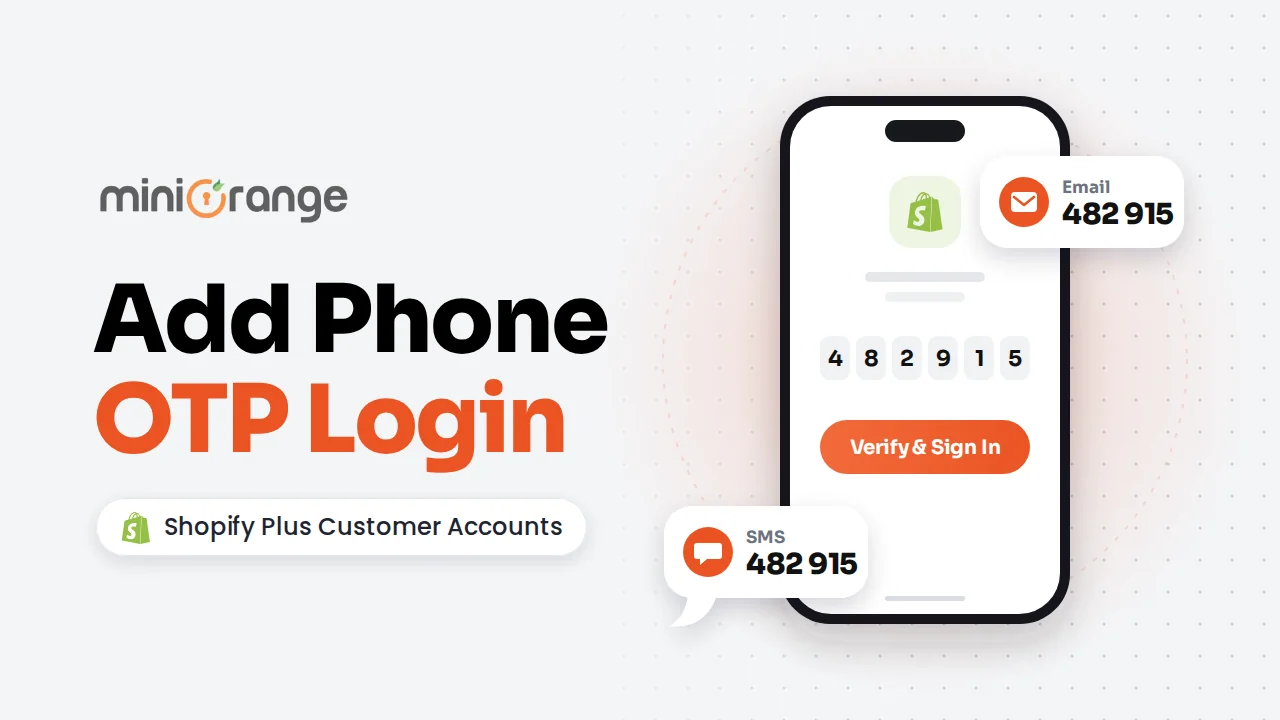
This option can be offered alongside email OTP, phone OTP, social login, Sign in with Shop, and SSO. Merchants can enable multiple authentication methods within the same storefront, allowing customers to use the option that best fits their needs.
For stores serving both individual shoppers and business buyers, the app supports separate B2B and B2C login and sign-up experiences. Merchants can tailor each flow to the storefront with their logo, colors, and theme, and present it as a popup, slide-in, or embedded form.
Before choosing a third-party solution If you are evaluating a third-party login solution, consider how it will fit into your existing customer account setup:
- What happens if the app is uninstalled? Check whether removing the app changes the login experience and whether any settings or customer-facing configurations need to be restored.
- Does it support your Shopify plan? Verify compatibility with your store's Shopify plan and the current Customer Accounts framework.
- Can it support your customer segments? Stores serving both B2B and B2C customers may need separate login and sign-up experiences, so check whether the solution supports the required customer journeys.
- Does it include password recovery? If the solution offers email and password login, verify that customers have a clear process for recovering and resetting forgotten credentials.
Frequently Asked Questions (FAQs)
Can Shopify Customer Accounts use email and password login?
Shopify currently does not provide email and password authentication as a native sign-in method for Customer Accounts. The default flow uses a one-time six-digit verification code sent by email.
What login methods does Shopify Customer Accounts support in 2026?
Customers can use passwordless email sign-in, Sign in with Shop, and supported social sign-in options (Google and Facebook). Shopify Plus stores can also connect their own OIDC-compliant identity provider to replace the default sign-in experience.
What happened to Shopify Legacy Customer Accounts?
Shopify announced the deprecation of Legacy Customer Accounts in February 2026. They are no longer available to new stores or existing stores that were not already using them, and Shopify has stated that a final sunset date will be announced later in 2026.
Can Shopify Plus stores add password login to Customer Accounts?
Not natively. Shopify uses email OTP verification as the default login method, but Shopify Plus merchants who want to retain a traditional login experience can use third-party apps such as MO: Customer Accounts Login to add email-password authentication and maintain a familiar sign-in experience.
Can email-password and OTP login be used together?
Not with Shopify's native options alone, but an application that supports multiple authentication methods can offer them together. miniOrange's MO: Customer Accounts Login supports email-password, email OTP, phone OTP, social login, and SSO, alongside Sign in with Shop, allowing merchants to configure multiple methods for Shopify Plus Customer Accounts.
Do customers have to enter a verification code every time they visit a Shopify store?
No. Shopify states that customer sessions can persist for up to 365 days, so customers do not necessarily need to sign in again every time they return during that session period.
Leave a Comment