
The external defenses of most organizations are reasonably mature. Yet breaches keep happening. That’s because these days most attackers are walking through the door rather than breaking the wall.
According to the IBM X-Force Threat Intelligence Index 2025, the theft and abuse of valid account credentials were the top initial access vector. They accounted for 30% of all incidents X-Force handled. In their 2026 index, privileged credentials misuse still accounts for 32% of incidents.
The pattern is consistent: attackers aren't hacking in. They're logging in.
A big share of these log-ins aren't stolen from strangers. They belong to insiders, compromised admins, and over-privileged accounts. This is privileged access abuse, and understanding it is no longer an option for any organization that holds sensitive data.
What is Privileged Access Abuse?
Privileged access abuse is the misuse of elevated permissions by an insider threat or external attacker. They do this to access, modify, or extract sensitive information beyond what is approved or necessary.
That last part matters the most because abuse isn't always unauthorized access.
In many cases, the account is legitimate. The person logged in is who they say they are. But what they're doing with that access falls outside what it was ever intended for. This is what separates authorized access from unauthorized access.
- Unauthorized access is when an outsider breaks into a system, or uses an insider's credentials that they were never supposed to have.
- Authorized access is when an insider misuses access they already have or have just obtained. In this case, the detection is harder precisely because nothing technically "failed."
What makes Privileged Access Abuse particularly stubborn is that the misuse can be intentional, unintentional, or the attacker could be misusing privileged credentials.
3 forces are making this worse: the explosion of non-human identities (NHIs), the rise of AI-driven social engineering, and SaaS sprawl.
This is exactly why organizations are increasingly investing in privileged access management to control, monitor, and limit how such high-risk access is used.
Now, before getting into who holds privileged access and how it gets abused, it's worth being precise about what a privilege actually is.
What are Privileges Exactly?
In any organization, not all access is equal.
For example, in any IT environment, a standard user account can read files, send emails, and run applications. A privileged account can do significantly more. For example, it can change system configurations, access databases directly, create or delete user accounts, deploy code to production, or read data across the entire organization without restriction. These elevated permissions are called privileges. And they exist because certain roles genuinely need them. A database administrator needs direct access to production data. A system engineer needs to change server configurations.
The access isn't the problem. The problem is what happens when it's misused, unmonitored, or falls into the wrong hands.
What Are Privileged Access Users?
A privileged access user is anyone, human or non-human, whose credentials carry more access than a standard account. These are the identities that, if compromised or misused, can cause the most damage.
Human privileged users include system admins, database admins, DevOps engineers, cloud account holders, and C-suite executives.
Then there are non-human identities, and this is where many organizations have the least visibility. Service accounts run automated processes and often carry persistent, standing privileges. Application accounts authenticate between systems. CI/CD pipeline credentials can hold deployment access that rivals any human admin.
These accounts don't clock out. They don't get phished, exactly, but their credentials can be harvested. And because they're rarely reviewed or rotated with the same rigor as human accounts, they're a quiet target.
The explosion of non-human identities across cloud and SaaS environments has increased the privileged attack surface. Many organizations don't have an accurate count of how many such accounts exist, let alone what each one can access.
Common Examples of Privileged Access Abuse
Understanding what privileged access abuse actually looks like in practice matters. It's not always a dramatic breach event. Often, it starts small and goes unnoticed for months.
Insider-Driven Privileged Abuse
The clearest category involves a person deliberately misusing access they legitimately hold. For example, a finance system user grants themselves elevated access to approve their own transactions, or an HR admin who accesses executive compensation records out of curiosity. Both are accessing what they have access to, but the purpose of the access is unauthorized.
Prevention from such insider threats is difficult, because the behavior is legitimate. They don't need to be hackers. They need a motive, scope, and insufficient oversight. None of these are visible to a system that only checks whether access was granted.
Credential-Based Privileged Abuse
This is the external attacker's way in. The common methods that attackers use these days are phishing for admin credentials, reusing root passwords, or brute-force attacks.
Once the attackers are in, they don't stay at the privilege level they've obtained. They deploy malware, move laterally, escalate further, install backdoors, and create new admins. A case presented at Black Hat USA 2025 illustrates how sophisticated this has become in cloud environments.
A disclosure by researcher Naor Haziz of Sweet Security shows a method called ECScape. It targets Amazon ECS running on EC2 instances. With this method, a low-privileged container can intercept IAM credentials belonging to other tasks on the same host. The attack abuses the default behavior of ECS's credential delivery mechanism. So, escalation leaves no obvious trace.
The result: a container with near-zero permissions could assume the role of a highly privileged task. Without breaking out of the container, without triggering obvious alerts, and without any misconfiguration by the victim organization. Most users assumed container-level isolation existed. It didn't.
This illustrates something broader: privilege escalation doesn't need a dramatic technical leap. It simply requires an attacker to have more knowledge and understanding of your environment than the people defending it.
Orphaned and Shared Account Abuse
When someone leaves an organization, their accounts should be deprovisioned immediately. When they aren't, those accounts become open doors.
These orphaned accounts are low-hanging fruit. They don't raise alarms when accessed because they're still listed as valid. And because they belong to people who no longer have context in the organization, their activity is particularly hard to trace back to intent.
Shared admin credentials create a parallel problem. When multiple people operate under the same account, no one can attribute specific actions to a specific individual. If a privileged credential is misused, the blast radius is wider than necessary. If something goes wrong, there's no audit trail to reconstruct what happened.
Both scenarios are common. Both are preventable as well.
4 Strategies to Prevent Privileged Access Abuse
Prevention isn't one tool or one policy. It's a set of structural controls that, when applied together, reduce the opportunity for abuse and its blast radius.
1. Enforce Least Privilege
The principle of least privilege is the foundation of access control. It says every account, human or non-human, should have exactly the access needed to do its job—no more. In practice, it's harder to maintain over time. People get promoted, join cross-functional projects, and permissions follow them without being revoked. This is called privilege creep, and it's endemic. When access is no longer needed, it should be revoked.
This applies to both role-based access control (RBAC) and policy-based frameworks. RBAC ties access to roles and roles to job functions. When someone moves to a different team, their access profile changes. When a role is retired, the permissions go with it. Policy-based access adds contextual conditions. For example, access may be allowed from a corporate device but not a personal one.
2. Use Privileged Access Management (PAM)
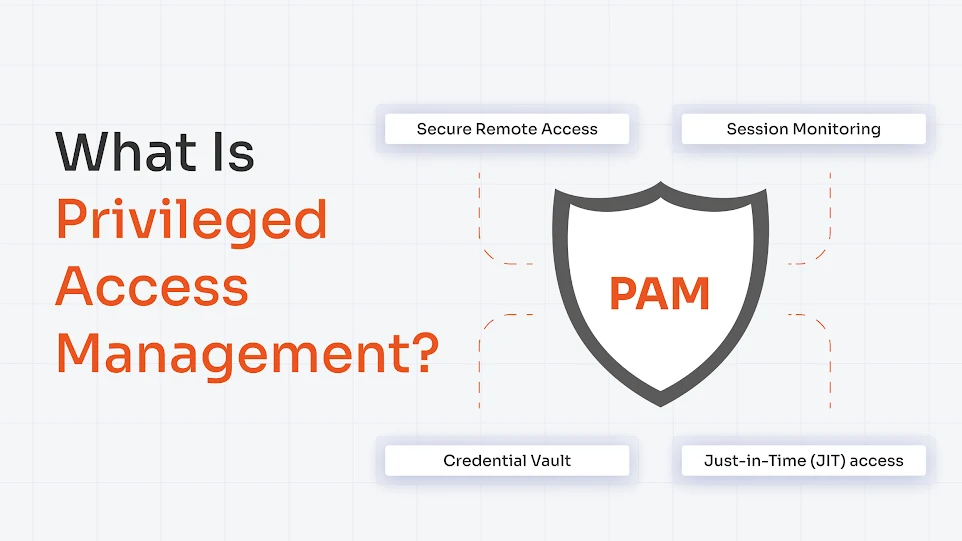
Privileged Access Management platforms exist to govern elevated accounts. They give organizations direct control over how privileged access is granted, used, and revoked.
Here are a few features of PAM that you must consider:
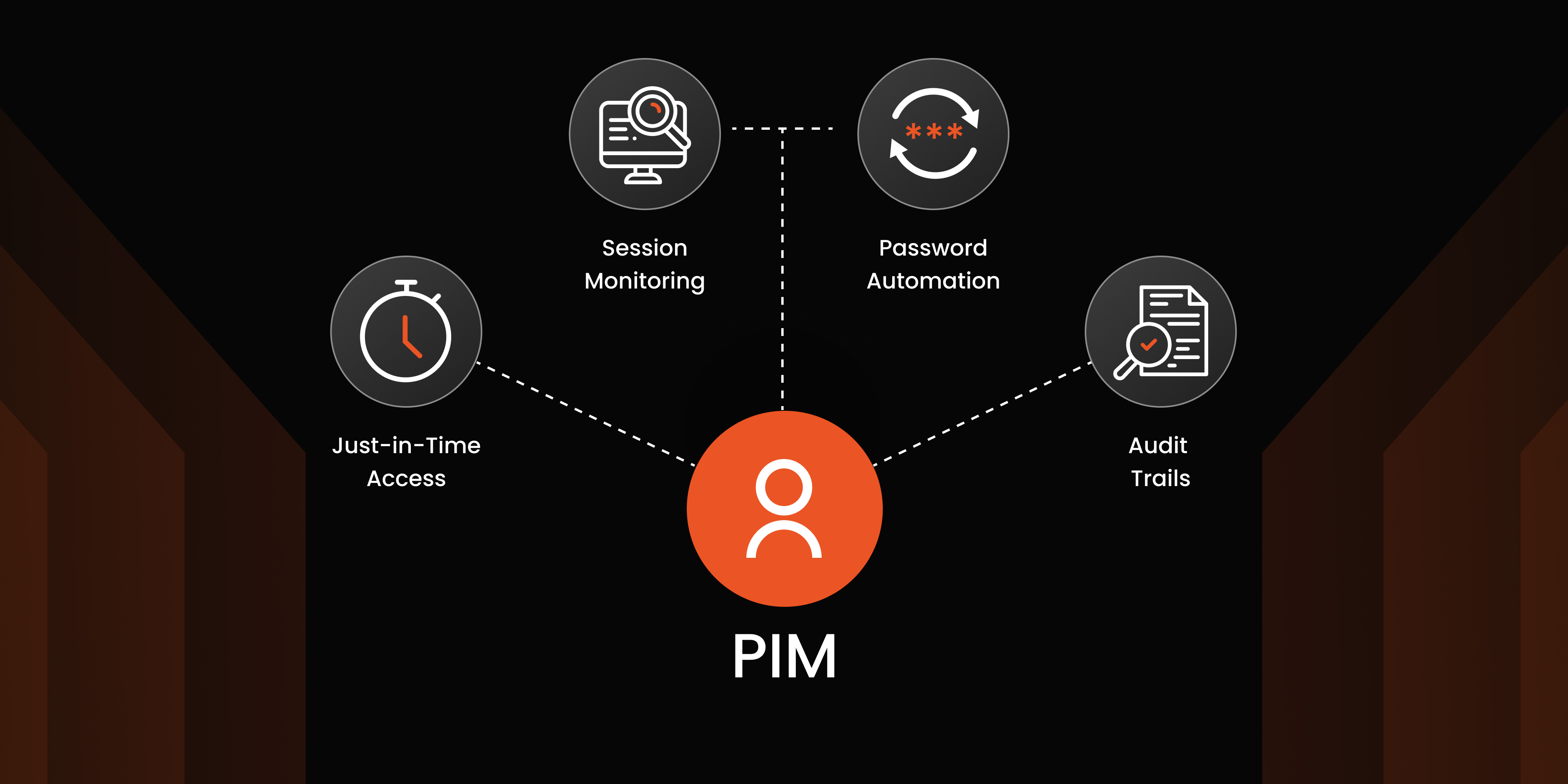
- Just-in-time (JIT) access removes standing privileges. It does this by granting elevated access specific to a task and for a specific time window.
- Session monitoring and recording captures every privileged session in full. This creates audit trails that can be reviewed in real time or later.
- Approval workflows add human oversight to access requests. This ensures that elevated permissions are not provisioned without someone accountable for that decision.
3. Strengthen Authentication
MFA should be non-negotiable for all privileged accounts. A stolen password alone should not be enough to log into a system administrator's account. This sounds obvious, but enforcement gaps remain common—especially for service accounts and non-human identities that are often excluded from MFA policies because "they're automated."
Shared credentials should be eliminated. Not reduced. Eliminated. Every privileged action should be traceable to an individual identity. This isn't just a security rule; it's an audit and compliance rule.
4. Continuous Monitoring and Access Reviews
Access policies are only as effective as their enforcement. User and entity behavior analytics (UEBA) establish behavioral baselines for each account. They include accessing unusual systems, downloading large files, and logging in at atypical hours. Regular access reviews ensure that these permissions don't accumulate passively as role changes.
But prevention controls alone aren't enough. Organizations also need continuous visibility into how privileged access is actually being used.
How to Detect Privileged Access Abuse: Signs and Indicators
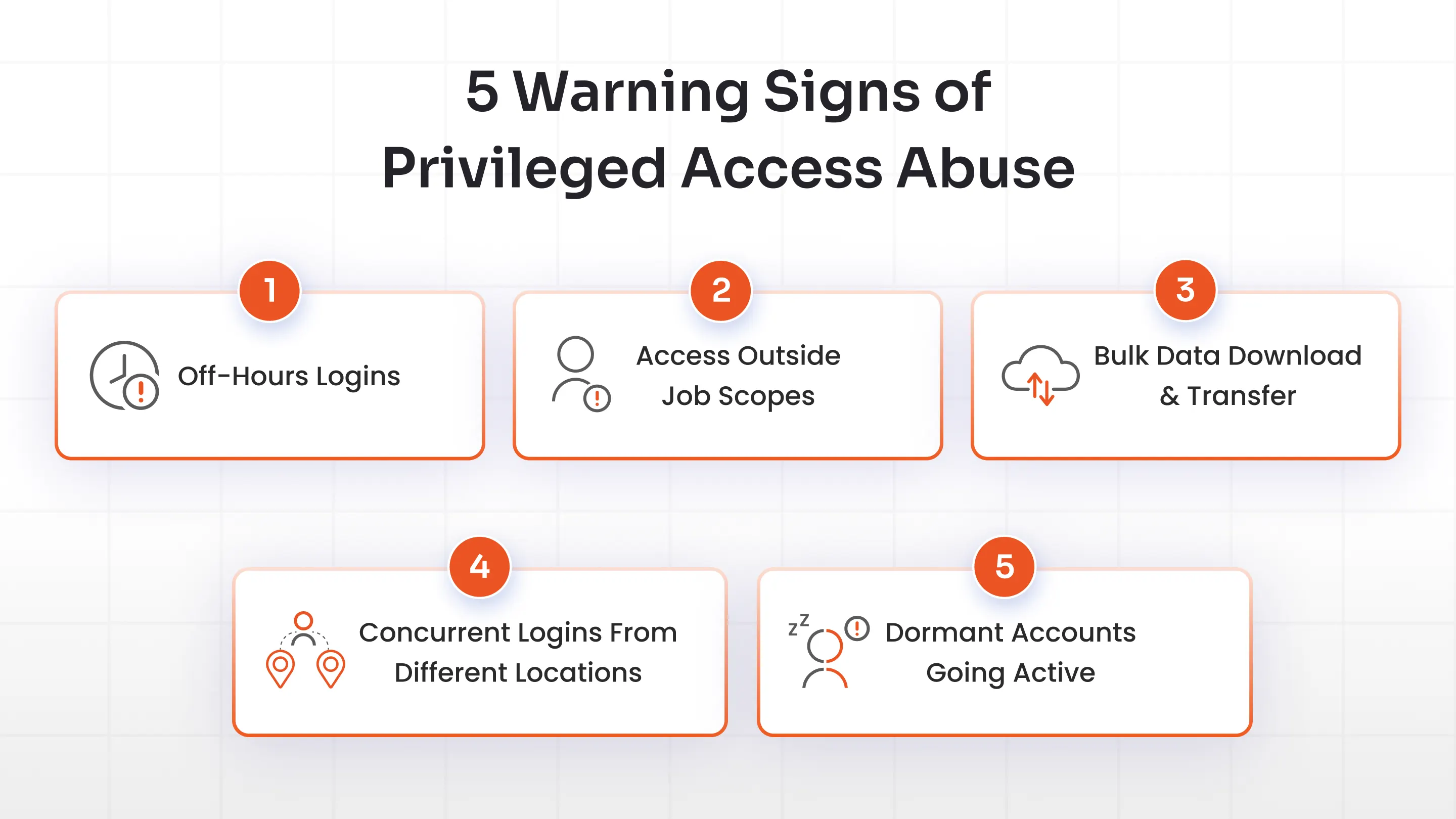
Privileged access abuse rarely announces itself. What it does leave behind is a pattern and behavioral indicators, and these are the signals worth watching for.
1. Off-hours or unusual login:
An admin account that consistently operates between 9 am and 6 pm suddenly generates activity at 2 am. This alone is not proof of abuse. But combined with anything else that's on this list, it warrants an investigation.
2.Access outside job scopes:
A finance account querying network configurations. Or an engineer pulling HR records. In such cases, something is wrong with either the access policy or the person using it.
3. Bulk data downloads or transfers:
Large-volume data extraction in a short window, particularly near an employee's resignation or termination, is a classic leakage signal.
4. Concurrent logins from different locations:
A session from London and a session from Singapore are active at the same time. In this case, either the credentials are shared or stolen.
5.Dormant accounts becoming active:
An account that hasn't been used in months suddenly generating activity is a direct indicator of orphaned account abuse.
None of these signals are easy to catch manually. But a PAM solution closes that gap.
- Session recording creates a full record of every privileged action.
- Behavioral analytics flags anomalies from set baselines.
- Access logs give security something concrete to work with when a session looks suspicious.
Without this visibility, security operations teams are working blind on the most weighty part of an organization: privileged accounts.
Privileged Access Abuse, PAM, and Compliance
Regulatory frameworks are explicit about privileged access.
- SOX requires that access to financial systems be restricted and auditable.
- PCI DSS mandates strict controls over who can access cardholder data.
- HIPAA places the same expectations on patient records.
- GDPR's accountability principle requires organizations to show that access controls are operational.
What these compliance frameworks share is a consistent requirement: know who has access, prove it is limited to what was necessary, and produce an audit trail showing how that access was used.
PAM satisfies these requirements. Credential vaults, JIT provisioning, session recording, and access reviews are the documentation that compliance audits look for. Organizations running a PAM program move through audits faster because the evidence is already organized and accessible.
FAQs
What is an example of privileged user abuse?
A system admin accessing customer details out of curiosity is a direct example. So is a former employee logging into a company system after their termination, using credentials that were never revoked. On the external attack side, an attacker uses stolen credentials to create a backdoor admin account.
How do you monitor privileged accounts?
Through PAM session recording, behavioral analytics, and regular access log reviews. The goal is simple: know who accessed what, when, and whether that access made sense for their role.
What are some examples of unauthorized access?
Brute-force passwords, credential phishing, old employee accounts that were never deprovisioned, and more. What these examples have in common is that the access wasn't sanctioned—either by role, by time, or by context.
How do you prevent privileged access abuse?
A few methods to prevent privileged access abuse:
- Enforce least privilege.
- Implement PAM with just-in-time access.
- Enable MFA on all privileged accounts.
- Eliminate shared credentials.
- Review access regularly.
About the Author

PAM Engineering Lead
Pradeep is a Senior Software Engineer at miniOrange, bringing over 7 years of experience in designing and securing enterprise access infrastructures. He leads the architecture and implementation of miniOrange’s Privileged Access Management solutions that help organizations enforce least-privilege controls, secure critical systems, and reduce identity-based risk across cloud and on-prem environments. He works closely with security and IT teams to build scalable privilege governance frameworks aligned with compliance and operational requirements. His expertise spans PAM architecture, secure system design, and identity-first security engineering for modern enterprises.
Leave a Comment