
Which Email DLP Solution is Best for Your Business?
Email data breaches don’t always happen because of hackers. Sometimes it’s just one wrong click, a rushed moment, or a small policy gap, and that's it; your business data ends up in the wrong inbox. That single mistake can trigger compliance penalties, customer distrust, or even legal trouble.
To help prevent these risks, many businesses rely on Email Data Loss Prevention (DLP) tools. Many teams start with built-in options like Google Workspace DLP or Microsoft 365 Purview/Outlook DLP, only to realize they don’t fully support hybrid environments or multi-platform workflows.
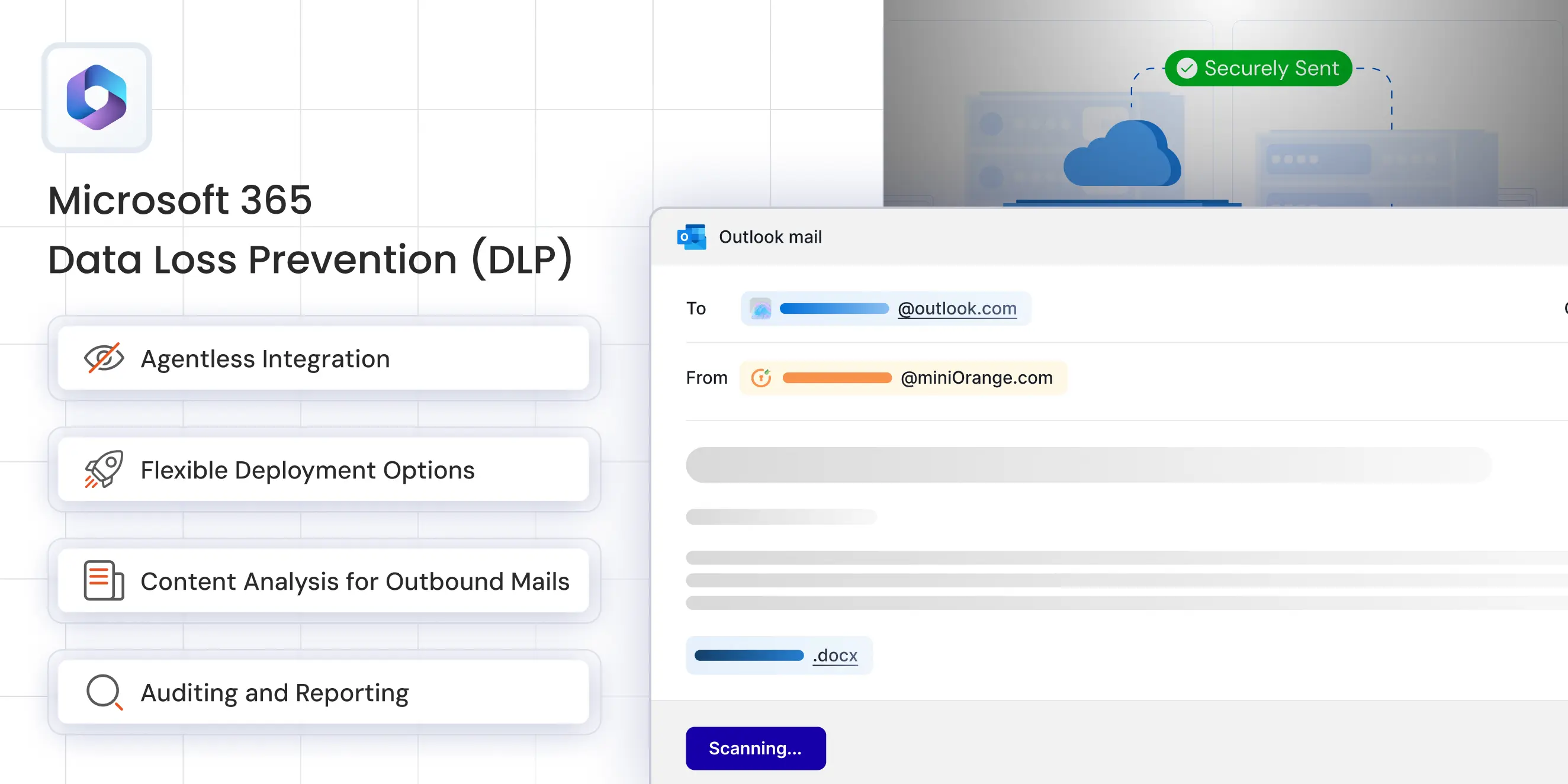
miniOrange Email DLP fills this gap with a flexible, customizable security solution that protects emails across any platform.
This blog breaks down into three sections:
- miniOrange vs Google Workspace DLP
- miniOrange vs Microsoft 365 Purview / Outlook DLP
- And the full difference between miniOrange DLP, Microsoft DLP, and Gmail DLP
What is Email DLP & Why Does It Matter?
Email DLP scans outgoing messages for sensitive information, such as:
- Personal data (PII)
- Financial records
- Healthcare details (PHI)
- Intellectual property
- Confidential business documents
It prevents accidental or malicious data leakage by blocking or quarantining risky emails before they leave your environment.
With hybrid work, remote teams, and complex compliance frameworks like GDPR, HIPAA, PCI-DSS, and ISO 27001, having reliable email DLP isn’t optional anymore; it’s essential for staying compliant and protecting customer trust.
Problems with Google Workspace DLP or Microsoft 365 Outlook DLP
Most companies start with Google or Microsoft DLP tools because they’re already part of Google Workspace or Microsoft 365. But as organizations grow, expand into hybrid environments, or adopt stricter compliance requirements, limitations in these native tools become impossible to ignore.
Below are the most common challenges businesses face with Gmail DLP and Microsoft Purview/Outlook DLP:
| Challenge | Google Workspace DLP (Gmail DLP) | Microsoft 365 Purview / Outlook DLP |
|---|---|---|
| Limited to a Single Ecosystem | Works only within Gmail; does not support Outlook, on-prem servers, or hybrid environments. | Restricted to Microsoft 365/Exchange; multi-tenant setups require additional engineering. |
| 2. High Costs for Advanced Features | Advanced DLP is available only in Enterprise Standard or Enterprise Plus plans. | Advanced DLP requires Microsoft 365 E5 or the Compliance add-on, raising overall cost. |
| 3. Limited Customization & Policy Control | Only basic rule creation is available in the Google Admin Console. | Powerful templates exist, but cross-tenant or complex policies require significant time and expertise. |
| 4. Slow & Complex Onboarding | Requires Workspace-wide policies affecting all users; onboarding can take weeks. | Requires detailed setup in the Compliance Center; onboarding is slower for multi-site or multi-domain environments. |
| 5. Support Challenges | Support quality depends on the Workspace licensing tier. | Faster SLA-backed support often requires paid premier support plans. Waiting during urgent security incidents can be risky. |
What Makes miniOrange Email DLP Different?
Unlike platform-locked tools from Google or Microsoft, miniOrange Email DLP works everywhere, across Gmail, Outlook/Exchange, Microsoft 365, and even on-premises SMTP servers.
Key benefits of miniOrange Email DLP include**:
1. Platform-Independent Protection : miniOrange Email DLP isn’t tied to any single provider. It protects emails across Gmail, Outlook, Exchange, Microsoft 365, and on-prem SMTP systems, all at once.
2. Flexible Deployment: Available as a cloud SaaS, on-premises solution, or hybrid model, ensuring that it fits your company’s specific data-residency and compliance requirements.
3. Rapid Deployment : Most DLP tools demand migrations, re-routing, or lengthy configuration. miniOrange doesn’t. It goes live immediately withimmediatelyin days with no need for email provider migration or changes to your infrastructure.
4. Customizable Policies : You can create as many custom rules as you need, using regex patterns, keywords, and attachment policies.
5. Centralized Management : Easily manage multiple domains, subsidiaries, or business units from a single dashboard. This eliminates the need for tenant switching and reduces the risk of misconfigurations.
6. Transparent Pricing & Dedicated Support : Pay based on user count with flexible contracts and 24×7 support from our expert team.
Feature Difference Between miniOrange DLP, Microsoft DLP and Gmail DLP
This section provides a direct feature comparison to show the real differences between miniOrange vs Google Workspace DLP and miniOrange vs Microsoft 365 Purview DLP.
| Features | miniOrange Email DLP | Google Workspace (Gmail DLP) | Microsoft 365 (Purview/Outlook DLP) |
|---|---|---|---|
| Platform Coverage | Works with any mail platform – Gmail, Outlook/Exchange, on-prem SMTP, hybrid & legacy systems | Native to Gmail/Google Workspace only | Native to Microsoft 365/Exchange ecosystem only |
| Deployment Flexibility | Multiple options: cloud SaaS, on-prem, or hybrid to fit strict data-residency needs | Google cloud only | Microsoft cloud or hybrid (with connectors) |
| Pricing Model | Straightforward quote-based per-user pricing tiers and optional month-to-month contracts | Requires higher-tier Workspace plans (Enterprise Standard/Plus); no standalone DLP product | Advanced DLP typically requires Microsoft 365 E5 or E5 Compliance add-on |
| Policy Customization | Unlimited custom rules, regex, keywords, and attachment policies without waiting for product updates | Custom rules allowed, but confined to Google’s admin console & detection library | Rich templates, but complex to manage and license for cross-tenant use |
| Cross-Tenant / Multi-Org Control | Central console can protect multiple domains & subsidiaries from one dashboard | Single Google Workspace tenant only | Single Microsoft 365 tenant (multi-geo requires extra setup) |
| Rapid Onboarding | Go live in days – Agentless Email DLP solution, no need to migrate email provider | Requires organization-wide Google Workspace policies | Requires Microsoft 365 Compliance Center configuration, sometimes license upgrades |
| Data-Residency & Privacy Options | Choose data-center location (EU, US, APAC) for scanning/quarantine to meet regional laws | Data processed in Google data centers (region selection limited) | Data processed in Microsoft data centers (geo selection requires premium SKUs) |
| Customer Support | Direct vendor support with 24×7 SLA, custom onboarding assistance | Google Workspace support depends on plan | Microsoft support depends on plan/support contract |
| Total Cost of Ownership | Predictable – pay only for protected users and chosen features | Costs escalate with Enterprise upgrades for every user | Higher baseline (E5 or add-ons) + admin overhead |
Applications of miniOrange Email DLP
1. Hybrid Enterprises (Gmail + Outlook + On-Prem) : Many businesses now operate in blended environments with sales teams using Gmail, while operations rely on Outlook. This mix creates gaps in traditional DLP tools that only protect one platform.
miniOrange Email DLP provides unified protection across all of them without forcing teams to migrate, consolidate, or change their workflows.
2. Compliance-Driven Organizations (Finance, Healthcare, Legal, Government) : Industries with strict regulatory requirements often struggle with email DLP because many providers restrict where data is processed.
miniOrange Email DLP solves this by allowing organizations to choose exactly where email data is scanned and stored (US, EU, APAC, or other regional locations).
This is crucial for meeting regulations like:
- GDPR (EU data protection)
- HIPAA (healthcare privacy)
- PCI-DSS (payment card security)
- ISO 27001 (information security)
3. Managed Service Providers (MSPs & MSSPs) : MSPs are responsible for protecting multiple clients, each with different domains, configurations, and DLP policies.
miniOrange gives MSPs a single dashboard to manage multiple client domains, separate DLP policies, alerts, and role-based access for technicians
4. SMBs and Growing Organizations : Small and medium-sized businesses need enterprise-level protection without enterprise-level complexity. miniOrange offers fast, agentless deployment, affordable per-user pricing, simple policy setup and minimal IT involvement required.
When to Choose Which DLP Email Solution?
Every business has unique requirements when it comes to email security and compliance, so the right DLP tool depends directly on how your business operates.
Here’s a breakdown of when to choose which solution:
miniOrange Email DLP
- Need fast, agentless deployment
- Require cross-platform protection
- Want flexible data residency options (GDPR, HIPAA, PCI, etc.)
- Prefer predictable pricing without enterprise-tier upgrades
- Want to avoid vendor lock-in and maintain full control over email security
Best For:
Businesses using multiple email platforms (Gmail, Outlook, Exchange, on-prem), hybrid environments, compliance-driven sectors, MSPs, and growing companies.
Google Workspace (Gmail DLP)
- Already subscribed to Enterprise Standard or Plus plans
- Need basic, built-in Gmail DLP
- Want easy setup within Google Workspace
- Don’t require cross-tenant or multi-platform support
Best For:
Organizations fully using the Google ecosystem with no hybrid or Outlook/Exchange requirements.
Microsoft 365 Purview / Outlook DLP
- Have existing E5 licenses or Compliance add-ons
- Need deep integration with Microsoft apps (Teams, OneDrive, SharePoint)
- Have IT resources to manage complex governance settings
- Don’t rely on Gmail or hybrid environments
Best For:
Large enterprises operating entirely within Microsoft 365, especially those with compliance-heavy workflows.
Conclusion: The Smarter Choice for Cross-Platform Email Security
Google Workspace and Microsoft 365 offer powerful DLP capabilities, but only inside their own ecosystems. miniOrange Email DLP closes that gap by delivering the flexibility, customization, and multi-tenant control that modern businesses require.
With clear pricing, quick onboarding, and continuous support, miniOrange Email DLP ensures your organization’s sensitive data is protected, whether it’s sent through Gmail, Outlook, or any other email platform.
Ready to Protect Your Emails Everywhere?
Contact miniOrange today at uemsupport@xecurify.com to schedule a personalized demo.

Leave a Comment