
How to Eliminate Unused Jira Service Management Agent Licenses and Save Costs
Managing licenses for Atlassian Jira Service Management (JSM) can be a tricky and costly endeavor, particularly when agent licenses go unused. Often, businesses invest heavily in these licenses, only to find that many of them remain inactive. The result is an unnecessary expense that could be better allocated elsewhere.
Fortunately, you can cut down on these expenses by automating the process of auditing your JSM agent licenses and removing inactive users.
Let’s dive into how miniOrange can help you curb these unnecessary expenses by effectively managing unused agent licenses in JSM.
How Jira Service Management Pricing Affects Your Budget
Jira Service Management pricing operates on a per-agent licensing model, meaning you’re charged based on the number of agent licenses you maintain. While this ensures scalability, it can also lead to excessive costs if unused licenses go unnoticed. Without regular time consuming audits, businesses may end up paying for inactive agents, significantly inflating their overall JSM expenses.
Understanding the Cost of Unused JSM Agent Licenses
Imagine you’ve purchased 30 agent licenses but only 25 are actively being used. Since Jira Service Management pricing is tied to the number of active agent licenses, the remaining five licenses represent a portion of your budget that is essentially being wasted. Over time, this can accumulate into significant and unnecessary costs.
If this is happening in your organization, it’s time to address the issue and reclaim those wasted resources.
The Real-World Impact: How Unused Licenses Inflate Your Budget
Standard Plan Example:
- Scenario: You have 30 agent licenses but only 25 agents actively using them.
- Cost for 30 agents: ~$9,100 annually.
- Cost for 25 agents: ~$4,900 annually.
- Savings: $4,200 annually.
By simply revoking access for the five inactive agents, you can reduce your annual cost by a substantial $4,200.
Premium Plan Example:
- Scenario: You have 70 agent licenses but only 50 agents actively using them.
- Cost for 70 agents: ~$44,000 annually.
- Cost for 50 agents: ~$22,500 annually.
- Savings: $21,500 annually.
In this case, removing the access for 20 inactive agents can lead to savings of over $21,500 annually.
In larger organizations, the financial impact is even more profound. For companies managing a vast number of JSM agent licenses, reclaiming these costs can lead to significant long-term benefits.
The Solution: Remove Inactive Agents
Many organizations make the mistake of assigning licenses to users without performing periodic audits to assess if they are still necessary.
By identifying and deactivating agents who haven’t used their JSM license for a specified period—say, the past 30 or 60 days—you can recover these unused licenses and assign them to active users as needed.
A great thing about this approach is that removing JSM agent access doesn’t interfere with a user's overall Jira license. This ensures you're focusing solely on cutting unnecessary JSM costs without disrupting their Jira access.
Automating License Management: Smart User Management for JSM
Manual audits can be tedious and prone to oversight, but there are tools that can streamline this process.
One such tool is the miniOrange Automated User Management application.
This tool allows you to automatically identify and remove inactive JSM agent licenses, offering a simple and efficient two-step process:
-
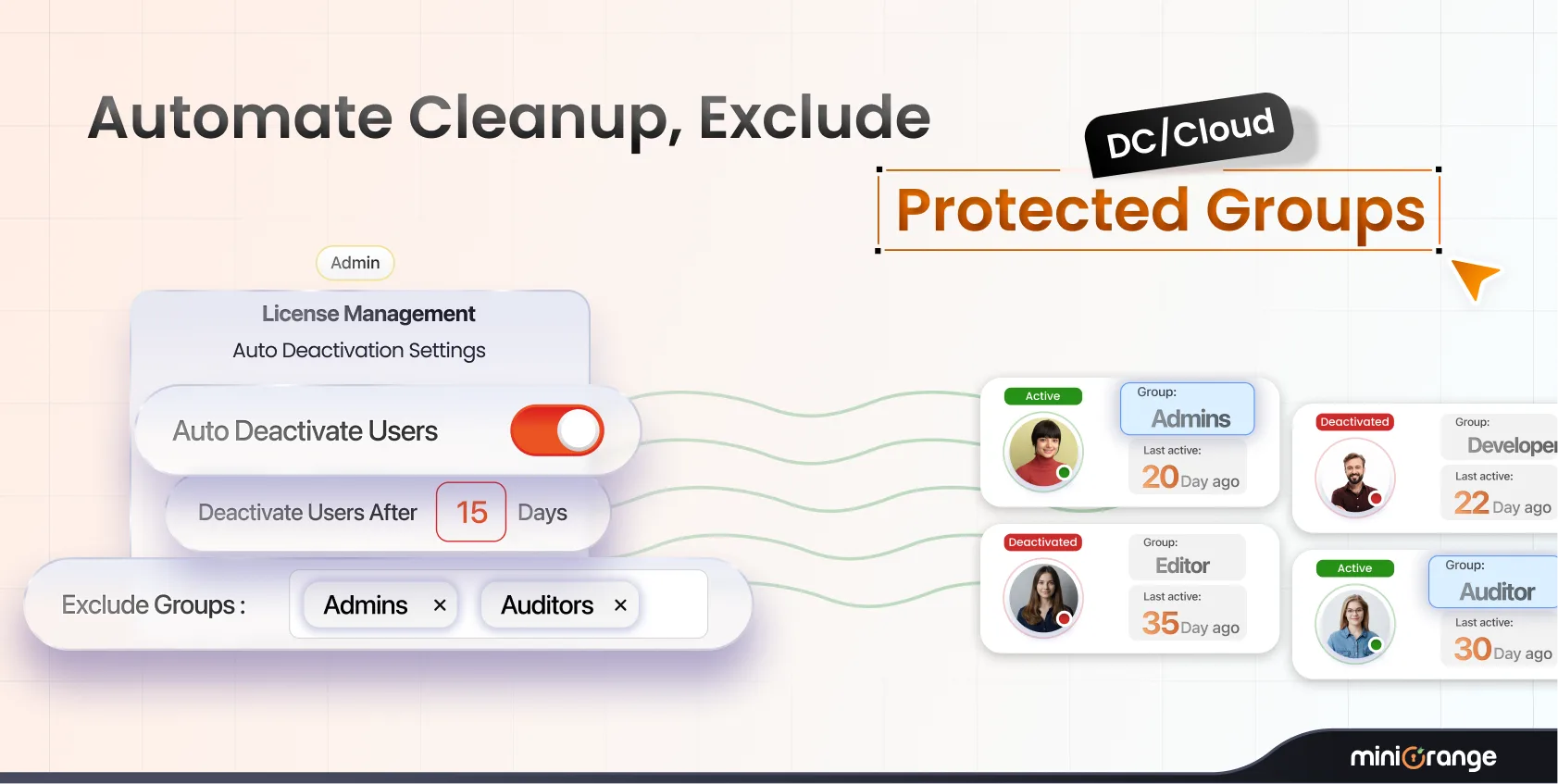
Identify Inactive Agents: Using a built-in scheduler, the app runs daily checks to identify agents who haven’t logged into JSM for a predefined period.
-
Remove JSM Agent Access: Once identified, the app automatically removes agent access for inactive users while keeping their regular Jira user licenses intact.
-
Exclude Specific Groups: Admins can define exclusion groups to ensure certain users, such as system administrators, are not affected by this process.
With this automated user management in place, you ensure that your JSM agent licenses are always optimized without the need for time consuming manual intervention. Additionally, the freed licenses can be reassigned to other users as your business needs evolve, ensuring you’re always paying for the exact number of agents you need.
Benefits of Optimizing Atlassian Jira Service Management Licenses
By regularly auditing and managing your Atlassian JSM agent licenses, you can achieve several key benefits:
- Cost Efficiency: Only paying for the licenses your agents actively use translates to significant savings.
- Improved Resource Allocation: Funds saved on unused licenses can be redirected toward more pressing business needs, such as software upgrades, employee training, or expansion projects.
- Scalability: By automating the management of your agent licenses, your business can scale efficiently without worrying about spiraling costs due to inactive users.
Conclusion
Jira Service Management pricing can quickly add up if unused agent licenses remain active, placing an unnecessary burden on your business. However, by taking a proactive approach and utilizing tools like miniOrange’s Automated User Management application, you can reclaim unused licenses and optimize your costs effectively.
You can start saving today by auditing your JSM agent licenses and enjoying the financial benefits of a more streamlined, cost-effective licensing strategy.
For a hands-on demo of the miniOrange Automated User Management application or to get started, reach out to us at mahima@xecurify.com or info@xecurify.com.
For a hands-on demo of the miniOrange Bulk User Management application or to get started, reach out to us at mahima@xecurify.com or info@xecurify.com.
Leave a Comment